Baserow
Baserow is an open-source no-code database for structured team data, operational workflows and internal applications. It combines spreadsheet-like editing with typed fields, views, forms, dashboards, automations and a REST API generated from your tables.
Moltern deploys Baserow with a private PostgreSQL database and Redis cache. The application receives a public HTTPS URL, while its dependencies remain private to the selected environment. Your Baserow account is separate from your Moltern account.
Before You Start
You need permission to deploy services in the target workspace and environment. Decide whether the installation should use new managed dependencies or compatible services already running in that environment.
For a new installation, choose new PostgreSQL and Redis instances. Reusing a database is an advanced operation: confirm that the selected database is compatible, back it up, and do not point two unrelated Baserow installations at the same database.
Start with the catalog's recommended fixed capacity. Automatic replica scaling is not enabled for this stateful template. More replicas do not by themselves make database migrations, background work or upgrades highly available.
Deploy In Moltern
- Open Services, find Baserow, and select Deploy.
- Enter a service name and choose the environment.
- Review Capacity and scaling. Keep one fixed instance for the first deployment.
- Under Required services, create new PostgreSQL and Redis dependencies, or deliberately select compatible existing services.
- Leave Secret key blank to generate it securely unless you are migrating an existing installation that requires its original value.
- Select Preview deploy and review every workload and storage change.
- Confirm the deployment and wait until Moltern reports the service healthy.
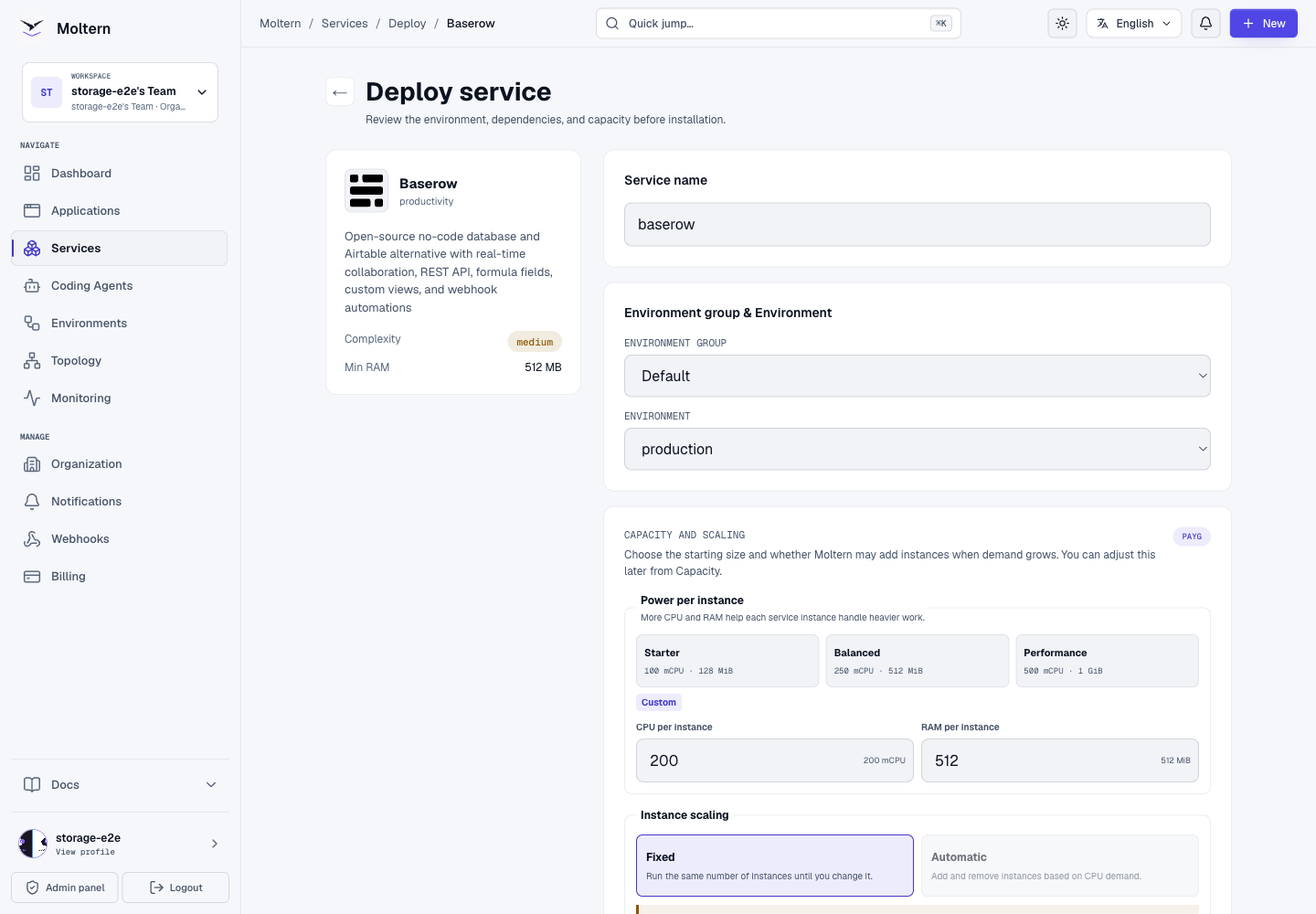
The deployment preview lists Baserow and its required services before anything is created. A newly provisioned dependency belongs to this Baserow service and is removed with it. A reused dependency remains independent and must not be deleted with the parent.
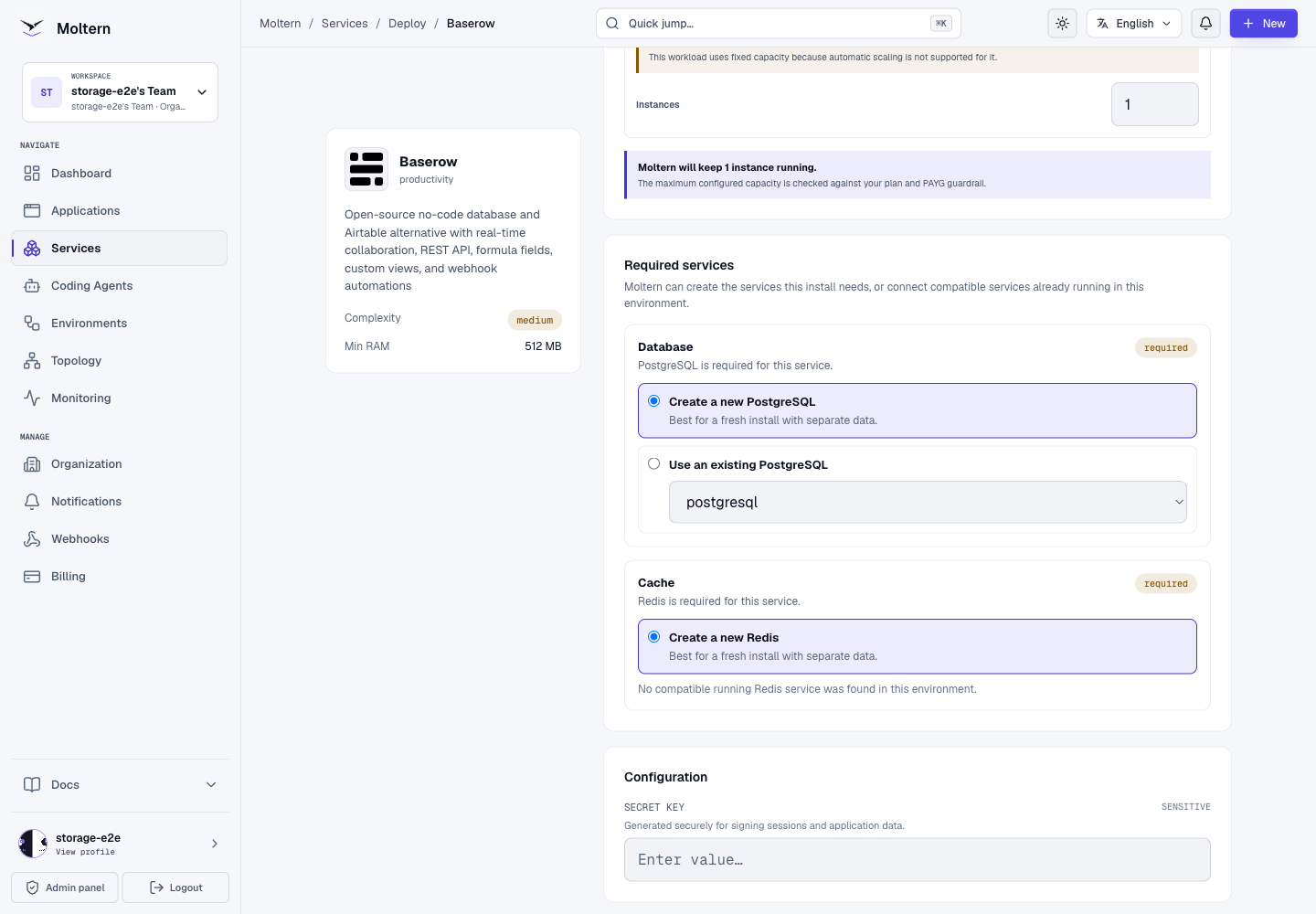
Startup can take several minutes while Baserow prepares its database. Moltern waits for Baserow's application health check rather than treating an open port as readiness. Open Live Logs if the service remains in deployment.
Create The First Owner
Open the service URL after the deployment is healthy. A fresh installation shows Create account for the first Baserow owner.
- Enter an administrator email address you control.
- Enter the owner's name and a unique, strong password.
- Select Get started.
- Complete or skip the optional onboarding prompts.
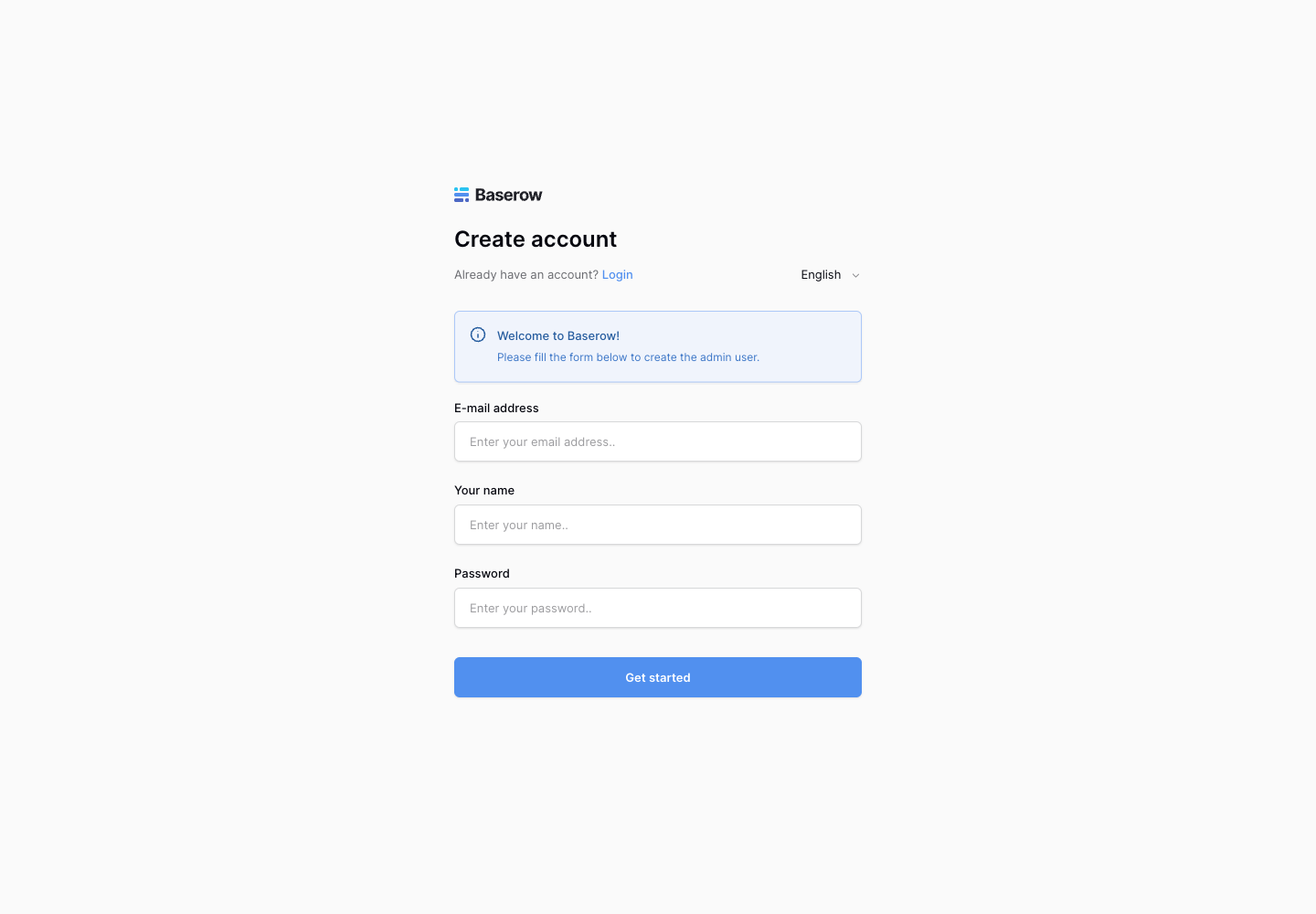
The first account controls the new Baserow workspace. Do not use a shared mailbox or publish its password. Invite each collaborator from Baserow and grant only the access that person needs. Moltern workspace membership does not automatically create a Baserow user.
Build Your First Database
Create a small test database before importing important information:
- Select Add new > Database.
- Start from scratch, a template, or an import.
- Give the database and first table descriptive names.
- Add fields with the correct types, such as text, number, date or select.
- Add a few harmless rows and edit one of them.
- Reload the page and confirm the values are still present.
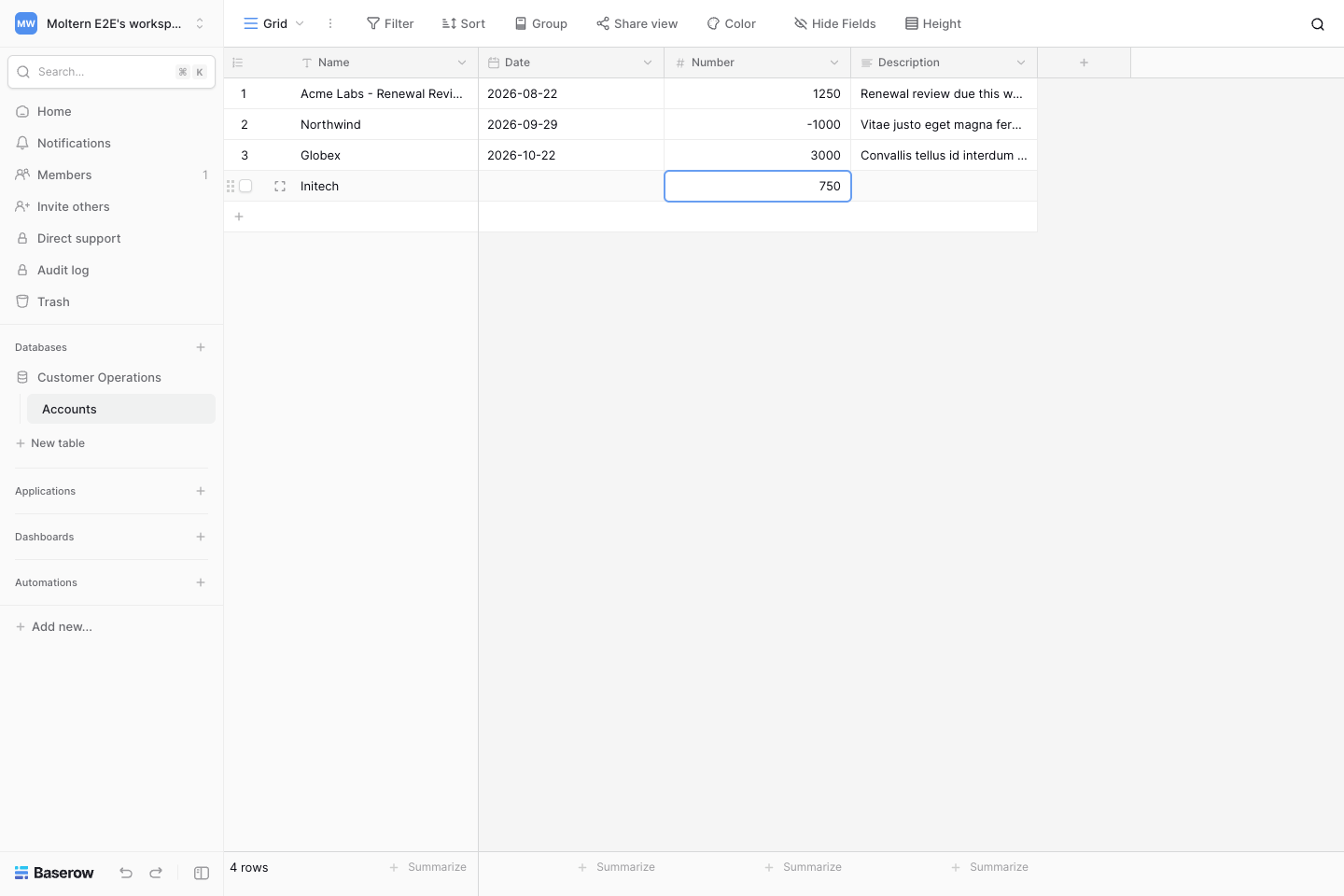
The illustrated customer test created an Accounts table, added a fourth row, changed an account value and description, and read the same four records after a full Baserow runtime replacement.
Use views, filters and sorts to present the same table for different tasks. Before an import, verify headers, field types and date formats in a disposable table. CSV, Excel, JSON and XML are supported for common import workflows.
Connect The REST API
Baserow generates API documentation from each database. Open the database menu and select View API Docs to see the table IDs, fields and request examples for your instance.
Create a narrowly scoped database token:
- Open the workspace menu in Baserow and select My settings.
- Select Database tokens, then Create token.
- Use a descriptive name and choose the workspace.
- Grant only the required create, read, update and delete permissions for the intended table.
- Store the token in your application's secure configuration. Do not commit it or place it in screenshots.
List rows with your Baserow HTTPS origin and table ID:
GET /api/database/rows/table/TABLE_ID/?user_field_names=true
Authorization: Token YOUR_DATABASE_TOKEN
The live validation created a table-scoped token and retrieved all four test rows with HTTP 200 after the application restart. A database token grants application-level access; the service URL alone does not. Regenerate or delete the token when a client no longer needs it, then verify that the old token is rejected.
Export Data And Plan Recovery
For a table-level export, open the table menu, choose Export table, and select CSV, Excel, JSON or XML. Exported data can contain sensitive records, so store it outside the running service with access controls appropriate to that data.
Workspace exports can preserve databases, tables and other supported content for migration. They do not replace every operational setting, collaborator permission, webhook or custom domain. Test an import into a disposable installation before relying on it as recovery evidence.
Moltern keeps application files, PostgreSQL data and Redis data in separate private storage locations for this installation. A successful stop and start retained the tested account, schema, token permissions and rows. That graceful replacement is not proof of recovery from every interrupted write or damaged database. Keep independent exports and a tested recovery procedure before using Baserow for critical records.
Operate The Service
Use the Baserow service page in Moltern for:
- Live Logs to investigate startup, migration and application errors.
- Capacity to review CPU and memory before applying a change.
- Access to open the generated URL and manage domains where available.
- Settings for service configuration and protected connection details.
Stopping Baserow makes its URL temporarily unavailable. Starting it creates a new runtime and waits for the application to become healthy. In the validated deployment, the PostgreSQL and Redis dependencies stayed available during the parent stop, and the original rows were present after restart.
Storage usage is measured in bytes and can display as 0 GiB for a small
database because of unit rounding. That does not mean the files are missing.
Usage collection is periodic, so recent writes can appear in the next sample.
Elapsed-time billing reconciliation remains a separate platform validation;
do not infer a final charge from a single storage snapshot.
Delete A Test Installation
Export anything you need and remove client tokens before deletion.
- Open the Baserow service in Moltern.
- Select Delete Service.
- Choose Delete stored data only when the installation is disposable.
- Review the listed managed dependencies.
- Complete the protected account confirmation.
- Wait for cleanup to remove the parent and its owned dependencies.
Choosing Keep workspace files intentionally retains data and storage usage. Dependencies that were reused rather than created for Baserow remain separate. The validated full-delete flow removed Baserow, its new PostgreSQL and Redis services, their private storage paths and their active resource allocations; the workspace's shared storage remained intact.
Troubleshooting
| Symptom | What to check |
|---|---|
| URL returns unavailable while status says deploying | Wait for the application health check and review Live Logs; database migrations can take several minutes. |
| First-owner page does not appear | Confirm this is a fresh database. An existing database may already contain users. |
| Login rejected | Use the Baserow owner account, not your Moltern account. Reset it through a tested Baserow recovery process rather than reinstalling over stored data. |
| API returns 401 or 403 | Check the Token authorization scheme, table ID and token permissions. Never print the token while debugging. |
| Rows disappear after choosing another view | Clear filters and confirm the active database, table and view before assuming data loss. |
| Service reports healthy but the page returns an error | Capture the time, inspect Live Logs, and check the PostgreSQL and Redis dependencies. Do not repeatedly redeploy while migrations are running. |
| Small storage workload shows 0 GiB | Review the measurement timestamp; byte usage can round down in GiB displays. |
Frequently Asked Questions
Are PostgreSQL and Redis public?
No. Moltern connects them privately inside the selected environment. Baserow's HTTPS application URL is the normal user and API entry point.
Can I reuse an existing PostgreSQL or Redis service?
The deploy form can offer compatible services already running in the same environment. Reuse only a dependency you own and have backed up. Keep its lifecycle independent from Baserow.
Does a healthy deployment prove my workflow is ready?
No. Create an owner, save and reopen sample rows, test the exact API or import you need, restart the application, and verify deletion in a disposable trial.
Is a table export a complete backup?
No. It protects selected table data, not every workspace setting, user, permission, webhook or domain. Define and test recovery for your use case.