Deploy ActivePieces
ActivePieces is a visual automation platform for connecting applications, APIs, schedules and business processes. Moltern deploys the editor with the database and queue services it needs, a live HTTPS URL and durable workspace storage.
What Moltern Deploys
| Component | Purpose | Access |
|---|---|---|
| ActivePieces | Flow builder, triggers, actions and run history | Public HTTPS URL with account sign-in |
| Managed PostgreSQL | Accounts, projects, flows and execution records | Private to the environment |
| Managed Redis | Job queue and background work | Private to the environment |
| Workspace files | Runtime files that must survive replacement | Assigned service path |
The managed dependencies are created automatically when no compatible service is selected. An existing compatible database or cache can be reused from the deploy preview instead.
Before You Start
You need a Moltern workspace, an environment and permission to create services. The validated starting profile reserves 100 mCPU and 512 MiB for ActivePieces; its database and cache are metered separately.
Decide which external systems each automation may access. A flow can act with the authority of its stored connections, so use dedicated least-privilege accounts and never paste production credentials into flow notes or test data.
Deploy ActivePieces
- Open Services and select ActivePieces.
- Choose the workspace and environment that should own the automations.
- Enter a unique service name.
- Review the proposed PostgreSQL and Redis dependencies.
- Reuse compatible services when appropriate, or let Moltern create isolated dependencies for this installation.
- Review capacity and storage impact, then confirm the deployment.
- Wait for Running before opening the generated URL.
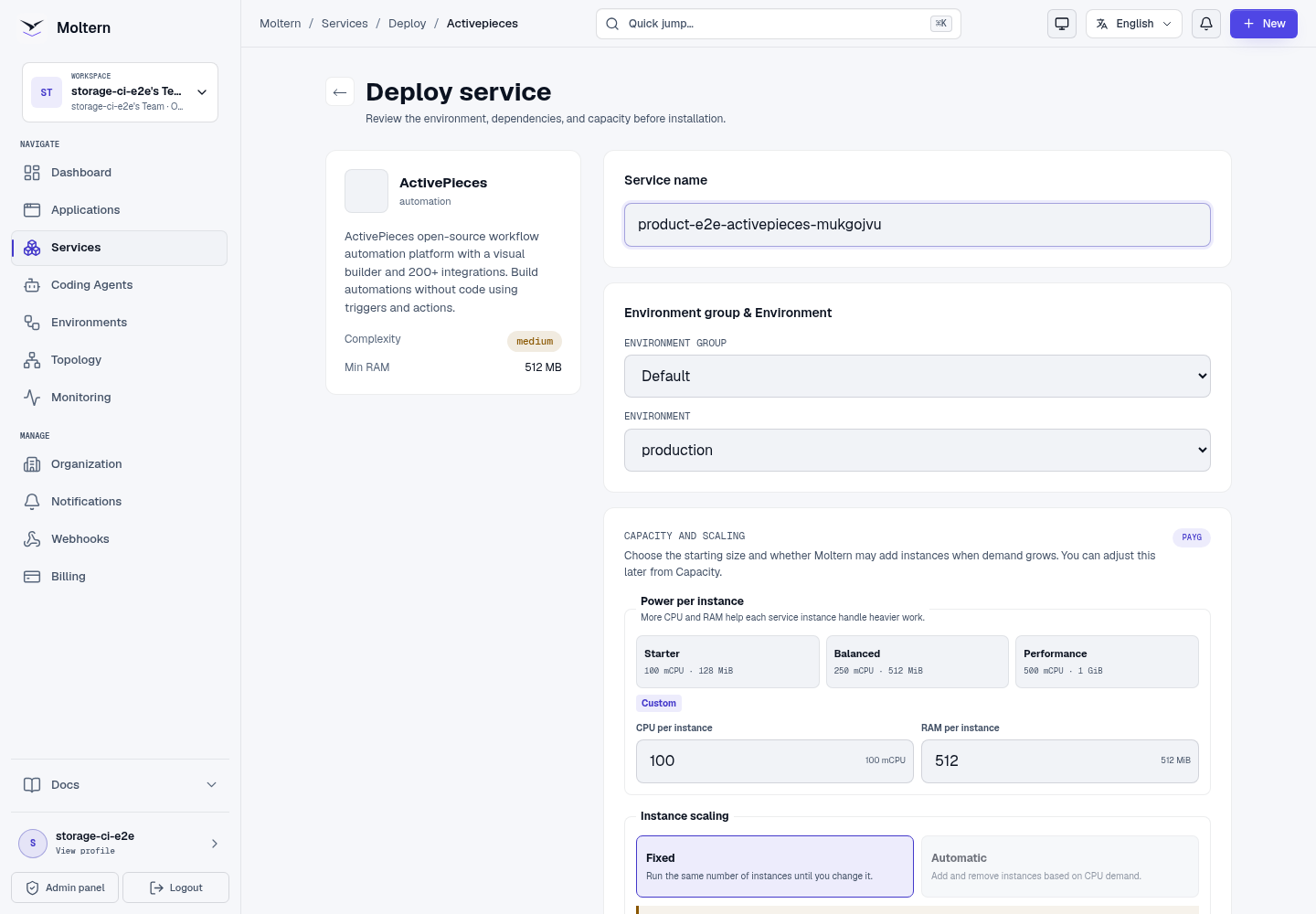
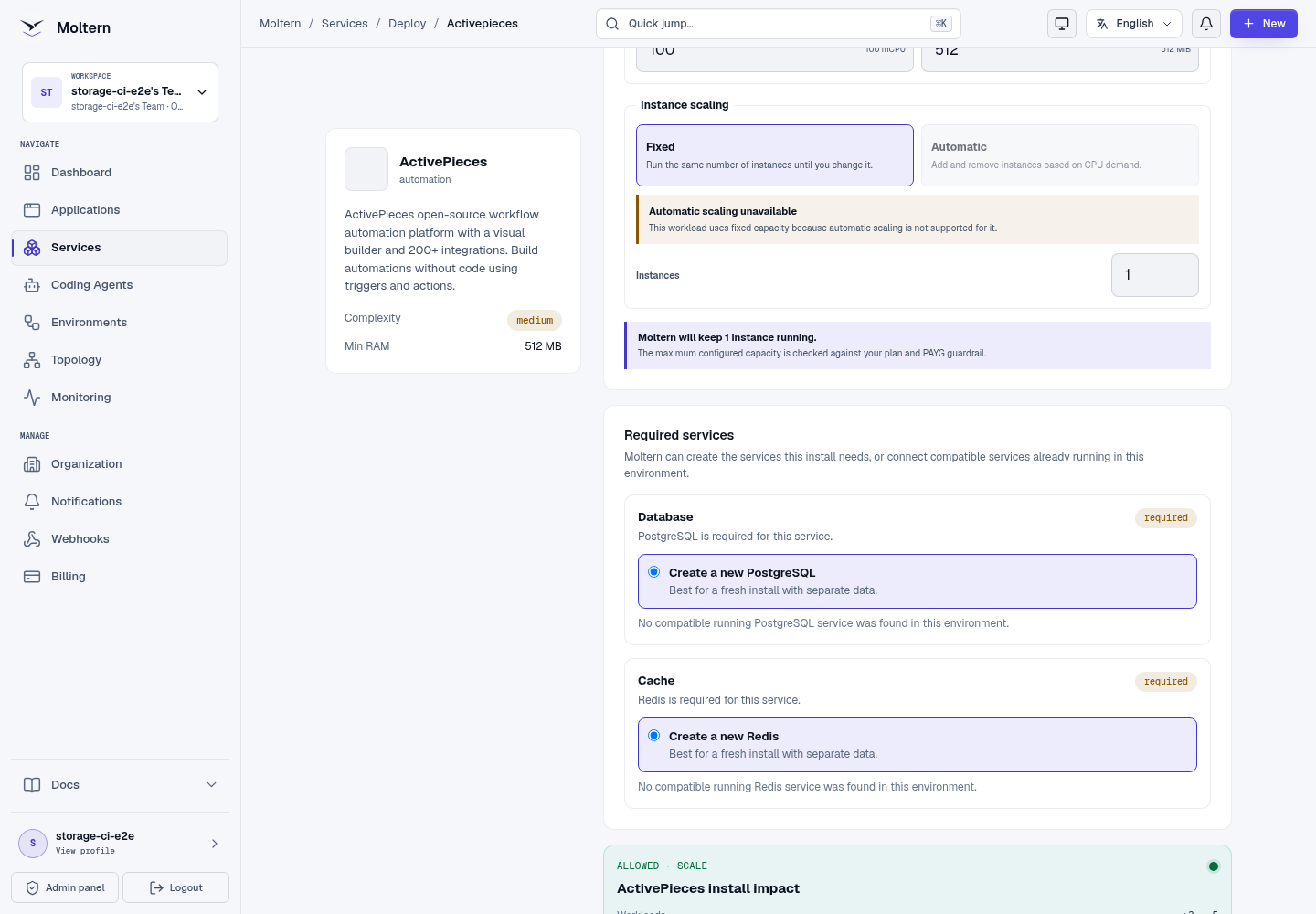
The first start applies database migrations and prepares the available pieces. Open Live Logs when initialization takes longer than expected. Do not submit a second installation while the first one is still progressing.
Create The First Owner
Open the service URL and create the first workspace owner. Use an email address your team controls and a unique password. After sign-in, ActivePieces opens the Flows workspace.
Moltern does not know this product password. Store it in your organisation's approved password manager. Service connection details in Moltern protect infrastructure credentials; they do not reset an ActivePieces account.
Build A Test Flow
Verify the product before connecting important systems:
- Select New flow.
- Give the flow a recognizable name.
- Add a manual or scheduled trigger.
- Add a harmless action, such as producing a fixed text value.
- Test the action and confirm the run output.
- Publish only after the controlled test succeeds.
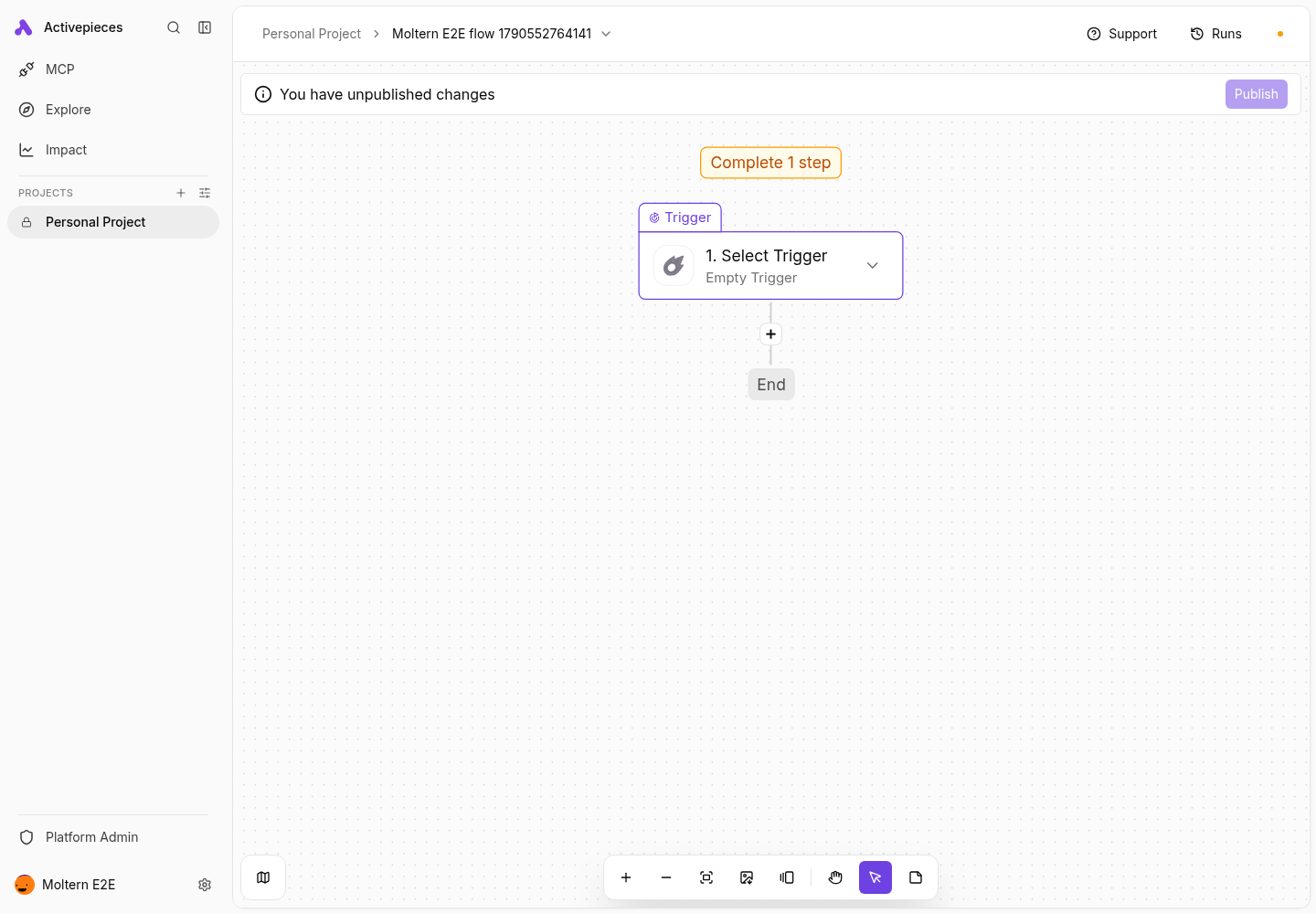
A loaded dashboard is not a complete service check. Creating and reopening a flow proves that authentication, the API and persistent database state work together.
Connect Applications And Services
Connections configured inside ActivePieces belong to the product and are encrypted by ActivePieces before being stored in its database. Use credentials created for the automation, restrict their scopes and rotate them when a flow is retired.
For a Moltern application or coding agent that needs this service, grant only the specific private connection from that workload's Access settings. Removing the attachment must also remove the generated runtime context and network permission.
Persistence And Restart
Flows, projects, accounts and execution metadata live in managed PostgreSQL. Queue state uses Redis, while service files use the assigned workspace path. Stopping and starting ActivePieces replaces its runtime without deleting those resources. After a restart, sign in and reopen a saved flow before returning the service to production use.
A restart check is not a backup restore. Export important flows and maintain a recovery policy appropriate for the systems the automation controls.
Capacity And Metering
Moltern displays ActivePieces, PostgreSQL and Redis as separate workloads in usage and billing views. CPU, memory, instances and stored bytes are measured for each workload. The requested storage allowance is a limit, not proof that all of it has been consumed.
Increase capacity only after checking run concurrency, queue delay and memory pressure. Changes can replace a single-instance runtime, so schedule them when a short interruption is acceptable.
Operate ActivePieces
Use the Moltern service page to:
- open the product URL and inspect current health;
- follow migrations, startup and runtime failures in Live Logs;
- review or change fixed capacity;
- manage approved private service connections;
- stop and start the runtime without deleting flow data; and
- review measured usage before increasing PAYG limits.
Delete ActivePieces
- Export flows and connection inventory that must be retained.
- Open the ActivePieces service and select Delete Service.
- Choose Delete stored data only when the automation state can be removed.
- Complete the protected account confirmation.
When PostgreSQL and Redis were created only for this installation, Moltern also removes those owned dependencies and their assigned data paths. A reused dependency remains available to its other consumers.
Troubleshooting
| Symptom | What to check |
|---|---|
| The first deployment is slow | Open Live Logs and wait for database migrations and piece synchronization. |
| The page remains on a loading indicator | Confirm the service is Running, reload once, and inspect browser and service logs for failed API requests. |
| Owner creation fails | Confirm this is a new installation and that managed PostgreSQL is healthy. Do not repeatedly create different owners. |
| A flow saves but cannot run | Inspect the step output, connection scope and Redis health. Test one harmless action before enabling the trigger. |
| A connector cannot reach an external API | Confirm the destination is allowed, DNS resolves and the provider credentials are valid. Do not broaden private network access. |
| A flow is absent after restart | Stop changes and contact support before deleting stored data. Verify the database dependency is still attached and Running. |
Validation Boundaries
The production gate covers first-owner creation, a real saved flow, runtime replacement, flow read-back, point-in-time resource accounting and protected cleanup. Individual third-party connectors, sustained queue load, multi-replica high availability and backup restore require separate tests with customer-owned accounts.