AnythingLLM
AnythingLLM is a document-chat and AI workspace for retrieval-augmented generation (RAG), assistants and agent workflows. Moltern runs the application, creates its required PostgreSQL vector database, preserves workspace files and lets you connect a private Ollama service without publishing Ollama to the internet.
Before You Start
You need:
- a Moltern workspace and environment;
- permission to create services;
- at least
200 mCPUand approximately1.3 GiBof available memory for the initial AnythingLLM and PostgreSQL workloads; - enough workspace storage for documents, generated indexes and model files;
- an LLM provider. This guide uses an Ollama service in the same environment.
AnythingLLM does not receive a generated login password. The first operator enables multi-user mode and chooses the administrator credentials in AnythingLLM. Keep those credentials in your organisation's password manager.
Deploy AnythingLLM
- Open Services and select AnythingLLM.
- Enter a unique service name.
- Select the project and environment that should own the workspace.
- Keep the validated starting capacity or choose a larger fixed size.
- Select Preview deploy.
- Review the required Vector Database dependency.
- Choose an existing compatible PostgreSQL service when appropriate, or let Moltern create a new one.
- Confirm that the preview shows two workloads and no dedicated storage volume.
- Select Confirm deploy and wait for Running.
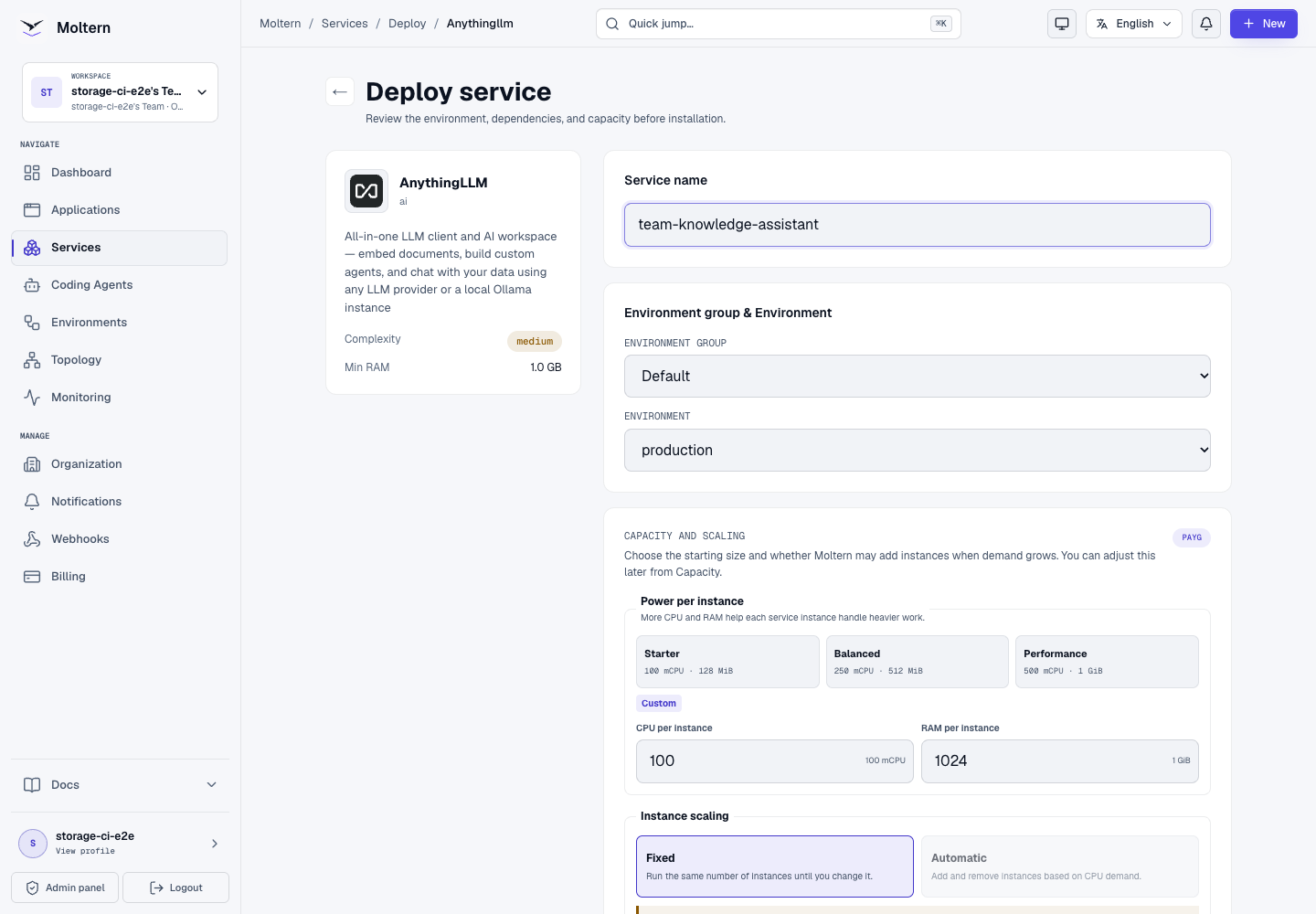
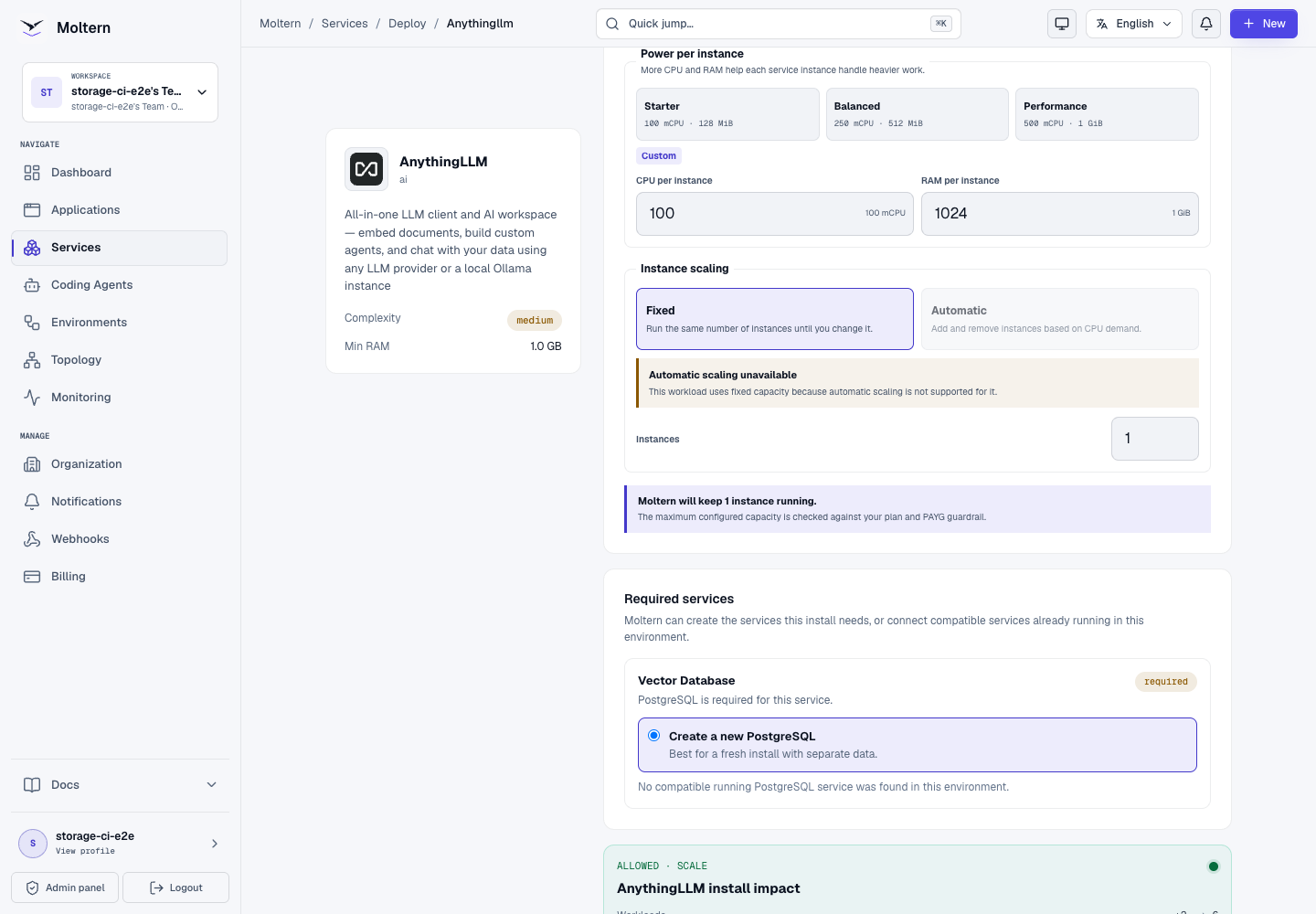
The generated PostgreSQL dependency is managed with the parent AnythingLLM service. Do not try to delete that dependency directly. Delete the parent when you want Moltern to remove the complete managed stack.
Deploy And Prepare Ollama
AnythingLLM needs a model provider before it can answer questions. To keep the model endpoint private:
- Deploy Ollama in the same environment.
- Connect a trusted application or coding agent to Ollama.
- Use the injected Ollama URL to pull the model selected by your team.
- Confirm
/api/tagslists the model before configuring AnythingLLM.
For example, from an attached workload:
curl --fail --silent --show-error \
  --request POST \
  --header 'Content-Type: application/json' \
  --data '{"name":"qwen2.5:1.5b","stream":false}' \
  "$OLLAMA_URL/api/pull"
Use the actual scoped *_URL variable shown by Moltern instead of the generic
name above. Model downloads consume workspace storage and can take several
minutes.
Connect Ollama Privately
- Open the AnythingLLM service.
- Select Settings.
- Complete the protected account confirmation.
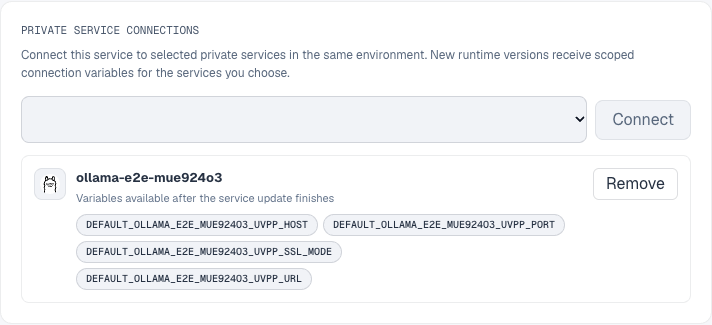
- Under Private service connections, select your Ollama service.
- Select Connect.
- Wait for AnythingLLM to return to Running.
Moltern replaces the AnythingLLM runtime so the new scoped connection variables take effect. Ollama remains private and is not assigned a public URL.
In AnythingLLM:
- Open Settings → AI Providers → LLM.
- Select Ollama.
- Enter the private Ollama URL supplied by the connection.
- Select an installed model.
- Save the provider settings.
If the model list is empty, confirm the model was pulled into Ollama and that both services are in the same environment.
Secure The Workspace
- Open Settings → Security in AnythingLLM.
- Enable Multi-User Mode.
- Choose an administrator username and strong password.
- Save the settings.
- Open a fresh browser session and verify that the login form is required.
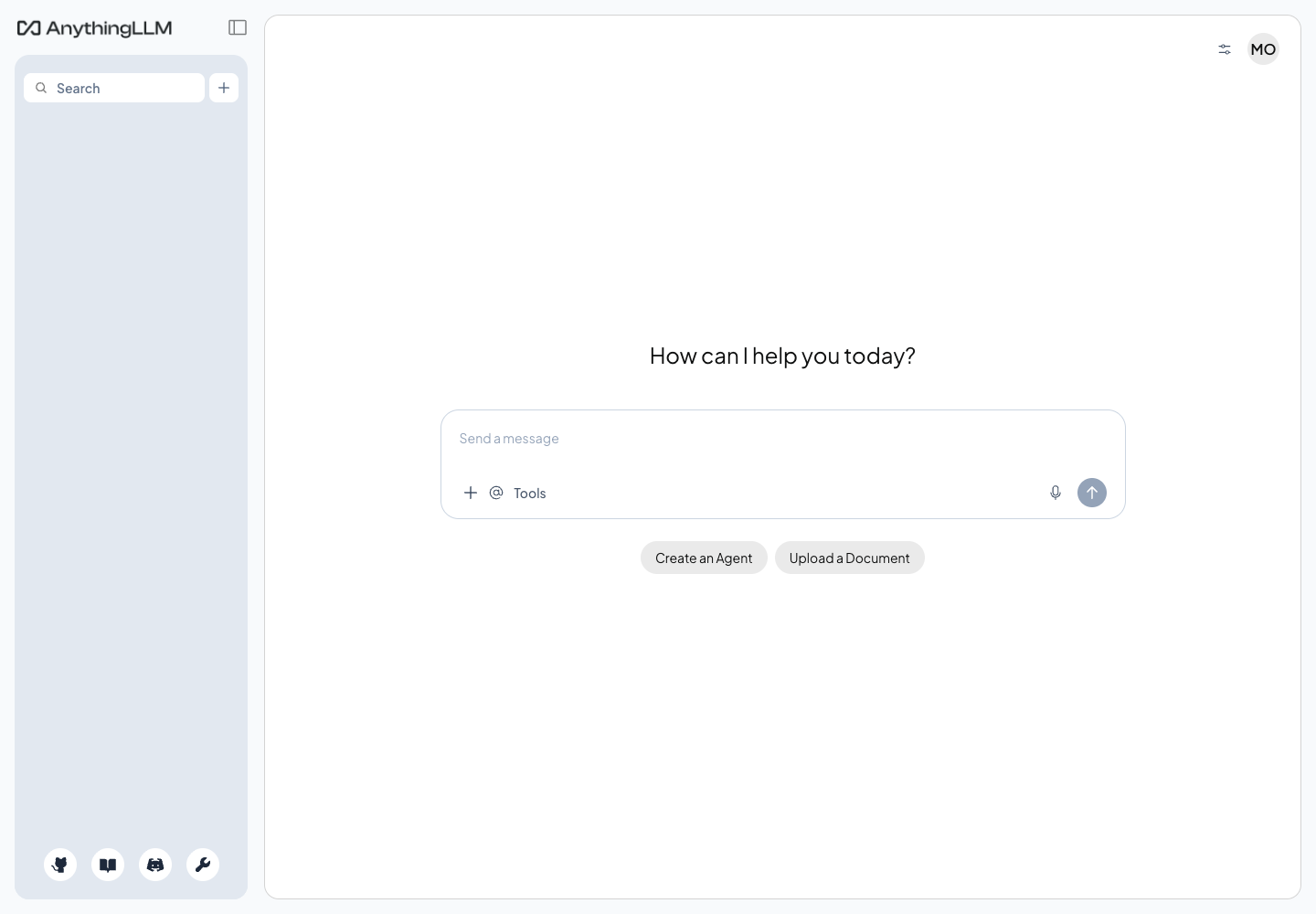
AnythingLLM owns these application credentials. They are different from your Moltern account password and from protected service connection values.
Create A RAG Workspace
- Select New Workspace and enter a meaningful name.
- Open Upload a Document.
- Upload a controlled test file first.
- Select the uploaded document and choose Move to Workspace.
- Select Save and Embed.
- Wait until the document appears in the workspace document list.
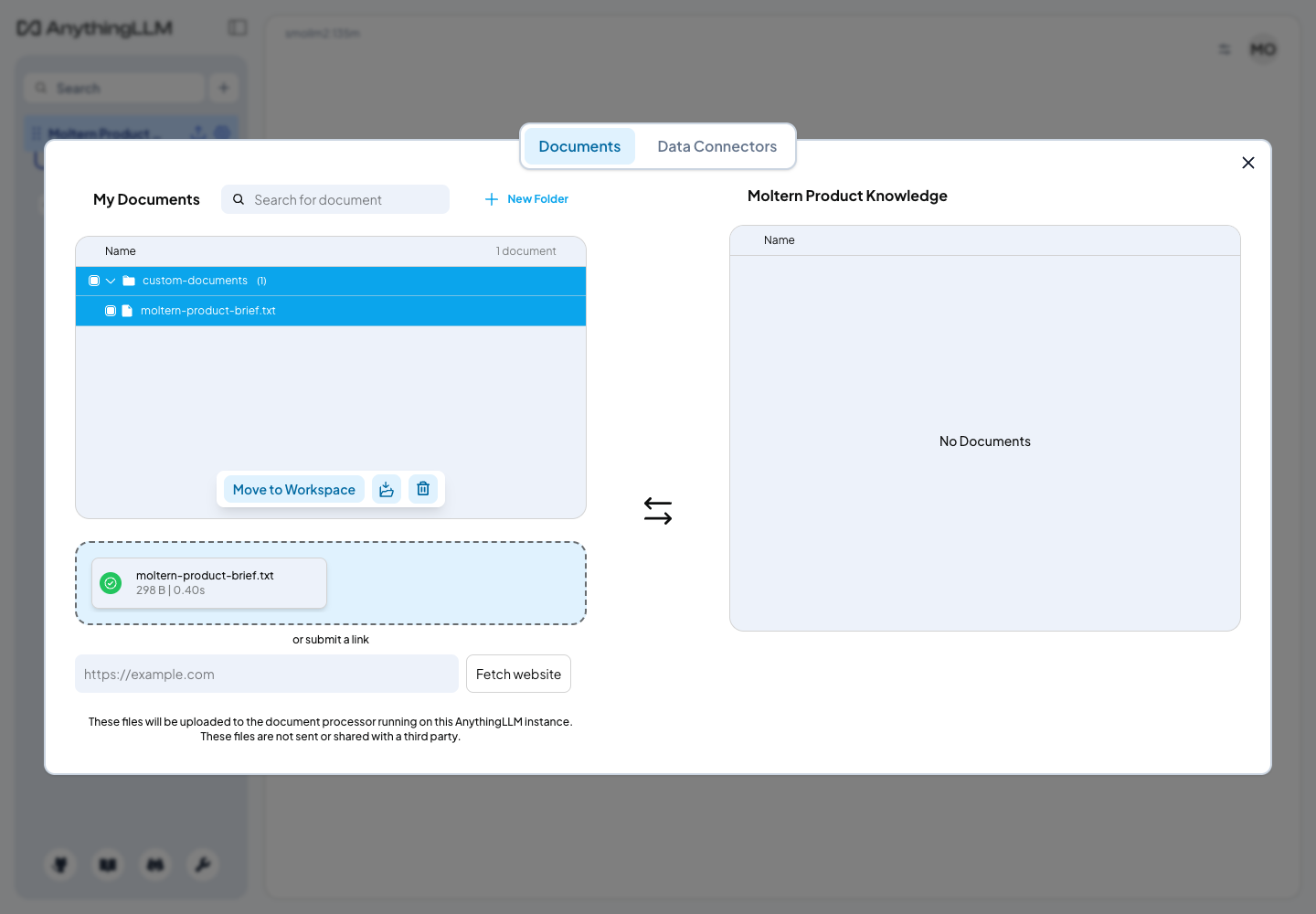
For small local models, open Edit Workspace → Chat Settings and use Query mode when every answer must be grounded in indexed documents. Automatic mode allows the model to decide whether retrieval is needed; small models can make that decision poorly.
Ask a question whose answer is present only in the uploaded document. Verify both the exact answer and the Sources section.
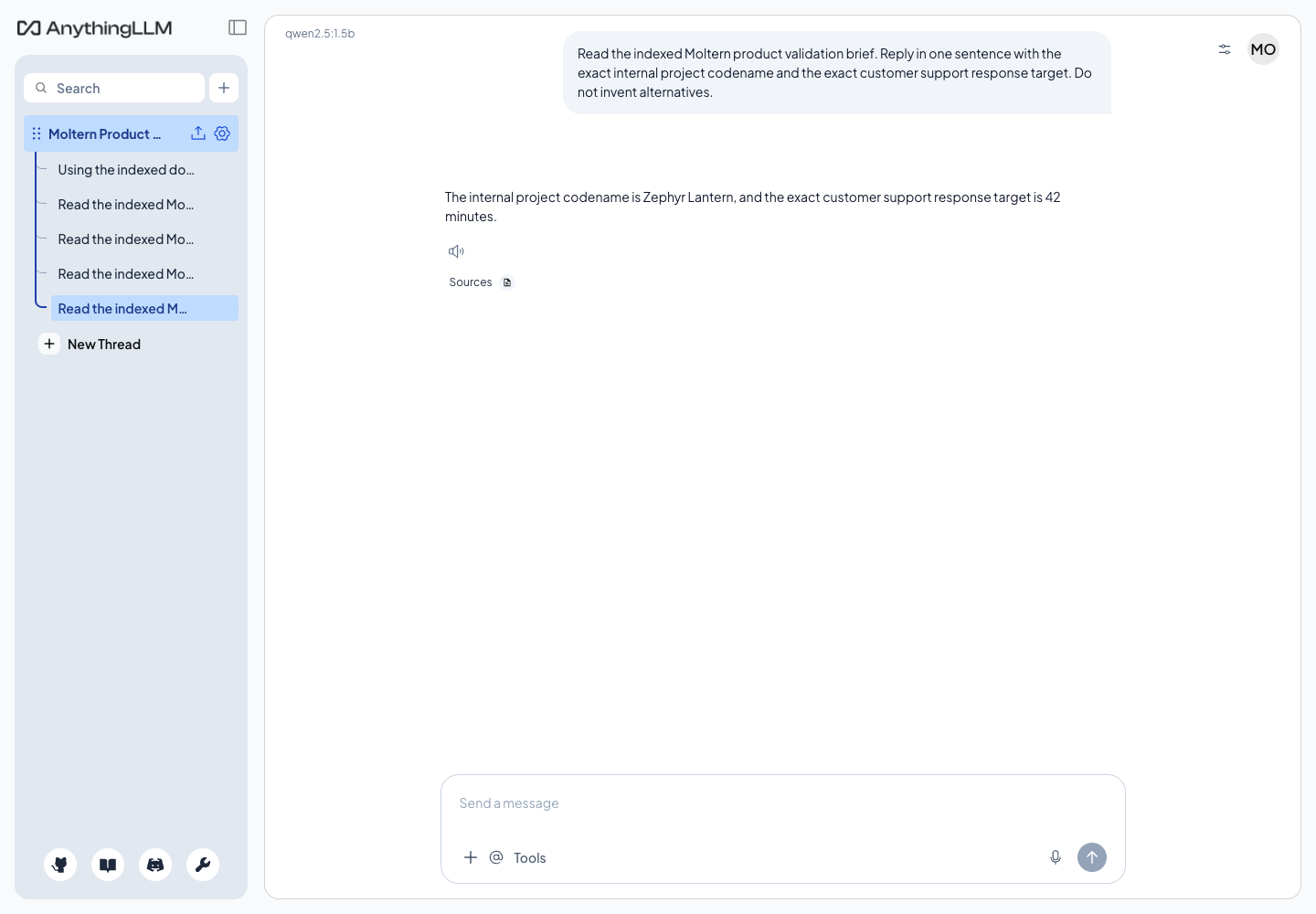
An HTTP-successful chat request is not enough. A model can answer without using the document. Test a controlled fact and check the cited source.
Storage And Persistence
AnythingLLM stores accounts, workspace settings, uploaded documents, document metadata and local caches in its assigned workspace path. Vector embeddings are stored by the managed PostgreSQL dependency.
Moltern mounts only the paths assigned to these workloads. The deployment does not create a separate cloud disk for each service.
During production validation, Stop service removed the AnythingLLM runtime and Start service created a replacement runtime with zero restarts. The following remained intact:
- the administrator login;
- the private Ollama attachment;
- the workspace and conversation history;
- the uploaded document and its checksum;
- the local embedding cache and its checksum;
- the PostgreSQL vector row;
- the exact grounded answer and source reference.
The PostgreSQL dependency remained healthy and was not replaced while only the parent service was stopped.
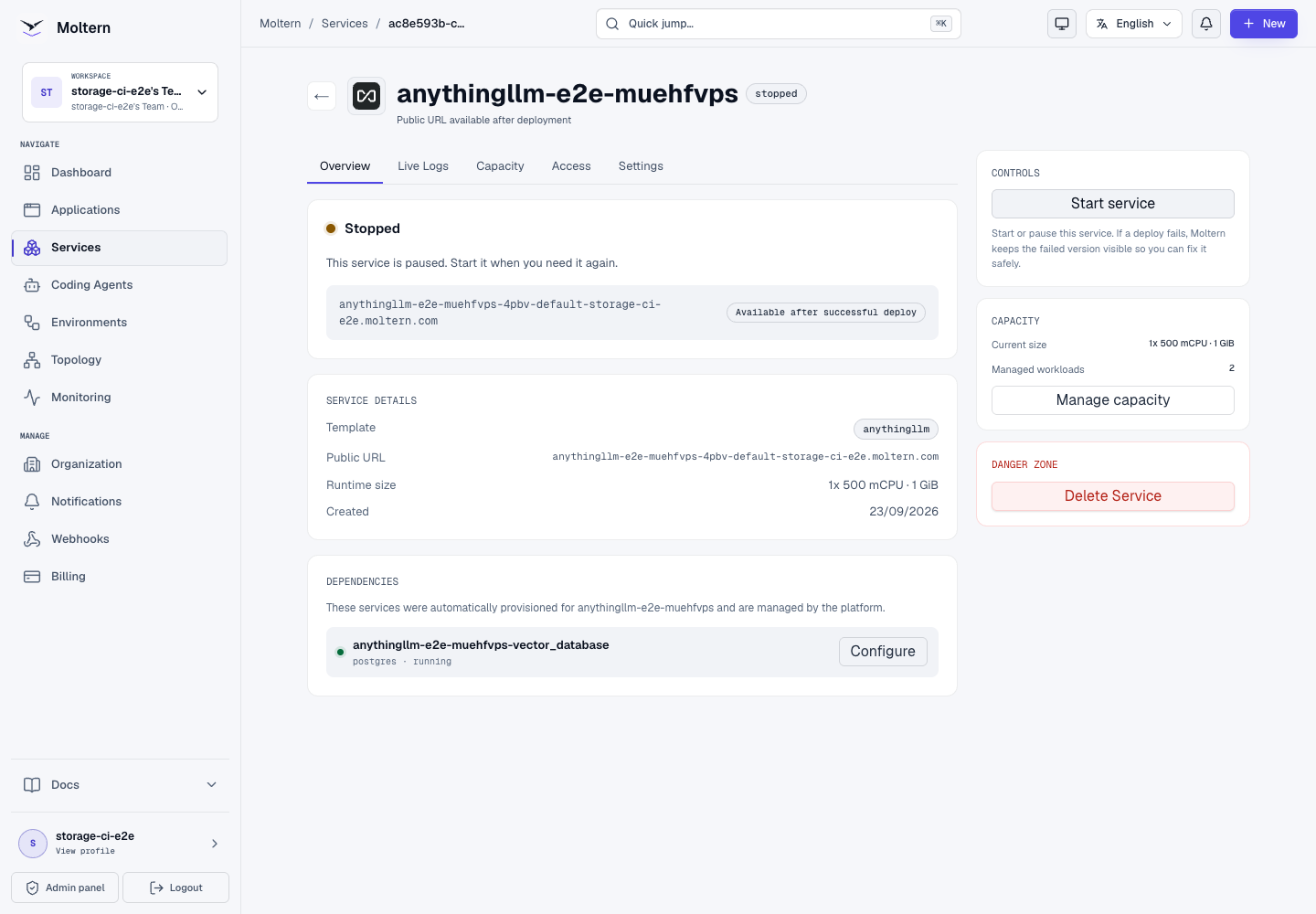
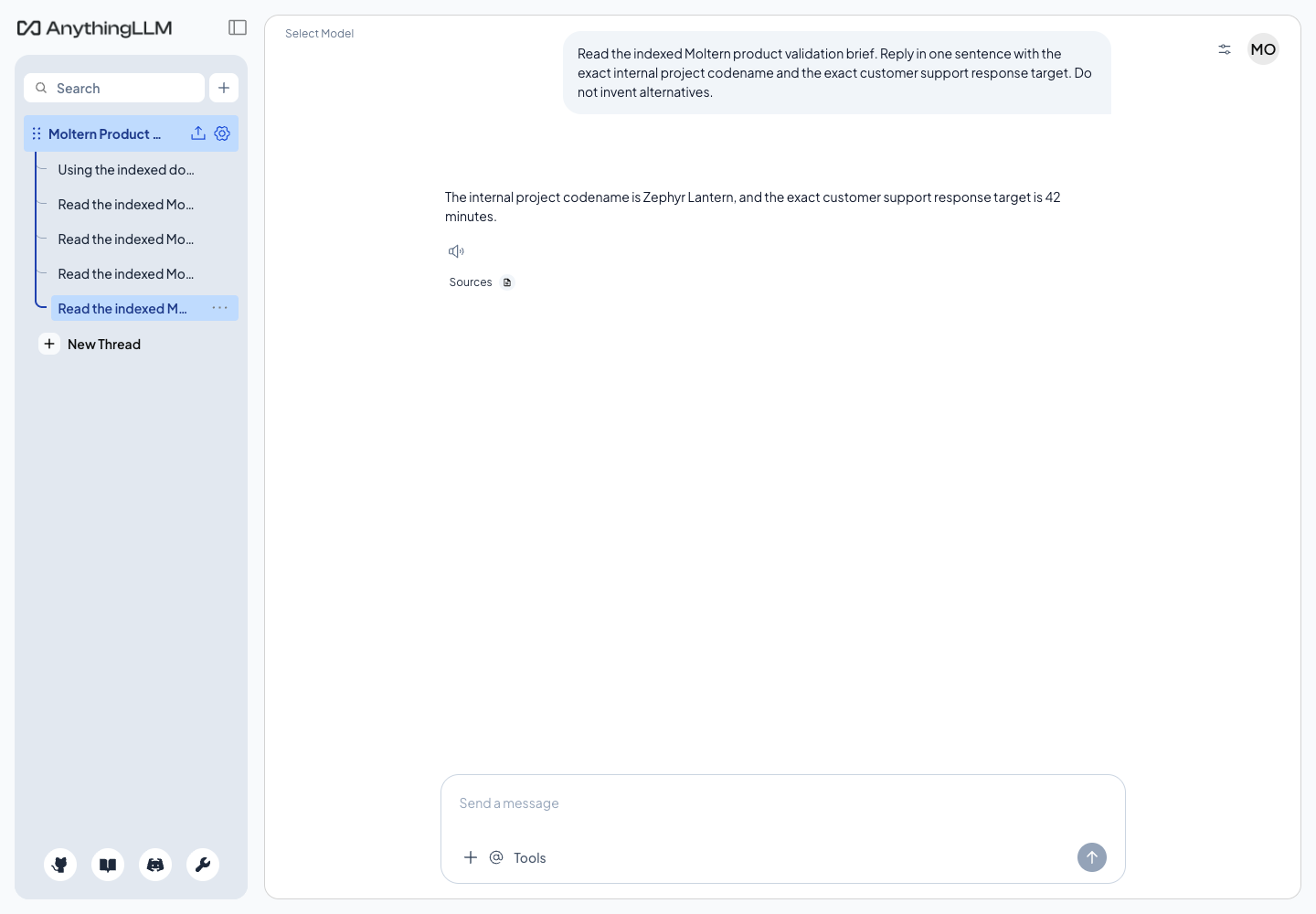
Runtime replacement is not an independent backup restore. Export irreplaceable documents and follow your organisation's recovery policy.
Capacity And Metering
The validated baseline is:
| Workload | CPU request | Memory request | Instances |
|---|---|---|---|
| AnythingLLM | 100 mCPU | 1 GiB | 1 |
| PostgreSQL vector database | 100 mCPU | 256 MiB | 1 |
Actual storage grows with documents, indexes, chat history and generated content. Moltern reports each workload's assigned-path usage in Billing. The Ollama model store is metered separately under the Ollama workload.
At the validated collection point, the AnythingLLM path measured 24,691,734
bytes and its PostgreSQL dependency measured 48,259,092 bytes. The production
usage collector reported the same values for the same collection timestamp.
Use Capacity when ingestion or concurrent chats need more resources. This catalog profile uses one fixed AnythingLLM instance; do not assume horizontal scaling is available for its embedded application state.
Operate AnythingLLM
Use the Moltern service page for:
- Overview to open the product and review its status;
- Live Logs to inspect provider, embedding and database failures;
- Capacity to adjust CPU and memory;
- Access to manage approved workload connections;
- Settings to attach or remove Ollama and review protected connection data;
- Stop service and Start service to replace the runtime without deleting stored data.
After removing an attachment, wait for the runtime update and confirm the scoped connection variables are gone. Do not reuse a private service URL from a manually copied configuration after access has been revoked.
Delete AnythingLLM
- Export documents and conversations that must be retained.
- Open the AnythingLLM service and select Delete Service.
- Select Delete stored data only when the AnythingLLM files and managed PostgreSQL data may be removed.
- Complete the protected account confirmation.
- Confirm the parent, managed dependency and public address are gone.
Deleting stored data removes the assigned AnythingLLM and dependency paths. It must not remove the workspace storage allocation or sibling workload data.
Troubleshooting
| Symptom | What to check |
|---|---|
| Deployment waits at required services | Open deployment progress and confirm the PostgreSQL dependency reaches Running. Avoid submitting duplicate installs. |
| Ollama is missing from the connection list | Confirm both services use the same environment and that your role can manage service access. |
| The model list is empty | Call Ollama /api/tags from an attached workload and pull the required model if it is absent. |
| Document upload works but embedding fails | Review Live Logs, confirm the PostgreSQL dependency is healthy and retry Save and Embed. |
| The answer ignores an indexed document | Use workspace Query mode, lower temperature, verify the document is assigned and inspect Sources. |
| Login fails after restart | Confirm you are using the AnythingLLM administrator credentials, then review startup logs before resetting application security. |
| Chats are slow | Use a smaller model or increase tested capacity. Measure answer quality before choosing a very small model. |
| Service cannot start | Review available workspace capacity and the deployment guidance before retrying. |
Frequently Asked Questions
Does AnythingLLM include a language model?
No. Connect an LLM provider such as Ollama and install a model that fits your quality, memory, latency and storage requirements.
Why is PostgreSQL required?
AnythingLLM needs durable vector storage for document embeddings. Moltern can create and connect a compatible PostgreSQL service during deployment.
Is Ollama exposed publicly?
No. The current catalog profile keeps Ollama private. Only workloads explicitly connected in the same environment receive scoped connection information.
Should I use the smallest available model?
Only after testing answer quality. A 135M model completed inference but failed
the controlled RAG accuracy check. The production E2E passed with
qwen2.5:1.5b in Query mode at temperature zero.
Will Stop service delete my workspace?
No. Stop removes the active runtime. Delete stored data is the destructive operation.
Validated Scope
The current production E2E covers UI deployment, managed PostgreSQL creation, private Ollama attachment, protected Moltern settings, AnythingLLM multi-user login, model discovery, document upload, PostgreSQL-backed embedding, grounded answer and source verification, shared-storage persistence, dependency continuity, runtime replacement, exact point-in-time storage metering and protected parent/dependency data cleanup.
It does not certify multi-user role design, external identity providers, large document sets, concurrent load, backup restoration, horizontal scaling, every LLM provider, every model or final invoice reconciliation.