Cal.com
Cal.com is an open-source scheduling platform for individual and team booking pages, availability rules, recurring events, workflows and calendar integrations. A self-hosted instance keeps the scheduling application and its database in infrastructure controlled through your Moltern workspace.
Moltern deploys the Cal.com application with a private managed PostgreSQL dependency. The application receives a public HTTPS URL, while the database is reachable only by authorized workloads in the selected environment. Cal.com accounts are separate from Moltern accounts.
Before You Start
You need permission to deploy services in the target workspace and environment. Prepare an administrator email address you control for the first Cal.com owner. If you intend to send booking confirmations or connect external calendars, also prepare the provider credentials required by those integrations.
The catalog currently starts Cal.com with one fixed application replica at
250 mCPU and 1 GiB of requested memory. Its PostgreSQL dependency starts at
100 mCPU and 256 MiB. Use these as baseline values, then review real usage
before changing capacity. Automatic replica scaling is not enabled for this
template.
Deploy Cal.com In Moltern
- Open Services, find Cal.com, and select Deploy.
- Enter a service name and choose the environment.
- Review Capacity and scaling. Keep one fixed instance for the first deployment.
- Under Required services, create a new PostgreSQL dependency or deliberately select a compatible existing database.
- Leave the generated security-key fields unchanged for a new installation.
- Select Preview deploy and review the application, dependency and resource changes.
- Confirm the deployment and wait until Moltern reports Cal.com healthy.
A new installation creates two workloads: the stateless Cal.com application and one private PostgreSQL database. It does not create a dedicated volume for the application. The database stores its files in an isolated directory within the workspace filespace.
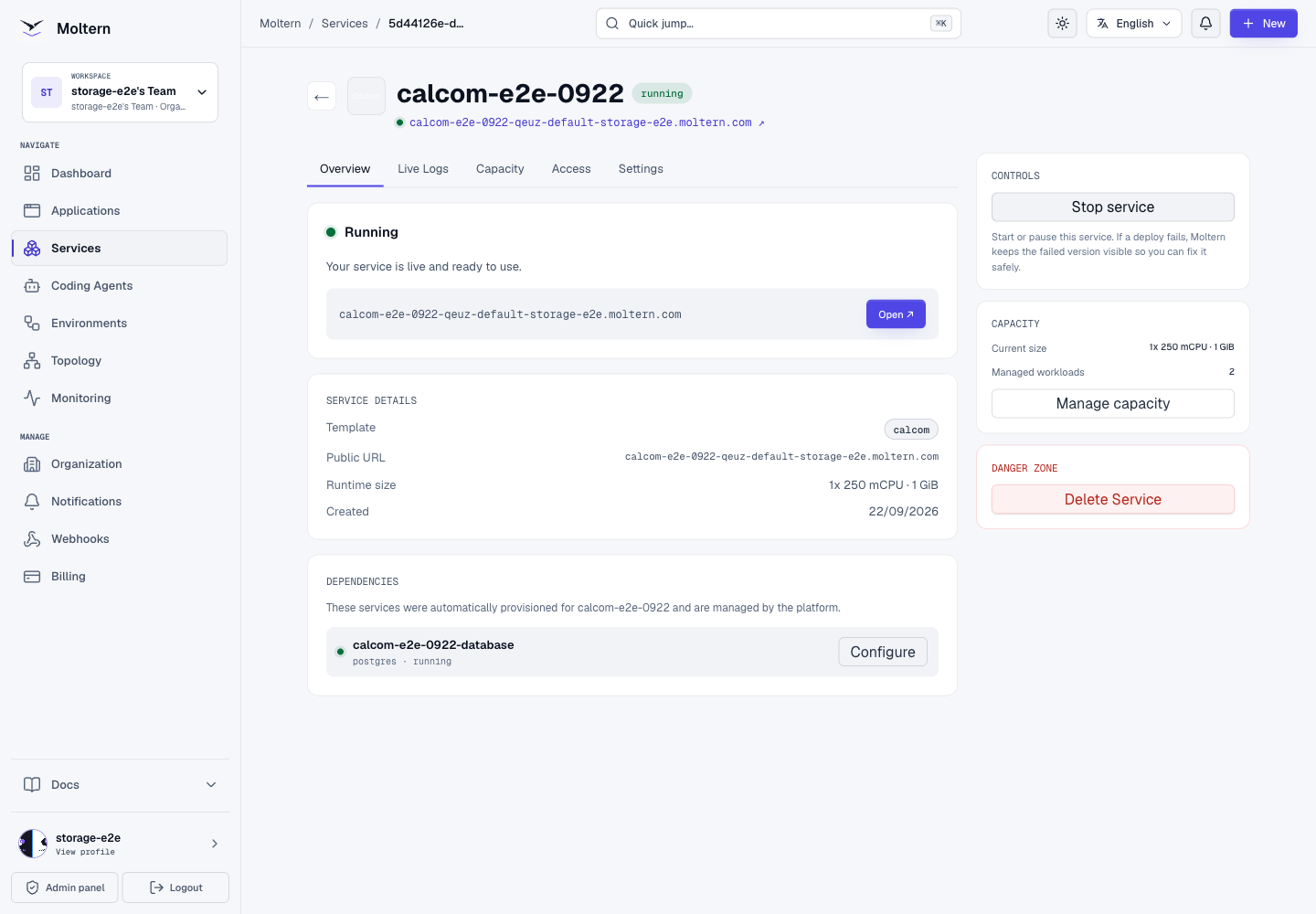
The first startup is slower than a normal restart. The validated installation pulled the Cal.com image, applied 588 database migrations and seeded the app catalog before its HTTP health check became ready. This took about six minutes. Do not redeploy while migrations are still progressing; open Live Logs to follow the startup instead.
Create The First Owner
Open the generated URL after the service is healthy. A fresh database starts the Cal.com owner setup:
- Create the administrator using an email address you control.
- Set a unique password that satisfies Cal.com's current administrator requirements.
- Complete the personal profile, username and time-zone steps.
- Enable only the default apps you need.
- Connect a calendar now, or skip that step and configure it later.
The first account controls the Cal.com installation. Do not use a shared default password and do not put its credentials in service variables or screenshots. Invite each collaborator from Cal.com and grant only the access they need.
Cal.com may warn that a new administrator needs a longer password or two-factor authentication. Resolve that warning from Settings > Security before using the installation for sensitive schedules.
Publish A Booking Page
Create a harmless test event before inviting users:
- Open Event types and select New.
- Set a clear title, URL slug and duration.
- Review working hours, minimum notice and booking limits.
- Add a location or conferencing integration only when it is configured.
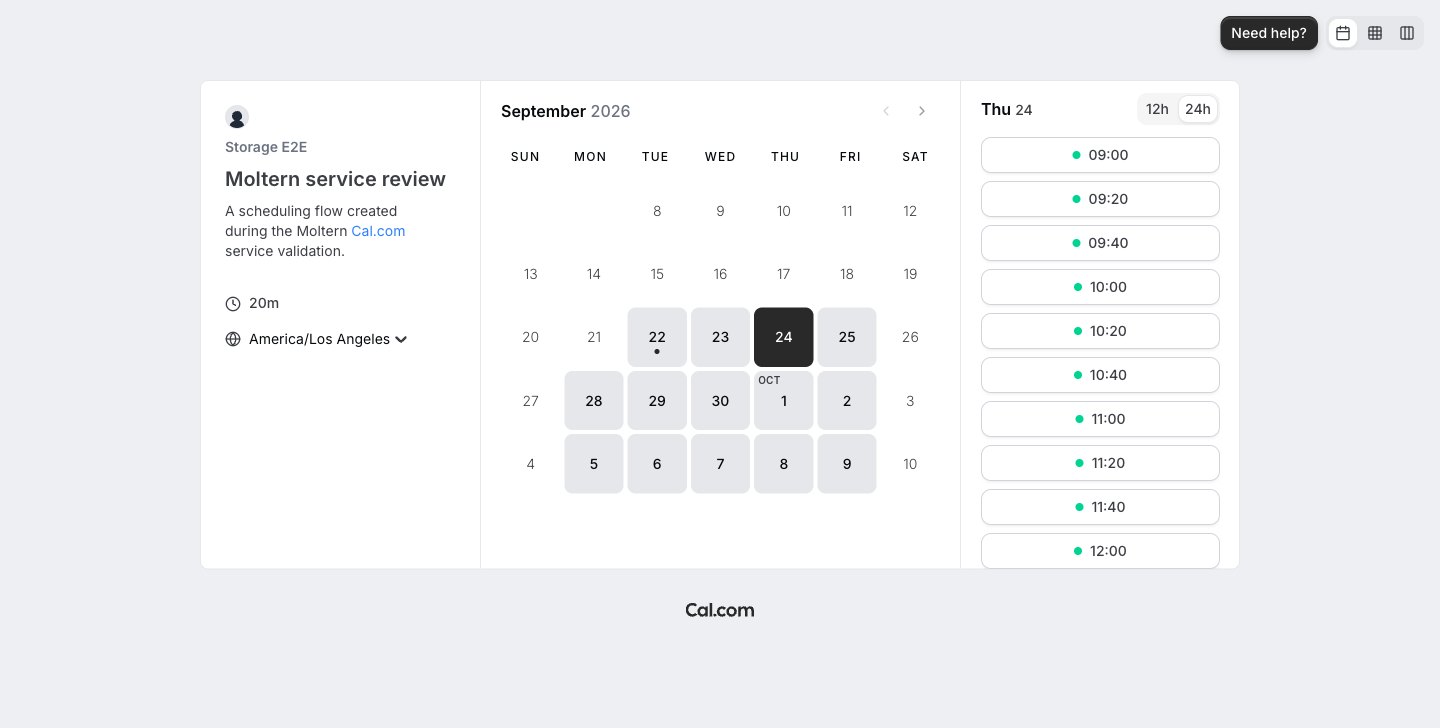
- Save the event and open its public page.
- Choose an available slot and complete one test booking.
- Return to Bookings and confirm the event appears in Upcoming.
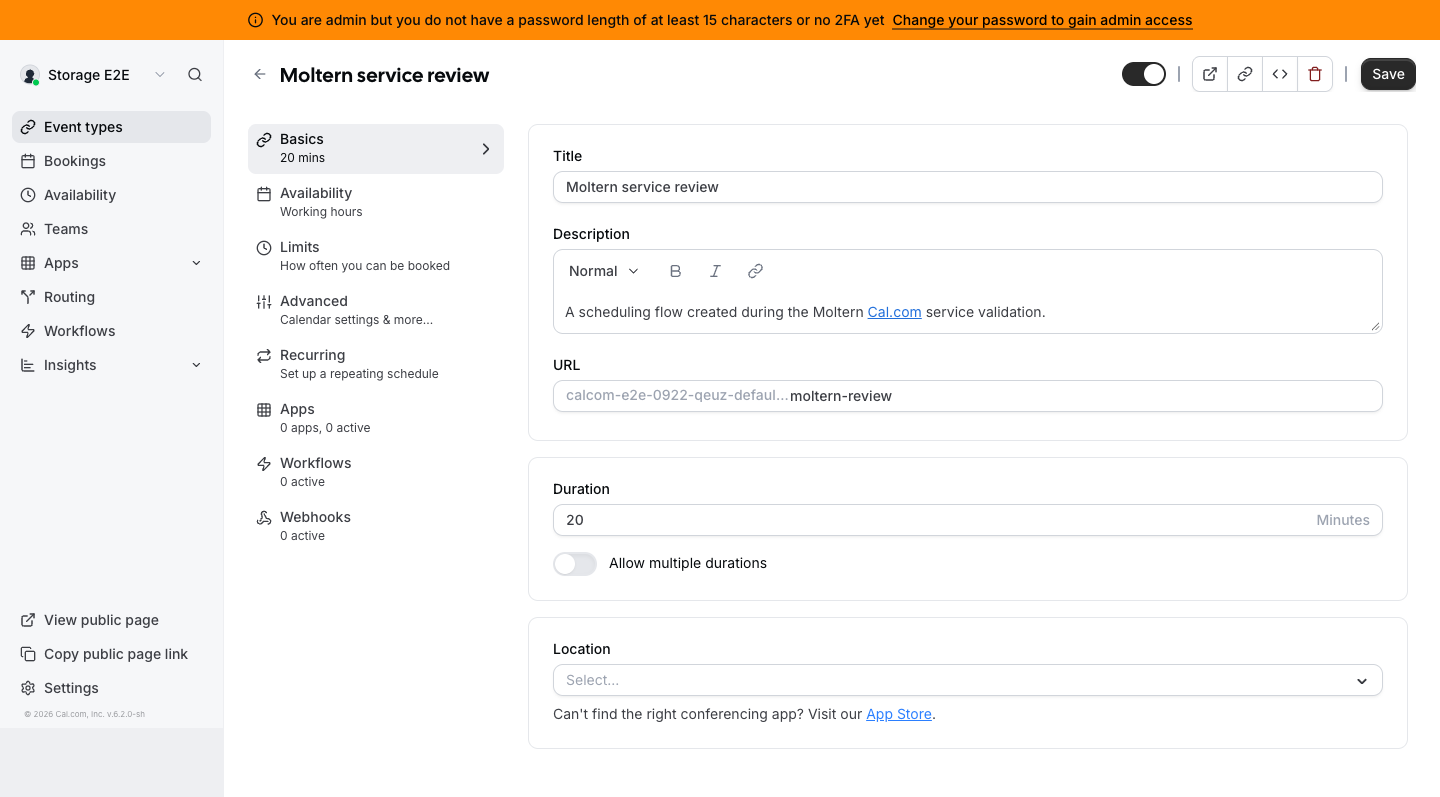
The live validation created a 20-minute Moltern service review event, opened its public schedule, booked an available time and found the same booking in the owner's Upcoming list.
Configure Email And Integrations
The base deployment can create and confirm bookings in the web interface, but outbound booking emails require a supported email provider. Configure SMTP or another Cal.com-supported delivery method before relying on invitations, reminders or password-recovery email. Send a test message to an address you control and verify delivery, links and sender identity.
Calendar, conferencing, OAuth and webhook integrations contact external HTTPS services. Moltern permits public HTTP and HTTPS egress for this template while blocking private, link-local, metadata and reserved network ranges. Each provider still requires its own client credentials, callback URL and consent configuration.
Browser push notifications require VAPID keys. A missing VAPID configuration does not prevent ordinary booking pages from working, but push delivery remains unavailable until those keys are configured.
Keep integration credentials in protected service configuration. Do not commit them to a repository, paste them into a public event description or expose them in screenshots.
Data, Persistence And Recovery
Cal.com keeps durable owners, event types, availability rules, bookings and integration metadata in PostgreSQL. The application container itself has no persistent mount and can be replaced without moving customer files.
In the validated deployment, stopping Cal.com removed its application pod while PostgreSQL stayed running. Starting the service created a new pod with a new runtime identity. The owner session, event type, public schedule and confirmed booking all remained available afterward.
That graceful replacement proves normal application persistence, not complete disaster recovery. Before production use:
- establish an independent PostgreSQL backup schedule;
- encrypt and restrict access to backup files;
- test a restore into a disposable Cal.com installation;
- verify owners, events, bookings and integration settings after recovery; and
- record recovery-time and recovery-point expectations for the team.
Do not point two unrelated Cal.com installations at the same database. When reusing an existing PostgreSQL service, create a dedicated database and credential set, confirm version compatibility, and keep its lifecycle independent from the Cal.com parent service.
Operate The Service
Use the Cal.com service page in Moltern for:
- Live Logs to follow image startup, migrations, seeding and runtime errors.
- Capacity to review CPU and memory before applying a change.
- Access to open the generated URL and manage domains where available.
- Settings for protected configuration and service lifecycle controls.
Stopping Cal.com temporarily removes the public application runtime but does not stop its owned PostgreSQL dependency. Starting it recreates the application and waits for the real HTTP health check. The tested warm start became ready in about 70 seconds and did not restart.
Moltern meters Cal.com and PostgreSQL separately. The application reports its
reserved CPU, memory and replica count without application storage. PostgreSQL
reports its own compute and shared-filespace storage record. Storage collection
is periodic, so a newly initialized database can display zero bytes until the
next sample. Small byte values can also round to 0 GiB in summary views.
Delete A Test Installation
Export anything you need and revoke external integration credentials before deletion.
- Open the Cal.com service in Moltern.
- Select Delete Service.
- Choose Delete stored data only when the installation is disposable.
- Review the managed PostgreSQL dependency listed for deletion.
- Complete the protected account confirmation.
- Wait for cleanup to remove the parent, owned dependency and database path.
Choosing Keep workspace files intentionally retains customer data and its storage usage. A PostgreSQL service that was reused rather than created for this Cal.com installation remains independent and must not be removed with the parent.
Troubleshooting
| Symptom | What to check |
|---|---|
| Service remains in deployment | Review Live Logs. The first image pull, database migrations and app seeding can take several minutes. |
| URL is unavailable after start | Wait for the HTTP startup check; an open container port alone is not considered ready. |
| Owner setup appears again unexpectedly | Stop and investigate before creating another owner. Confirm the intended PostgreSQL dependency is connected and its data path still exists. |
| Booking page has no available slots | Check the event's availability schedule, time zone, minimum notice, date range and connected calendar conflicts. |
| Booking exists but no email arrives | Configure and test a supported outbound email provider. Web confirmation does not prove email delivery. |
| Calendar or conferencing connection fails | Verify the provider callback URL, client credentials, consent settings and public HTTPS reachability. |
| Storage shows 0 GiB | Check the last measurement time. Usage is sampled periodically and small values round down in GiB displays. |
| Restart takes longer than expected | Inspect migration output and PostgreSQL health. Do not start overlapping redeployments. |
Frequently Asked Questions
Is PostgreSQL exposed to the internet?
No. Cal.com's generated HTTPS URL is public, but its managed PostgreSQL dependency remains on the private environment network.
Can I reuse an existing PostgreSQL service?
The deploy form can offer compatible services in the same environment. Reuse only a database you own, have backed up and have prepared specifically for this Cal.com installation. A reused dependency is not owned by the parent lifecycle.
Does Cal.com send booking emails immediately after deployment?
Not without outbound email configuration. The booking workflow can succeed in the web interface while email delivery remains unavailable.
Can I scale Cal.com automatically?
Not with the current catalog contract. Start with one fixed replica and measure the workload. Multiple replicas require deliberate migration, background-job and session validation; they are not a substitute for database recovery.
Does a successful restart prove backups work?
No. It proves that the application can reconnect to its existing PostgreSQL data. A backup is useful only after an independent restore has been tested.