Calibre-Web
Calibre-Web is a browser-based interface for browsing, reading and downloading ebooks from a Calibre library. It supports multiple users, metadata editing, book uploads, browser reading and protected OPDS feeds for compatible reading applications.
Moltern deploys the application with a public HTTPS URL and keeps its configuration and library files in an isolated service directory inside the workspace filespace. Calibre-Web accounts are separate from Moltern accounts.
Before You Start
You need permission to deploy services in the target workspace and environment. Prepare an administrator email address you control and one harmless EPUB for the first upload test. A public-domain title from Project Gutenberg is suitable.
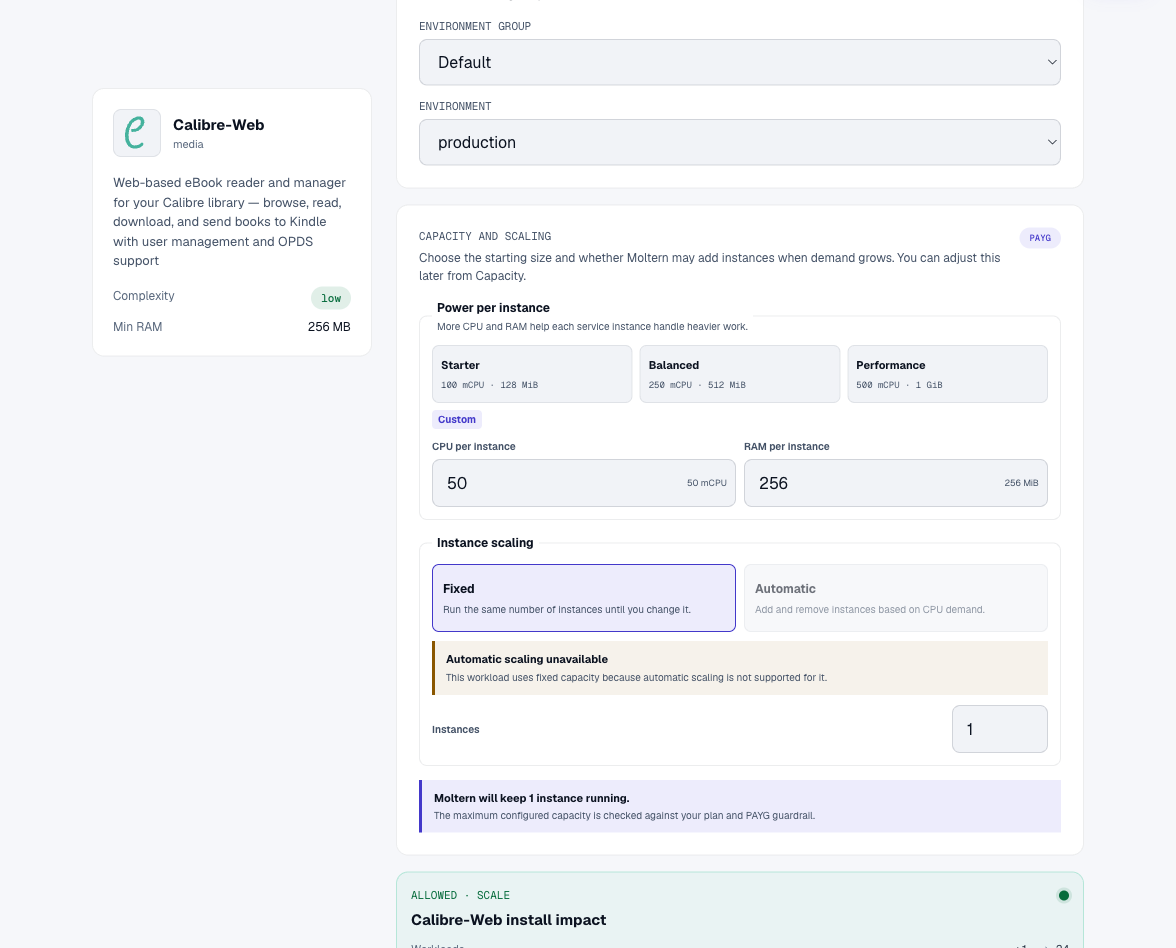
The catalog starts Calibre-Web with one fixed instance at 50 mCPU and
256 MiB of requested memory. Its service data uses the workspace filespace;
the deployment does not request a separate volume. Automatic replica scaling
is not enabled because concurrent Calibre-Web instances need additional
coordination around the library database and application state.
Deploy Calibre-Web In Moltern
- Open Services, search for Calibre-Web, and select Deploy.
- Enter a service name and choose the environment.
- Review Capacity and scaling. Keep one fixed instance for the first deployment.
- Select Preview deploy and confirm the workload and resource changes.
- Start the deployment and wait until Moltern reports the service healthy.
The preview should show one workload and no dedicated storage. Moltern creates an empty, valid Calibre library on the first start so the setup page can open without requiring a command-line database bootstrap. Calibre-Web has no managed service dependency in this template; its library database is file-backed.
The first start downloads the application image and initializes the service directory. Follow Live Logs if readiness takes longer than expected. Do not launch overlapping deploys while the initial setup is still running.
Complete The First Setup
Open the generated service URL after Moltern reports Running.
- In the initial database configuration, set Location of Calibre database
to
/books. - Save the database configuration and wait for the login page.
- Sign in with the temporary upstream administrator account shown by Calibre-Web for a new installation.
- Open the administrator profile immediately.
- Set an email address you control and replace the temporary password with a unique password.
- Sign out and confirm the temporary password no longer works.
Never keep the upstream default password on an internet-reachable library. Do not put Calibre-Web credentials in Moltern service variables, repositories, screenshots or shared chat messages.
Enable Uploads And Add A Book
Uploads are disabled by default in Calibre-Web.
- Open Admin > Edit Basic Configuration.
- Enable Enable Uploads and save the configuration.
- Select Upload in the top navigation.
- Choose an EPUB from your computer and wait for processing to finish.
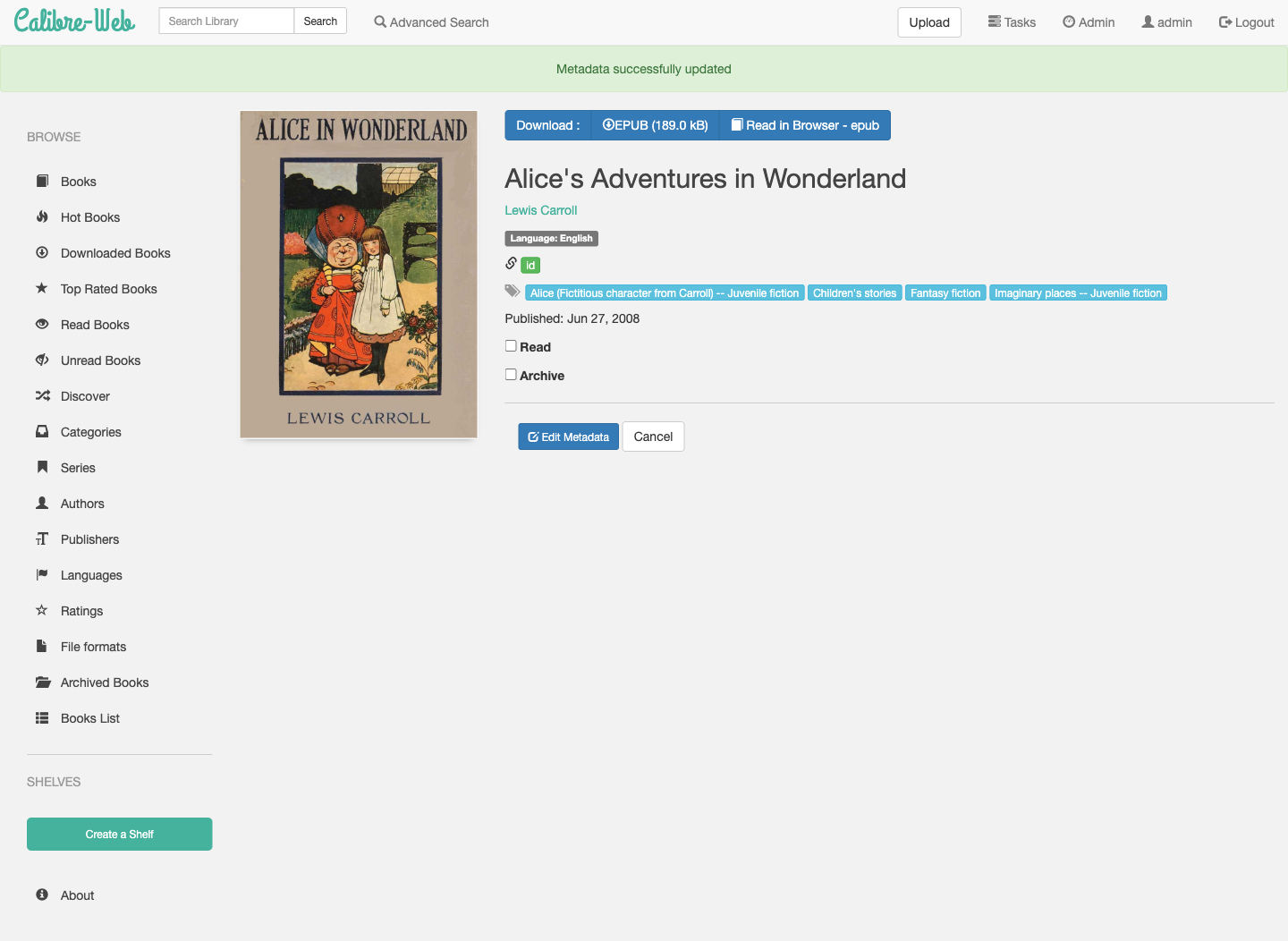
- Review the extracted title, author, cover, language and tags.
- Correct any metadata and save the book.
The validated workflow uploaded the public-domain EPUB Alice's Adventures in Wonderland. Calibre-Web extracted its cover and metadata and stored both the book file and updated library database in the service's library directory.
Read And Download Books
Open a book from Books to see its available formats. EPUB titles can be downloaded or opened with Read in Browser. The reader provides navigation, progress and display controls without requiring a local Calibre installation.
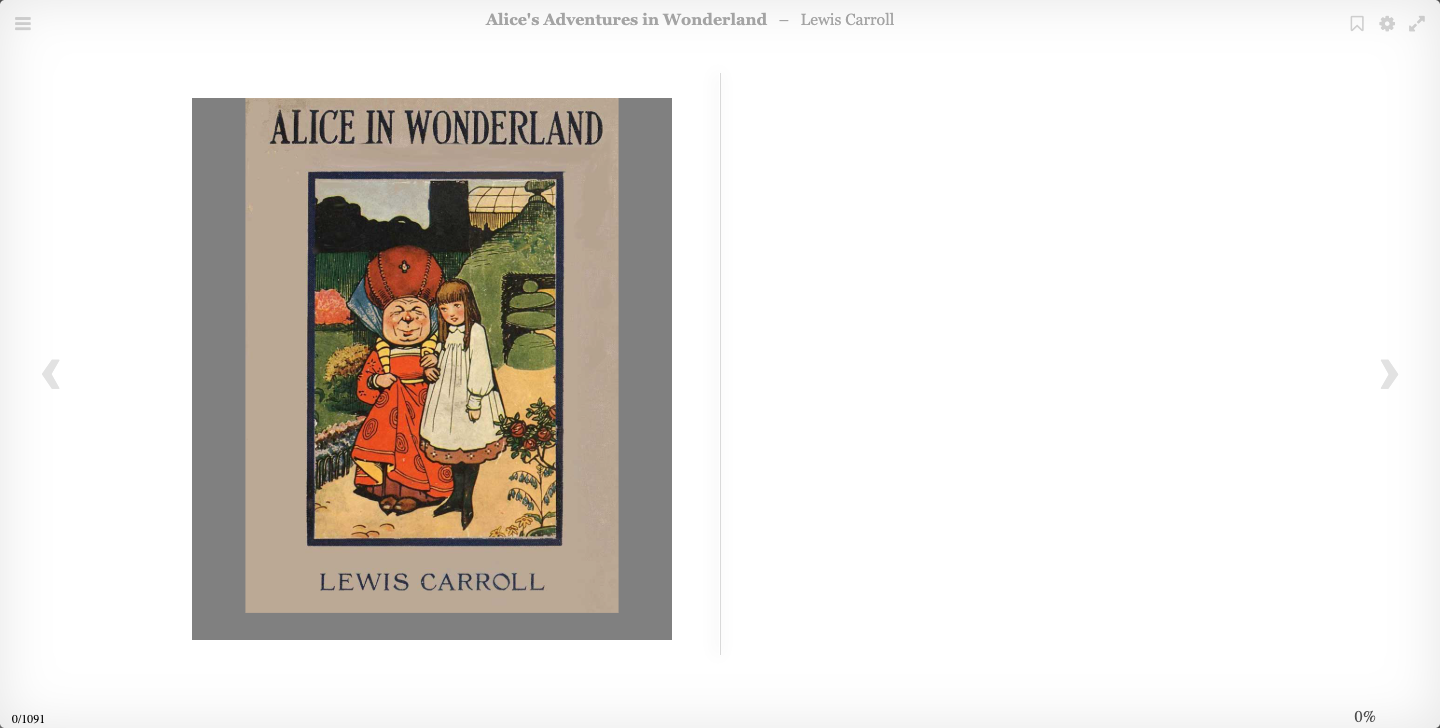
Downloads, the browser reader and OPDS access follow Calibre-Web's own user
permissions. An anonymous request to the validated OPDS feed returned 401 Unauthorized, while the signed-in browser could open the uploaded EPUB. Create
individual Calibre-Web users and grant only the library permissions they need.
Use OPDS With A Reading App
Calibre-Web exposes an OPDS catalog for compatible readers. The exact path and authentication behavior depend on the Calibre-Web release and administrator configuration.
- Create a dedicated Calibre-Web user for the reader.
- Grant only the required library and download permissions.
- Add the service's HTTPS OPDS URL to the reader.
- Authenticate with that dedicated account.
- Verify that the expected library is visible and an EPUB can be downloaded.
Do not reuse the administrator password in a mobile reader. Revoke a reader's account or application password when the device is lost or no longer used.
Metadata And External Downloads
Calibre-Web can contact public metadata and cover providers over HTTP and HTTPS. Moltern permits that public traffic for this template while blocking private, link-local, metadata and reserved network ranges.
Provider availability is outside Moltern's control. If metadata search fails, confirm that the provider is online, retry with the book title and author, and enter the metadata manually when needed. External conversion tools and send-to-reader email require their own supported configuration and should be tested before relying on them.
Data, Persistence And Recovery
Calibre-Web keeps two persistent areas:
| Area | Contents |
|---|---|
| Configuration | Accounts, settings, sessions, logs and application state |
| Library | metadata.db, uploaded ebooks, covers and library metadata |
Both areas are isolated under this service's workspace directory. Other services do not receive these paths unless an explicit supported connection is added.
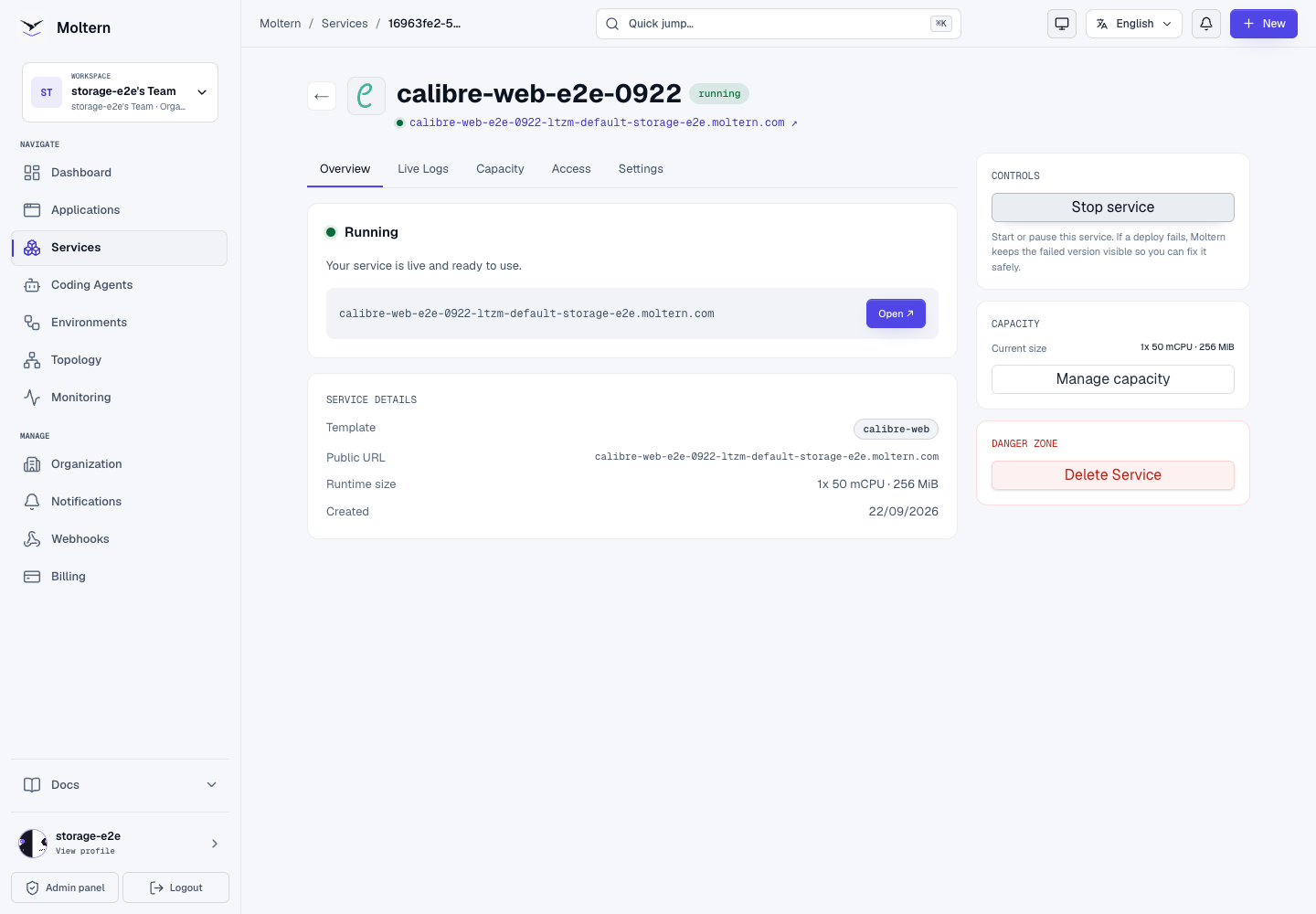
In the production validation, Stop service removed the running workload. No Calibre-Web pod remained. Start service then created a replacement with a different runtime identity. The changed administrator credential, library configuration, uploaded EPUB, cover, metadata and browser reader all remained available. The library database also passed its integrity check after the replacement.
That test proves persistence through a normal runtime replacement. It is not an independent backup or disaster-recovery test. Before using the service for an important collection:
- establish an encrypted backup for both configuration and library files;
- keep a separate copy outside the running workspace;
- test restoring into a disposable Calibre-Web installation;
- verify users, metadata, covers, downloads and the browser reader afterward;
- record recovery-time and recovery-point expectations for the team.
Operate The Service
Use the Calibre-Web service page in Moltern for:
- Overview to open the service and see its current state.
- Live Logs to diagnose startup, library and runtime errors.
- Capacity to review CPU and memory before applying a change.
- Access to manage the generated URL and supported domain settings.
- Settings for protected configuration and lifecycle controls.
Moltern records the service's reserved CPU, memory and replica count, and
periodically measures the bytes in its isolated filespace directory. A new
upload can take until the next collection cycle to appear. Small libraries may
display as 0 GiB in rounded summaries even when byte-level usage is present.
Delete A Test Installation
Export books and configuration you need before deleting the service.
- Open Calibre-Web in Moltern.
- Select Delete Service.
- Choose Delete stored data only when the library is disposable.
- Review the deletion summary and complete the protected account confirmation.
- Wait for Moltern to remove the workload, route and isolated service files.
Choosing Keep workspace files intentionally preserves the service directory and its storage usage. Use that option only when you intend to recover or migrate the data later.
Troubleshooting
| Symptom | What to check |
|---|---|
| Setup cannot find the library | Enter /books, not a host path or URL. Wait for the first deployment to finish before opening setup. |
| Login still accepts the temporary password | Change the administrator password from the profile, sign out, and test the old credential before adding books. |
| Upload is missing | Enable Enable Uploads under Admin > Edit Basic Configuration and confirm the user has upload permission. |
| Upload reports a conversion-tool path error | Restart onto the current Moltern catalog version, then save Basic Configuration again. Do not install a second binary manually. |
| Book opens but metadata lookup fails | Retry the public provider, verify title and author, or edit metadata manually. Provider outages do not make the local book unavailable. |
| OPDS returns 401 | Authenticate with a Calibre-Web user permitted to view and download that library. Anonymous OPDS is intentionally protected in the validated setup. |
| Data disappears after a restart | Stop making changes. Confirm the service is using its original workspace and library path, then inspect Live Logs before creating a replacement library. |
| Storage shows 0 GiB | Check the latest measurement time. Collection is periodic and the UI rounds small byte values. |
| Deletion remains in progress | Leave the operation running while open file handles drain. Retry only after Moltern surfaces a final failure state. |
Frequently Asked Questions
Does Calibre-Web include the Calibre desktop application?
No. It provides a web interface over a Calibre-compatible library. Use the web upload, metadata and reader features validated for this service, or manage a compatible library through a deliberate migration workflow.
Can I attach an existing Calibre library?
The standard deployment creates an isolated library for the service. Copying or
mounting an existing library requires a supported import or attachment path;
do not point multiple writers at the same metadata.db.
Is the OPDS feed public?
Not in the validated configuration. Anonymous access returned 401. Use a
dedicated Calibre-Web account with limited permissions for each reader.
Can I run multiple replicas?
Not with the current catalog contract. The template intentionally uses one fixed instance because its library and application databases are file-backed. Increasing replicas without an upstream-supported coordination design can corrupt state or produce inconsistent sessions.
Does stopping the service delete books?
No. A normal stop removes the runtime while preserving the service's configuration and library files. Permanent deletion depends on the storage choice made in the delete confirmation.
Does a successful restart prove my backups work?
No. It proves the replacement runtime can reopen the existing files. Only a successful restore from an independent backup proves recovery.