Castopod
Castopod is an open-source podcast hosting and publishing platform. It combines podcast and episode management, RSS feeds, analytics, a public website and ActivityPub-based social features in one service.
Moltern deploys Castopod with a public HTTPS URL, provisions a private MariaDB dependency and keeps uploaded audio and cover images in an isolated directory inside the workspace filespace. Castopod accounts are separate from Moltern accounts.
Before You Start
You need permission to deploy services in the target workspace and environment. Prepare:
- an administrator email address you control;
- a unique Castopod administrator password;
- square podcast cover art;
- an MP3 or other supported audio file for the first episode;
- the public name, description and owner details for the podcast.
The current catalog starts one Castopod instance at 200 mCPU and 768 MiB of
requested memory. Its managed MariaDB dependency requests another 100 mCPU
and 256 MiB. Both use isolated directories in the existing workspace
filespace; this installation does not request a dedicated volume.
Castopod uses one fixed instance. Do not enable multiple replicas without an upstream-supported session, media and background-job coordination design.
Deploy Castopod In Moltern
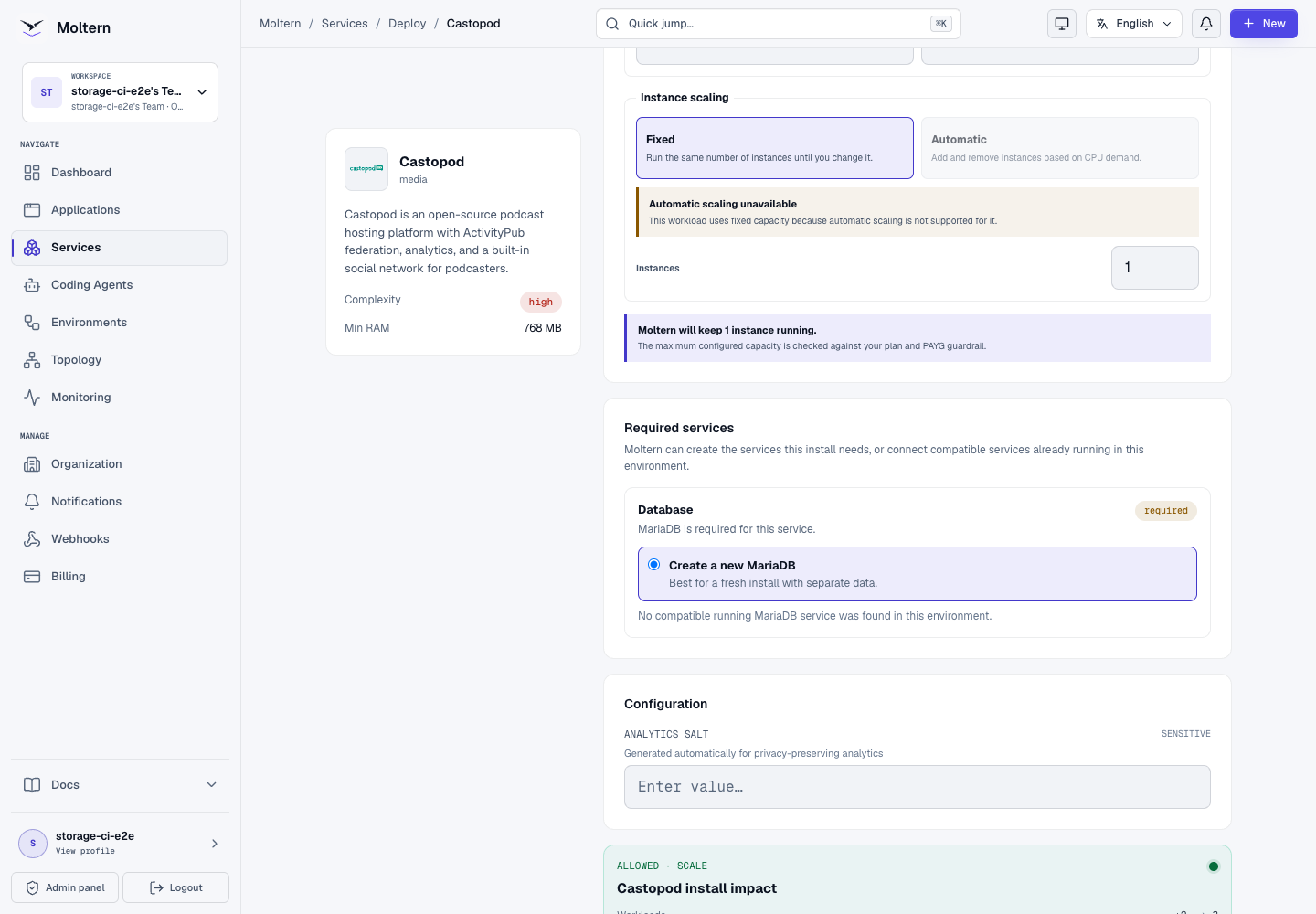
- Open Services, search for Castopod, and select Deploy.
- Enter a service name and choose the environment.
- Keep Create a new MariaDB selected for a new installation. When a compatible database already exists, review its ownership and data-isolation requirements before reusing it.
- Review Capacity and scaling. Keep one fixed instance for the first deployment.
- Select Preview deploy and confirm the workload and resource changes.
- Start the deployment and follow its progress until Moltern reports the service running.
The preview should show two workloads, 300 mCPU, 1 GiB of requested memory,
and no dedicated storage volume. Moltern generates and passes the database
credentials privately; you do not need to copy them into the Castopod setup
form.
The initial start can take several minutes while MariaDB initializes and Castopod prepares its application state. Use Live Logs if readiness does not progress. Do not submit overlapping installs while the first deployment is still active.
Create The First Administrator
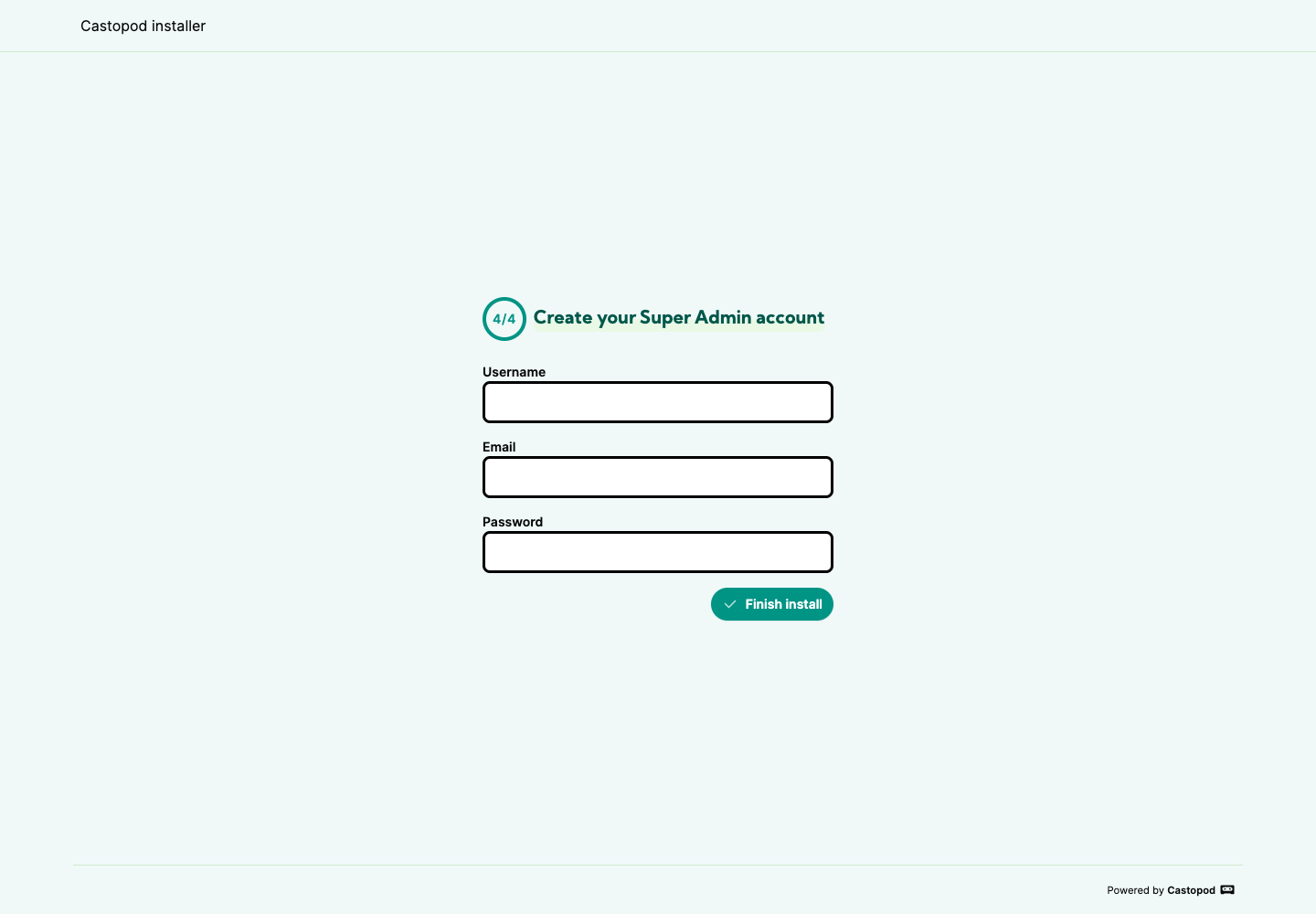
Open the generated service URL after Moltern reports Running. Castopod opens the final installation step because the database connection and base URL are already configured.
- Enter an administrator username.
- Enter an email address you control.
- Create a unique password and store it in your password manager.
- Select Finish install.
- Sign in and confirm that the administration dashboard opens.
Do not put the Castopod password in a service variable, repository, screenshot or shared message. The product credential belongs to Castopod and is not the same as the Moltern account password.
Create A Podcast
From the Castopod administration area:
- Open Podcasts and select New podcast.
- Upload square cover art.
- Enter the title, description, language and category.
- Choose the appropriate podcast and content types.
- Enter the owner, publisher and copyright details.
- Choose a stable public handle. Changing a published handle can break saved links and subscriber references.
- Create the podcast and review its administration page.
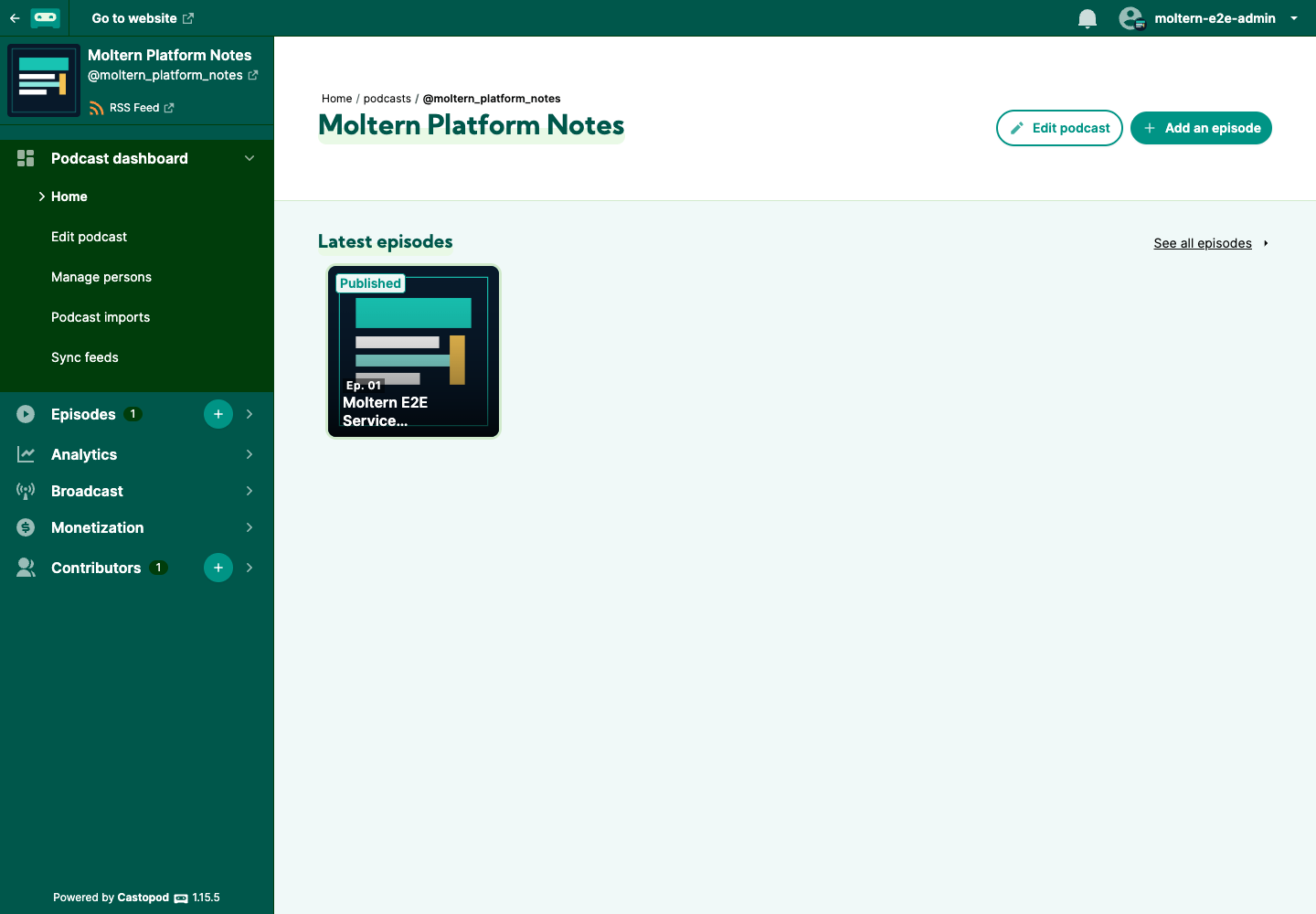
Keep the podcast in draft mode while preparing the first episode. Publishing it makes the public page and social announcement available.
Upload And Publish An Episode
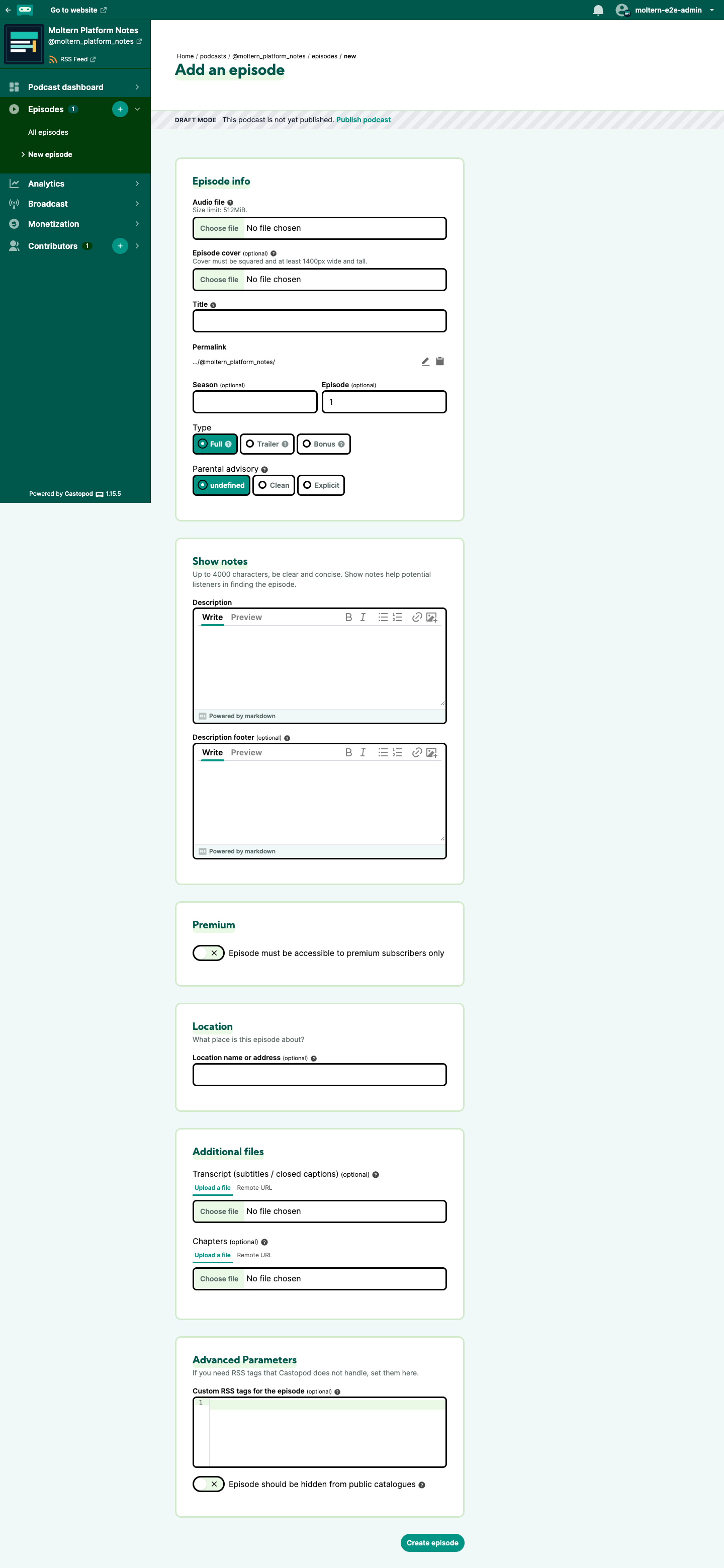
- Open the podcast and select New episode.
- Upload the audio file and optional episode cover.
- Enter a title, description and stable slug.
- Select the episode and content types.
- Create the episode and review the generated metadata.
- Select Publish, review the announcement and confirm publication.
- Publish the podcast when its page and first episode are ready.
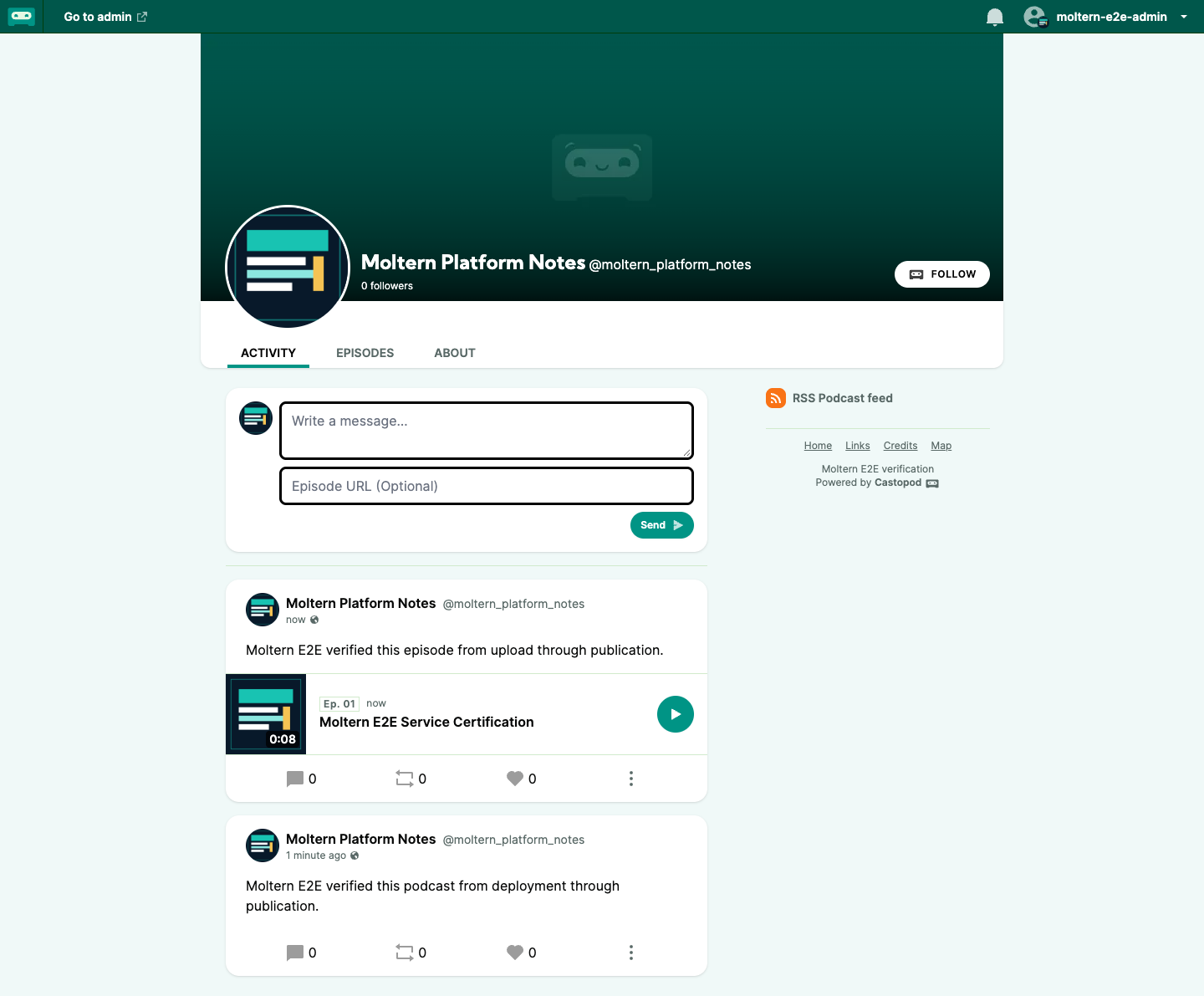
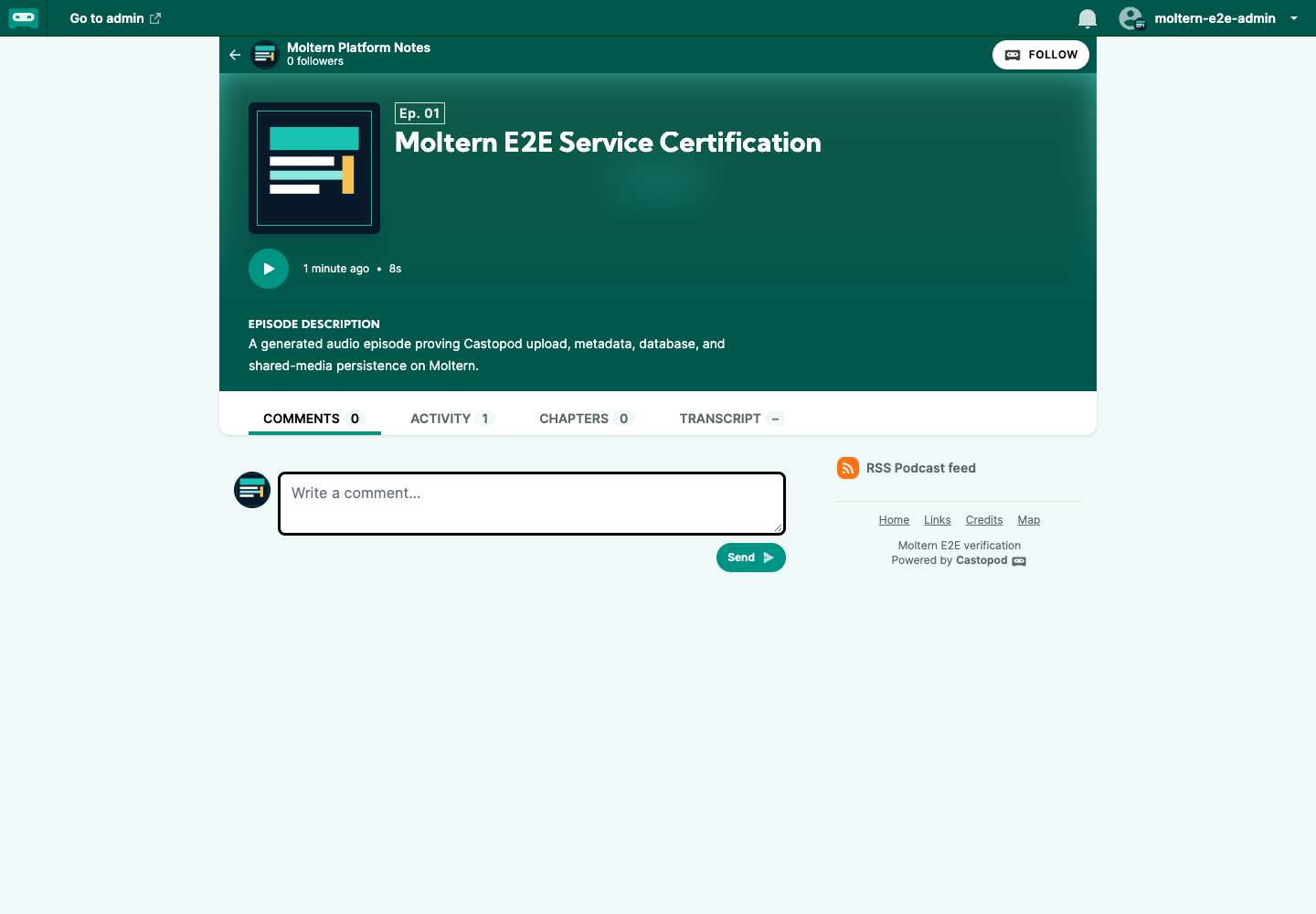
The validated workflow uploaded an eight-second MP3, published the episode and
podcast, and opened both through the public HTTPS route. The public episode
served the original audio with audio/mpeg content and the expected byte size.
Use The RSS Feed
Castopod exposes a podcast RSS feed at:
https://your-castopod-host/@your_handle/feed.xml
Copy the URL from the public podcast page rather than constructing it from memory. Before submitting it to a directory:
- open the feed without an administrator session;
- confirm the podcast title and latest episode are present;
- confirm the episode contains an audio enclosure;
- open the enclosure URL and verify the audio plays;
- validate the feed with the target directory's current validator.
The production E2E check received HTTP 200 for the feed, found the exact
podcast and episode titles, and downloaded the MP3 enclosure successfully.
Submission to third-party podcast directories was not part of that test.
Public And Administrative Access
Published podcast pages, episodes, feeds and audio are public by design. The administration area requires a Castopod session. Create individual product accounts for collaborators rather than sharing the first administrator password.
Castopod also supports social interactions around published content. Review moderation, federation and privacy settings before enabling a public community. The current Moltern validation proves owner login and public publication; it does not certify every Castopod role, API token, federation or moderation path.
Data, Persistence And Recovery
The deployment has two persistent data owners:
| Owner | Contents |
|---|---|
| Castopod service | Uploaded audio, cover art and generated media under the isolated service directory |
| Managed MariaDB | Accounts, podcast and episode metadata, settings, publication state and application records under its isolated database directory |
Moltern mounts only the service-specific media path into Castopod. MariaDB has its own database path. Both remain on the workspace filespace, and neither creates a Castopod-specific cloud disk.
The production lifecycle test stopped Castopod, removed its runtime and started a replacement while MariaDB remained healthy. The replacement received a new runtime identity. The owner account, one podcast, one episode, publication state, RSS feed, media count and exact MP3 checksum remained unchanged.
That proves persistence through a normal application runtime replacement. It does not prove independent backup restoration or interrupted-database-write recovery. Before hosting an important podcast:
- establish encrypted backups for both MariaDB and Castopod media;
- retain a separate copy outside the running workspace;
- test restoring both data owners into a disposable environment;
- verify login, metadata, RSS enclosure URLs and audio playback afterward;
- record recovery-point and recovery-time objectives for the team.
Restoring only the database or only the media can leave published records and files inconsistent.
Operate And Measure The Service
Use the Castopod service page in Moltern for:
- Overview to open Castopod and inspect current health;
- Live Logs to diagnose startup, PHP, media or database errors;
- Capacity to review CPU and memory before applying a change;
- Access to manage the generated URL and supported domain settings;
- Settings for protected configuration and lifecycle controls.
Moltern records reserved CPU, memory and replica count for Castopod and its
managed database. It also periodically measures bytes in each isolated
filespace directory. A new audio upload can take until the next collection
cycle to appear. Small values may display as 0 GiB in rounded summaries even
when byte-level usage is nonzero.
Delete A Test Installation
Export the podcast data and audio you need before deletion.
- Open the Castopod service in Moltern.
- Select Delete Service.
- Choose Delete stored data only when the media and database are disposable.
- Review the parent service and managed-dependency summary.
- Complete the protected account confirmation.
- Wait for Moltern to remove Castopod, its owned MariaDB dependency, routes and both isolated storage directories.
Choosing Keep workspace files intentionally preserves data and associated storage usage. Use it only for a deliberate recovery or migration workflow.
Known Warning
Castopod 1.15.5 registers /sw.js in its public templates, but the official
source and image do not contain that service-worker route. Browsers therefore
report a 404 service-worker registration warning. Podcast administration,
public pages, RSS and audio continue to work. Moltern does not inject a fake
service worker because doing so would hide an upstream packaging defect and
could create incorrect caching behavior.
Treat any other browser error, 5xx response or failed audio/feed request as a
separate problem.
Troubleshooting
| Symptom | What to check |
|---|---|
| Installation waits for its database | Leave the install active while the managed MariaDB initializes. Review deployment progress and Live Logs before retrying. |
| The browser opens database setup instead of administrator setup | Confirm the current Castopod catalog version is deployed and its managed MariaDB dependency is healthy. Do not enter internal database credentials into a public form. |
| The service repeatedly restarts before opening | Review Live Logs for runtime-directory or executable-capability errors and confirm the platform is running the current Castopod chart. |
| Audio upload fails | Check the supported file format, available workspace storage and server-side upload logs. Retry only after the failed request has completed. |
| Podcast is not public | Publish the episode and then publish the podcast. A published episode inside a draft podcast is not a complete public launch. |
| RSS does not contain the episode | Confirm both resources are published, then open the feed copied from the public podcast page without an administrator session. |
Browser reports /sw.js 404 | See Known Warning above. Confirm there are no additional browser or network failures. |
| Data appears missing after Start | Stop making changes. Confirm the original service and managed MariaDB dependency are attached, then inspect Live Logs before creating another podcast. |
| Storage still shows 0 GiB | Check the last measurement time. Collection is periodic and GiB summaries round small podcast fixtures down to zero. |
| Deletion remains in progress | Allow active SMB file handles to drain. Retry only after Moltern surfaces a final failure state. |
Frequently Asked Questions
Does Castopod include its database?
Moltern provisions a separate managed MariaDB dependency. The application does not run an embedded database in the Castopod container.
Can I use an existing MariaDB service?
Only when the Moltern deploy form offers a compatible service in the same environment and you have intentionally chosen its database ownership model. The production campaign validated a newly managed dependency; existing-service reuse remains a separate E2E gate.
Does stopping Castopod stop MariaDB?
The validated normal stop removed the Castopod runtime while its managed MariaDB remained healthy. Starting Castopod reconnected to that database and the existing media directory.
Can I run multiple Castopod replicas?
Not with the current catalog contract. The template intentionally uses one fixed instance. Scaling requires validation of sessions, background work and media consistency across replicas.
Does a successful restart prove backups work?
No. It proves a replacement runtime can reopen the existing database and media. Only a successful restore from an independent backup proves recovery.
Is the podcast feed private?
No. A published podcast's feed and audio are publicly retrievable so podcast clients can subscribe. Keep drafts unpublished until they are ready.