Convex
Convex is a reactive backend for application data, queries, mutations, actions, scheduled functions and file storage. Use this service when an application needs a self-hosted Convex deployment while keeping its database and administrative credential inside the same Moltern environment.
Moltern deploys the Convex backend and dashboard, creates or connects the required PostgreSQL service, publishes separate HTTPS addresses for the API and HTTP actions, and stores the generated administrator credential behind account confirmation.
Convex is a backend, not a frontend host. Deploy the web or mobile application that consumes Convex separately under Applications.
Before You Start
You need:
- a Moltern workspace and environment;
- permission to create services;
- plan capacity for two workloads;
- a local Node.js project when you want to deploy Convex functions;
- a safe place for the protected administrator credential.
The validated starting reservation is:
| Workload | CPU | Memory | Instances |
|---|---|---|---|
| Convex | 125 mCPU | 640 MiB | 1 |
| Managed PostgreSQL | 100 mCPU | 256 MiB | 1 |
The Convex workload contains the backend and its dashboard. The dashboard sidecar does not add a separate billable runtime reservation. Automatic horizontal scaling is not enabled for this stateful catalog service.
Deploy Convex
- Open Services in Moltern.
- Search for Convex and select it.
- Enter a unique service name.
- Choose the environment that should own the backend and database.
- Review or adjust the initial CPU and memory.
- Under Required services, keep Create a new PostgreSQL selected for an independent installation.
- Select Preview deploy.
- Confirm that the preview shows two workloads and no dedicated storage volume.
- Select Confirm deploy and wait for Running.
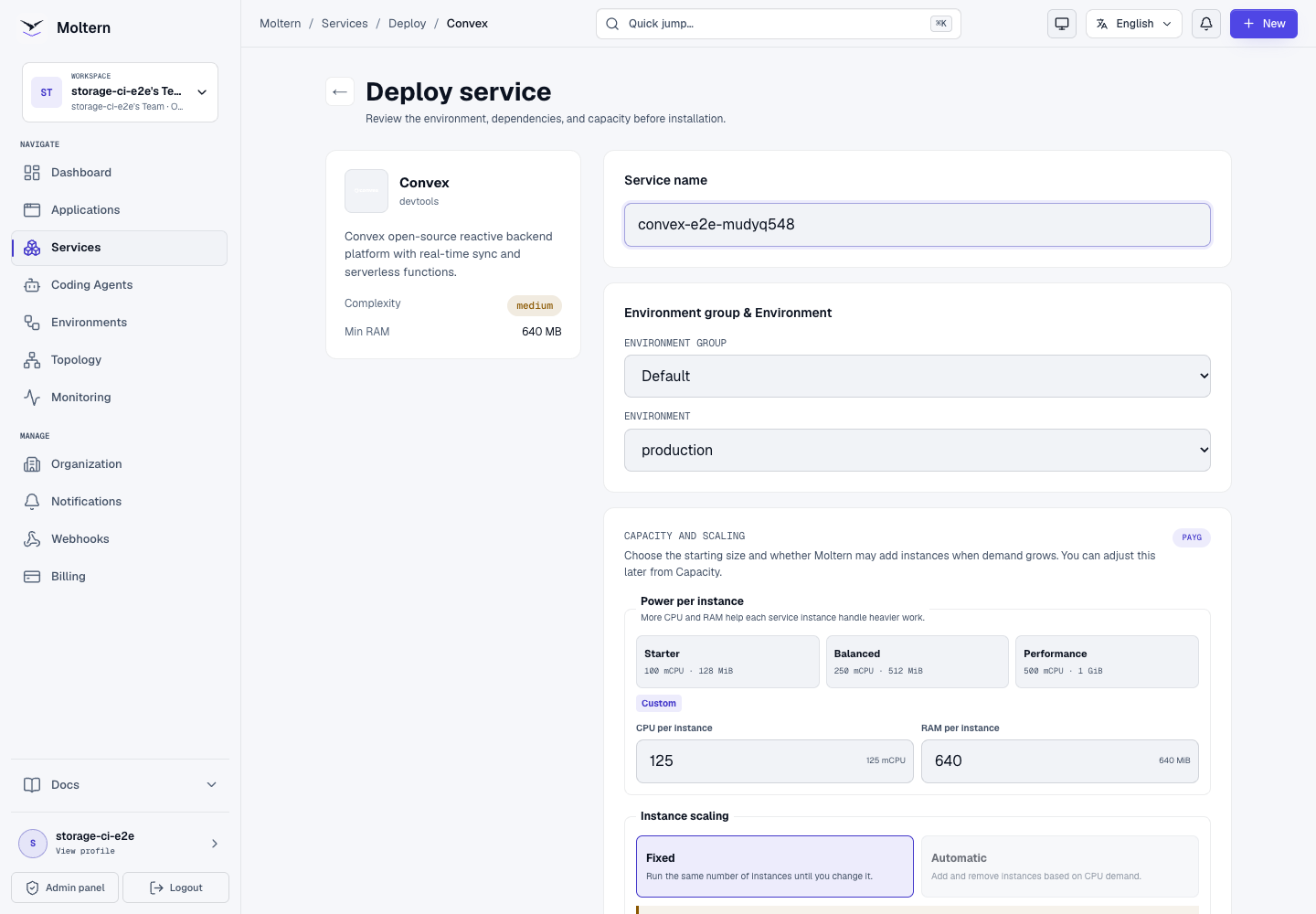
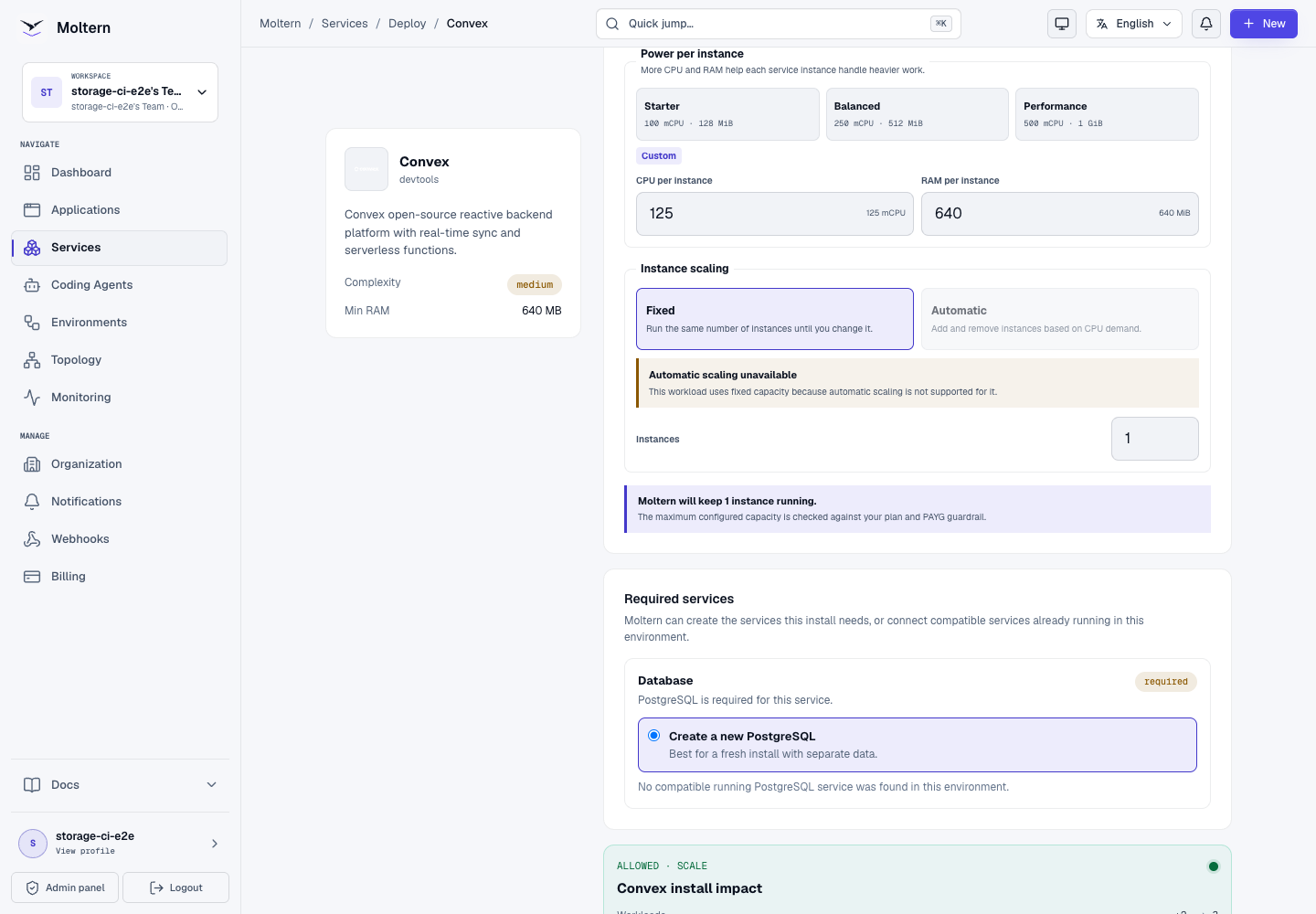
A fresh PostgreSQL dependency can take several minutes to initialize. Keep one deployment active instead of submitting the same installation again. Open Live Logs if a stage stops progressing.
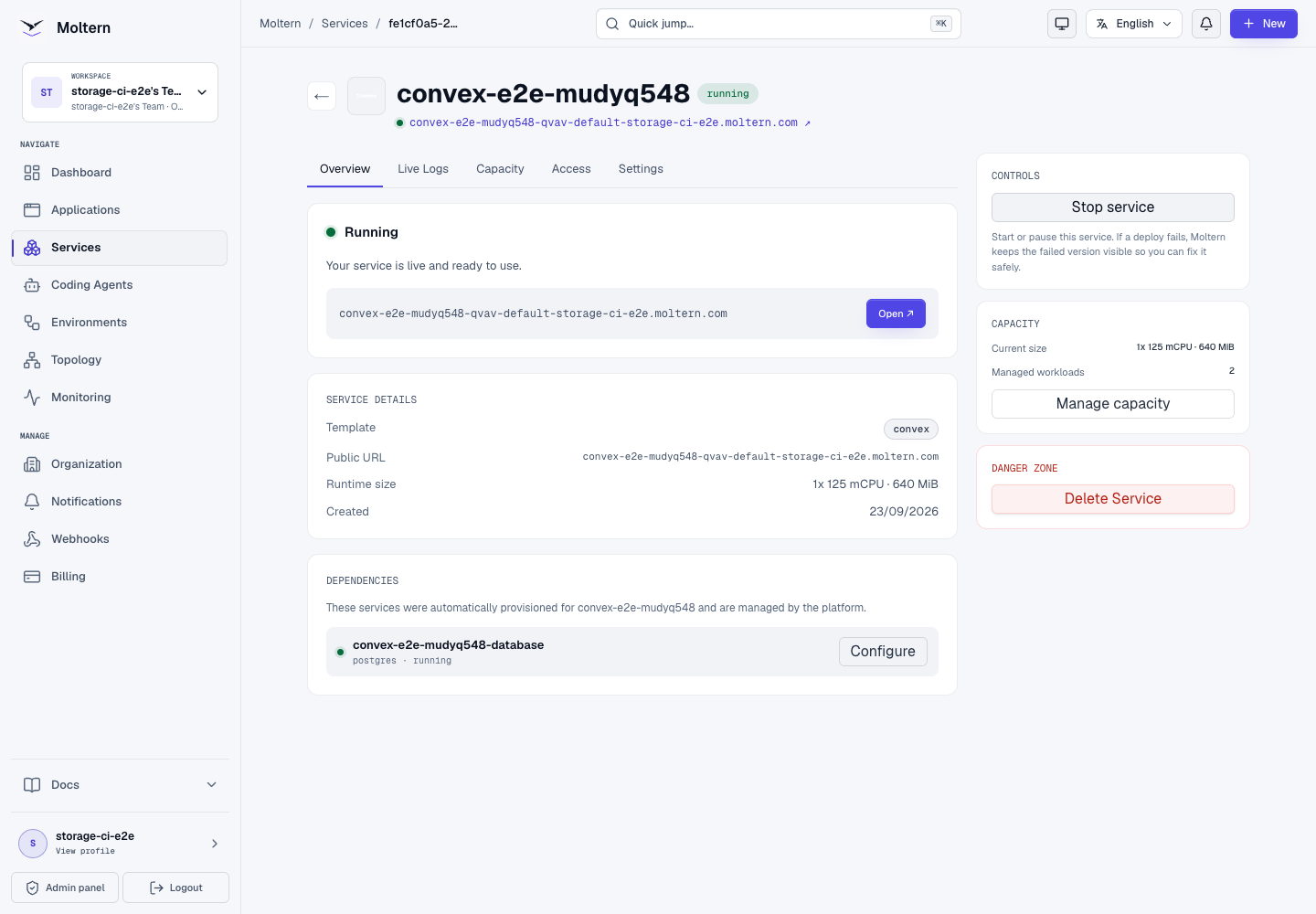
When deployment completes, the Overview shows the dashboard URL and the managed PostgreSQL dependency.
Understand The Three Addresses
The deployment exposes three related HTTPS addresses:
| Address | Purpose |
|---|---|
| Service URL | Convex administration dashboard |
| API URL | Convex client, CLI, query, mutation and action traffic |
| HTTP action URL | Routes defined with Convex httpRouter |
The API and HTTP action addresses use the same generated service hostname with
an api- or site- prefix. Use the API address for
CONVEX_SELF_HOSTED_URL. Do not point the CLI at the dashboard address.
Reveal The Protected Administrator Key
Open Settings, then Connection Details. Moltern requires account confirmation before it reveals the generated Convex administrator key.
The key grants administrative access to the deployment. Treat it like a production secret:
- never commit it to Git;
- never put it in a browser bundle or public build variable;
- do not paste it into screenshots, tickets or shared notes;
- rotate it when exposure is suspected;
- give applications only the credentials and API access they actually need.
You do not need to run an internal key-generation script. Use the managed value shown in Connection Details.
Connect The Convex CLI
Install the current Convex package in a local Node.js project:
npm install convex
Create a local environment file that is excluded from Git:
CONVEX_SELF_HOSTED_URL=https://api-your-convex-host.example.com
CONVEX_SELF_HOSTED_ADMIN_KEY=your-protected-admin-key
Then deploy the schema and functions:
npx convex deploy --typecheck enable
Keep a valid convex/tsconfig.json in TypeScript projects. Type checking before
the final push prevents an incomplete function bundle from becoming the active
deployment.
Create Data And A Query
Define a table in convex/schema.ts:
import { defineSchema, defineTable } from "convex/server";
import { v } from "convex/values";

export default defineSchema({
  records: defineTable({
    message: v.string(),
    runId: v.string(),
  }).index("by_run", ["runId"]),
});
Add a mutation and query in convex/records.ts, deploy them, then run the
mutation from your application or the CLI. Confirm that the query returns the
saved row rather than relying only on a healthy dashboard.
The production E2E deployed a schema, mutation, indexed query and HTTP action. It inserted one persistent record, read the exact record through the query and received the expected body from the public HTTP action.
Use The Convex Dashboard
Open the service URL and enter the protected administrator key when the dashboard asks for it. The dashboard provides:
- function-call health and failure rate;
- tables and stored documents;
- schema and indexes;
- deployed functions and HTTP routes;
- logs, history, schedules and settings.
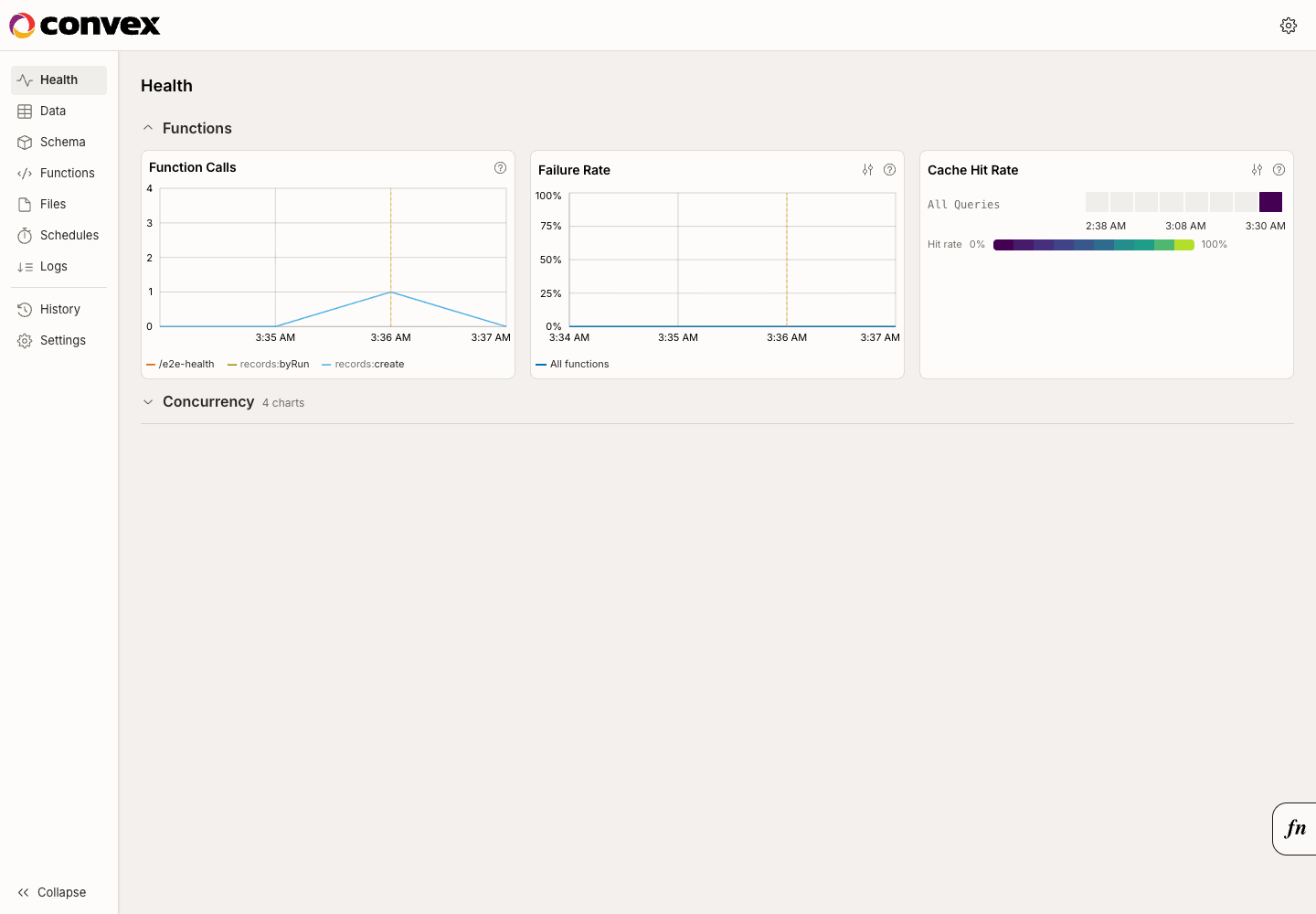
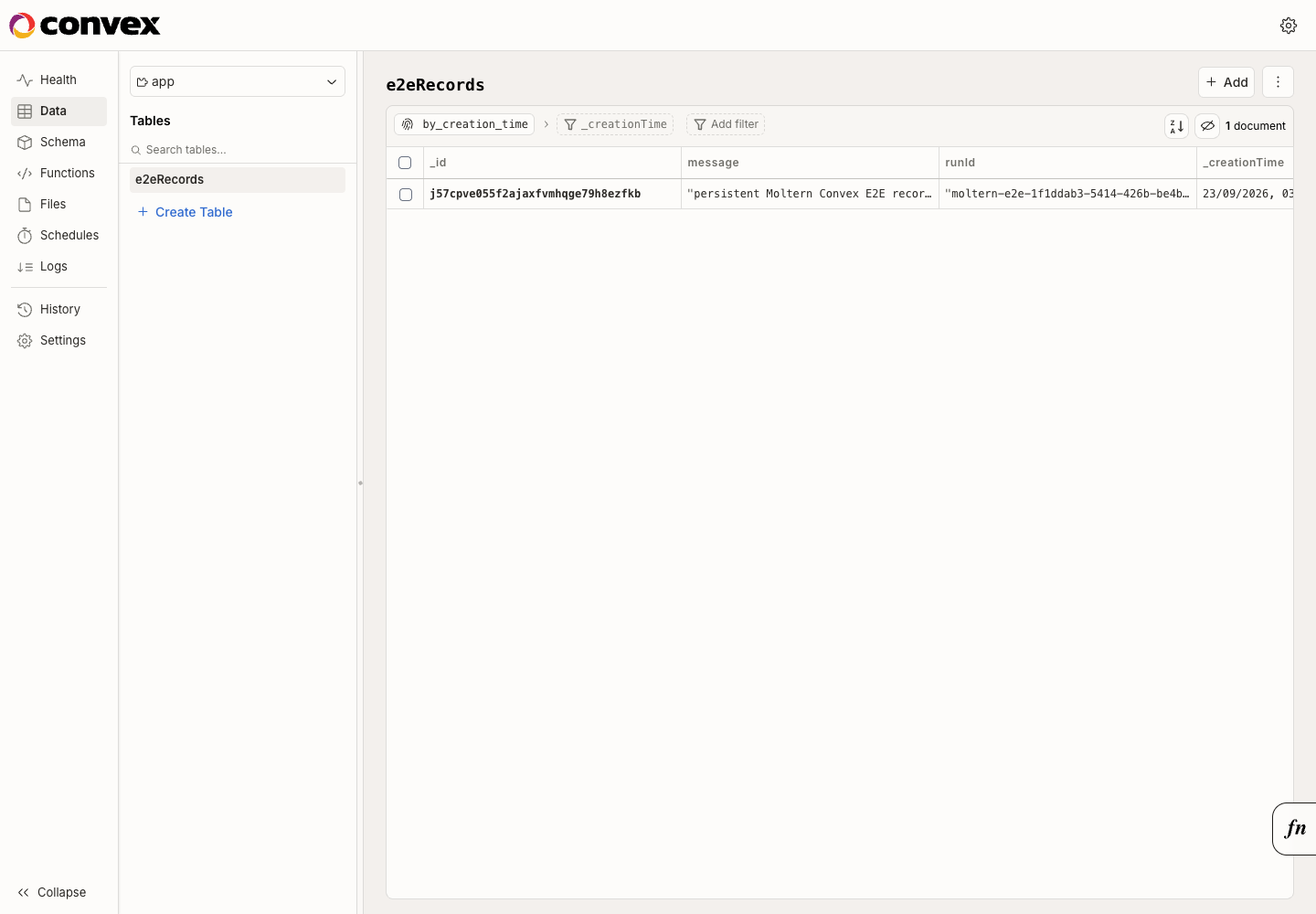
The dashboard is an administrative surface. Do not share its key with normal application users or embed a dashboard session in another product.
PostgreSQL Dependency
Convex requires PostgreSQL for durable backend state. For a new installation, Moltern creates a private PostgreSQL dependency, generates its credentials and connects Convex automatically.
The validated lifecycle is:
- stopping Convex leaves its PostgreSQL dependency running;
- starting Convex reconnects to the same database;
- deleting Convex with stored data removes its automatically created database;
- the database receives no public endpoint.
When Moltern offers a compatible existing PostgreSQL service, reuse it only after confirming ownership, database separation, capacity, backup and deletion expectations. Existing-database reuse has not yet passed the Convex E2E suite.
Storage And Persistence
Convex and PostgreSQL receive separate paths inside the workspace storage allocation:
| Owner | Stored data |
|---|---|
| Convex | backend files and service state assigned to this Convex resource |
| PostgreSQL | database cluster files assigned to the managed dependency |
The deployment does not create a Convex-specific cloud disk. Each workload is mounted only at its assigned path.
During validation, Stop service removed the Convex pod and routed all three public addresses to the wake page. Start service created a new pod, restored the dashboard, API and HTTP-action routes, and did not publish Running until the public route was ready. The saved document remained queryable after the pod replacement.
A successful stop/start is not a backup test. Establish a coordinated backup and restore process for the PostgreSQL data and any backend files before using the service for critical production data.
Capacity And Metering
Moltern meters Convex and its managed PostgreSQL service as separate workloads. The billing view reports configured CPU, memory, instances and measured shared storage for each resource.
At the validated collection point, production reported:
| Workload | CPU | Memory | Instances | Measured storage |
|---|---|---|---|---|
| Convex | 125 mCPU | 640 MiB | 1 | 107,197 bytes |
| PostgreSQL | 100 mCPU | 256 MiB | 1 | 48,668,592 bytes |
Both storage values matched direct filesystem measurements at the same point in time. Storage grows with database records, indexes, files and retained history. Review Billing before importing production data.
Operate Convex In Moltern
Use the service page for:
- Overview to open the dashboard and check dependency health;
- Live Logs to investigate backend, dashboard and database startup;
- Capacity to adjust the fixed CPU and memory reservation;
- Access to review explicitly approved workload connections;
- Settings to reveal protected connection details and manage variables;
- Stop service and Start service to replace the runtime without deleting stored data.
Convex has multiple public routes. A normal restart must restore all of them; test the application API and any HTTP action after operational changes instead of checking only the dashboard.
Delete Convex
- Export or back up the data you need to retain.
- Open the Convex service in Moltern.
- Select Delete Service.
- Review the Convex and managed-PostgreSQL impact.
- Choose Delete stored data only when both data paths may be destroyed.
- Complete the protected account confirmation.
Deleting stored data removes the Convex path and its automatically created PostgreSQL path. It does not remove the workspace storage claim or data owned by other workloads. A PostgreSQL service selected as an existing dependency must remain independently owned.
Troubleshooting
| Symptom | What to check |
|---|---|
| Deployment waits for PostgreSQL | Let the single active install finish initializing. Review the dependency stage in Live Logs instead of submitting another deploy. |
| The dashboard opens but the CLI fails | Use the api- address for CONVEX_SELF_HOSTED_URL, confirm both environment variables are loaded, and reveal the current key through protected Connection Details. |
| The CLI reports an invalid admin key | Remove whitespace introduced while copying, confirm the key belongs to this exact service, and do not use a normal application token. |
| Functions do not appear | Run npx convex deploy --typecheck enable from the project containing the convex directory and resolve type errors before retrying. |
| An HTTP action returns 404 | Confirm that the route is registered in convex/http.ts, the latest functions were deployed, and the request uses the site- address. |
| Start finishes but an application cannot connect | Recheck the service status and all related addresses. Open Live Logs and retry only after Moltern reports Running. |
| Data is missing after a change | Stop writes, verify that the original PostgreSQL dependency is still attached, and restore from a coordinated recovery point when necessary. |
Frequently Asked Questions
Does Convex include my frontend application?
No. Convex supplies backend data and functions. Deploy the frontend or API consumer as a Moltern application and connect it explicitly.
Do I need to create the PostgreSQL database manually?
No. Moltern creates and connects a private PostgreSQL service for a fresh deployment.
Which URL should the Convex client use?
Use the generated API address, not the dashboard address. HTTP actions use the separate generated site address.
Will Stop service delete my data?
No. Stop removes the active Convex runtime while its database remains available. Delete stored data is the destructive operation.
Can I run multiple Convex replicas?
Not through the current catalog contract. This deployment uses one fixed backend instance so stateful runtime behavior stays predictable.
Validated Scope
The current Moltern E2E covers deployment through the production UI, automatic PostgreSQL provisioning, schema and function deployment, a real mutation, indexed query and HTTP action, dashboard access, data persistence across pod replacement, restoration of all public routes, resource and storage measurement, and protected deletion of the parent and owned dependency.
It does not certify existing-PostgreSQL reuse, coding-agent attachment, sibling-path denial, independent backup restoration, interrupted database writes, horizontal scaling or elapsed-time billing.