Deploy HarnessRouter
HarnessRouter Community Edition provides one console and one API for agent harnesses such as Codex, Claude Code, Gemini CLI, OpenCode and Hermes. It keeps session streams, files and task state together while you bring your own model-provider credentials.
What Moltern Deploys
| Component | Purpose | Access |
|---|---|---|
| HarnessRouter console | Harness catalog, tasks, sessions, integrations and API keys | Public HTTPS URL with administrator sign-in |
| HarnessRouter API | Responses-compatible task and session API | HTTPS with a scoped API key |
| Workspace files | Database, sessions, generated files and workspaces | Assigned service path |
No provider key or bundled model is included. Each new runtime installs the enabled harness CLIs into executable runtime storage before the console becomes ready. Durable product data remains on the assigned service path.
Before You Start
You need:
- a Moltern workspace and environment;
- permission to create services;
- a unique administrator username and password; and
- a model-provider API key when you are ready to run a task.
Review the license and terms for every enabled agent CLI. HarnessRouter's own license does not replace the terms of Codex, Claude Code, Gemini CLI or another installed harness.
Deploy HarnessRouter
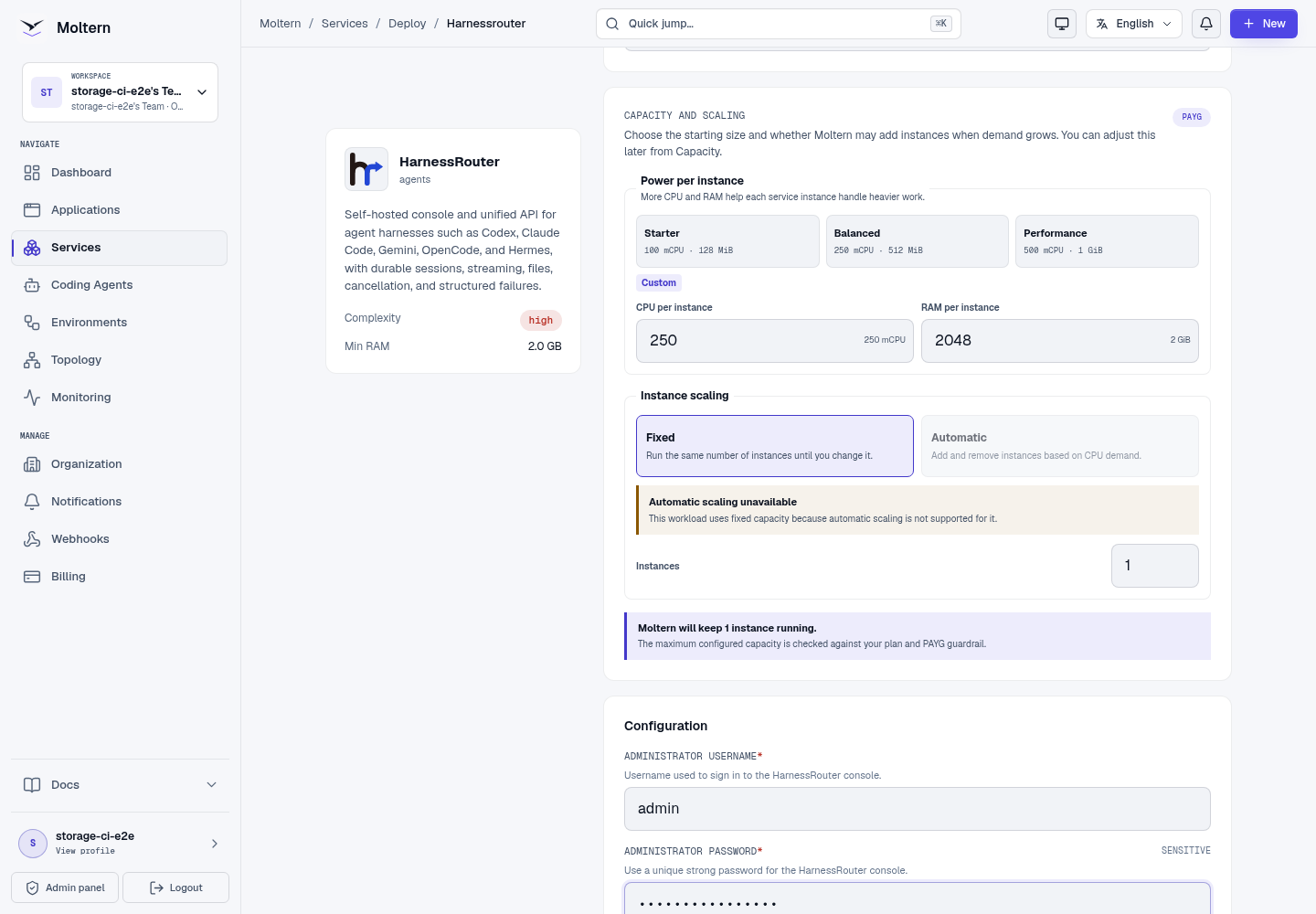
- Open Services, select the Agents category and choose HarnessRouter.
- Choose the target environment and enter a unique name.
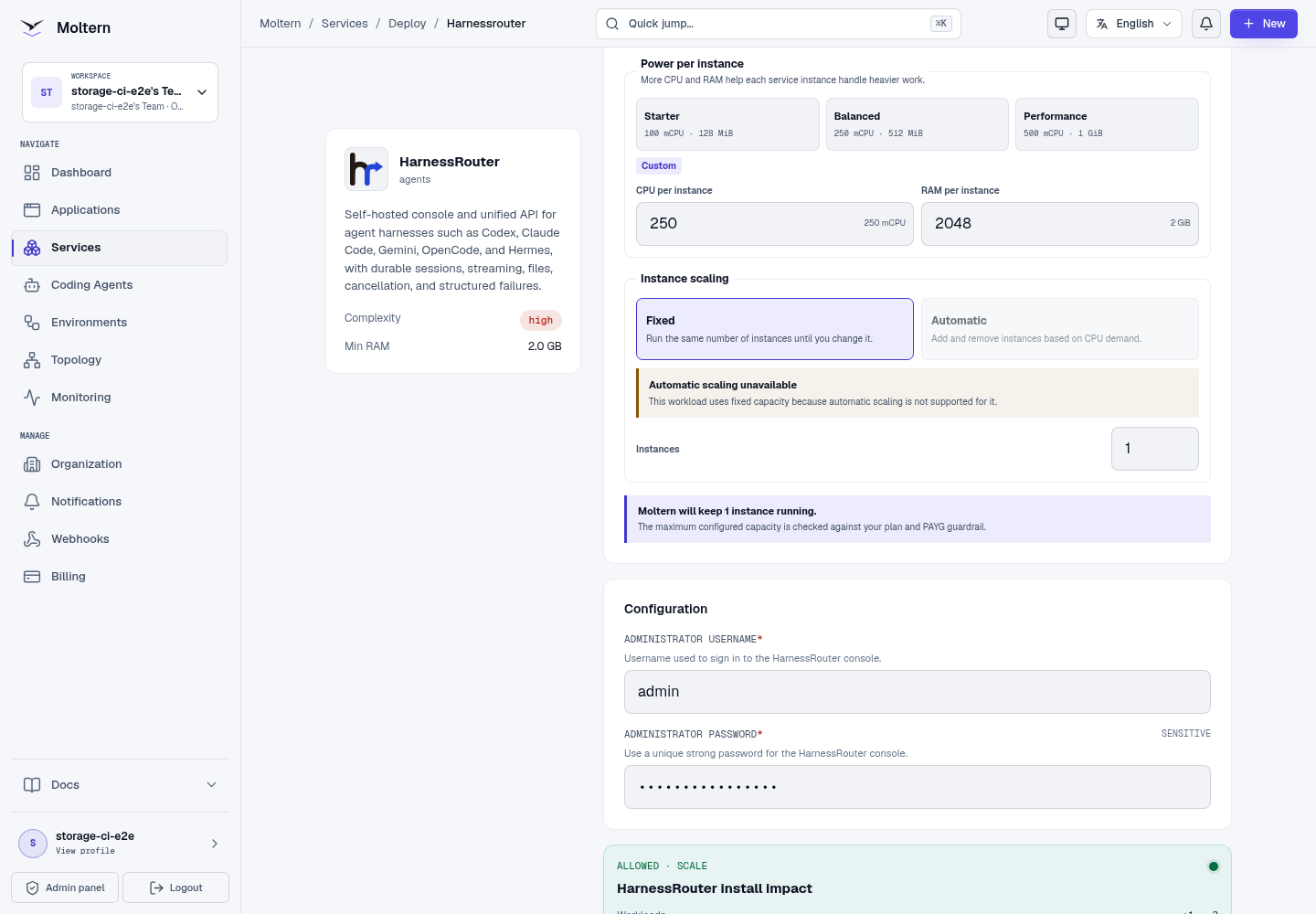
- Enter a unique administrator username and strong password.
- Review the runtime and workspace storage impact.
- Confirm the deployment and follow Live Logs while harness CLIs install.
- Wait for Running before opening the generated URL.
Sign In And Verify Harnesses
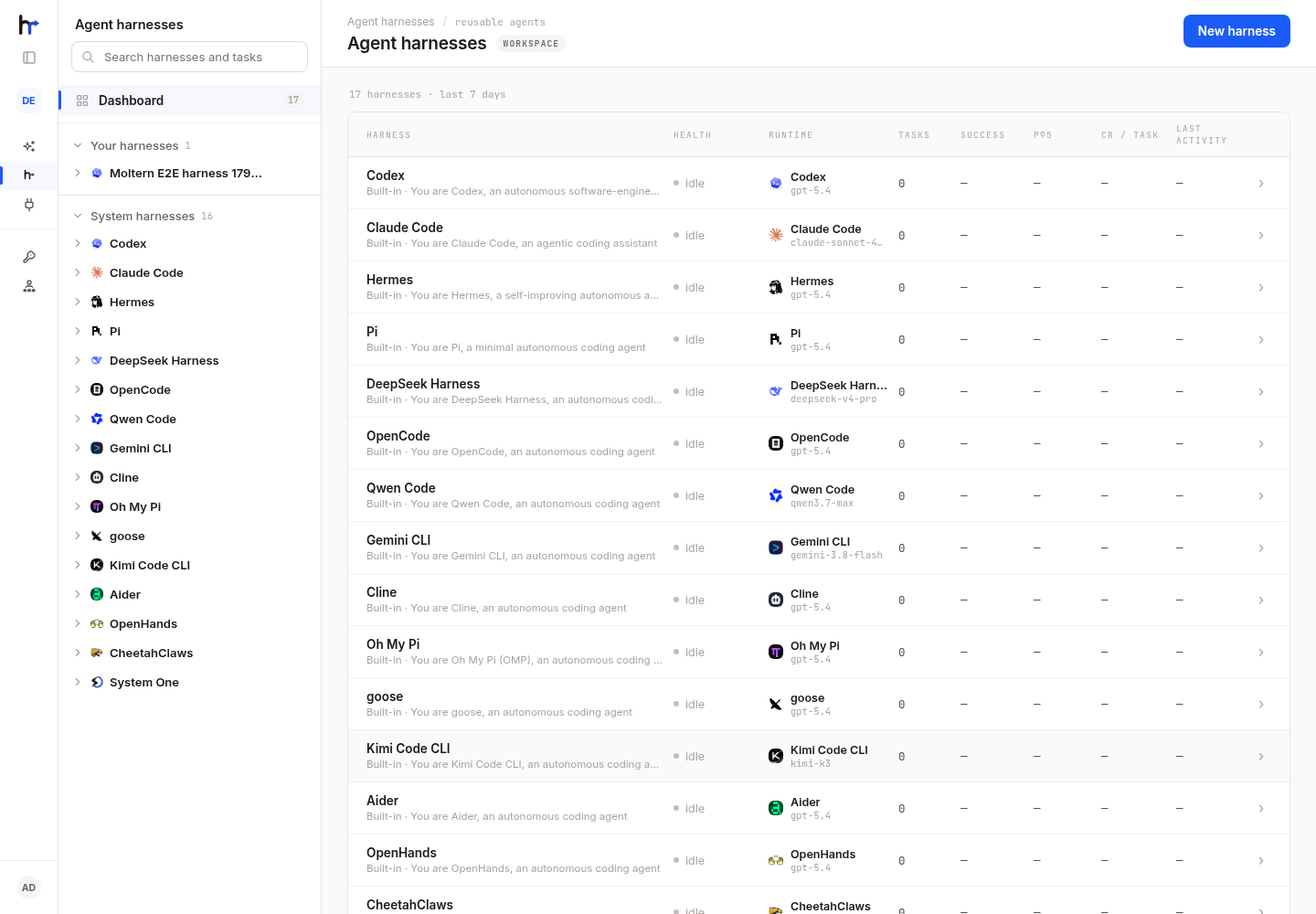
Sign in with the administrator values entered during deployment. Open Harnesses and confirm that the expected installed backends are available. An unavailable backend should be reported explicitly; do not assume that every CLI installed merely because the console loaded.
Connect A Model Provider
- Open Bring Your Own Key or Integrations.
- Select Add integration.
- Choose the provider and enter a recognizable connection name.
- Paste the provider key into the protected field.
- Save, then confirm that the provider's supported models appear.
The provider key authorizes model requests. It is not a HarnessRouter API key. Use a dedicated provider credential with spending and model limits appropriate to this deployment.
Create A Scoped API Key
Open API keys, select Create API key and name it for the consuming application and environment. The secret is shown once. Store it immediately in the application's protected configuration, then close the reveal dialog.
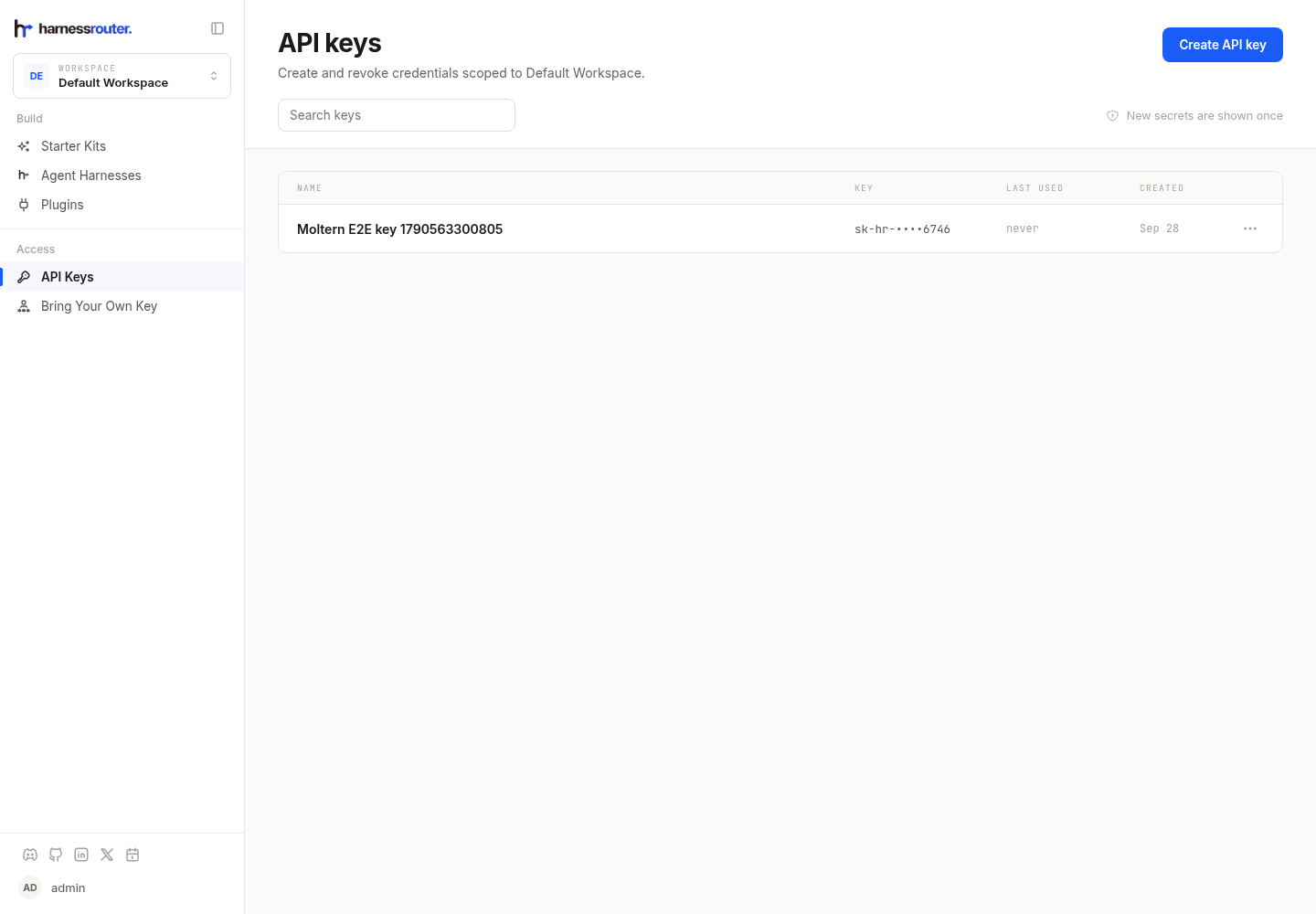
Never place the secret in chat, source code, screenshots or logs. Revoke unused keys and rotate one immediately if it is exposed.
Run A Test Task
Use the console or the Responses-compatible API to run a harmless task with a selected harness and model. Keep the first prompt small and verify:
- the task enters a running state;
- events stream while the harness works;
- the final response belongs to the same session;
- cancellation stops an in-progress test; and
- files created by one session are not exposed to another.
Provider-backed task execution requires the customer-supplied key from the previous step. Moltern's deployment validation does not invent or capture one.
Persistence And Restart
HarnessRouter stores its local database, API-key metadata, sessions, files and workspaces in the assigned service path. Agent CLI binaries are runtime files, not customer data. Stopping and starting the service replaces those binaries and reinstalls the enabled versions without removing durable product state.
After restart, sign in and confirm that a previously created API-key row and session metadata remain visible. The plaintext key is never shown again. Run a new controlled task before resuming production traffic.
Capacity And Metering
The starting profile reserves 250 mCPU and 2 GiB, with a 4 GiB memory limit. Actual use depends on the installed harness, concurrent sessions, repositories and generated files. Model-provider charges are separate from Moltern runtime and storage usage.
Moltern records CPU, memory, instances and measured workspace bytes. Review both Moltern usage and provider spending limits before increasing concurrency.
Delete HarnessRouter
- Stop callers and revoke API keys.
- Export any session artifacts that must be retained.
- Open the service and choose Delete Service.
- Select Delete stored data only when sessions, files and installed harnesses may be destroyed.
- Complete protected account confirmation.
Troubleshooting
| Symptom | What to check |
|---|---|
| Start or restart takes a long time | Follow Live Logs. A new runtime downloads and installs its enabled harness CLIs before becoming ready. |
| Sign-in fails | Use the exact administrator values entered at deployment. Product password changes take precedence after they are saved. |
| A harness is unavailable | Inspect startup logs for that harness's installation result and terms. Other installed harnesses can remain usable. |
| No models appear | Add a supported provider integration and verify the provider key and account permissions. |
| An API key no longer works | Confirm it was not revoked or rotated and that the caller sends it only to this HarnessRouter endpoint. |
| Sessions disappear after restart | Stop destructive actions and verify the assigned workspace storage is still mounted before contacting support. |
Validation Boundaries
The production gate covers deployment, administrator authentication, API-key creation without recording the plaintext secret, runtime replacement, API-key metadata read-back, point-in-time metering and protected cleanup. A complete agent turn requires a customer provider key and remains a separate validation step. Sustained concurrency, backup restore and every optional harness are not certified by the base deployment check.