Deploy Langflow
Langflow is a visual builder for AI applications and agent workflows. Moltern deploys Langflow with a managed PostgreSQL database, protected administrator access, persistent workflow data and a live HTTPS URL.
What Moltern deploys
| Component | Purpose | Access |
|---|---|---|
| Langflow 1.12.2 | Flow editor, execution API and workspace UI | Public HTTPS URL with Langflow sign-in |
| Managed PostgreSQL | Accounts, projects, flows and execution state | Private to the environment |
| Workspace files | Langflow files that must survive runtime replacement | Assigned service path |
The database is provisioned and connected automatically. It receives neither a public URL nor a dedicated disk claim.
Before you start
Have the following ready:
- a Moltern project and environment;
- an administrator username and strong password; and
- an Ollama service in the same environment when the flow will use a private local model.
The tested baseline is one Langflow instance at 200 mCPU and 1 GiB memory, plus one managed PostgreSQL instance at 100 mCPU and 256 MiB memory. Increase capacity only after measuring your own flows and concurrency.
Deploy Langflow
- Open Services and choose Langflow.
- Select the project and environment.
- Enter the administrator username and password.
- Review the install impact.
- Choose Deploy service.
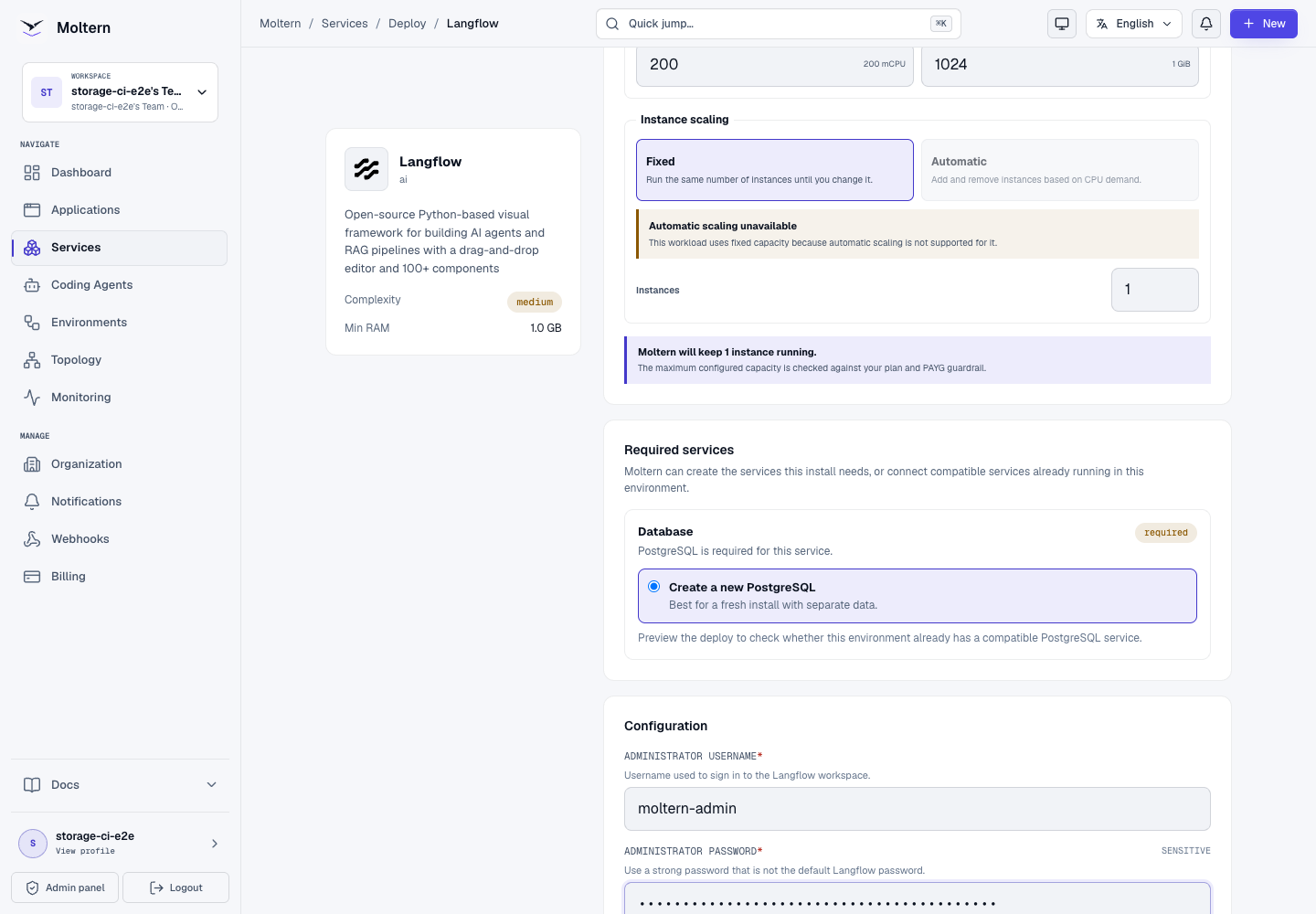
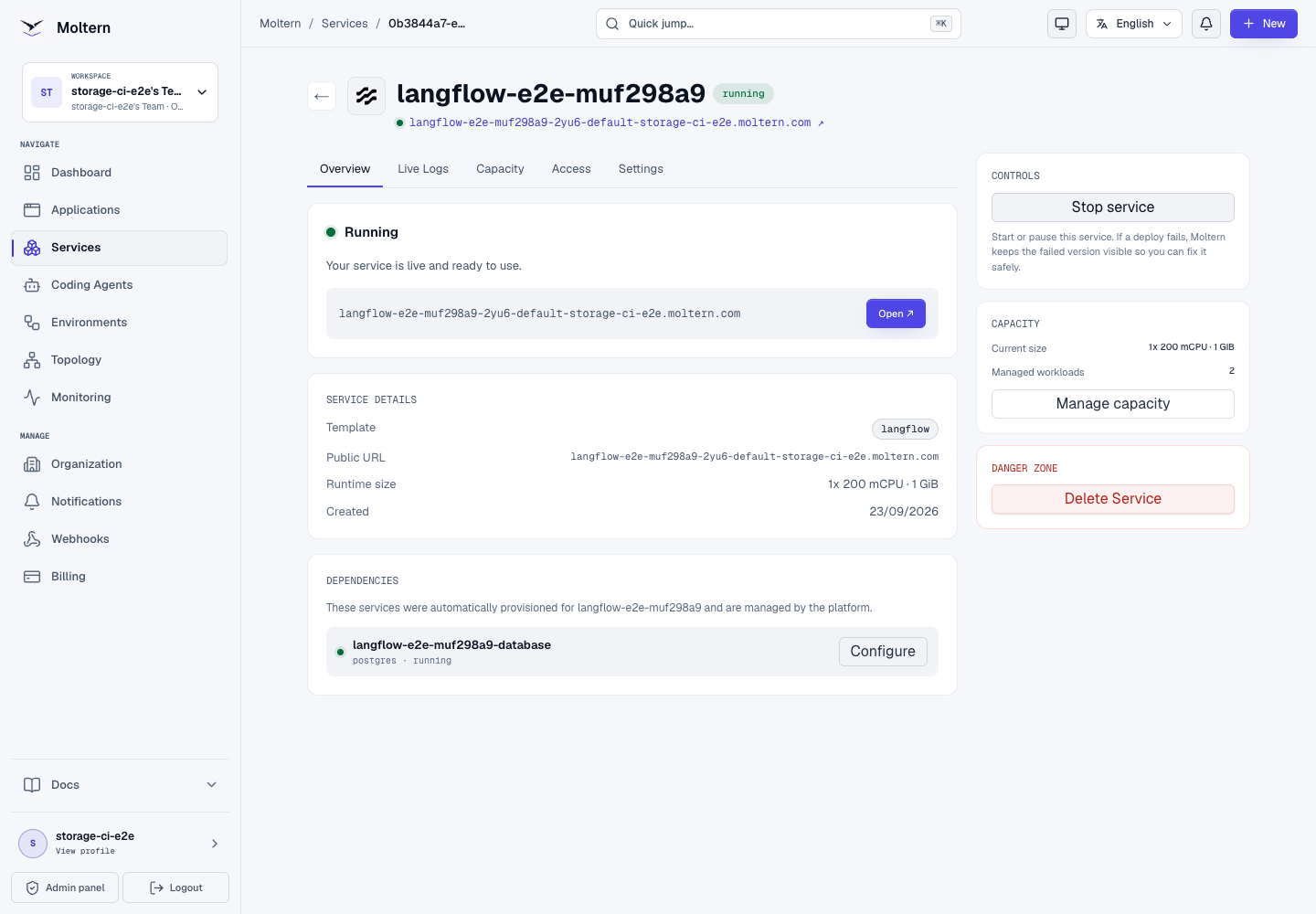
The preview should show two workloads: Langflow and managed PostgreSQL. It should not request a dedicated volume because each workload uses its assigned path in the workspace filespace.
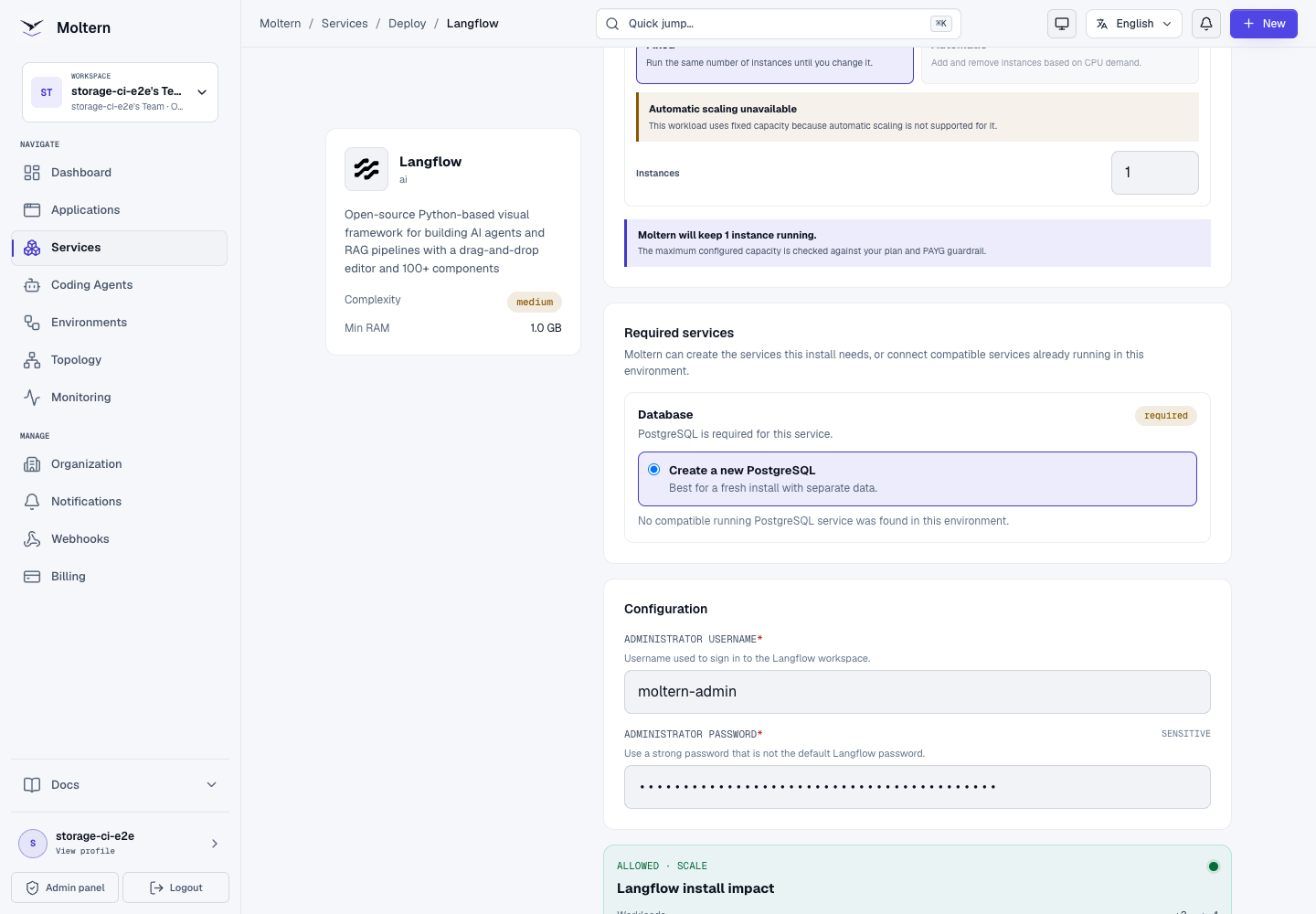
The first start initializes the database and can take longer than a routine restart. Wait until Moltern reports Running before opening the generated URL.
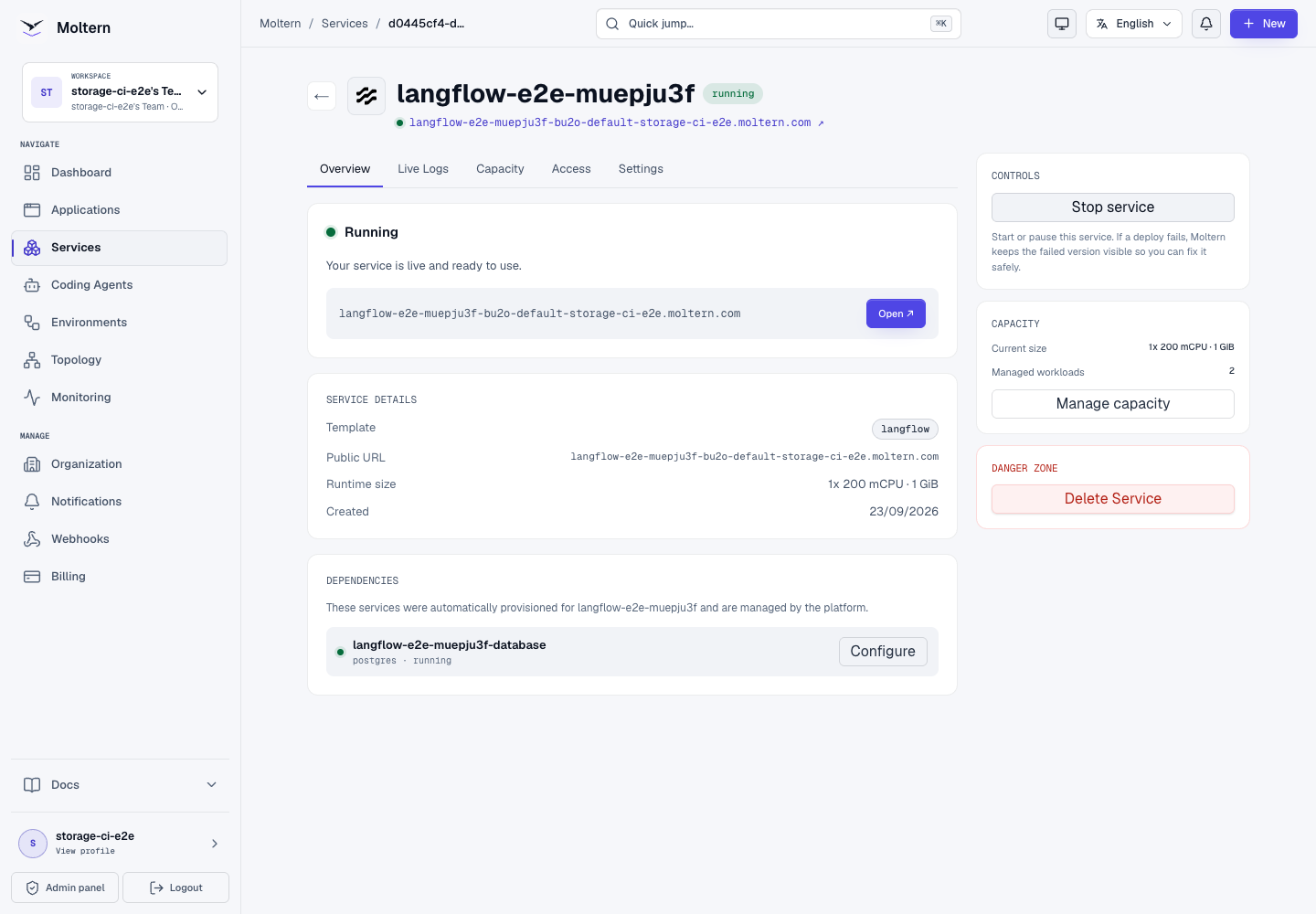
Sign in
Open the generated URL and sign in with the administrator values entered during deployment. An unauthenticated visitor is sent to the Langflow sign-in page and cannot claim the first account.
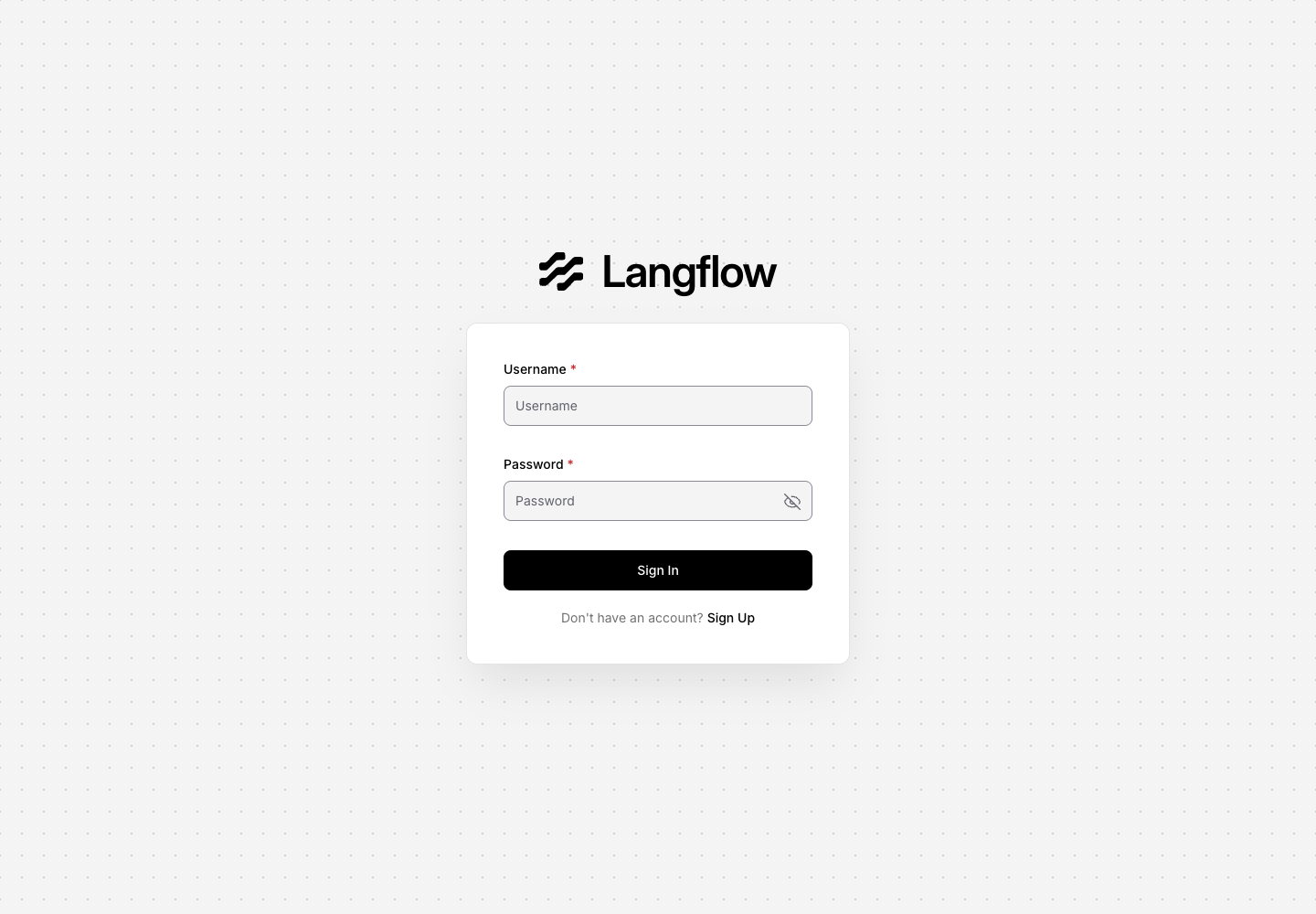
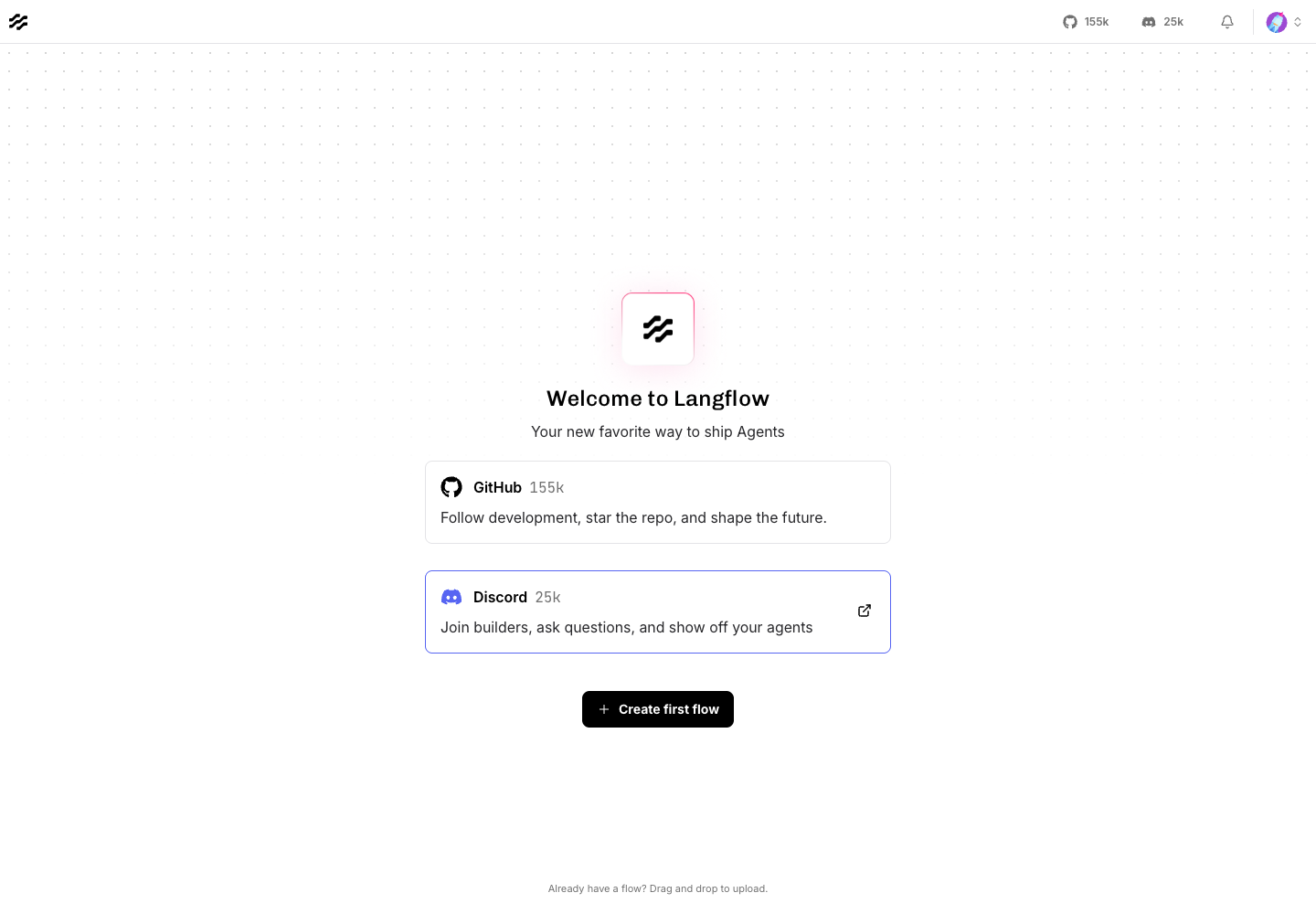
After authentication, Langflow opens the Projects workspace. Create flows here, or use its authenticated API for controlled automation.
You can retrieve managed setup values later from Service → Settings → Connection details. Moltern requires account confirmation before revealing sensitive values.
Connect private Ollama
Keep model traffic private by attaching an Ollama service in the same environment:
- Open the Langflow service in Moltern.
- Choose Settings.
- Under Private service connections, select Ollama.
- Choose Connect and wait for Langflow to return to Running.
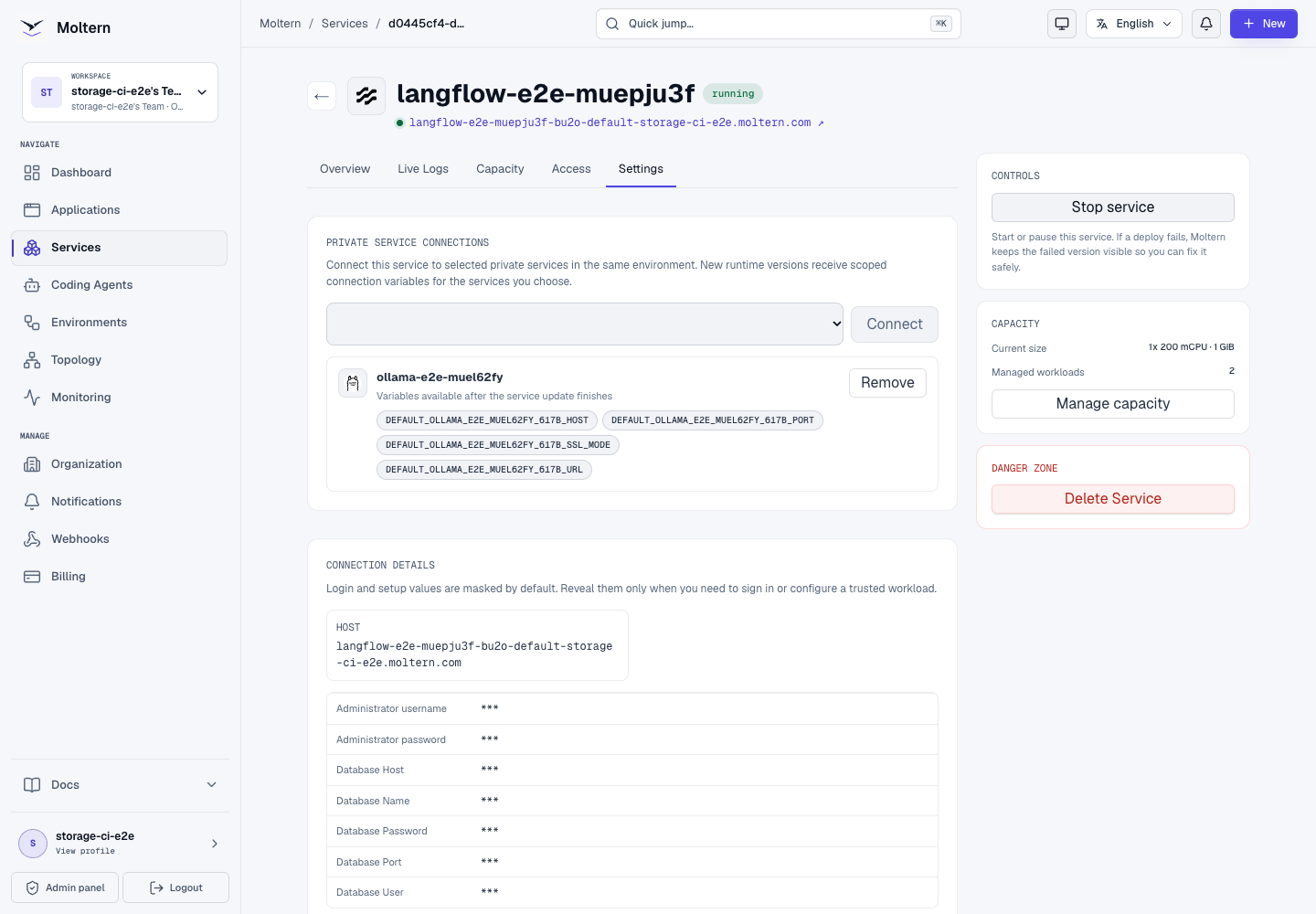
Moltern grants access only to the selected service. It creates scoped host, port, TLS-mode and URL variables and updates the private network policy. The Ollama service remains without a public route.
Langflow imports the scoped values as masked global variables. When exactly one Ollama service is attached, Moltern also configures its URL as Langflow's default Ollama endpoint. Removing the connection removes both the scoped network access and the generated runtime values.
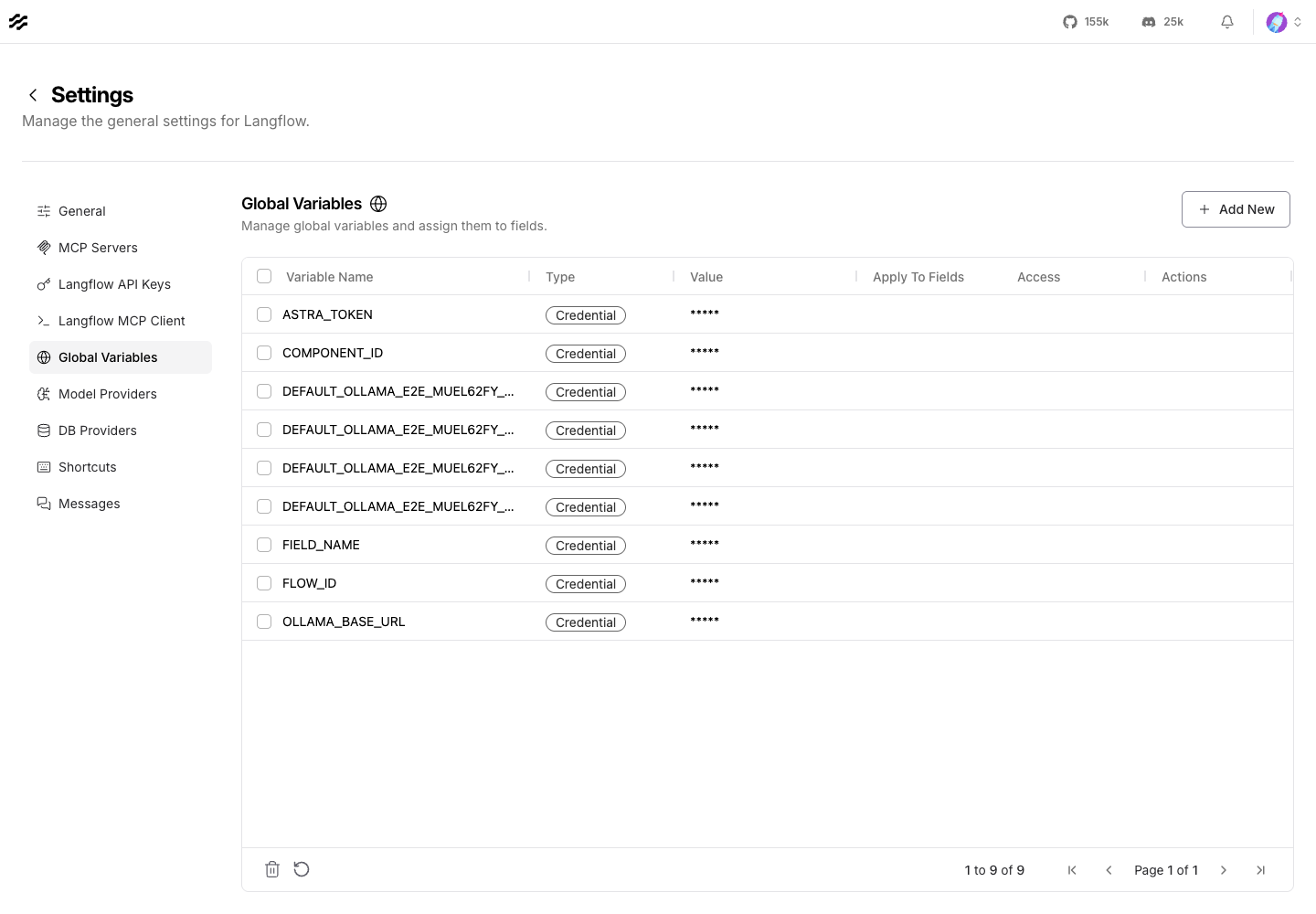
Langflow's server-side request protection remains enabled. Moltern adds only the hostname of the explicitly attached service to the allowlist; it does not open private address ranges or disable loopback protection.
Build a private Ollama flow
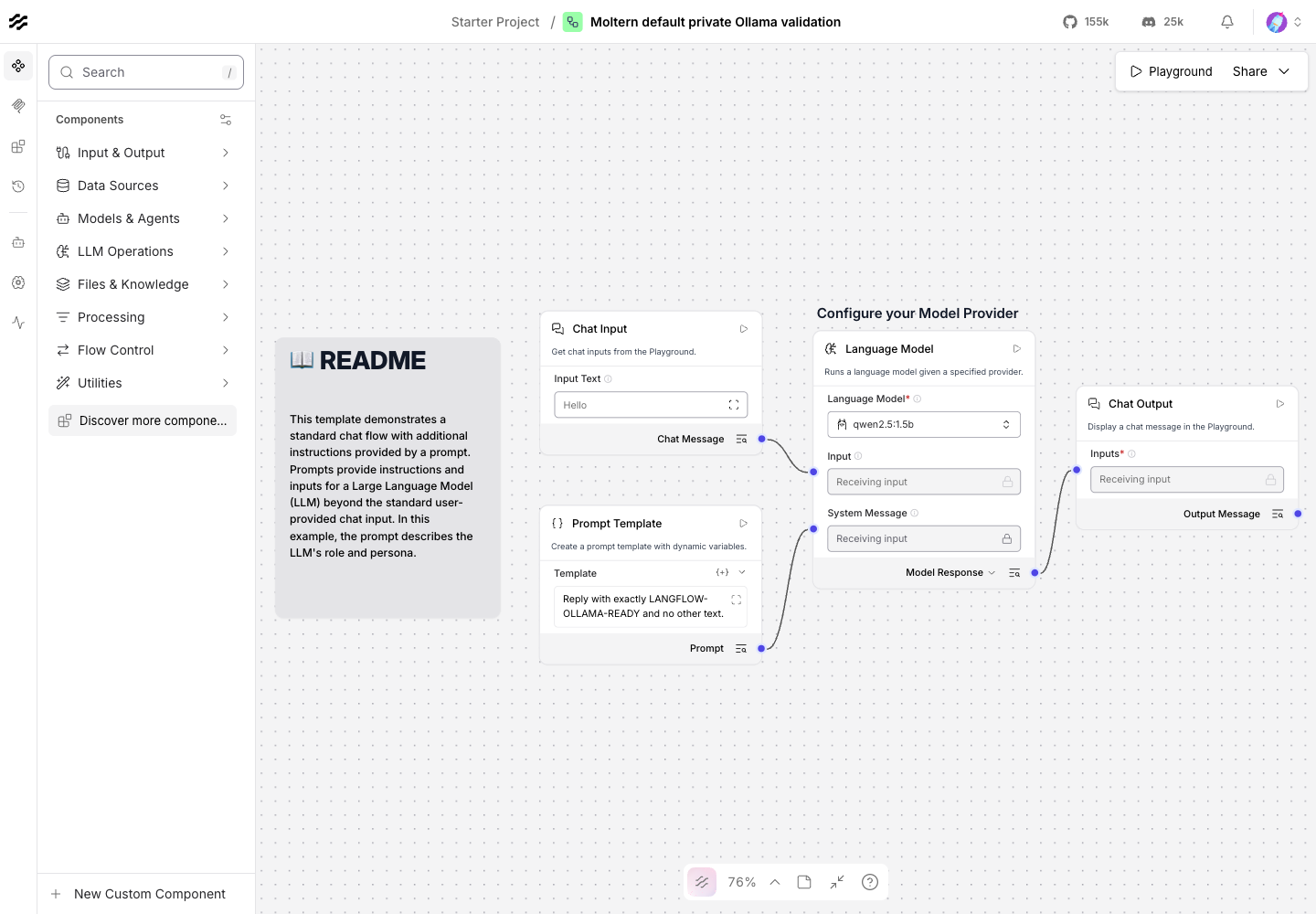
The production E2E used a Basic Prompting flow with these components:
- Chat Input accepts the user message.
- Prompt constrains the expected answer.
- Language Model selects Ollama and an installed model.
- Chat Output displays the response.
Select the private Ollama provider and use a model already installed in that
service. Leave Ollama Base URL empty to use the single attached Ollama
service automatically. The validation used qwen2.5:1.5b and returned the
exact controlled response LANGFLOW-OLLAMA-READY through the private
attachment.
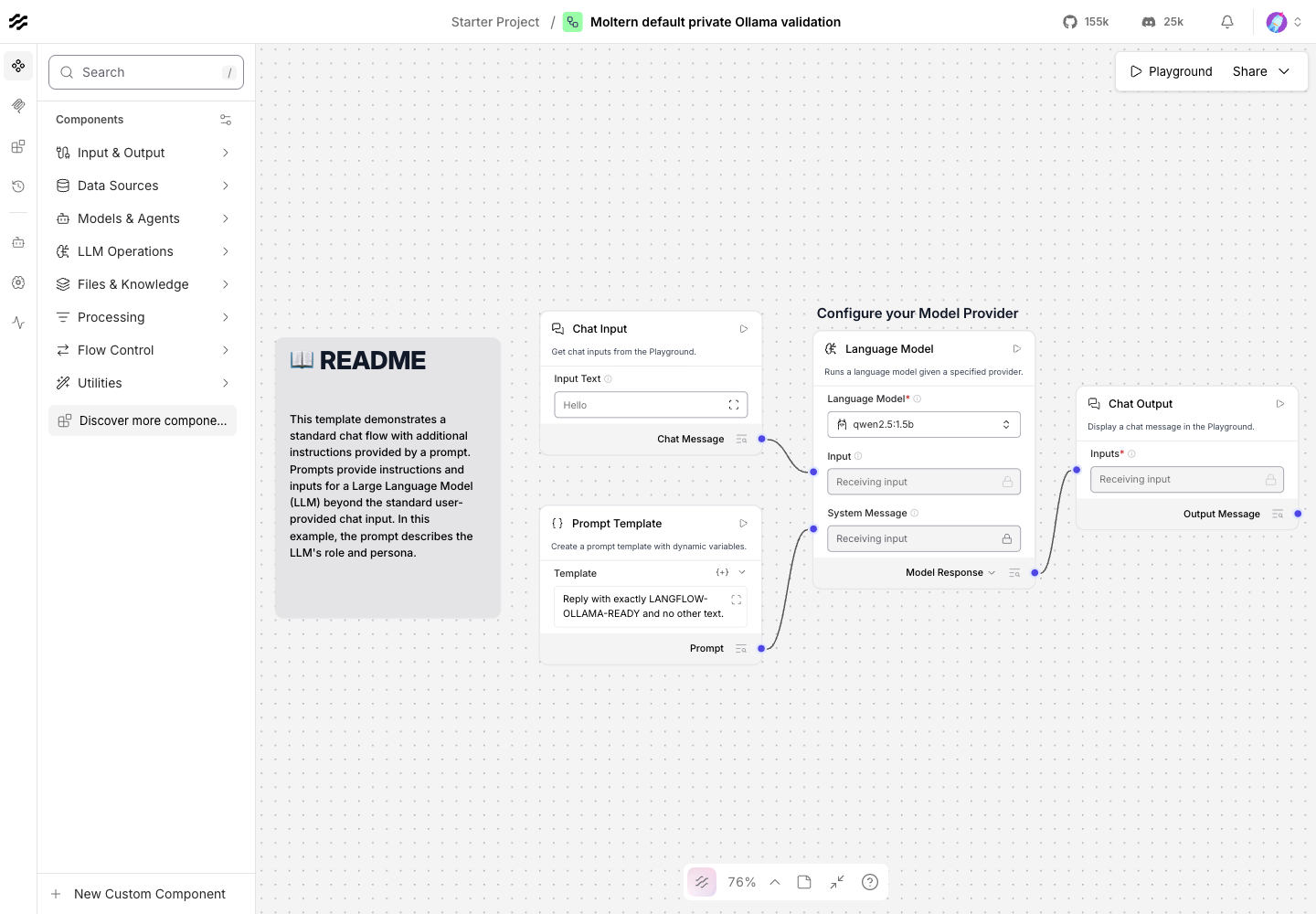
A healthy page or Ready pod alone was not treated as proof. The E2E created, saved and executed the real graph against the attached model.
Use a flow from an application
Save the flow, then open its API panel to obtain the flow-specific endpoint and request shape. Store Langflow credentials in the consuming application's protected configuration rather than source code.
For an application that only needs an internal dependency, attach Langflow as a private service instead of using its public hostname. Grant only the service connections the application actually needs and remove stale connections when a workflow is retired.
Persistence and lifecycle
Moltern Stop service followed by Start service replaces the Langflow runtime. The administrator account, project and saved flow persisted because state is held in managed PostgreSQL and the assigned workspace path.
The same six-node flow was visible after restart and returned the same response through private Ollama.
Changing a private connection also replaces the Langflow runtime. The current catalog profile uses one replica, so plan for a short interruption during connection changes, restarts or capacity updates.
Storage and metering
Moltern meters Langflow and its managed database independently even though both use assigned paths in the workspace filespace. At the production collection point:
- Langflow used
685,937bytes and reported 200 mCPU, 1,024 MiB and one replica. - Managed PostgreSQL used
72,089,620bytes and reported 100 mCPU, 256 MiB and one replica. - Direct filesystem measurements matched the usage API values exactly.
- The workspace collector completed with zero shared-filespace scan errors.
These numbers are validation evidence, not capacity recommendations. Flow size, traces, files, component caches and execution volume determine real usage. Elapsed invoice and proration certification is tracked separately from this point-in-time resource check.
Delete Langflow
Choose Delete Service, select the option that removes runtime and stored data, then confirm the protected action. Moltern removes:
- the Langflow runtime and public route;
- the managed PostgreSQL dependency;
- both assigned workspace paths;
- generated secrets and attachment policy; and
- active CPU, memory, replica and storage usage.
The team's shared workspace filespace remains available to its other workloads. Deletion is destructive, so export important flows before removing stored data.
Troubleshooting
| Symptom | What to check |
|---|---|
| The first deployment remains in progress | Open Live Logs and wait for database initialization and the /health readiness check. |
| Sign-in fails | Confirm the administrator username and reveal managed setup values through the protected connection-details flow. |
| Ollama is missing from provider settings | Confirm the private connection is present and Langflow was reconciled after it was added. |
| A private Ollama request is blocked | Confirm Ollama is Running in the same environment and reconnect it from Private service connections; do not disable request protection. |
| The model is not found | Install the exact model in Ollama and select the same model identifier in Langflow. |
| A flow is absent after restart | Confirm managed PostgreSQL is Running and contact support before deleting or redeploying stored data. |
| A capacity change causes interruption | The current profile is single-replica; schedule the change or use a higher-availability profile after it is certified. |
Validation boundaries
The production test covered protected ownership, managed PostgreSQL, a private Ollama flow, runtime replacement, persistence, point-in-time metering and protected deletion. It did not certify external model-provider credentials, multi-replica high availability, sustained load, backup restore or interrupted database migration recovery.