Deploy Hermes Agent
Hermes Agent is a self-hosted agent runtime with tools, skills, persistent memory, scheduled work and an OpenAI-compatible API. Moltern runs Hermes as a private service: administrators configure it through a governed terminal, and only applications or agents that receive an explicit connection can call its API.
What Moltern Deploys
| Component | Purpose | Access |
|---|---|---|
| Hermes runtime | Agent sessions, tools, skills and scheduled work | Governed Moltern terminal |
| Hermes API | OpenAI-compatible model and session endpoints | Private workspace connection with bearer authentication |
| Agent state | Configuration, sessions, memory and generated state | Assigned service storage |
Hermes does not include a model-provider subscription. Bring a supported provider account. A private model service should be attached only when the selected Hermes provider supports its API contract.
Before You Start
You need:
- a Moltern workspace and environment;
- permission to create services and open a service terminal;
- a supported model-provider credential; and
- enough workspace capacity for the 10 GiB starting storage allocation.
An agent can run commands and call connected systems. Start with no optional connections, then grant only the resources required for one controlled task.
Deploy Hermes
- Open Services and select the Agents category.
- Choose Hermes Agent.
- Select the target environment and enter a recognizable service name.
- Review the runtime and workspace storage impact.
- Confirm the deployment and follow Live Logs until the service is Running.
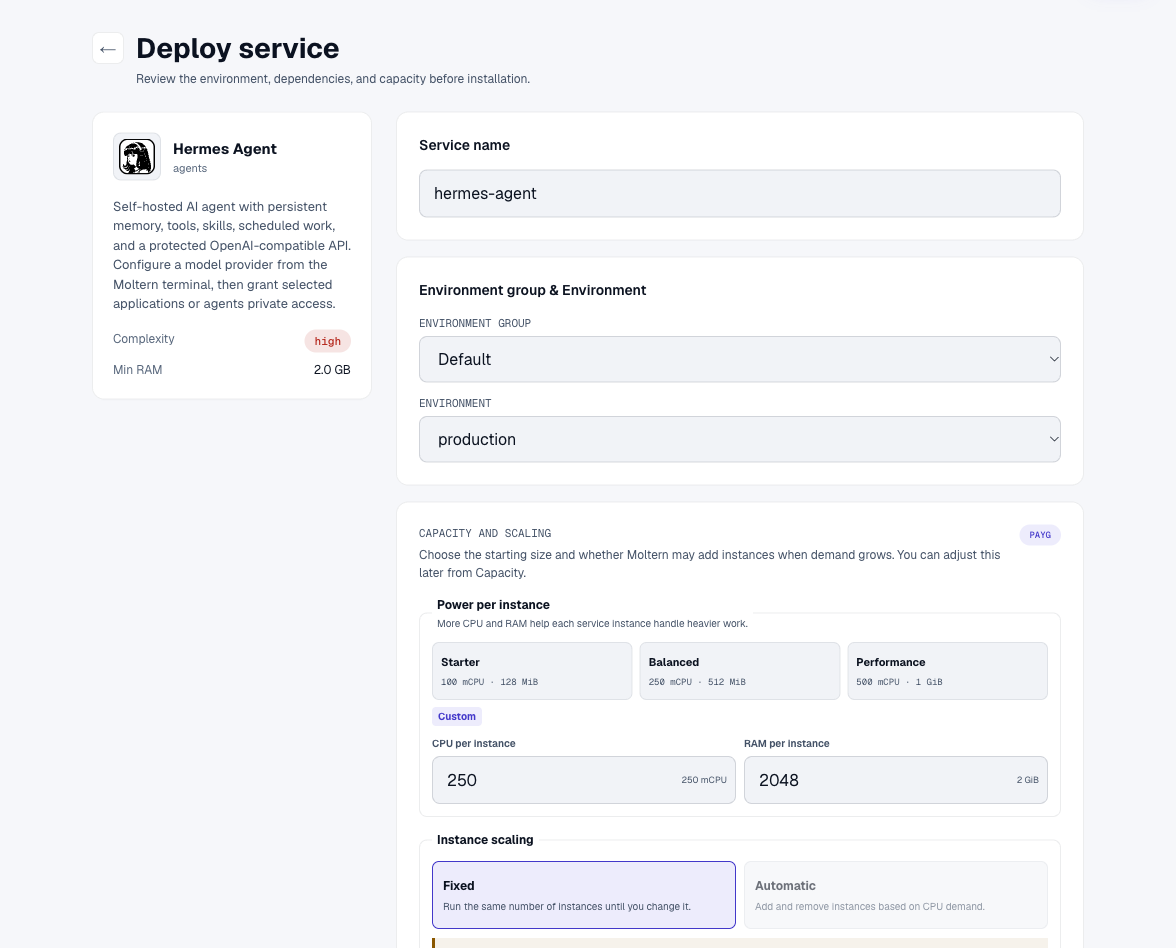
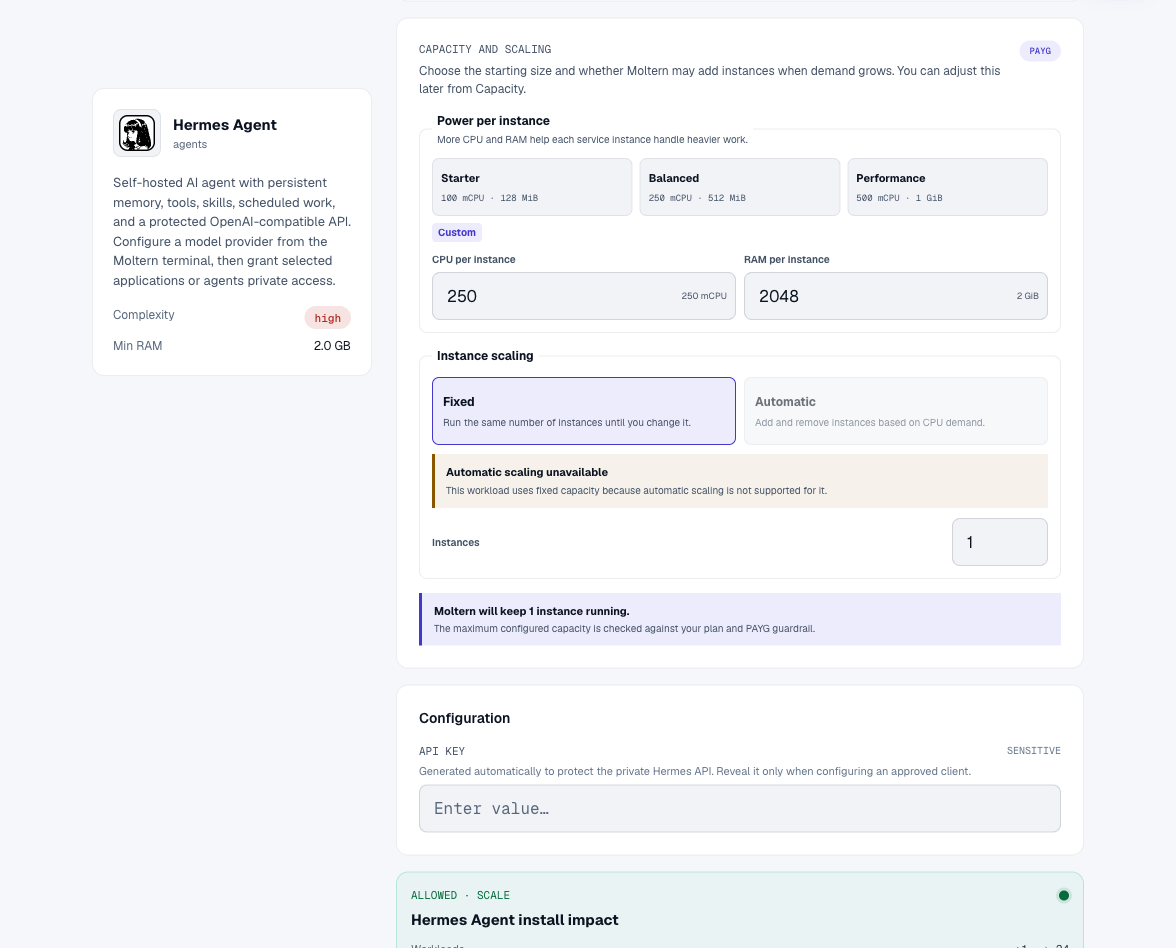
Moltern generates the API key. Do not put a provider key in the deployment name, environment variables or notes.
Connect A Model Provider
Open the running service and select Terminal. Run:
hermes setup
Follow the Hermes prompts to select a provider and authenticate using the method supported by that provider. Use a dedicated provider account or API key with appropriate spending and model limits.
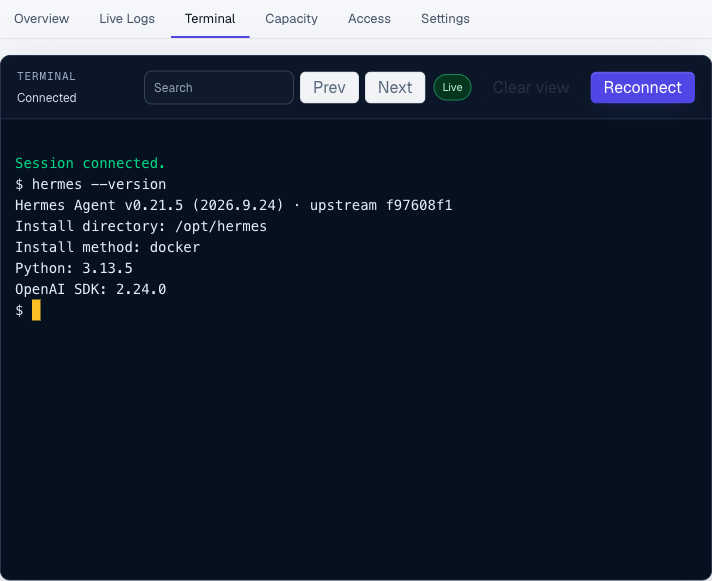
Restart the service after setup when the service page asks you to apply the new configuration. Reopen the terminal and run a small, non-sensitive task before granting any additional resource access.
Connect Applications And Services
Hermes has no public service URL by design. To call it from a workload:
- Open the trusted application, coding agent or supported service.
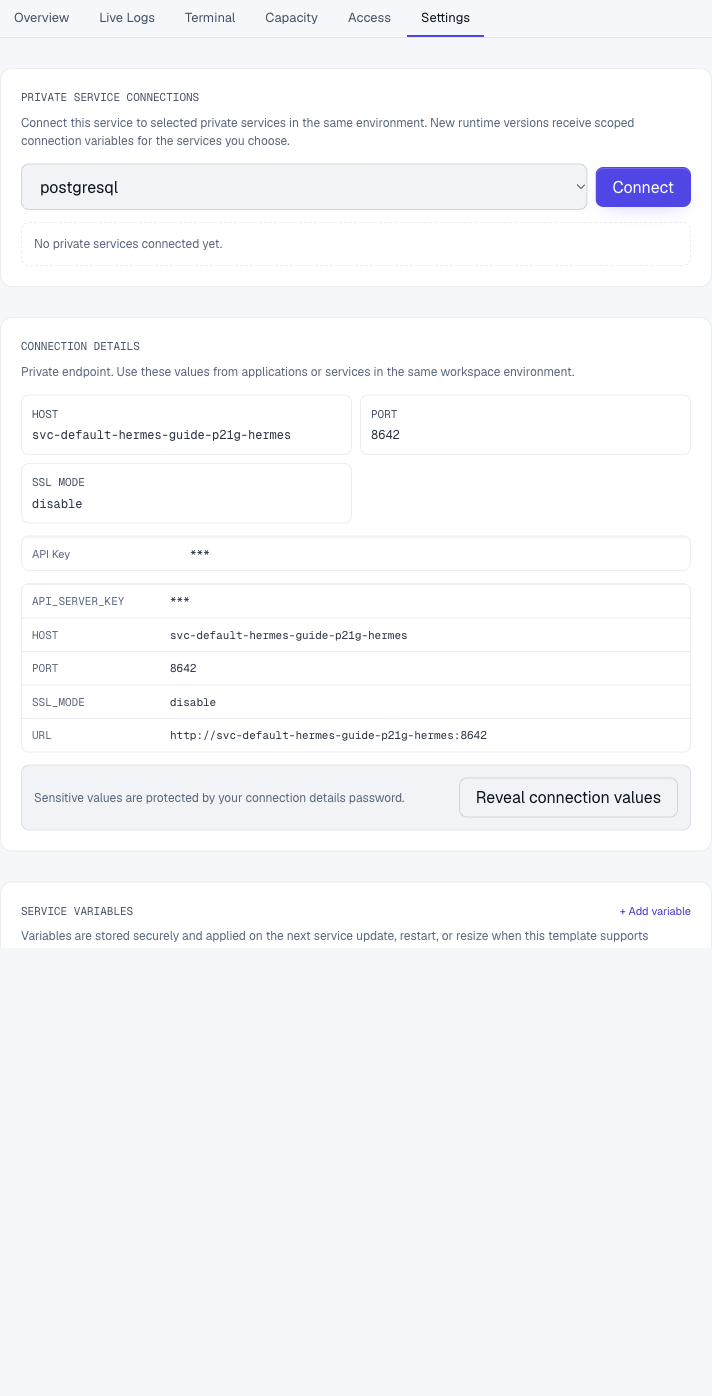
- Open Private service connections.
- Select the Hermes service from the same environment.
- Review the variables and runtime impact, then confirm the connection.
- Wait for the consuming workload to return to Running.
Moltern injects scoped variables for the attachment, including:
MOLTERN_HERMES_URL
MOLTERN_HERMES_API_SERVER_KEY
Use the scoped values instead of copying a private hostname or key into source control. Removing the connection revokes network access and removes the managed variables from the consuming workload.
Call The Private API
From an explicitly connected workload, model discovery can be checked with:
curl --fail --show-error \
  --header "Authorization: Bearer $MOLTERN_HERMES_API_SERVER_KEY" \
  "$MOLTERN_HERMES_URL/v1/models"
A successful response includes the hermes-agent model identifier. A request
without the bearer key must be rejected. Do not proxy this endpoint to the
public Internet unless you have designed and reviewed a separate access layer.
Files, Memory And Persistence
Hermes stores its configuration, sessions and durable runtime state in its assigned service path. The service cannot browse the root of the team filespace. Stopping, starting or replacing the runtime keeps the assigned data path unless an administrator explicitly deletes stored data.
After a restart:
- open the terminal and confirm
hermes --versionruns; - confirm the configured provider is still available;
- retrieve a known non-sensitive session; and
- run a small task before resuming tool-enabled work.
Persistence is not a backup. Export important artifacts and test recovery before using Hermes for irreplaceable work.
Capacity And Metering
The starting profile reserves 250 mCPU and 2 GiB of memory, with a 4 GiB memory limit and a 10 GiB workspace storage allocation. Tool execution, repositories, memory, scheduled work and concurrent sessions can increase resource use.
Moltern measures the service's runtime and workspace storage. Model-provider usage is billed by the provider and is separate from Moltern usage. Review both sets of limits before increasing concurrency.
Security Checklist
- Keep Hermes private and connect only approved workloads.
- Never publish the generated API key or a model-provider credential.
- Grant one database, service or application at a time.
- Review tool output before allowing write access to production systems.
- Remove connections and revoke provider credentials when they are no longer needed.
- Keep instructions and memory free of credentials.
Delete Hermes
- Stop callers and remove private service connections.
- Revoke provider credentials that will no longer be used.
- Export required sessions or artifacts.
- Choose Delete Service.
- Select Delete stored data only when the Hermes state may be destroyed.
- Complete protected account confirmation.
Moltern removes the runtime and its assigned storage path when stored-data deletion is confirmed.
Troubleshooting
| Symptom | What to check |
|---|---|
| The service takes several minutes to start | Follow Live Logs. First start initializes Hermes state and skills before health checks can pass. |
hermes is not found | Confirm the service is Running and open the terminal from the Hermes service page rather than another workload. |
| No model provider is available | Run hermes setup, complete the provider flow and restart when prompted. |
The API returns 401 | Confirm the caller uses the current scoped API key and that the Hermes connection is still active. |
| A connected workload cannot reach Hermes | Confirm both workloads are in the same environment and that the explicit private connection finished applying. |
| A tool cannot reach another service | Add only that service from Private service connections; do not disable private-network protections. |
| Sessions disappear after restart | Stop destructive actions and verify the assigned service data was not deleted before contacting support. |
Validation Boundaries
The production gate covers deployment through Moltern, private endpoint classification, generated-key authentication, rejection of unauthenticated requests, model discovery, governed terminal access, scoped attachment controls, session persistence after runtime replacement, shared workspace storage-accounting registration and protected cleanup. Provider-backed inference requires a customer credential and remains a separate validation step. The base gate does not certify every provider, tool, skill, scheduled task or sustained concurrency profile.