Deploy n8n
n8n is a visual workflow automation platform for APIs, schedules, webhooks and business systems. Moltern deploys one current n8n profile with managed PostgreSQL, durable service files and a live HTTPS address.
What Moltern Deploys
| Component | Purpose | Access |
|---|---|---|
| n8n | Workflow editor, webhooks and executions | Public HTTPS URL with owner sign-in |
| Managed PostgreSQL | Users, workflows, credentials and execution metadata | Private to the environment |
| Workspace files | n8n files retained across runtime replacement | Assigned service path |
Moltern does not offer separate SQLite, PostgreSQL and worker variants. The catalog uses the managed database profile above so a new installation does not place important workflow state on an ephemeral container filesystem. Executions run in the main n8n runtime. Moltern does not enable queue mode until a separate worker topology is available and validated.
Before You Start
You need a workspace, an environment and permission to create services. Prepare an email address for the first owner. You may also provide a unique 32-character encryption key during deployment. Keep that key stable: n8n uses it to protect stored credentials.
Use dedicated least-privilege accounts for third-party connections. A workflow can read or change any data permitted by those credentials.
Deploy n8n
- Open Services and select n8n.
- Choose the target environment and enter a unique name.
- Provide an encryption key or keep the securely generated value.
- Review the PostgreSQL dependency.
- Reuse compatible services when appropriate, or create owned dependencies.
- Review capacity and storage impact, then confirm.
- Wait for Running before opening the URL.
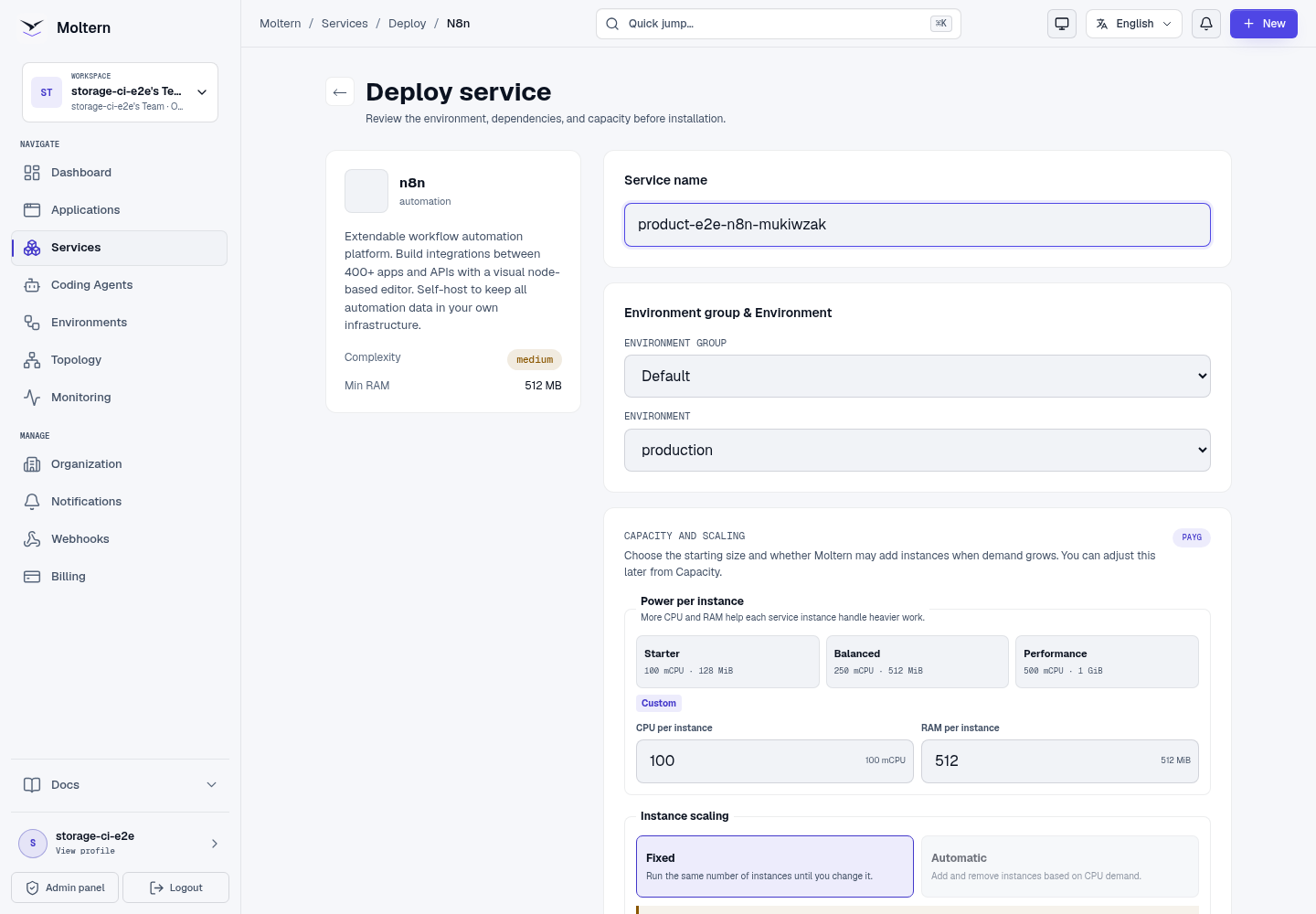
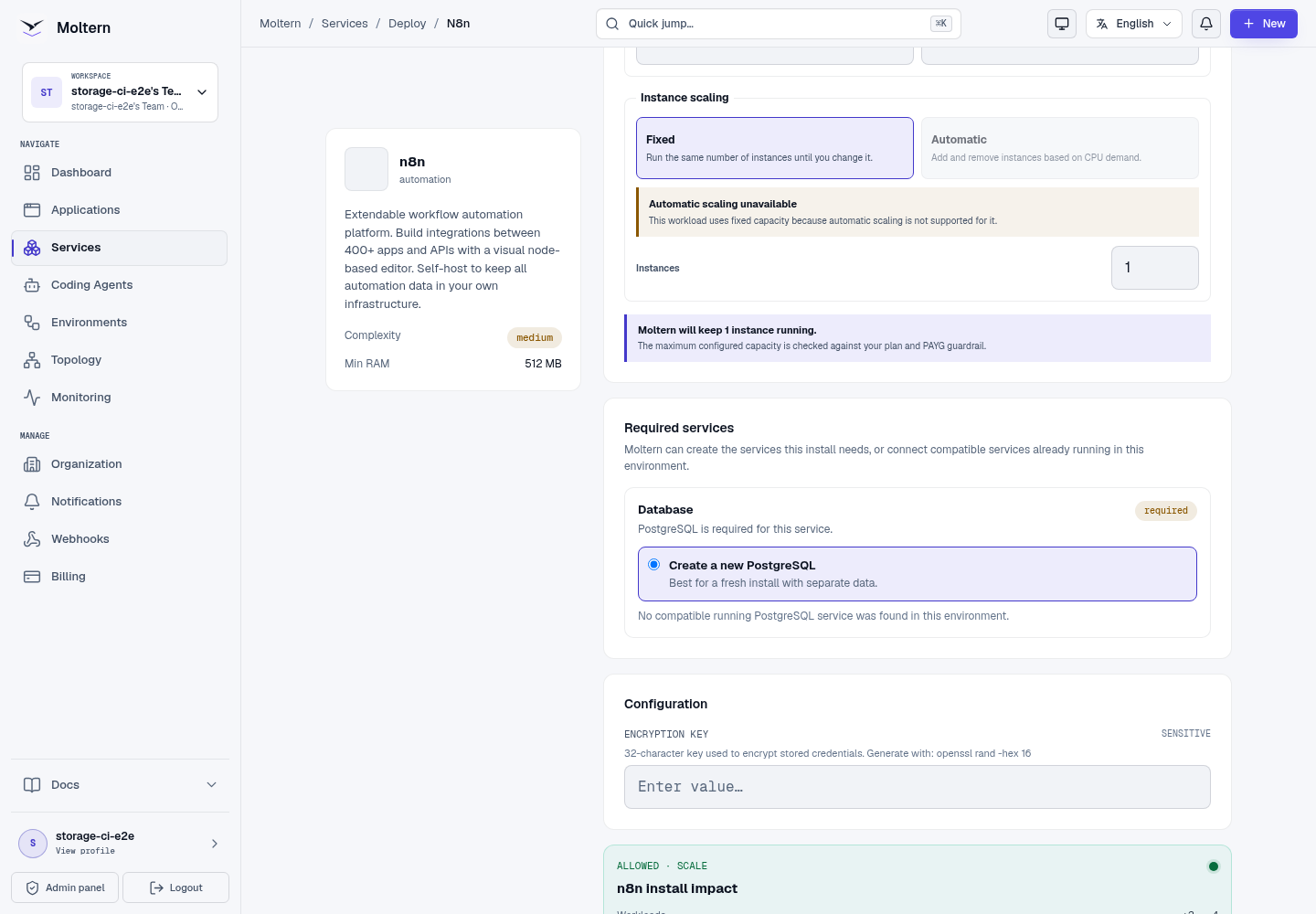
The first start applies database migrations. Follow Live Logs instead of submitting another deployment while those migrations are still running.
Create The Owner Account
Open the generated URL and complete n8n's owner form. Use an email address your team controls and a unique password. Store the password in your approved password manager; it is an n8n account credential, not a Moltern login.
Create A Workflow
Use a controlled workflow to validate the installation:
- Select Create workflow.
- Give it a recognizable name.
- Add a manual trigger.
- Add a harmless transformation or fixed-value step.
- Run the workflow and inspect the output.
- Save it, reload the page and confirm it remains in the workflow list.
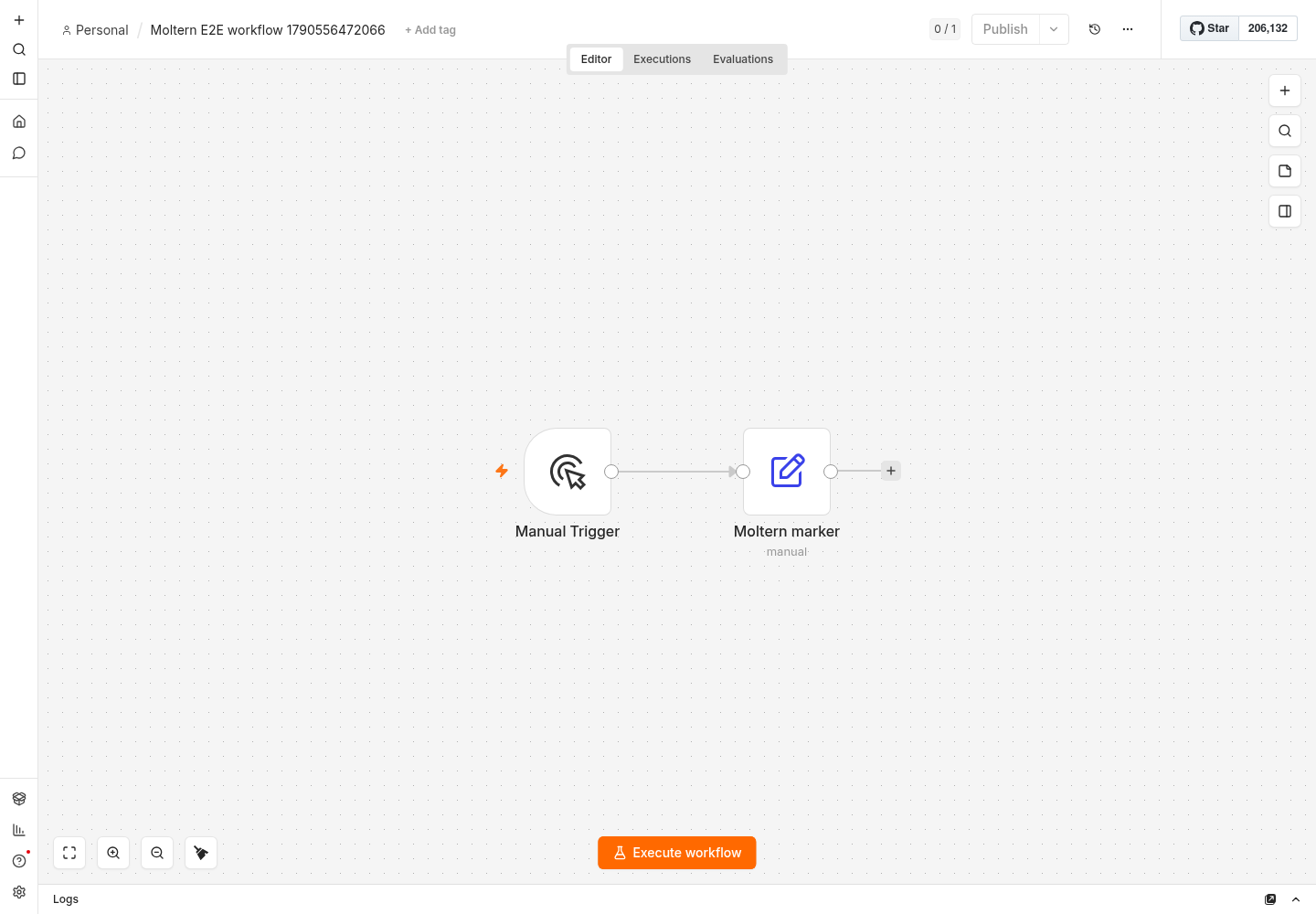
Do not activate schedules or inbound webhooks until the test execution works and the workflow's external credentials have been reviewed.
Webhooks And Public URLs
n8n builds webhook addresses from the generated HTTPS hostname. Use the Test URL while editing and the Production URL only after the workflow is active. Verify that callers use HTTPS and validate any application-level secret your workflow expects.
The public n8n editor and public webhook paths share the same service hostname. n8n authentication protects the editor, but each webhook must still implement the authentication and input validation appropriate to its caller.
Connect Applications, Services And Agents
An application or coding agent can receive a scoped private n8n connection from its Access settings. Grant only the required service and remove the attachment when it is no longer needed.
Credentials entered in n8n remain product-managed data in PostgreSQL. Do not copy them into source code, workflow descriptions, screenshots or agent chat.
Persistence And Restart
Moltern Stop service and Start service replace the n8n runtime while retaining its managed database and assigned service path. After a restart, sign in, reopen the saved workflow and run the controlled trigger.
Keep the encryption key unchanged across every update and restore. A database restore without the matching key can leave stored credentials unreadable.
Capacity And Metering
Moltern meters n8n and PostgreSQL as separate workloads. Billing views show CPU, memory, running instances and measured stored bytes for each. Requested storage is a capacity allowance rather than current consumption.
The validated n8n runtime starts at 100 mCPU and 512 MiB. Increase it only after observing execution concurrency, queue delay and memory pressure. The current catalog profile is single-instance, so a capacity change or restart can cause a short interruption.
Delete n8n
- Export important workflows and record which credentials must be recreated.
- Open the n8n service and choose Delete Service.
- Select Delete stored data only when the workflow state may be destroyed.
- Complete account confirmation.
An owned PostgreSQL dependency is deleted with the parent. A reused database remains available to other workloads.
Troubleshooting
| Symptom | What to check |
|---|---|
| Initial deployment takes several minutes | Review Live Logs for database migrations and wait for all dependencies to become healthy. |
| Owner setup reappears after restart | Stop changes and verify the same PostgreSQL dependency is attached before entering another account. |
| Stored credentials fail to decrypt | Confirm the original encryption key is still configured. Do not rotate it without n8n's supported migration process. |
| A webhook returns an unexpected URL | Confirm the service hostname and HTTPS scheme, then reopen the node's webhook panel. |
| An execution does not finish | Review the main runtime logs, node error output and memory pressure. The current profile does not use queue workers. |
| A workflow is missing | Verify the database is Running and contact support before deleting or redeploying stored data. |
Validation Boundaries
The production gate covers owner setup, workflow creation through n8n's API, successful marker execution, workflow rendering in the UI, runtime replacement, workflow read-back, point-in-time metering and protected cleanup. External connectors, sustained execution load, queue-mode scaling, backup restore and encryption-key rotation need separate customer-specific tests.