Deploy Svix
Svix is an API-first webhook delivery service. It stores applications, endpoints, event types and delivery history, signs outbound requests and retries failures. Moltern deploys Svix as a private service rather than an internet-facing dashboard.
What Moltern Deploys
| Component | Purpose | Access |
|---|---|---|
| Svix server | Authenticated webhook management and delivery API | Private service connection |
| Managed PostgreSQL | Applications, endpoints, messages and attempts | Private to the environment |
| Managed Redis | Queue and delivery coordination | Private to the environment |
| Workspace files | Service files retained across runtime replacement | Assigned service path |
Svix intentionally has no public URL in this profile. A missing public route is not a failed deployment.
Before You Start
You need a workspace, an environment and permission to create services. Decide which application or coding agent will produce webhook messages and which destinations may receive them.
Webhook payloads can contain sensitive business data. Minimize payload content, use HTTPS destinations and verify Svix signatures in every receiver.
Deploy Svix
- Open Services and select Svix.
- Choose the environment and enter a unique name.
- Review the managed PostgreSQL and Redis dependencies.
- Reuse compatible dependencies when appropriate, or create owned ones.
- Review capacity and storage impact, then confirm.
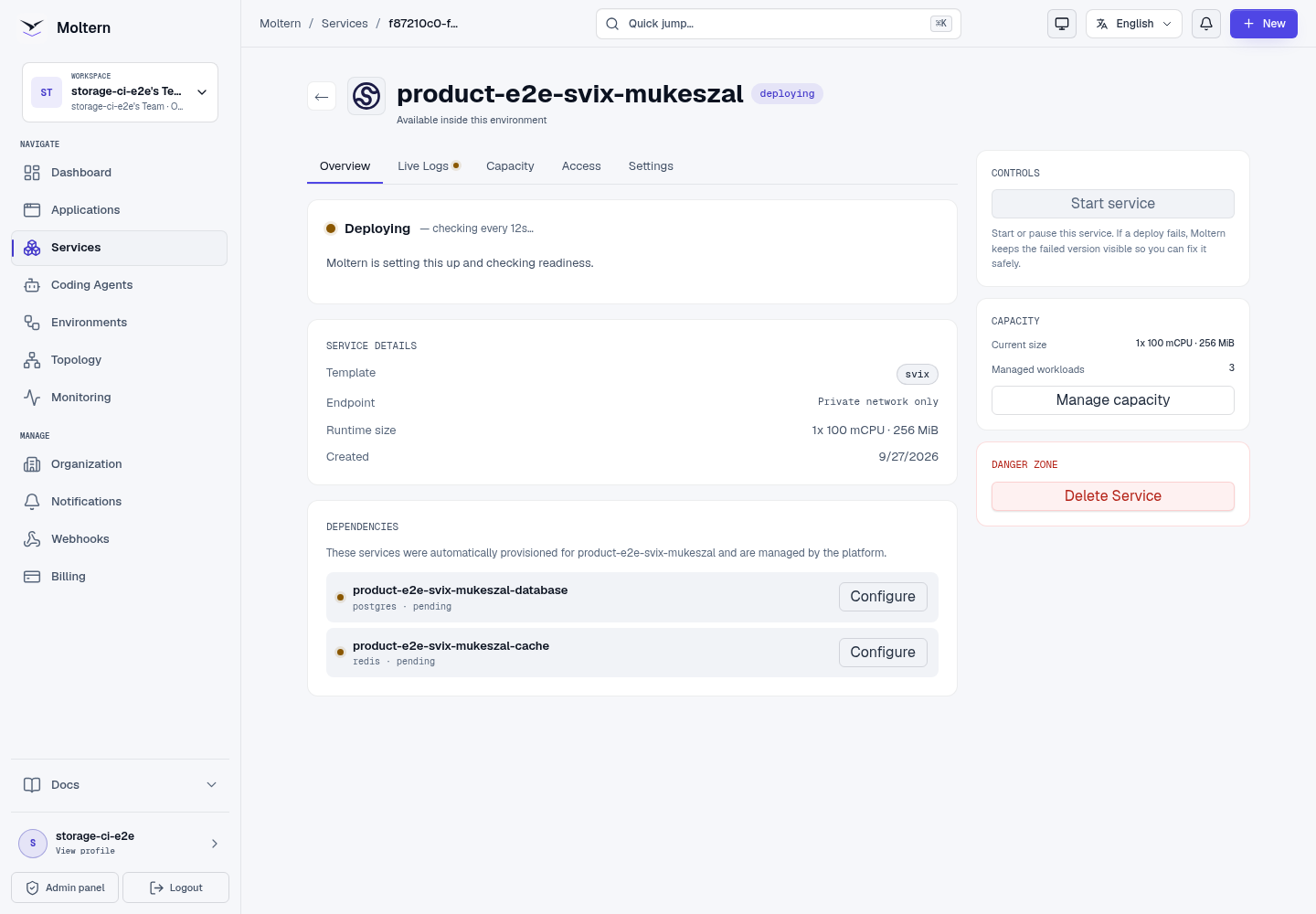
- Wait for Running.
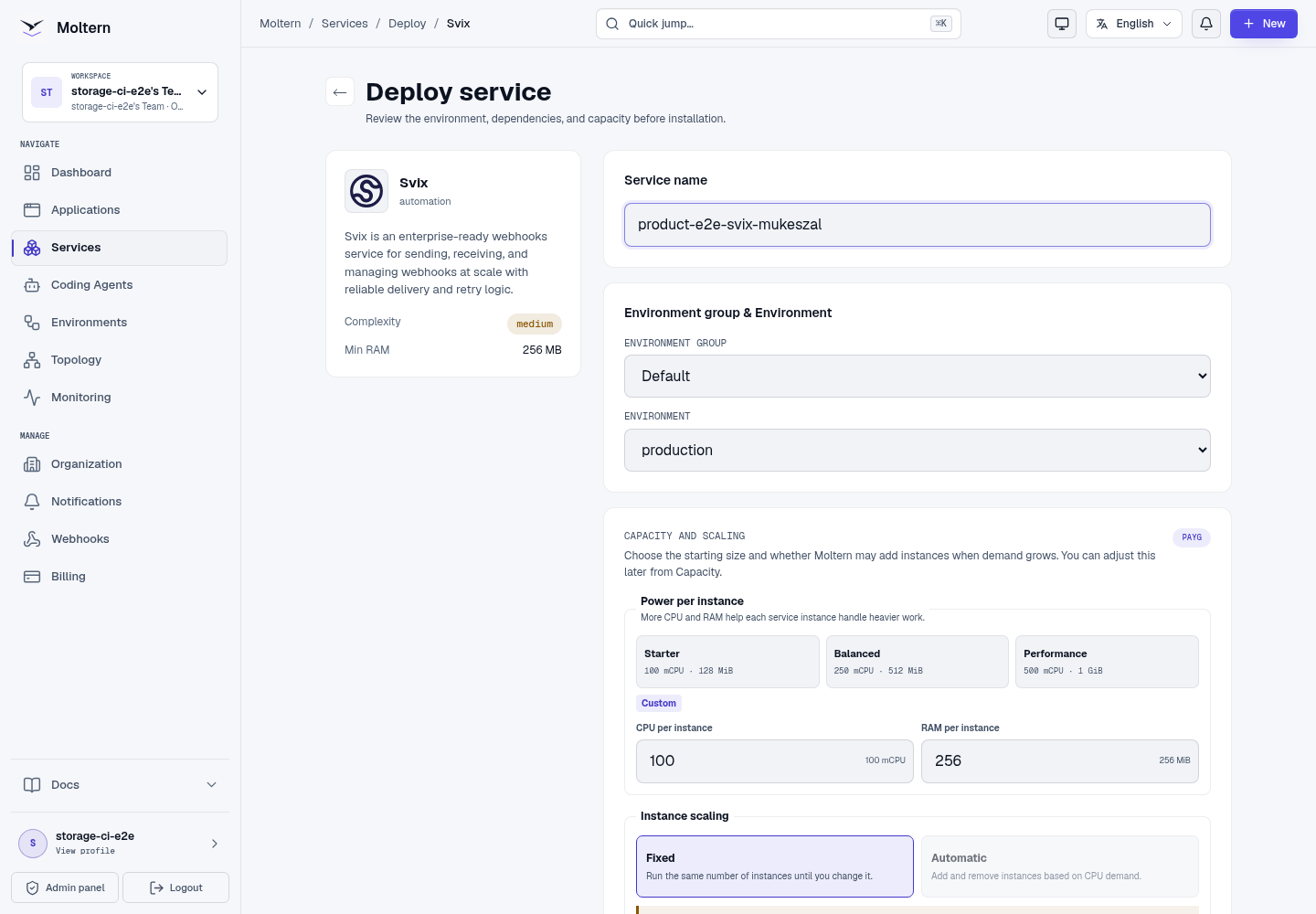
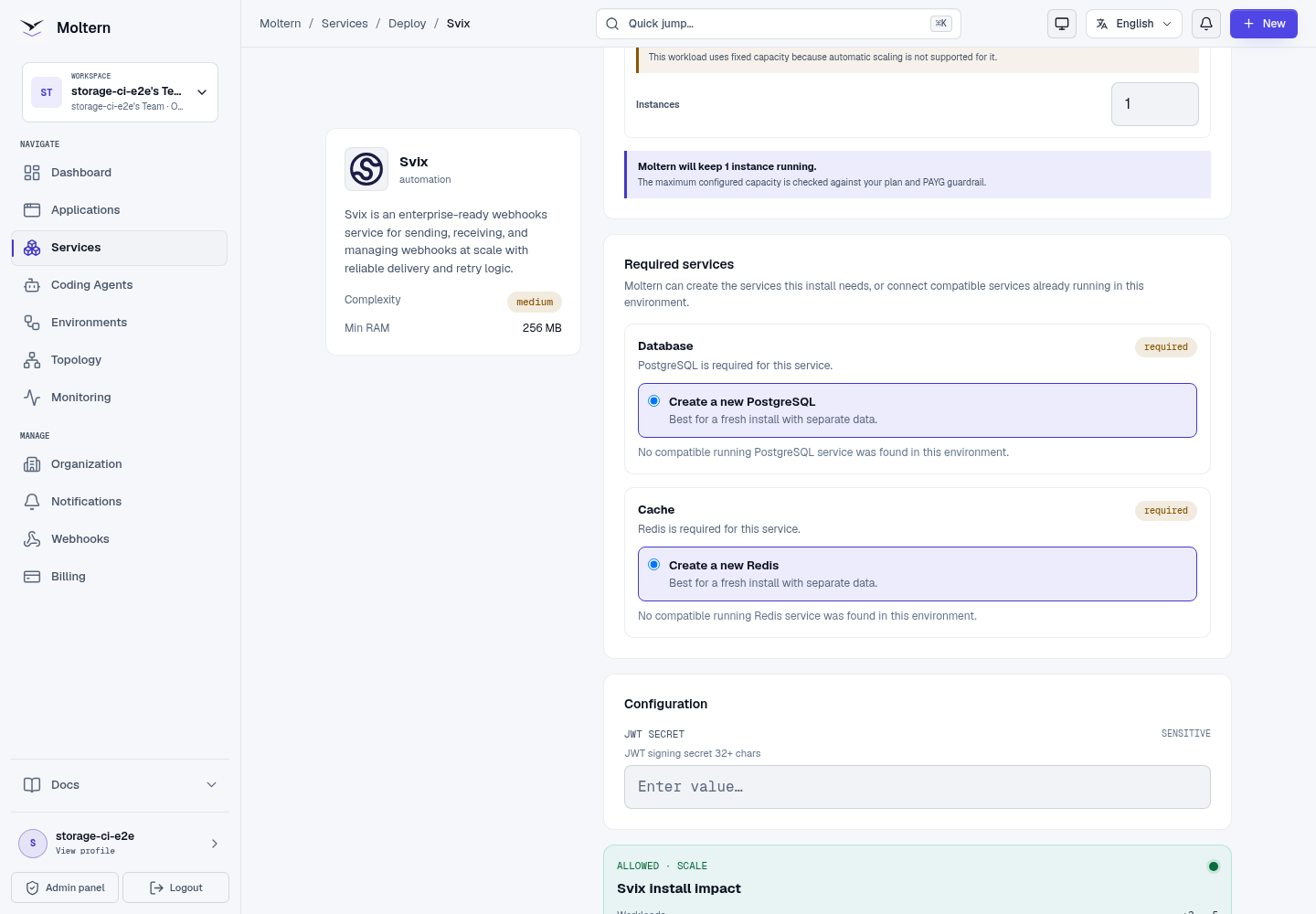
After confirmation, the service page tracks Svix, PostgreSQL and Redis as one managed installation. Wait until all three workloads are healthy before attaching a caller.
Attach A Trusted Workload
Svix is reached through an explicit private connection:
- Open the application, service or coding agent that will call Svix.
- Open its Access or private connections settings.
- Select the Svix instance in the same environment.
- Confirm the attachment and wait for the workload to reconcile.
- Read the generated connection variable names without exposing their values in source code or logs.
The attachment grants network access and scoped connection context only to the selected workload. Removing it should revoke both.
Send A Controlled Message
Use the Svix SDK or API to perform this minimum product check:
- Create an event type such as
moltern.validation. - Create an application for the receiving system.
- Add an HTTPS endpoint controlled by your team.
- Send a message containing a harmless unique marker.
- Confirm receipt and verify the signature at the destination.
- Read the message and attempt record through the API.
Do not place an organisation token or signing secret in command history, screenshots, issue reports or application source.
Verify Signatures
Use the official Svix library for your language. Signature verification must use the raw request body before JSON parsing and must reject timestamps outside the accepted tolerance. A successful HTTP response without signature verification does not prove that a request came from Svix.
Return a 2xx response only after the receiver has accepted responsibility for the event. Use idempotency based on message identifiers because retries can deliver the same logical event more than once.
Persistence And Restart
Svix stores applications, event types, endpoint configuration and message history in PostgreSQL. Queue state uses Redis. Moltern can stop and start the Svix runtime without deleting either dependency.
After restart, read the same controlled message through the authenticated API and send a second marker. This verifies more than runtime health: it proves the service can authenticate and recover its stored webhook state.
Capacity And Metering
Moltern meters Svix, PostgreSQL and Redis independently. Review CPU, memory, instances and measured stored bytes in Billing. Delivery volume, retry periods and message retention determine database growth.
The default server starts at 100 mCPU and 256 MiB. Increase capacity after measuring queue delay and delivery throughput. A higher requested storage limit does not mean those bytes have already been consumed.
Delete Svix
- Stop producers and export endpoint or event-type definitions that must be retained.
- Remove private attachments from consuming workloads.
- Open Svix and choose Delete Service.
- Select Delete stored data only when delivery history may be destroyed.
- Complete protected account confirmation.
Owned dependencies and their assigned paths are deleted with the parent. Reused dependencies remain in place.
Troubleshooting
| Symptom | What to check |
|---|---|
| No public URL is shown | This is expected. Attach Svix privately to an approved workload. |
| API calls return unauthorized | Verify the workload received the current scoped credential and did not log or truncate it. |
| Deliveries keep retrying | Inspect destination status, TLS, timeout and signature handling. Return a 2xx response only after acceptance. |
| The destination receives duplicates | Make the receiver idempotent by Svix message identifier. Retries are expected delivery behavior. |
| Messages disappear after restart | Verify the same PostgreSQL dependency is Running and stop destructive actions before contacting support. |
| A workload cannot connect | Confirm both resources are in the same environment and the explicit private attachment remains active. |
Validation Boundaries
The production private-service gate creates an event type, application and signed message through Svix's authenticated API, reads the same message after a runtime restart, verifies resource accounting, and removes the owned fixture and storage. It does not send customer data or certify a third-party receiver, long retention period, sustained delivery load or backup restore.