Deploy Prefect
Prefect is a Python-native workflow orchestration platform for scheduling, running and observing data pipelines. Moltern deploys the Prefect server and UI with managed PostgreSQL, a live HTTPS URL and durable workspace storage.
What Moltern Deploys
| Component | Purpose | Access |
|---|---|---|
| Prefect server and UI | Flow, deployment, work-pool and run orchestration | Public HTTPS URL |
| Managed PostgreSQL | Flow metadata, schedules, state and run history | Private to the environment |
| Workspace files | Service files retained across runtime replacement | Assigned service path |
The server does not run arbitrary customer flow code by itself. A Prefect worker or process still needs to execute the flow and reach the server API.
Before You Start
You need a Moltern workspace, an environment and permission to create services. Plan where your Prefect workers will run and which private services their flow code should reach.
The current open-source server profile does not add a separate Prefect login in front of the generated URL. Do not place sensitive run parameters or logs in a publicly reachable deployment without an approved access layer.
Deploy Prefect
- Open Services and select Prefect.
- Choose the target environment and enter a unique service name.
- Review the managed PostgreSQL dependency.
- Reuse a compatible database when appropriate, or create an owned one.
- Review capacity and storage impact, then confirm the deployment.
- Wait for Running before opening the UI.
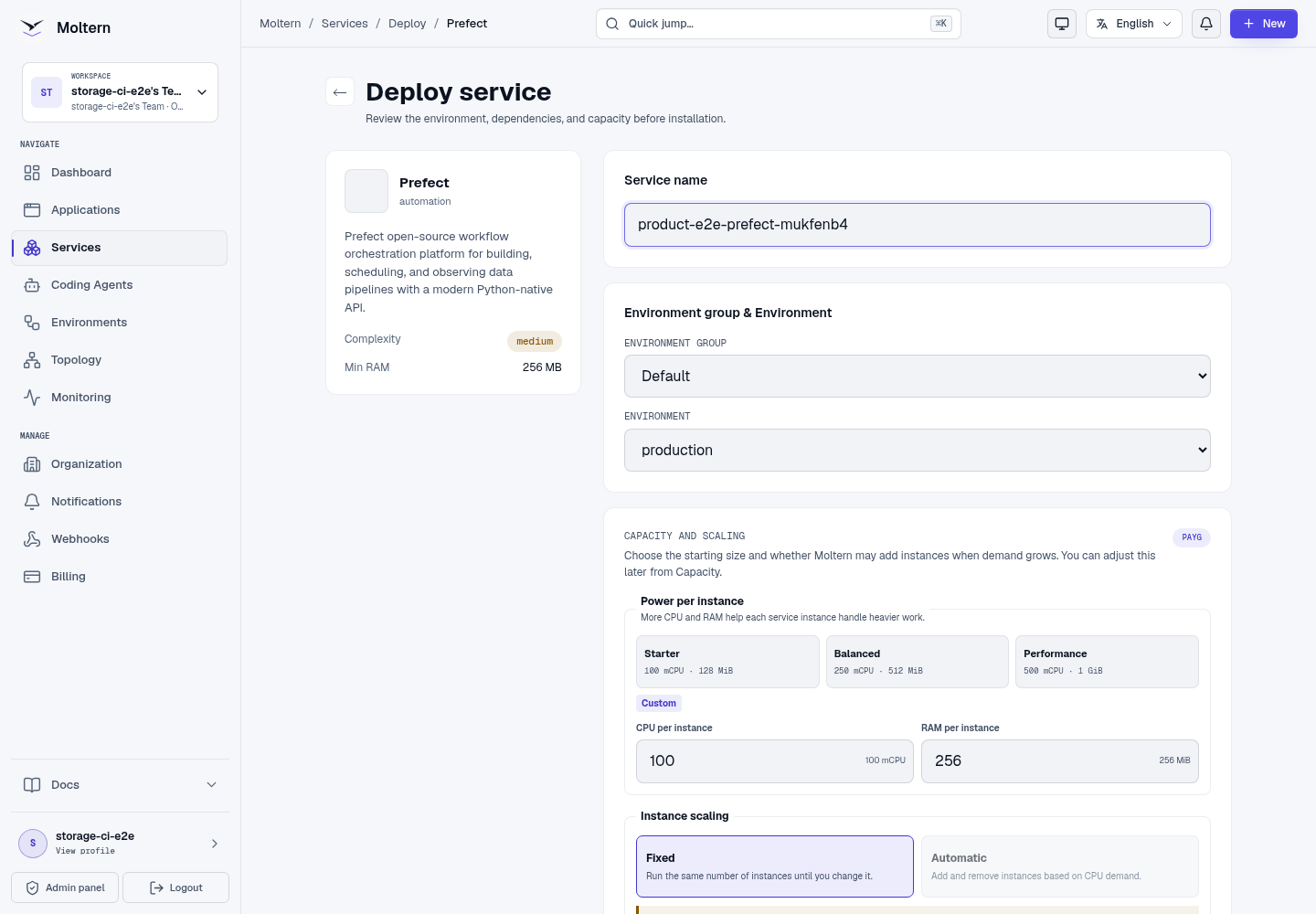
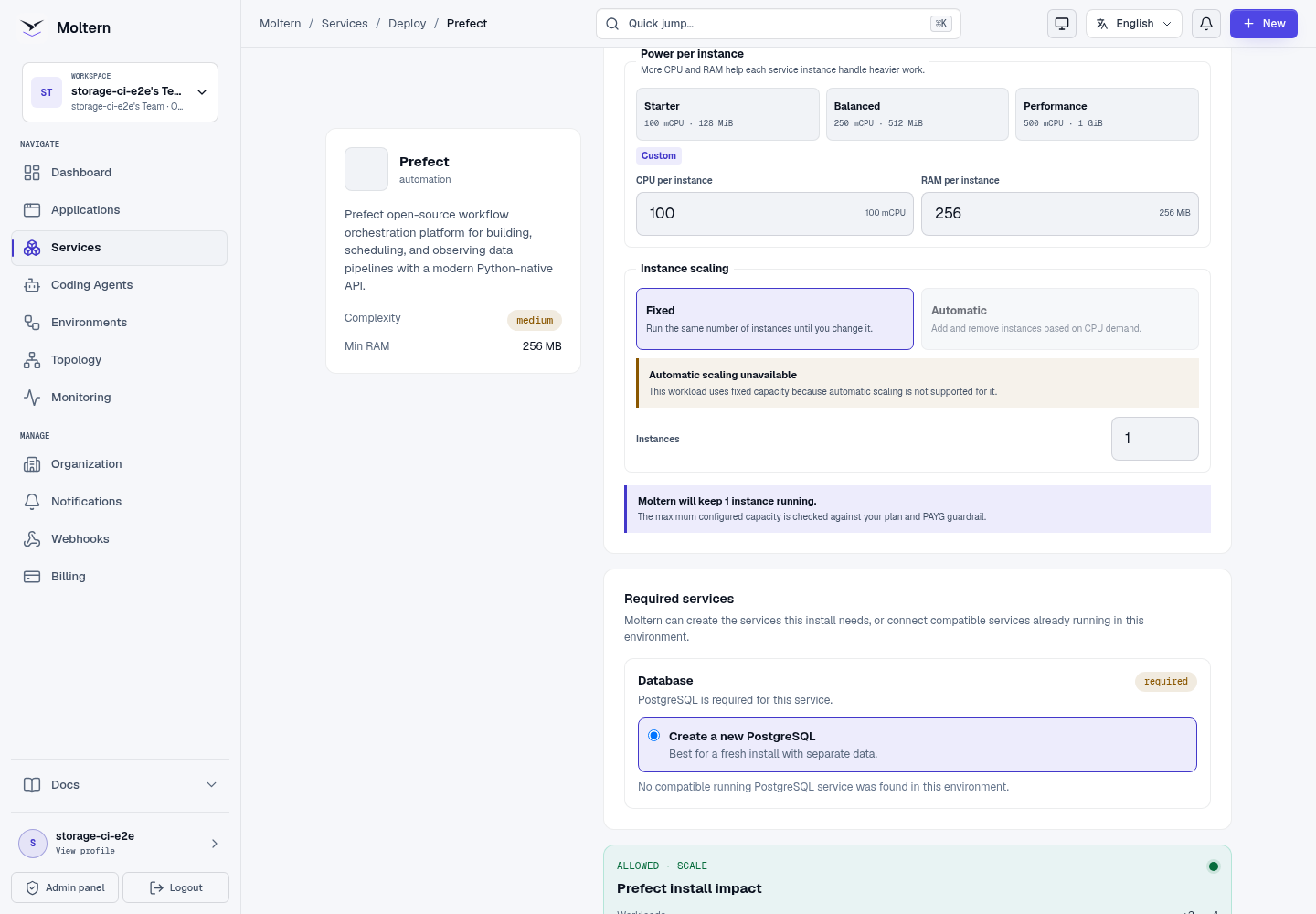
The first start applies the Prefect database schema. Use Live Logs to follow initialization and do not create duplicate installations while it is running.
Register A Test Flow
Set the Prefect API URL in a controlled Python environment:
export PREFECT_API_URL="https://your-prefect-host.example.com/api"
Create a small flow:
from prefect import flow


@flow(log_prints=True)
def moltern_check() -> str:
    marker = "PREFECT-MOLTERN-READY"
    print(marker)
    return marker


if __name__ == "__main__":
    moltern_check()
Run it, then open Flows and confirm that moltern-check and its completed
run are visible.
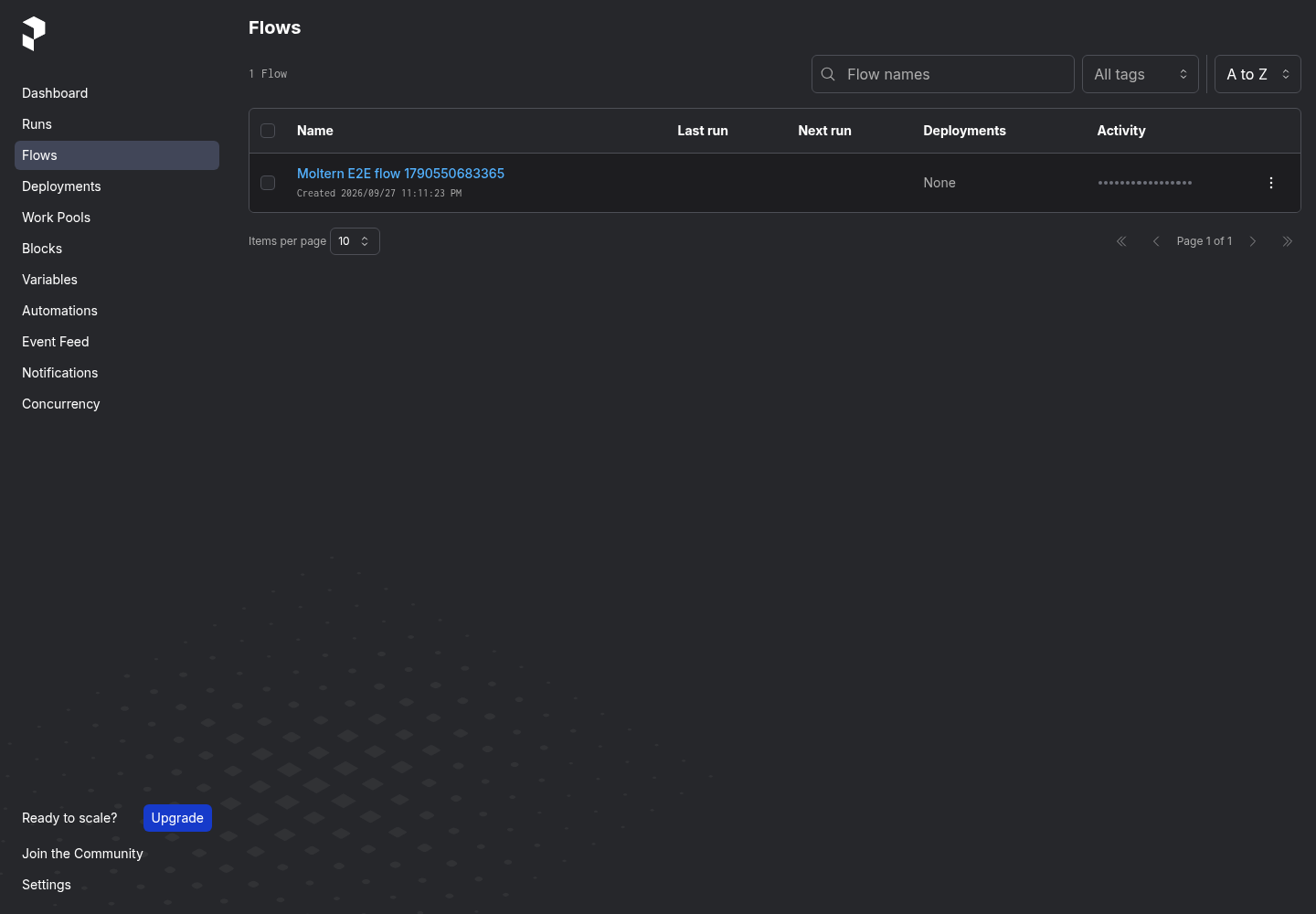
The production E2E creates a flow through Prefect's API and finds the same flow in the UI. A homepage health response alone is not treated as product proof.
Workers And Private Dependencies
Use a Prefect work pool and worker configuration that matches where flow code runs. Grant a Moltern application, service or coding agent access only to the specific private Prefect or data-service connection it requires.
Do not put database passwords, API keys or customer records in deployment names or run parameters. Store secrets in the runtime's protected configuration and pass references to flow code.
Persistence And Restart
Flow metadata, deployments, schedules and run history live in managed PostgreSQL. Stopping and starting Prefect replaces its runtime while retaining that database and its assigned files. After restart, open Flows and verify a known flow remains visible before resuming schedules.
Runtime replacement is not a backup restore. Test database recovery separately for production orchestration metadata.
Capacity And Metering
Moltern meters Prefect and PostgreSQL independently. Billing shows their CPU, memory, instances and measured stored bytes. The server starts at 100 mCPU and 256 MiB; worker resources are separate wherever those workers run.
Increase the server only after observing API latency, scheduler delay and memory pressure. Flow task compute does not become free merely because the Prefect UI uses little CPU.
Delete Prefect
- Pause schedules and export deployment definitions that must be retained.
- Open the Prefect service and select Delete Service.
- Choose Delete stored data only when flow history and metadata may be destroyed.
- Complete the protected account confirmation.
An owned PostgreSQL dependency is removed with its parent. A reused database is left in place for its other consumers.
Troubleshooting
| Symptom | What to check |
|---|---|
| The server stays in deployment | Open Live Logs and check database initialization and migration output. |
| The UI loads but no flow appears | Confirm the client uses the generated URL with /api and that registration returned a successful response. |
| A worker cannot poll | Verify its API URL, TLS trust, network path and work-pool name. |
| Runs stay scheduled | Confirm an appropriate worker is online and subscribed to the selected pool and queue. |
| Flow history disappears after restart | Verify the same PostgreSQL dependency is attached and stop changes before deleting data. |
| Sensitive run data is publicly visible | Pause affected schedules, remove the data and place an approved access layer in front of the service. |
Validation Boundaries
The production gate covers deployment, flow creation through the Prefect API, UI read-back, runtime replacement, persistent flow metadata, point-in-time metering and protected cleanup. It does not certify a customer worker image, sustained scheduler load, public-route authentication, backup restore or a specific cloud integration.