Ollama
Ollama serves open language models through an HTTP API. Moltern runs Ollama as a private service, gives it persistent model storage and lets selected applications, services and coding agents connect without publishing the model server to the internet.
Ollama is the model runtime and API. It does not include Open WebUI or another chat interface. Deploy a separate client such as AnythingLLM or Open WebUI when people need a browser experience.
Before You Start
You need:
- a Moltern workspace and environment;
- permission to create services;
- at least
500 mCPUand4 GiBof available runtime capacity; - workspace storage sized for every model your team will keep;
- a trusted application, service or coding agent that can call the private API.
Model requirements vary substantially. Check the compressed model size and runtime memory requirement before pulling it. CPU inference works for small validation models but is not a substitute for tested accelerator capacity when latency or concurrency matters.
Deploy Ollama
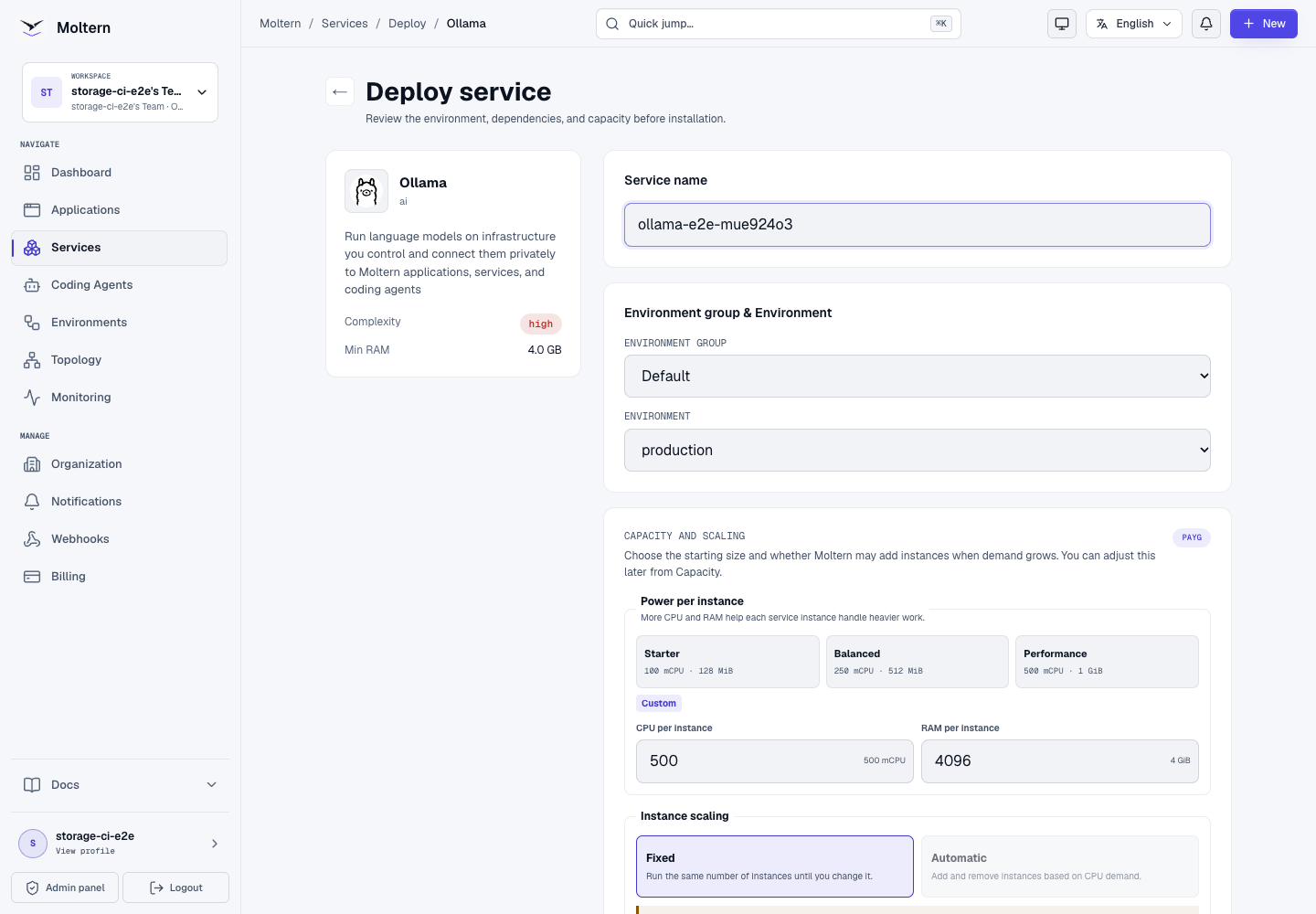
- Open Services and select Ollama.
- Enter a unique service name.
- Choose the project and environment.
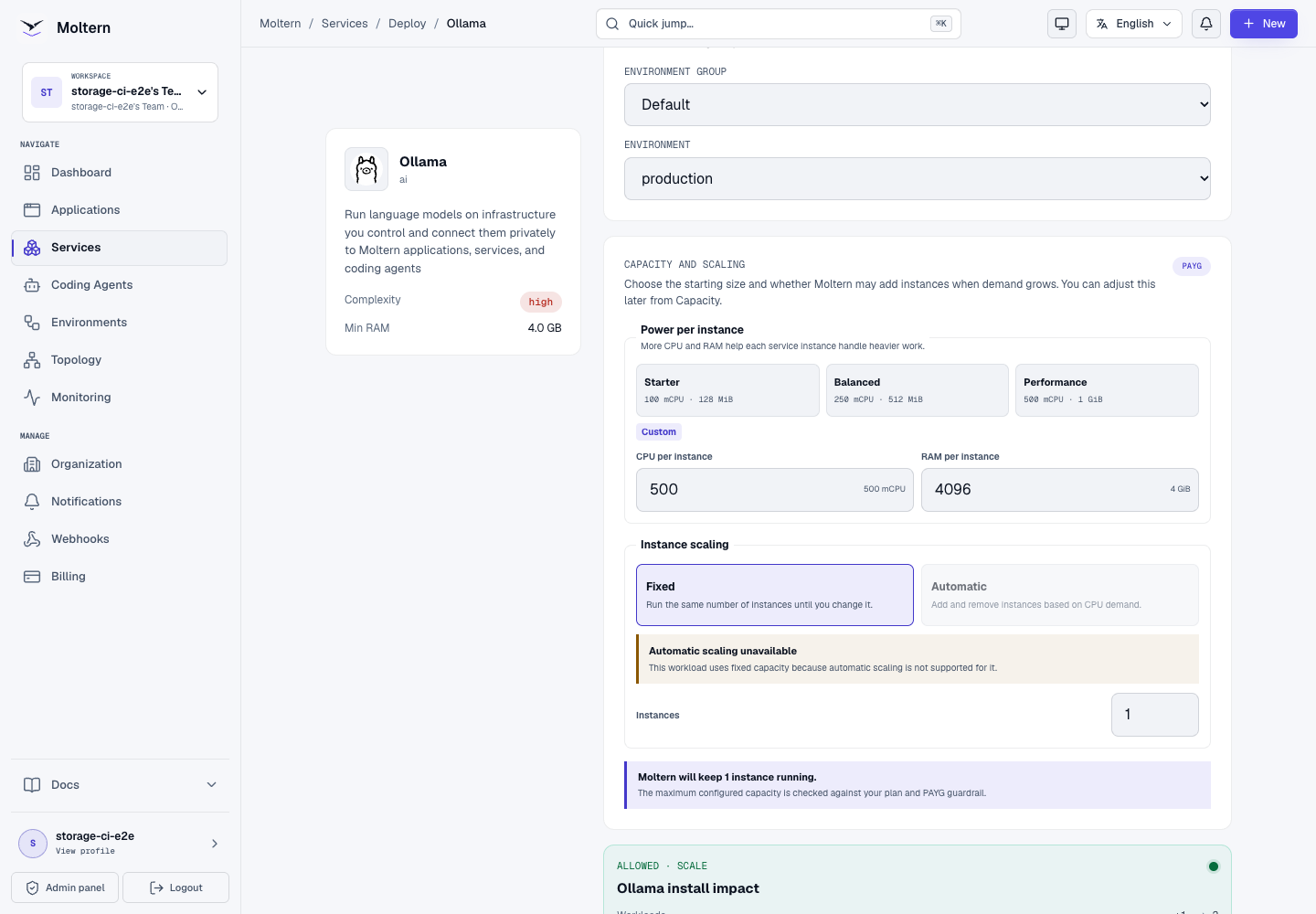
- Review the fixed CPU and memory capacity.
- Select Preview deploy.
- Confirm one workload, one runtime instance and no dedicated storage volume.
- Select Confirm deploy and wait for Running.
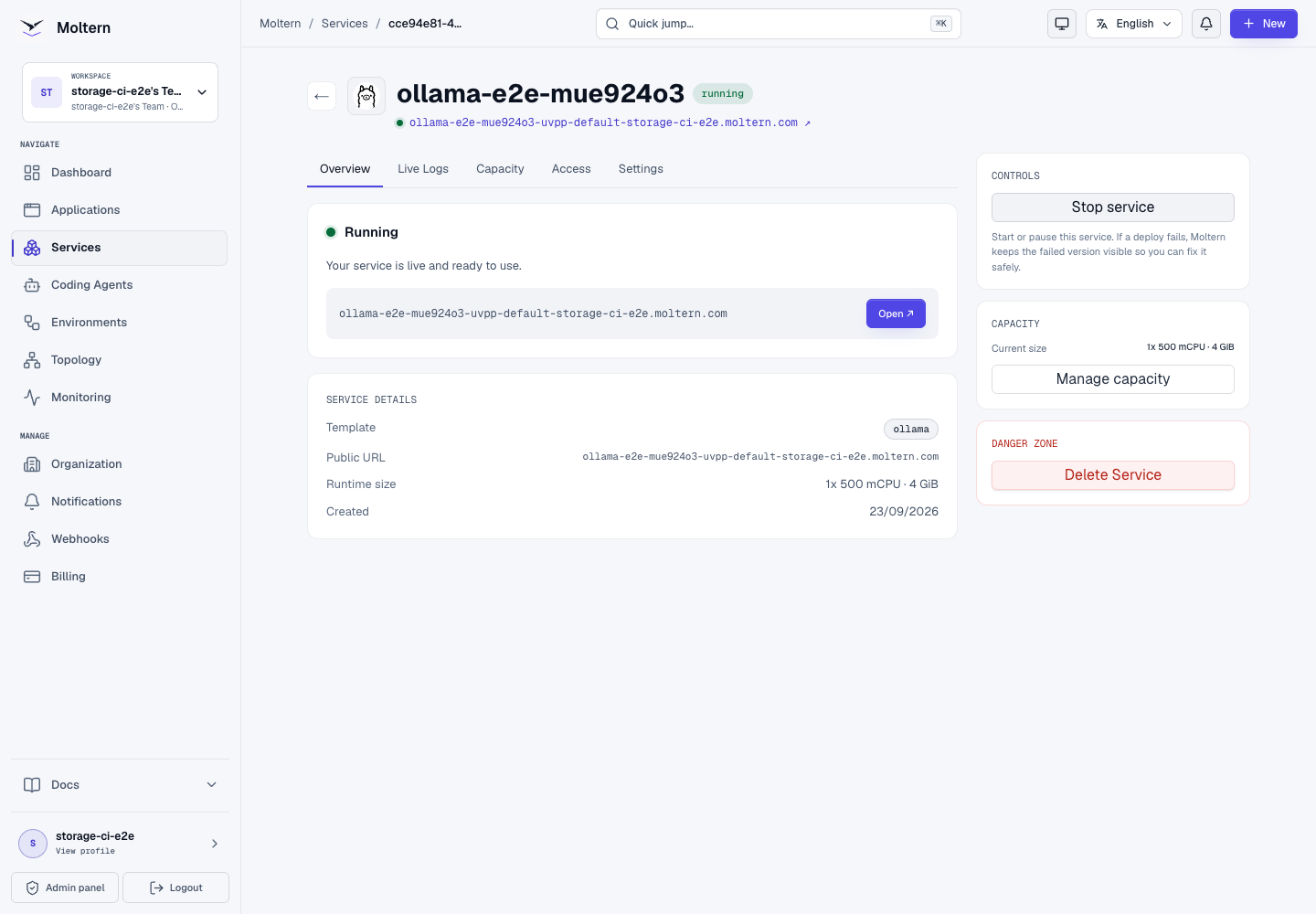
The service intentionally has no public URL. A successful Running status
means the private /api/version health check passed; it does not mean a model
has been installed.
Connect A Trusted Workload
- Open the application, service or coding agent that needs model access.
- Open its Access or Settings view.
- Complete protected account confirmation when prompted.
- Select the Ollama service from the private connection list.
- Select Connect and wait for the consumer workload to update.
- Locate the scoped variable ending in
_URL.
The variable name includes the environment and service identity so multiple Ollama instances can be attached without ambiguous global names.
Only attach workloads that should be able to list, pull and invoke models. The default Ollama API does not add an application-level login between connected private workloads.
Pull A Model
From a connected application or coding-agent terminal, use the injected private URL. This example uses a generic shell variable for readability:
curl --fail --silent --show-error \
  --request POST \
  --header 'Content-Type: application/json' \
  --data '{"name":"qwen2.5:1.5b","stream":false}' \
  "$OLLAMA_URL/api/pull"
List installed models:
curl --fail --silent --show-error "$OLLAMA_URL/api/tags"
Check the running Ollama version:
curl --fail --silent --show-error "$OLLAMA_URL/api/version"
Use the actual scoped *_URL variable shown in Moltern. Do not copy the
internal address into an unapproved workload to bypass the attachment flow.
Generate Text
Call the chat API after /api/tags confirms the model is present:
curl --fail --silent --show-error \
  --request POST \
  --header 'Content-Type: application/json' \
  --data '{
    "model": "qwen2.5:1.5b",
    "stream": false,
    "messages": [
      {"role": "user", "content": "Reply with the word ready."}
    ]
  }' \
  "$OLLAMA_URL/api/chat"
Validate response content as well as the HTTP status. A tiny model may run successfully while still producing unsuitable answers for retrieval, coding or tool-use tasks.
Connect AnythingLLM
- Deploy AnythingLLM in the same environment.
- Attach Ollama under Private service connections in the AnythingLLM service settings.
- In AnythingLLM, select Ollama as the LLM provider.
- Enter the injected private URL.
- Select an installed model and save.
- Use Query workspace mode when document grounding must be mandatory.
The production E2E attached Ollama to AnythingLLM, indexed a controlled document and retrieved its exact facts with a visible source reference.
Storage And Model Persistence
Moltern stores Ollama models in the service's assigned workspace path. The runtime receives that path rather than the workspace storage root, and the deployment does not create a service-specific cloud disk.
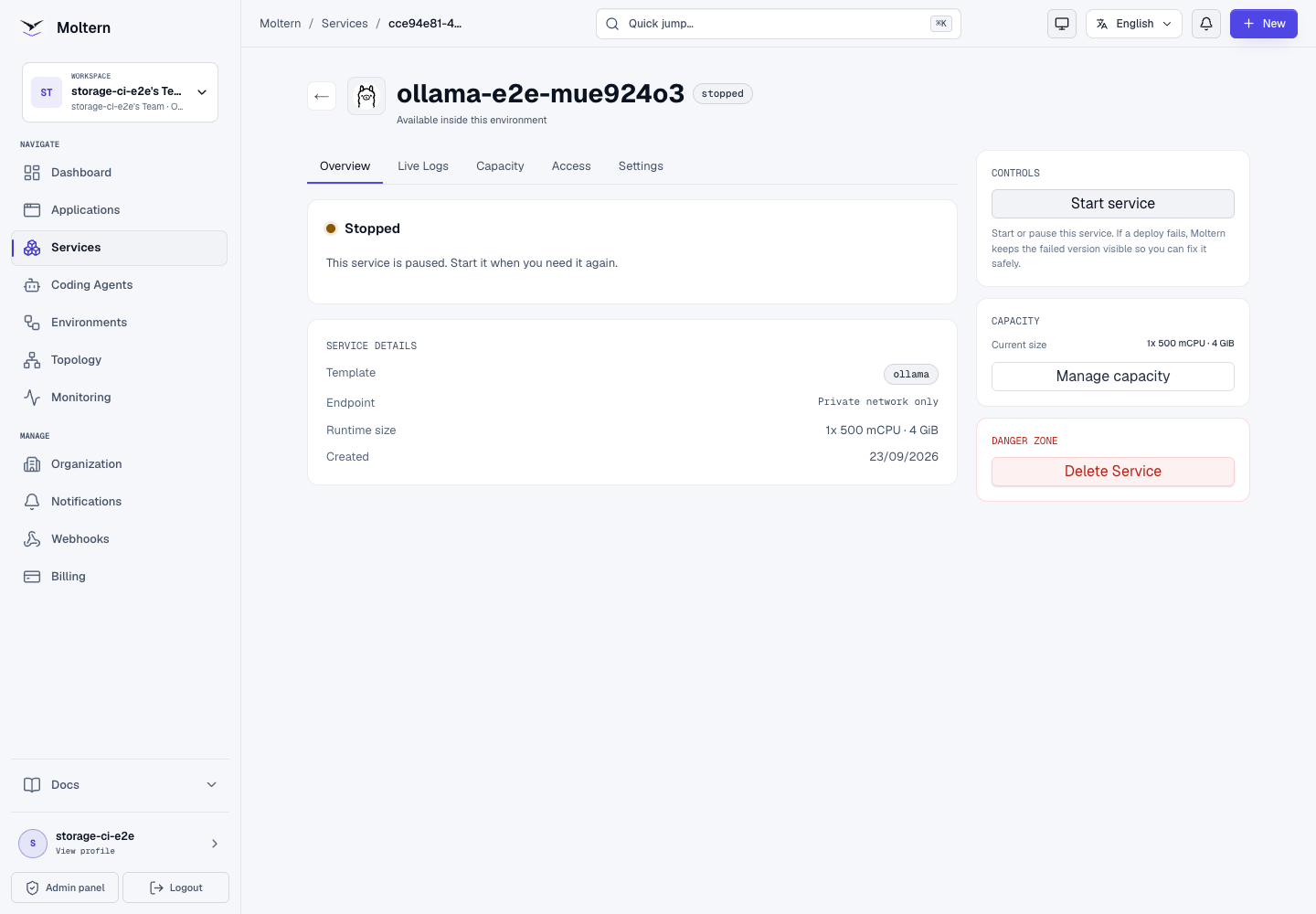
Production validation pulled three small test models, including
qwen2.5:1.5b. Stop service removed the runtime and Start service created
a replacement with zero restarts. The model bytes and checksums remained
unchanged, and the replacement answered /api/version through a private
attached workload.
A runtime restart is not a backup test. Models can usually be downloaded again, but custom Modelfiles and irreplaceable local artifacts still need an independent recovery plan.
Capacity And Metering
The validated runtime reservation is:
| CPU request | Memory request | CPU limit | Memory limit | Instances |
|---|---|---|---|---|
| 500 mCPU | 4 GiB | 2 CPU | 8 GiB | 1 |
Model storage is usage-based. The initial two 135M test models occupied
362,645,589 bytes. After adding the validated Qwen models, the assigned path
measured 1,746,525,904 bytes. The production usage collector reported exactly
1,746,525,904 bytes for the same collection timestamp in Billing.
Memory use depends on the loaded model, context size and concurrent requests. The model file fitting in storage does not prove it fits in runtime memory. Measure representative prompts before increasing traffic.
Operate Ollama
Use the Moltern service page for:
- Overview to review runtime status;
- Live Logs to follow model loading and inference errors;
- Capacity to change fixed CPU and memory;
- Access to review which workloads may connect;
- Stop service and Start service to replace the runtime while preserving model files;
- Billing to review assigned-path model storage.
After revoking a connection, wait for the consumer workload update and verify its scoped Ollama variables have disappeared.
Delete Ollama
- Remove or reconfigure attached consumers.
- Export custom model definitions that must be retained.
- Select Delete Service.
- Select Delete stored data only when all downloaded and custom model files may be removed.
- Complete the protected account confirmation.
Deletion must remove only Ollama's assigned path. It must not delete the workspace storage allocation or sibling workload data.
Troubleshooting
| Symptom | What to check |
|---|---|
| No URL appears on the service page | This is expected. Ollama is private; attach a trusted workload. |
/api/tags returns no models | Pull the selected model through the private API and watch Live Logs. |
| Model pull fails | Confirm public download access, available storage and the exact upstream model name. |
| Inference returns out-of-memory errors | Select a smaller or more compressed model, reduce context/concurrency or increase tested memory capacity. |
| Answers are inaccurate | Use a more capable model, lower temperature and test the client retrieval settings. Runtime health does not establish answer quality. |
| Consumer cannot connect | Confirm both workloads use the same environment and that the private attachment update completed. |
| Restart downloads models again | Confirm stored data was not deleted and review the assigned storage usage. |
| Requests are slow | CPU-only inference may be expected to run slowly. Measure the model and prompt before changing capacity. |
Frequently Asked Questions
Is Ollama exposed to the internet?
No. The current Moltern catalog profile creates a private endpoint and does not assign a public URL.
Does Ollama include a chat UI?
No. Deploy and connect a separate client such as AnythingLLM or Open WebUI.
Are models installed automatically?
No. Select and pull the models your workload needs. This avoids downloading a large default model that may not fit your capacity or quality requirements.
Do model files survive Stop service?
Yes. Stop removes the runtime, not the assigned model path. Delete stored data is the destructive operation.
Can every connected workload administer Ollama?
The Ollama API does not distinguish read-only inference from model-management requests. Attach only trusted workloads and remove access when it is no longer needed.
Validated Scope
The current production E2E covers UI deployment, private-only networking, model-registry download access, three real model pulls, private API discovery, AnythingLLM attachment, model inference, persisted model checksums, runtime replacement, exact point-in-time storage measurement and protected model-data cleanup.
It does not certify GPU scheduling, high concurrency, every model family, custom Modelfiles, interrupted-download recovery, independent backup restore, horizontal scaling or final invoice reconciliation.