Deploy GoatCounter
GoatCounter is a lightweight, privacy-aware web analytics service. Moltern deploys GoatCounter with a live HTTPS URL and an assigned path in the workspace filespace so its account, sites and reports survive runtime replacement.
What Moltern deploys
| Component | Purpose | Access |
|---|---|---|
| GoatCounter | Analytics dashboard and event collector | Public HTTPS URL with GoatCounter sign-in |
| Workspace files | Account and analytics database | Private assigned service path |
GoatCounter does not need a separate database service. The current catalog release uses GoatCounter 2.7.0 and requests 20 mCPU and 32 MiB of memory by default.
Deploy GoatCounter
- Open Services and choose GoatCounter.
- Select the project and environment.
- Enter a service name.
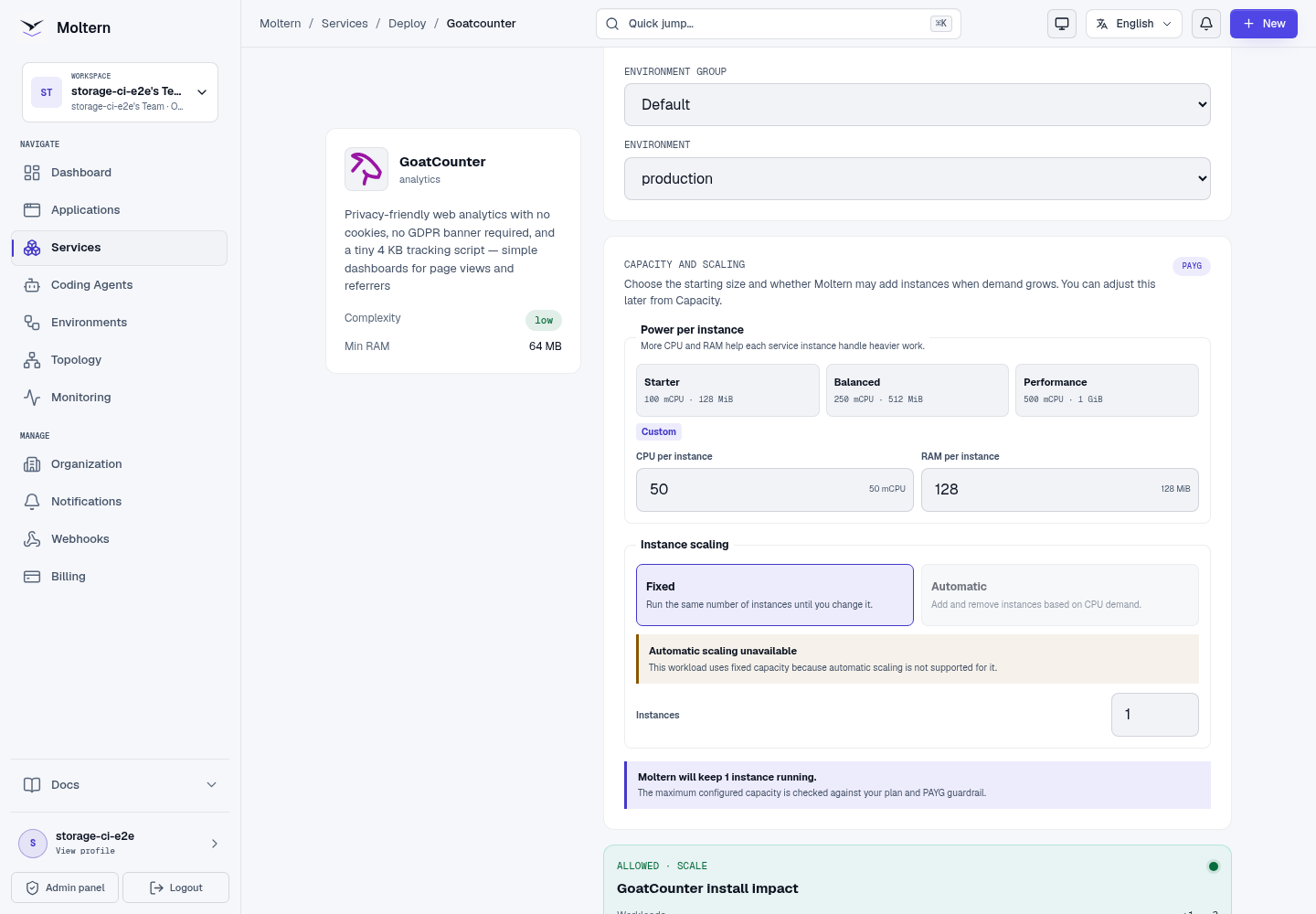
- Review the install impact and choose Deploy service.
- Wait for the service to become Running, then choose Open service.
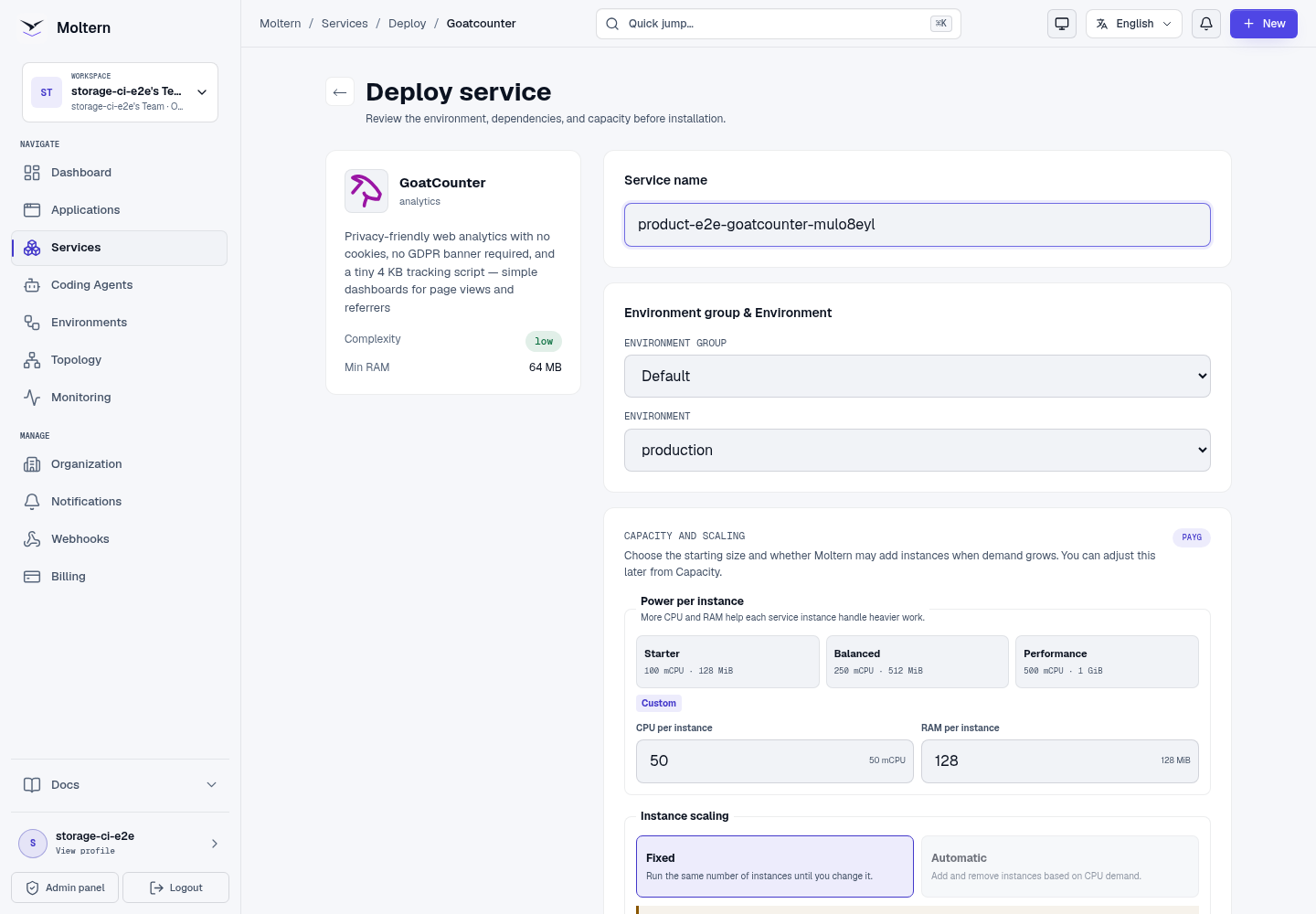
The preview should show one service, workspace-backed storage and no managed database dependency.
Create the first account
The first visit opens GoatCounter's account setup page:
- Enter the email address that should own the analytics account.
- Create a strong password.
- Confirm the password and choose Create.
- Save the generated site code shown by GoatCounter.
The setup form is available only before the first account exists. Later visits show the sign-in page.
Track a website
Use the tracking snippet GoatCounter provides for your site. A basic page-view
request uses the service URL and /count endpoint. Keep the generated site code
in the snippet when GoatCounter supplies one.
<script
  data-goatcounter="https://your-goatcounter-domain/count"
  async
  src="//gc.zgo.at/count.js">
</script>
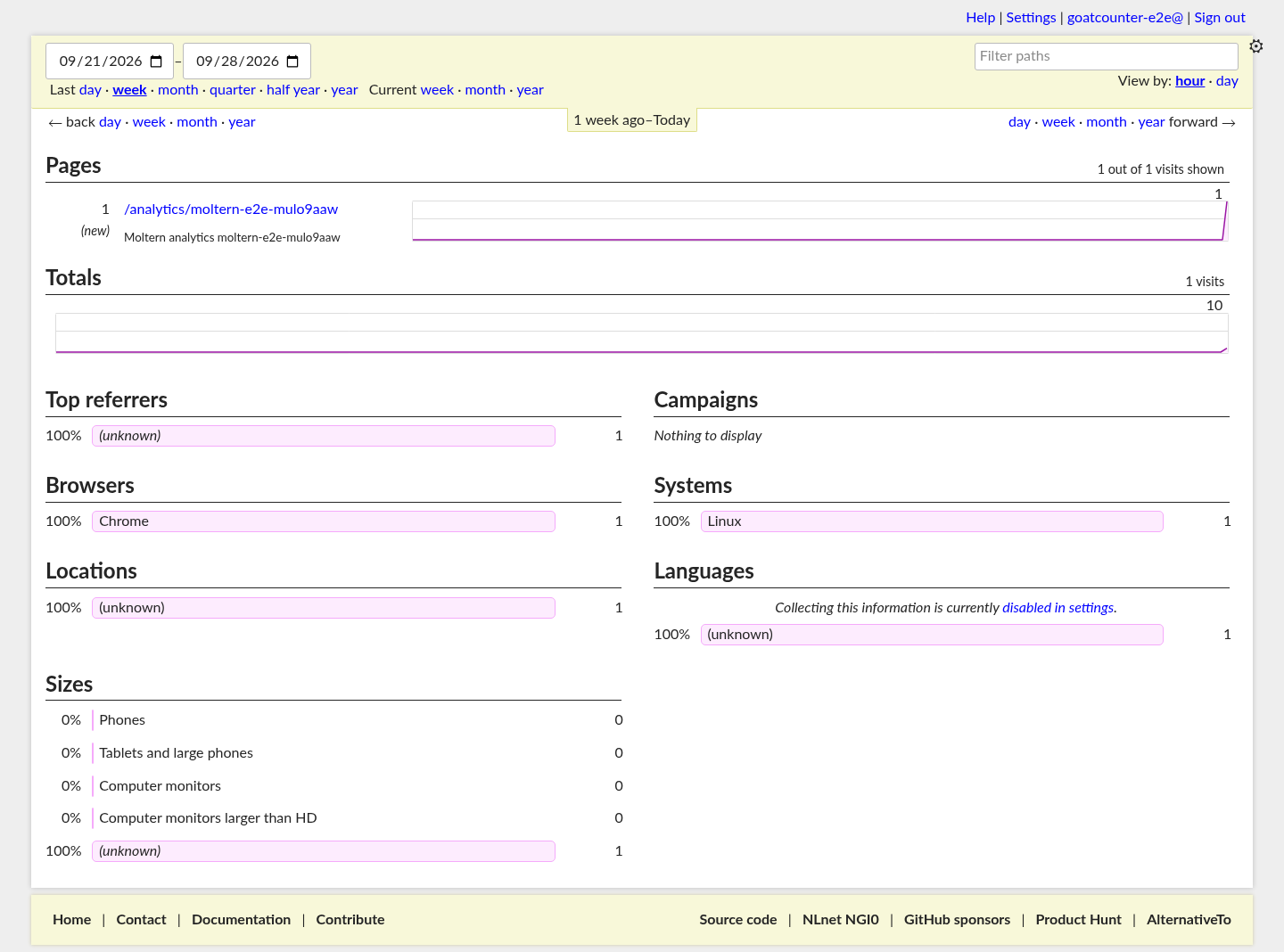
For applications that cannot run JavaScript, use GoatCounter's tracking pixel or send events from application middleware. Open the dashboard after sending a request and confirm that the page path appears in the report.
Restart and persistence
Use Stop service and Start service from the Moltern service page for a controlled lifecycle test. The account, tracked paths and report data are kept in the service's assigned workspace path. A restart replaces the runtime but does not create another data volume.
Storage and metering
Moltern reports the service's CPU, memory, replica count and measured workspace usage in Billing. The storage value represents files owned by this service inside the workspace allocation; it is not a separate disk reservation.
Delete GoatCounter
Choose Delete Service, select the option to remove stored data and confirm the protected action. Moltern removes the runtime, route, assigned workspace path, generated credentials and active usage allocation. The team workspace remains available to its other workloads.
Troubleshooting
| Symptom | What to check |
|---|---|
| The setup page reappears | Confirm the service is using its original workspace data and was started rather than cloned. |
| A page view is missing | Verify the collector URL, site code, browser content policy and any ad-blocking extension. |
| The dashboard is unavailable | Check the service status and Live Logs, then retry after the route reports Running. |
| Usage remains at zero | Send a real event, refresh after processing and verify that the request was not blocked by the browser. |