Deploy Rybbit
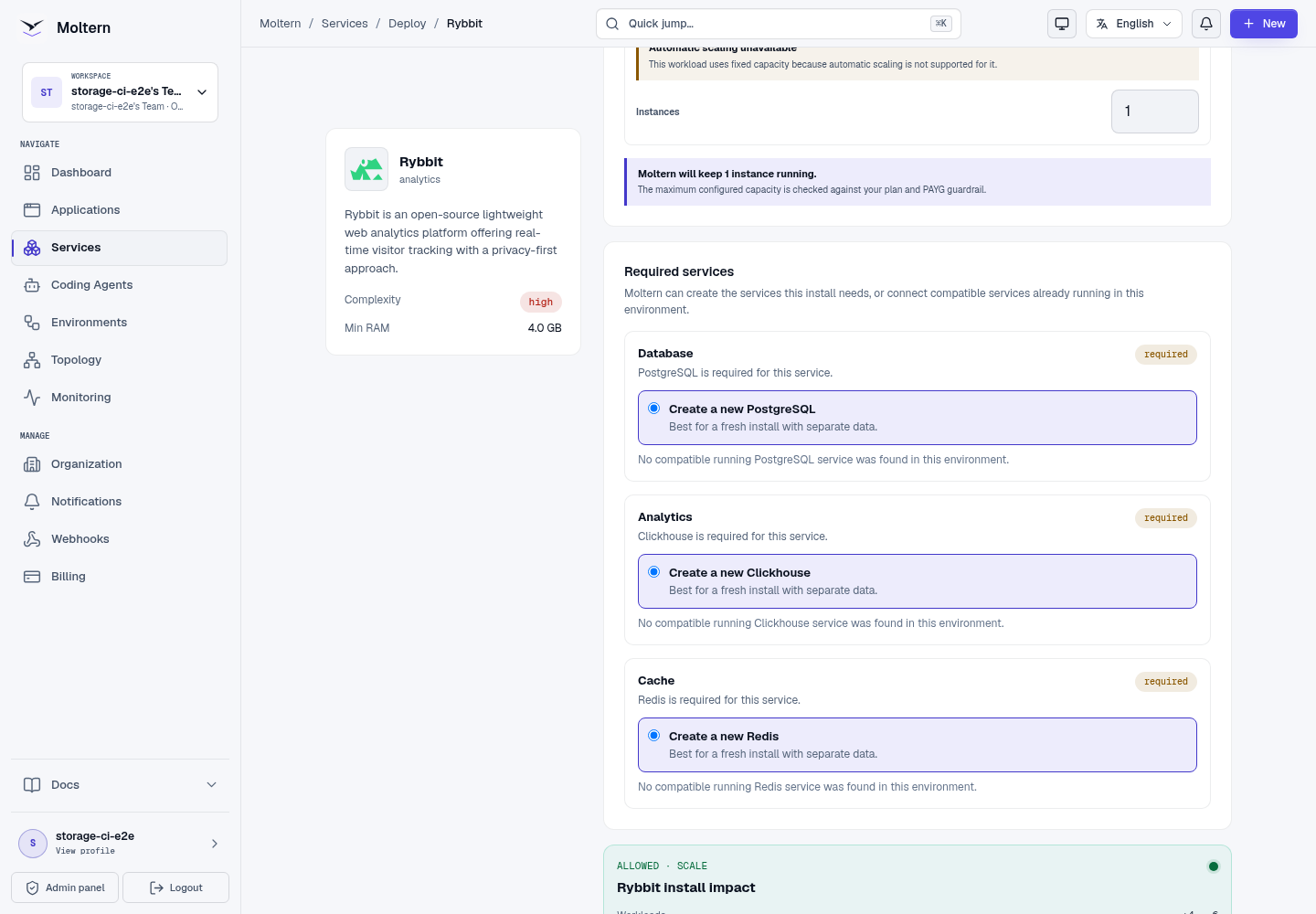
Rybbit is an open-source web and product analytics platform with real-time reports and cookieless tracking. Moltern deploys the current Rybbit web and API components behind one HTTPS URL with three managed data dependencies.
What Moltern deploys
| Component | Purpose | Access |
|---|---|---|
| Rybbit 2.9 | Web dashboard, authentication and event API | One public HTTPS URL |
| Managed PostgreSQL | Accounts, organizations, sites and configuration | Private to the selected environment |
| Managed ClickHouse | Analytics events and aggregate queries | Private to the selected environment |
| Managed Redis | Queues, cache and runtime coordination | Private to the selected environment |
The Rybbit application is stateless. Durable data belongs to the managed dependencies, each using an isolated path in the workspace filespace.
Capacity before deployment
Rybbit is a multi-component analytics service. Its default application request is 100 mCPU and 1 GiB of memory, before the three managed dependencies are included. Review the install preview and workspace limits before confirming.
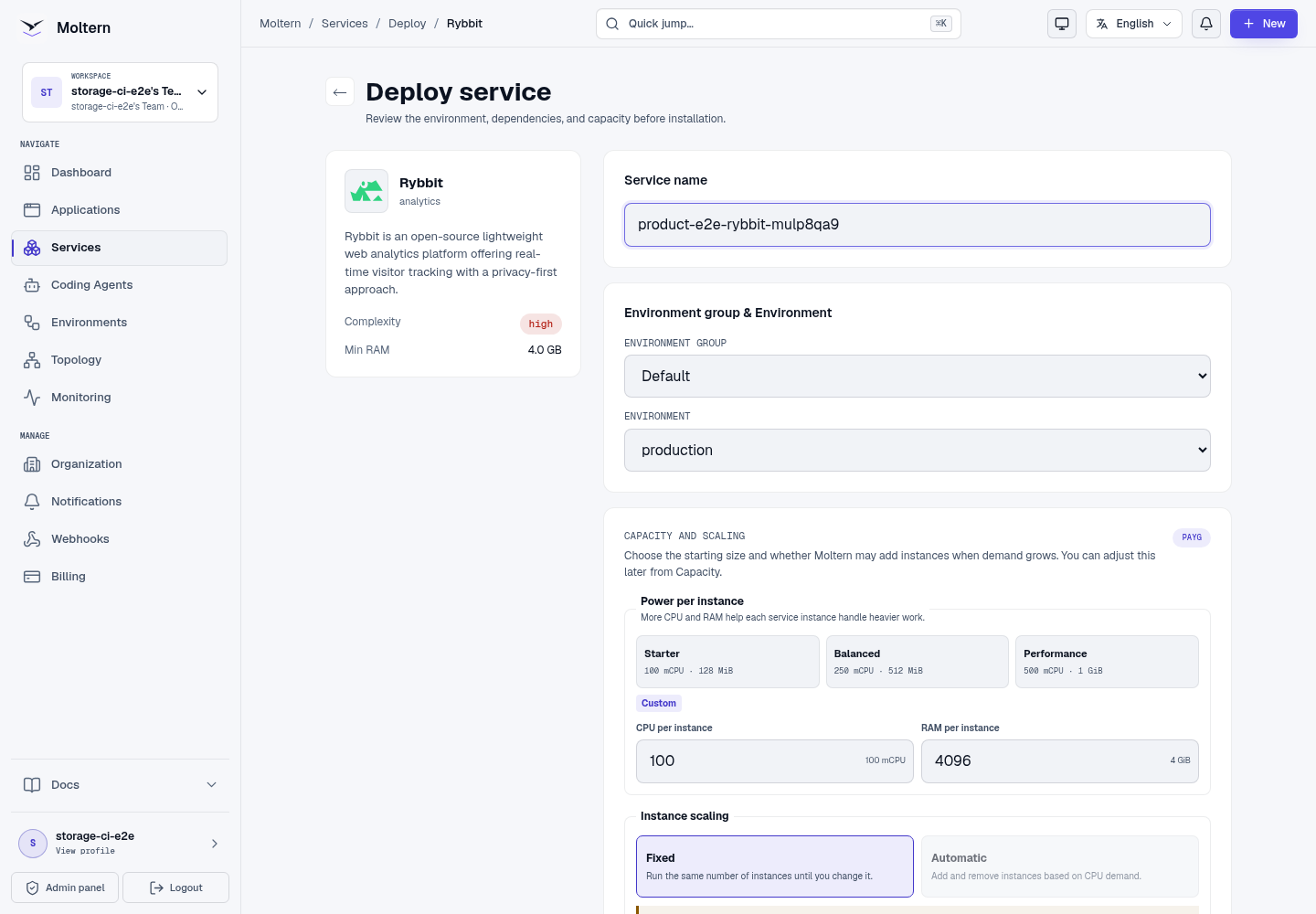
Deploy Rybbit
- Open Services and choose Rybbit.
- Select the project and environment.
- Enter a service name.
- Review the four-workload install impact.
- Choose Deploy service.
- Wait for every dependency and the Rybbit route to become Running.
Create the owner and site
Open the generated URL:
- Create the first user with a work email and strong password.
- Create an organization for the team.
- Add a web analytics site.
- Enter the exact website domain and a recognizable name.
- Copy the tracking instructions shown for the new site.
The owner, organization and site are stored in managed PostgreSQL.
Track and verify a page view
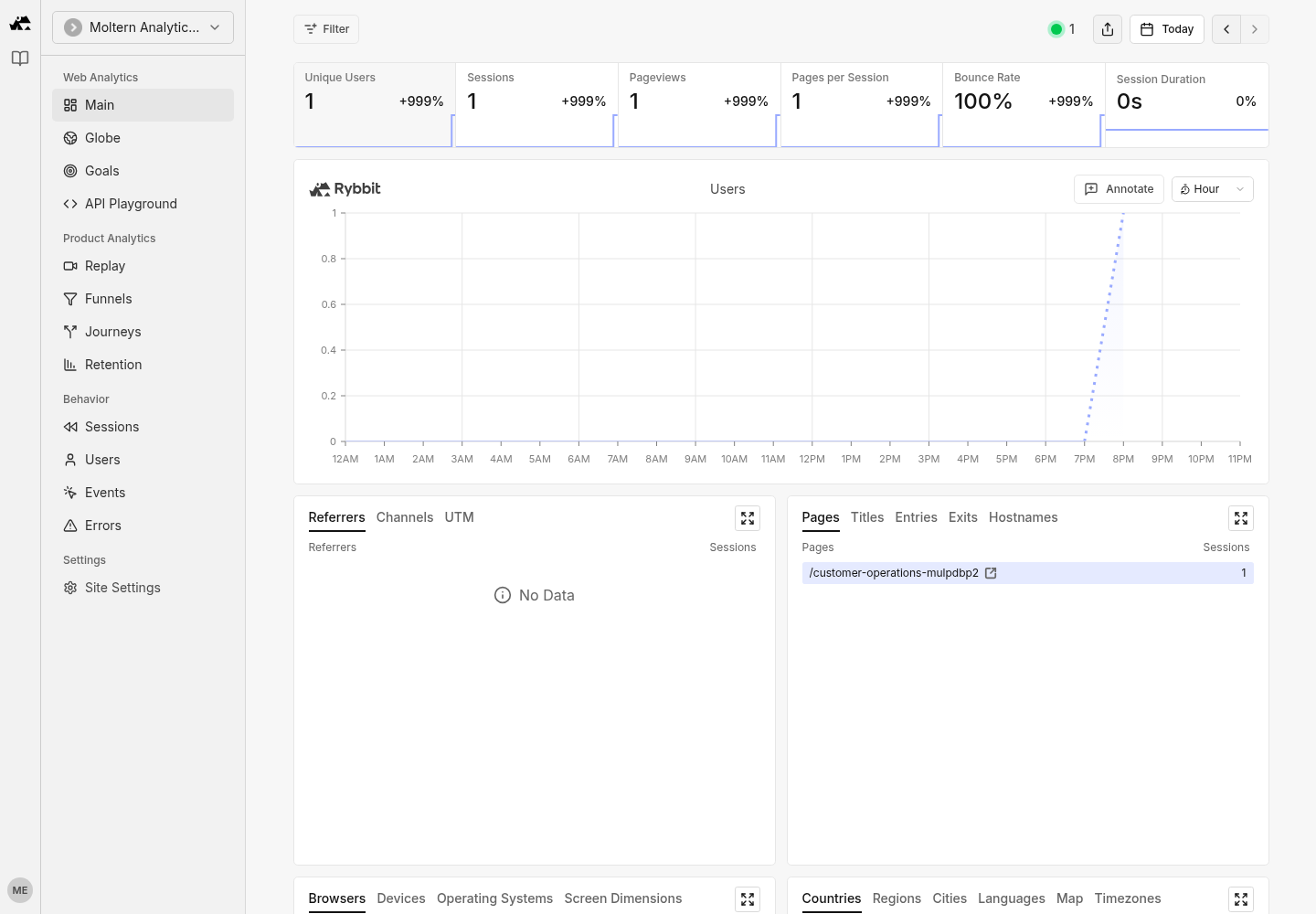
Install the generated Rybbit script on the website, preserving its site ID. Load a controlled page and open the site's overview. Confirm that the page-view count increases and the path appears in the report.
When debugging, first confirm that the browser request reaches the Rybbit
/api/track endpoint. Privacy extensions and content-security policies can
block the script before it reaches Moltern.
Restart and persistence
Stopping and starting Rybbit replaces its web, API and proxy runtime. The owner, organization, site and analytics event remain in PostgreSQL, ClickHouse and Redis. Reopen the same site after Running returns and confirm its page-view count.
Storage and metering
Moltern accounts for Rybbit, PostgreSQL, ClickHouse and Redis as separate workloads. Billing reports CPU, memory, replicas and measured workspace bytes for each. The application itself does not create a hidden volume.
Delete Rybbit
Choose Delete Service, select stored-data removal and confirm the protected action. Moltern removes the Rybbit runtime, all three auto-provisioned dependencies, assigned workspace paths, credentials, route and usage allocations.
Troubleshooting
| Symptom | What to check |
|---|---|
| Sign-up or site creation fails | Confirm PostgreSQL is Running and inspect Rybbit API logs. |
| Tracking succeeds but reports remain empty | Check ClickHouse status, the site ID, request hostname and selected date. |
| The route returns an API error | Confirm both frontend and backend containers are ready behind the service route. |
| Deployment waits on dependencies | Review PostgreSQL, ClickHouse and Redis progress before retrying the parent service. |
| A site disappears after restart | Confirm the original managed dependencies remain attached and were not deleted. |