Deploy Plausible Analytics
Plausible is a privacy-focused web analytics platform with a compact dashboard and cookie-free event collection. Moltern deploys Plausible Community Edition with managed PostgreSQL and ClickHouse dependencies.
What Moltern deploys
| Component | Purpose | Access |
|---|---|---|
| Plausible Community Edition 3.2 | Account, site dashboard and event collector | Public HTTPS URL with Plausible sign-in |
| Managed PostgreSQL | Accounts, sites and configuration | Private to the selected environment |
| Managed ClickHouse | Page views, events and analytics queries | Private to the selected environment |
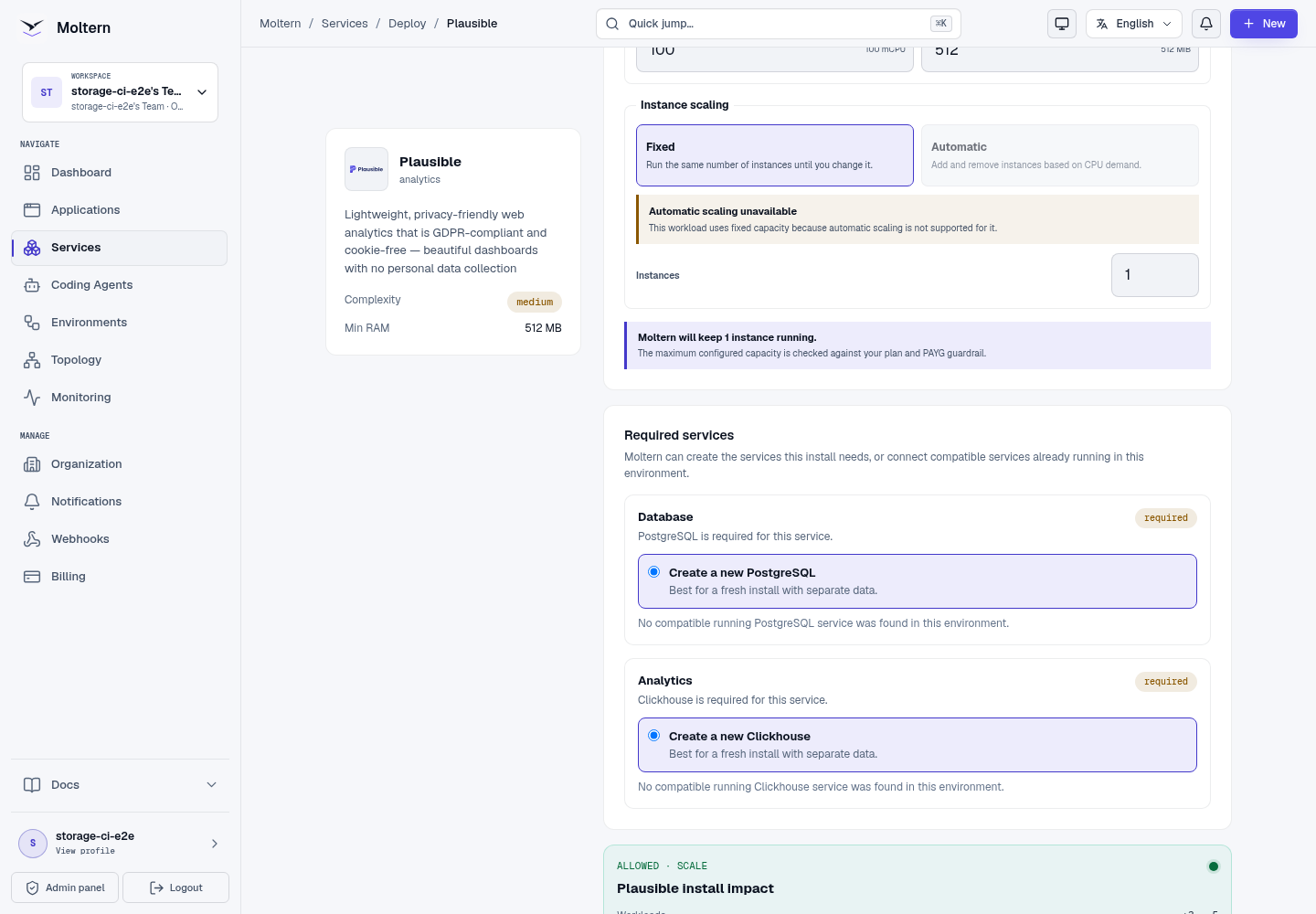
The Plausible runtime is stateless. Both databases use isolated paths in the team workspace and are provisioned before Plausible starts.
Deploy Plausible
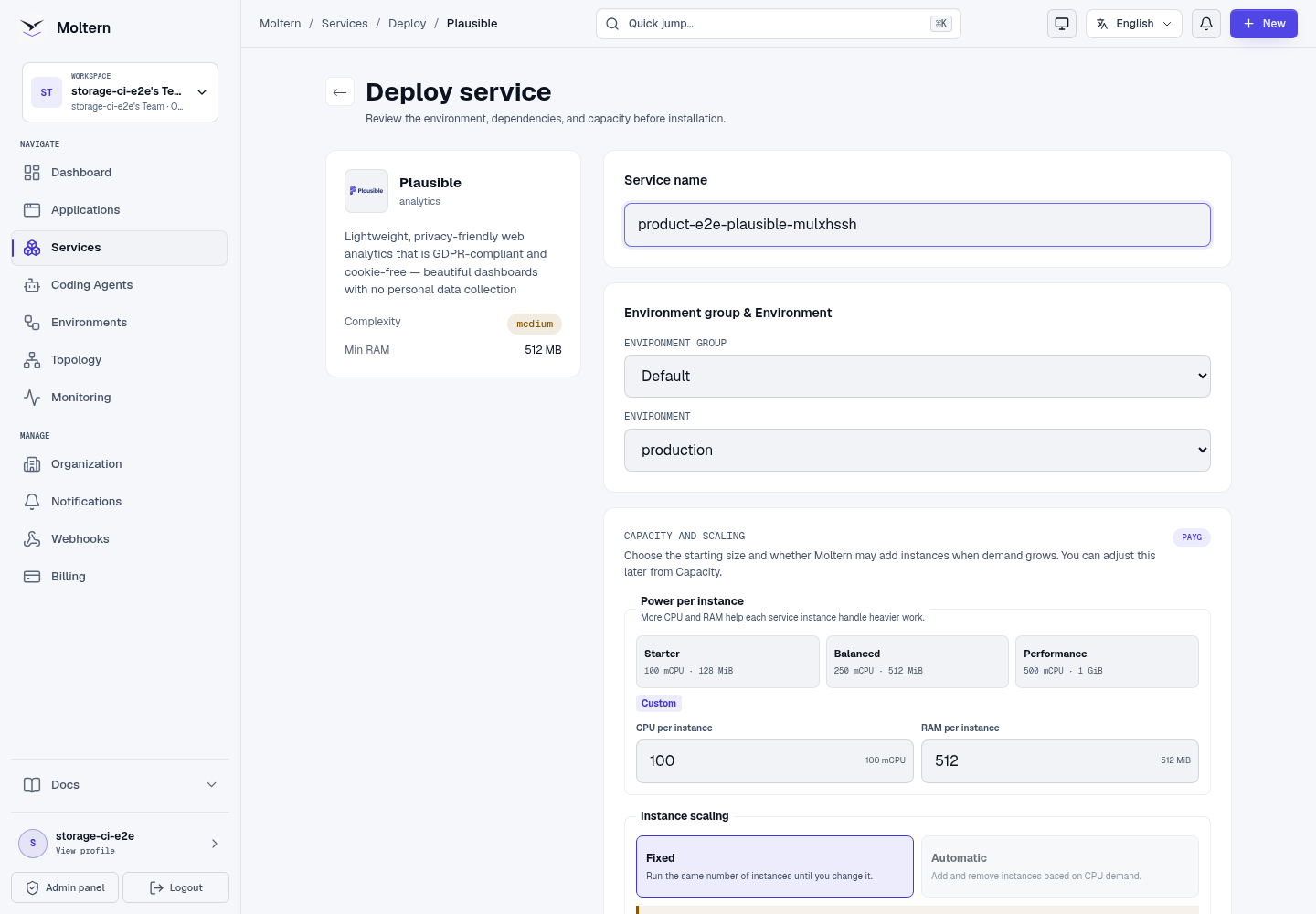
- Open Services and choose Plausible.
- Select the project and environment.
- Enter a service name.
- Review the three-workload install impact.
- Choose Deploy service and wait until Plausible reports Running.
Create an account and site
Open the generated URL:
- Enter the first owner's name, email and a strong password.
- Create the account.
- Enter the website domain without a path.
- Select the reporting timezone.
- Choose Install Plausible.
Use a domain that exactly matches the hostname sent by the tracking script. Protocol and path are not part of the site domain.
Configure email delivery
Plausible starts in local email mode, so account and site creation do not fail when an external mail provider has not been connected. Configure delivery before you rely on password reset, invitations or scheduled analytics reports:
- Open the Plausible service in Moltern and choose Settings.
- Add
MAILER_ADAPTER=Bamboo.Muaand a verifiedMAILER_EMAILsender. - Add
SMTP_HOST_ADDR,SMTP_HOST_PORT,SMTP_USER_NAMEandSMTP_USER_PWDfor your provider. Store the password as a sensitive value. - Add
SMTP_HOST_SSL_ENABLED=truewhen the provider requires implicit TLS. - Save the variables and restart Plausible, then test a password-reset email.
Use the adapter and connection settings required by your provider. Do not place SMTP credentials in site tracking code, screenshots or application repositories.
Install tracking
Copy the script shown during onboarding into the HTML <head> of the website:
<script
  defer
  data-domain="analytics.example.com"
  src="https://your-plausible-domain/js/script.js">
</script>
Replace both example domains. After loading a page, open the Plausible dashboard and confirm that at least one visitor and the expected path are visible.
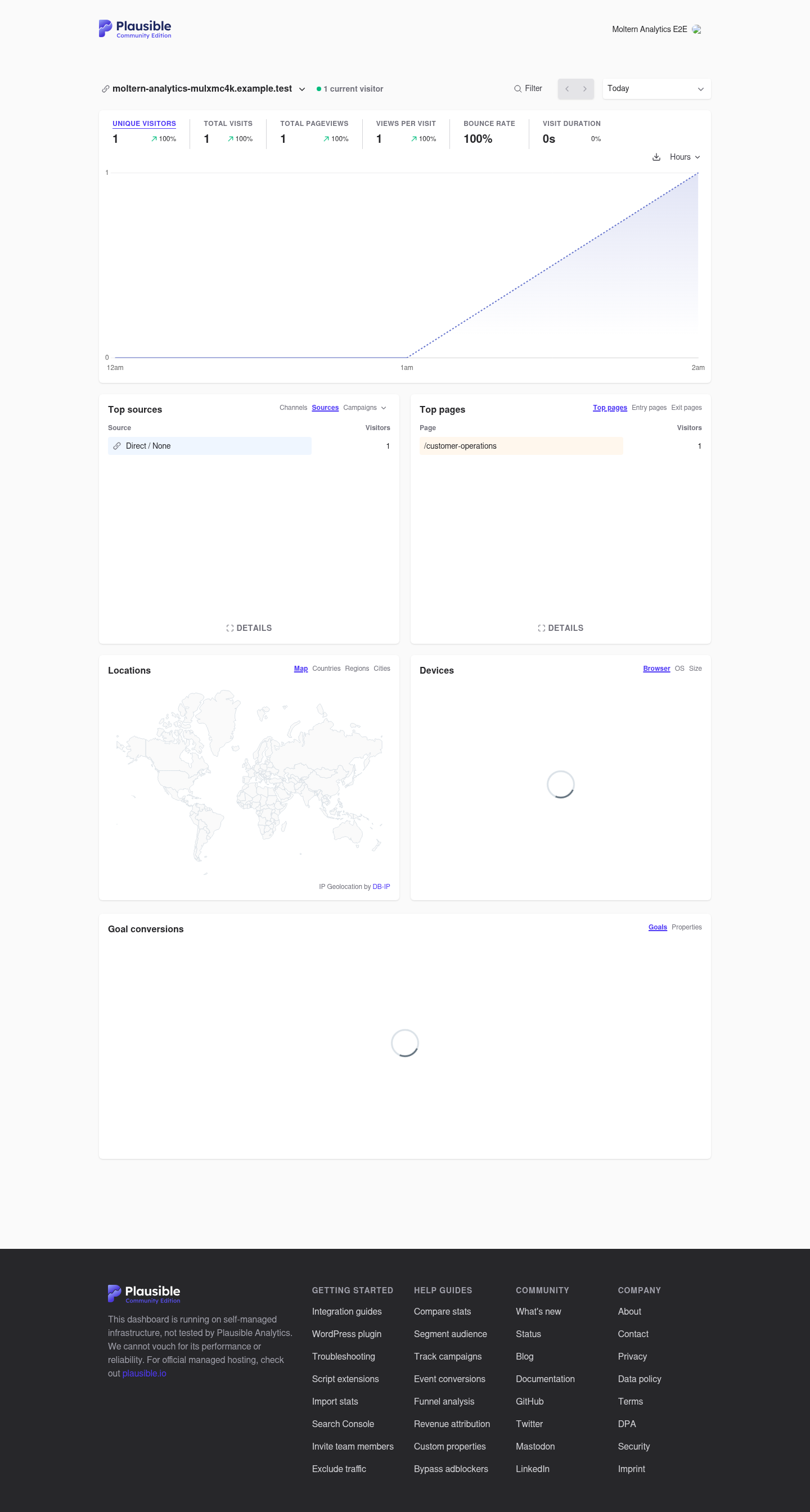
Browser privacy extensions can block analytics scripts even when your service is healthy. Verify with a clean browser profile or a controlled server-side event when troubleshooting.
Restart and persistence
Stopping and starting Plausible replaces only its stateless runtime. The owner, site configuration and page views remain in managed PostgreSQL and ClickHouse. The same site dashboard must reopen after the service returns to Running.
Storage and metering
Moltern records Plausible, PostgreSQL and ClickHouse as separate workloads. Billing shows CPU, memory, replicas and measured workspace usage for each. There is no hidden Plausible volume and no database is exposed through a public route.
Delete Plausible
Choose Delete Service, select the option to remove stored data and confirm the protected action. Moltern removes Plausible, both auto-provisioned database dependencies, all three usage allocations, credentials, routes and assigned workspace paths.
Troubleshooting
| Symptom | What to check |
|---|---|
| Registration returns an application error | Confirm PostgreSQL and ClickHouse are Running and review Plausible Live Logs. |
| Events are accepted but the dashboard is empty | Verify the site domain, request hostname, selected date and browser privacy extension. |
| Password reset or reports do not arrive | Confirm an external mail provider is configured, the sender is verified and the provider accepts the selected TLS mode. |
| Plausible remains Deploying | Check dependency progress first; both databases must be ready before the application starts. |
| The site is missing after restart | Confirm the original managed PostgreSQL and ClickHouse dependencies are still attached. |
| A database URL is public | Remove the route and contact support; managed dependencies should be private. |