Docmost
Docmost is a collaborative wiki for team handbooks, product notes, operating procedures, and internal knowledge. Content is organized into spaces and pages, with a focused editor for everyday documentation work.
Before You Deploy
You need permission to create services and enough workspace capacity for Docmost plus its required database and cache. Have an owner name, email address, and a strong Docmost password ready. This owner account is separate from your Moltern account.
Deploy Docmost
- Open Services, search for Docmost, and select Deploy.
- Choose the environment and enter a recognizable service name.
- Review the required PostgreSQL and Redis dependencies. Create new dependencies for an isolated installation, or select compatible existing services when you intentionally want to reuse them.
- Review Capacity and scaling, then select Preview deploy.
- Confirm the service, dependency, and storage impact before deploying.
- Wait until Docmost reports Running, then select Open.
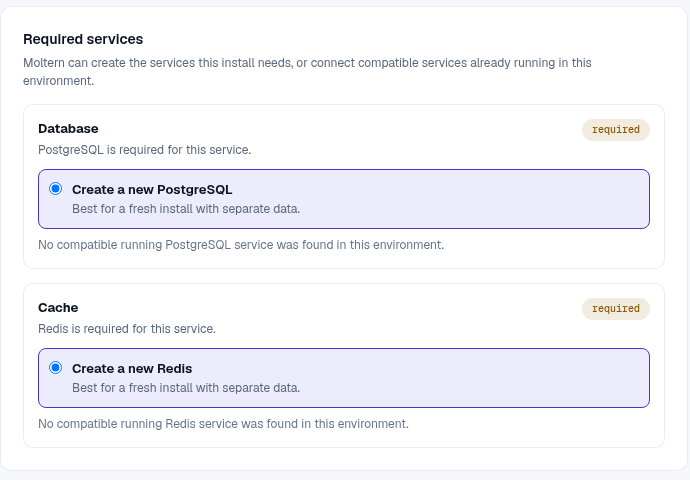
The first start can take several minutes because all required services must be ready before Docmost starts. Use Live Logs when progress stops; do not create a second installation while the first is still initializing.
Create The First Workspace
On the first visit, Docmost opens its owner setup screen:
- Enter the workspace name your team will recognize.
- Enter the owner's name and email address.
- Create a strong password and store it in your password manager.
- Complete setup, open Spaces, and choose Create space.
- Give the space a clear name, URL slug, and description.
- Create the first page and add useful headings, tables, callouts, and links.
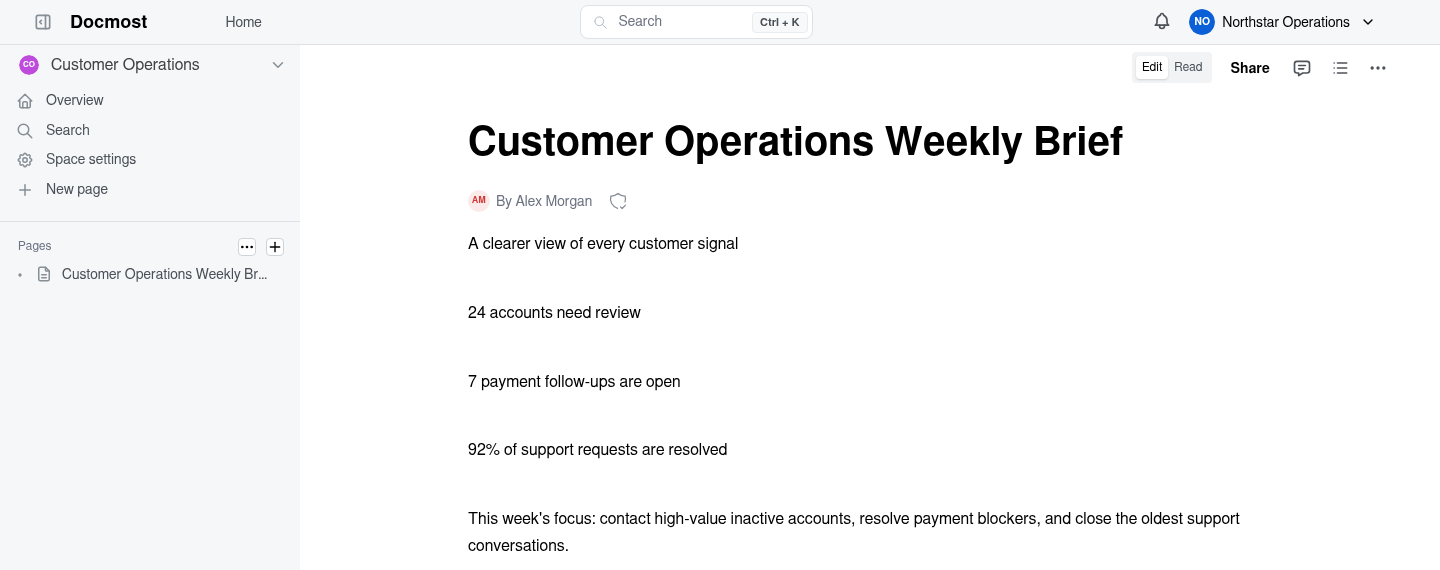
Use separate spaces when different teams need distinct navigation or access. Keep page names specific so search results remain useful as the workspace grows.
Invite People And Control Access
Invite members from Docmost's workspace settings. Assign the least powerful role that lets each person do their work, and review access when responsibilities change. A reachable service URL does not automatically give someone membership.
For integrations, create a dedicated identity or token when the installed Docmost version supports it. Do not share the owner password with an application, automation, or coding agent.
Credentials And Connections
Moltern connects the required database and cache during deployment. You do not need to copy database passwords into Docmost's setup screen.
Service connection values in Moltern are masked until an authorized user completes the connection-password check. Do not put revealed values in prompts, screenshots, tickets, or source control.
Capacity, Persistence, And Cleanup
Docmost stores page data in its database and uploaded files in workspace storage. Stopping the service pauses the runtime; starting it again should preserve the workspace and pages. Stopping is not a backup.
Resize Docmost and its dependencies independently when usage changes. Stateful maintenance can briefly interrupt editing, so schedule it around active work and verify a representative page afterward. Review Billing for the parent service, its dependencies, and stored data.
Before deletion, export any content your team needs to retain. The protected delete flow lets you remove stored data or keep workspace files. Retained files continue to count toward storage usage. Deleting the parent installation also removes auto-provisioned dependencies that are not shared elsewhere.
Troubleshooting
| Symptom | What to check |
|---|---|
| Setup page does not open | Confirm Docmost and both required dependencies are running, then review Live Logs. |
| Owner setup returns an error | Confirm the email is valid and the password meets the form requirements. Avoid retrying with multiple tabs. |
| Create space is unavailable | Confirm you are signed in as the workspace owner or an administrator and open the Spaces view. |
| Pages do not load after restart | Check the database and workspace storage status before changing the Docmost runtime. |
| Invitations do not arrive | Review the outgoing email configuration for this Docmost installation. Moltern platform email does not automatically configure product email. |