Wiki.js
Wiki.js is a team wiki with Markdown and visual editing, navigation, search, diagrams, localization, and configurable authentication. Use it for engineering runbooks, policies, product documentation, and shared operating knowledge.
Before You Deploy
You need permission to create services and enough capacity for Wiki.js, its database, and stored assets. Have an administrator email and strong password ready. This administrator is separate from your Moltern account.
Deployment on Moltern
- Open Services, search for Wiki.js, and select Deploy.
- Choose the environment and enter a recognizable service name.
- Review the required PostgreSQL dependency. Create a new database for an isolated wiki or intentionally select a compatible existing service.
- Review Capacity and scaling, then select Preview deploy.
- Confirm the service, database, and storage impact and deploy.
- Wait for Running, then select Open.
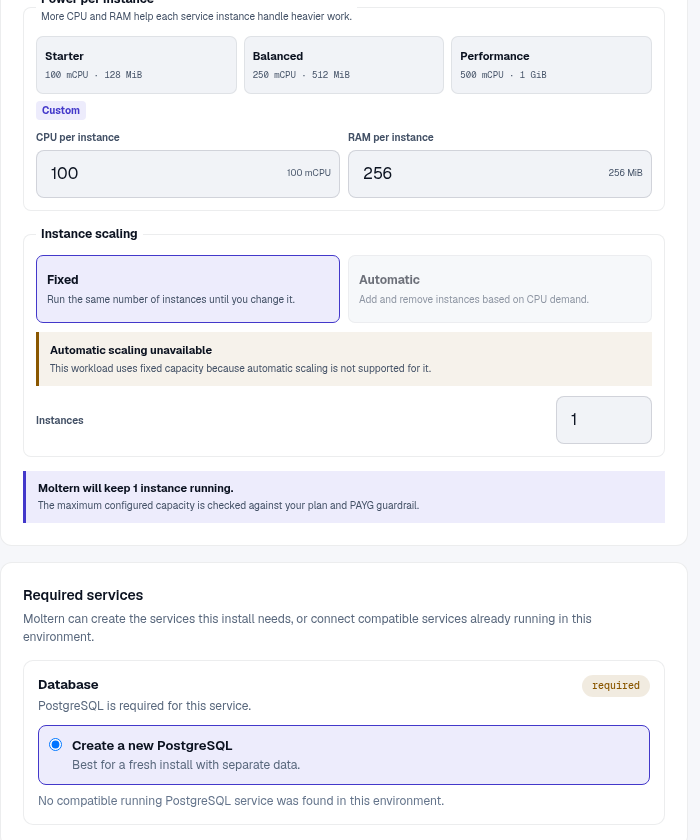
Moltern supplies the database connection. Do not replace it with localhost or
manually enter database credentials in the setup wizard.
Complete Setup And Publish
- Enter the administrator email and password.
- Confirm the generated site URL.
- Review the telemetry option and complete installation.
- Create a page with a clear title and path.
- Choose Markdown or the visual editor, add structured content, and publish.
- Open the published page in a signed-out browser when it should be public.
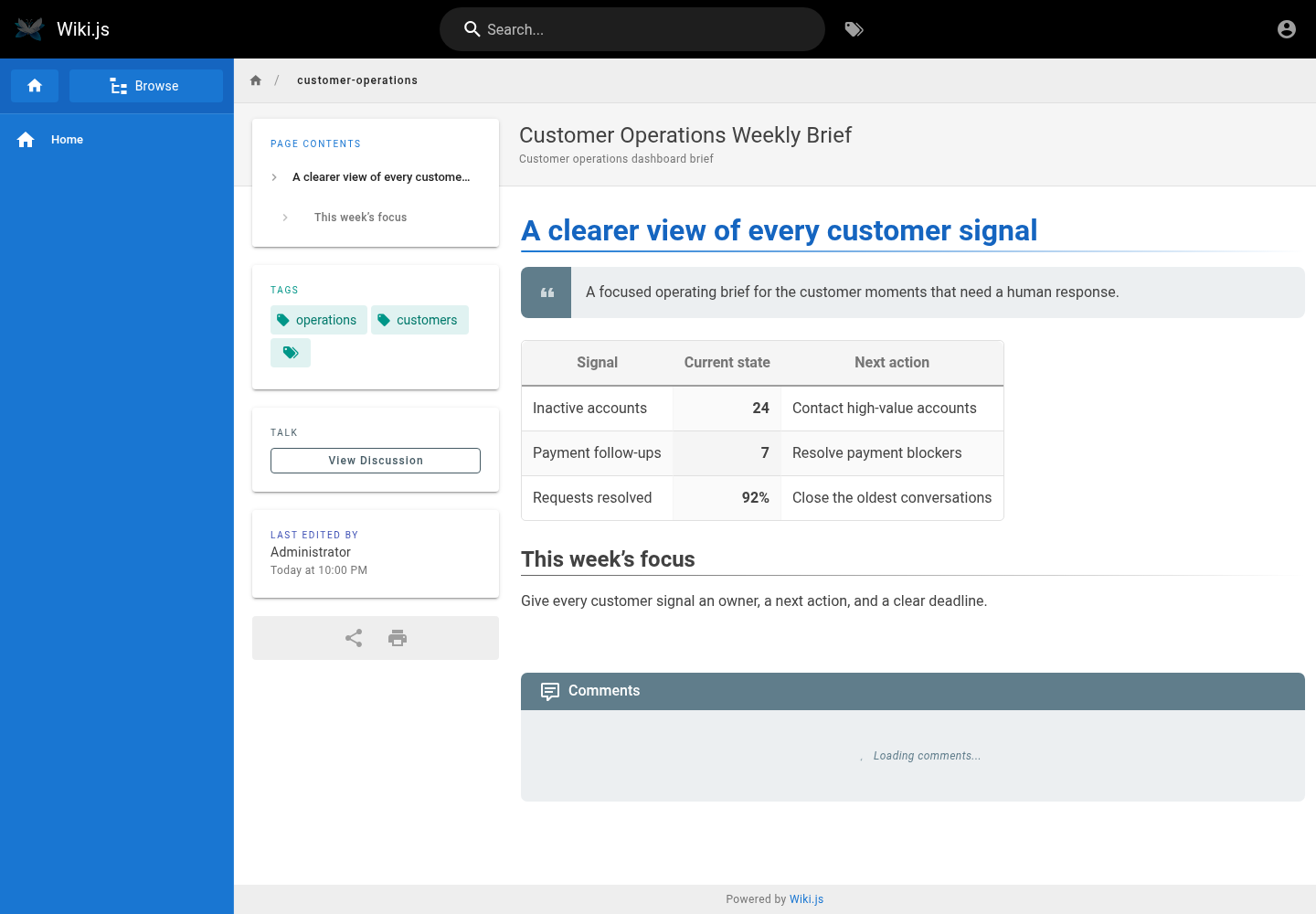
Use tags and intentional page paths so readers can browse and search the wiki as it grows. Add navigation only after the first content structure is stable.
Users, Authentication, And Permissions
Create groups for readers, editors, and administrators, then grant only the page rules each group needs. A public URL does not automatically mean every page is public.
Wiki.js supports additional authentication strategies. Configure and test a new provider with an existing administrator session still open so a mistake does not lock everyone out. Keep provider secrets in protected configuration.
Locales And Updates
Wiki.js downloads locale metadata and language packages from its public update service. The English interface is prepared during startup. Download additional locales from the administration area, then choose the site locale and any active language namespaces.
If interface labels appear as translation keys, wait for the locale sync to finish and restart the service once. Review Live Logs when the sync still fails.
Configuration
The database connection is managed during deployment. Authorized users can reveal connection values from Moltern settings after completing the connection-password check. Integrations should normally use a Wiki.js API token with limited permissions instead of direct database access.
Capacity, Persistence, And Cleanup
Pages, users, and configuration are stored in PostgreSQL while uploaded assets use workspace storage. Stop and start should preserve both. Stopping is not a backup.
Resize Wiki.js and PostgreSQL independently when usage changes. Stateful maintenance can briefly interrupt access. Verify administrator login, a published page, search, and an uploaded asset afterward.
Export important content before deletion. The protected delete flow lets you remove stored data or retain workspace files. Retained files continue counting toward storage usage. Auto-provisioned dependencies are removed with the parent when they are not shared elsewhere.
Troubleshooting
| Symptom | What to check |
|---|---|
| Setup reports a database issue | Wait for PostgreSQL to finish starting, then refresh once and inspect Live Logs. |
Interface displays keys such as header.search | Allow locale synchronization to finish and restart; check outbound access when it persists. |
| A page is unavailable to colleagues | Review its publication state and the matching group page rules. |
| Changes disappear after restart | Check the PostgreSQL and workspace storage status before editing again. |
| Login provider fails | Keep the local administrator available, verify callback URLs and secrets, then retest in a private browser session. |