Argilla
Argilla is an open-source collaboration workspace for building, annotating and evaluating AI datasets. It gives AI engineers a structured dataset workflow and gives reviewers a focused interface for feedback, labels and quality decisions.
Moltern deploys Argilla with a protected owner account, managed search and queue dependencies, persistent workspace data and a live HTTPS address.
Before You Start
You need:
- a Moltern workspace and environment;
- permission to create services;
- a unique administrator username and password;
- a strong API key for SDK and integration access;
- a strong session secret;
- at least
100 mCPUand512 MiBof available runtime capacity; - enough workspace storage for records, responses and search indexes.
The Argilla owner account is separate from your Moltern account. Store its credentials in your organisation's password manager and do not reuse your Moltern password.
Deploy Argilla
- Open Services and select Argilla.
- Enter a unique service name.
- Select the project and environment that will own the dataset workspace.
- Keep the validated starting capacity or choose a larger fixed size.
- Enter the session secret, administrator username, administrator password and API key.
- Select Preview deploy.
- Review the Argilla workload and its required search and queue services.
- Select Confirm deploy and wait for Running.
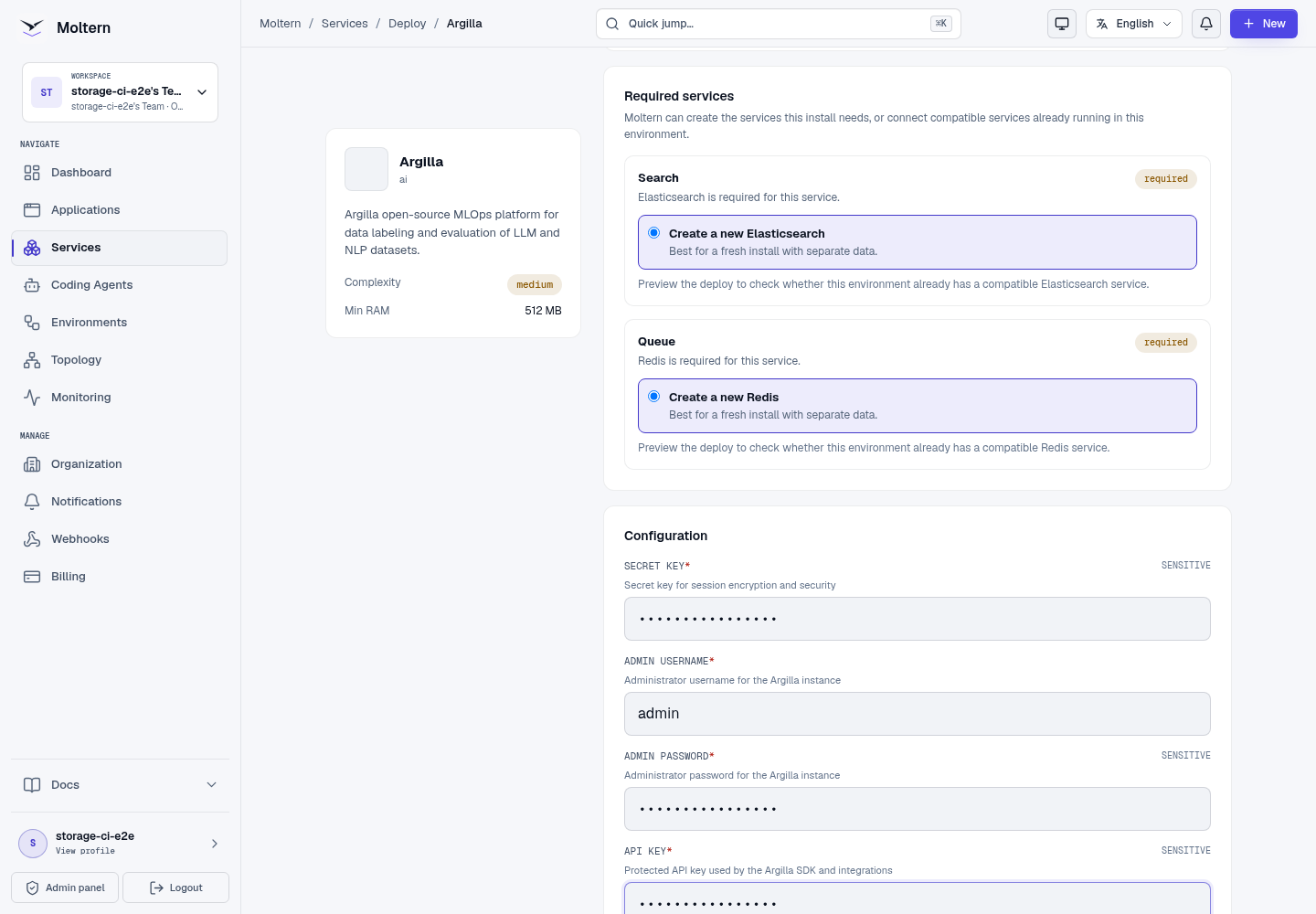
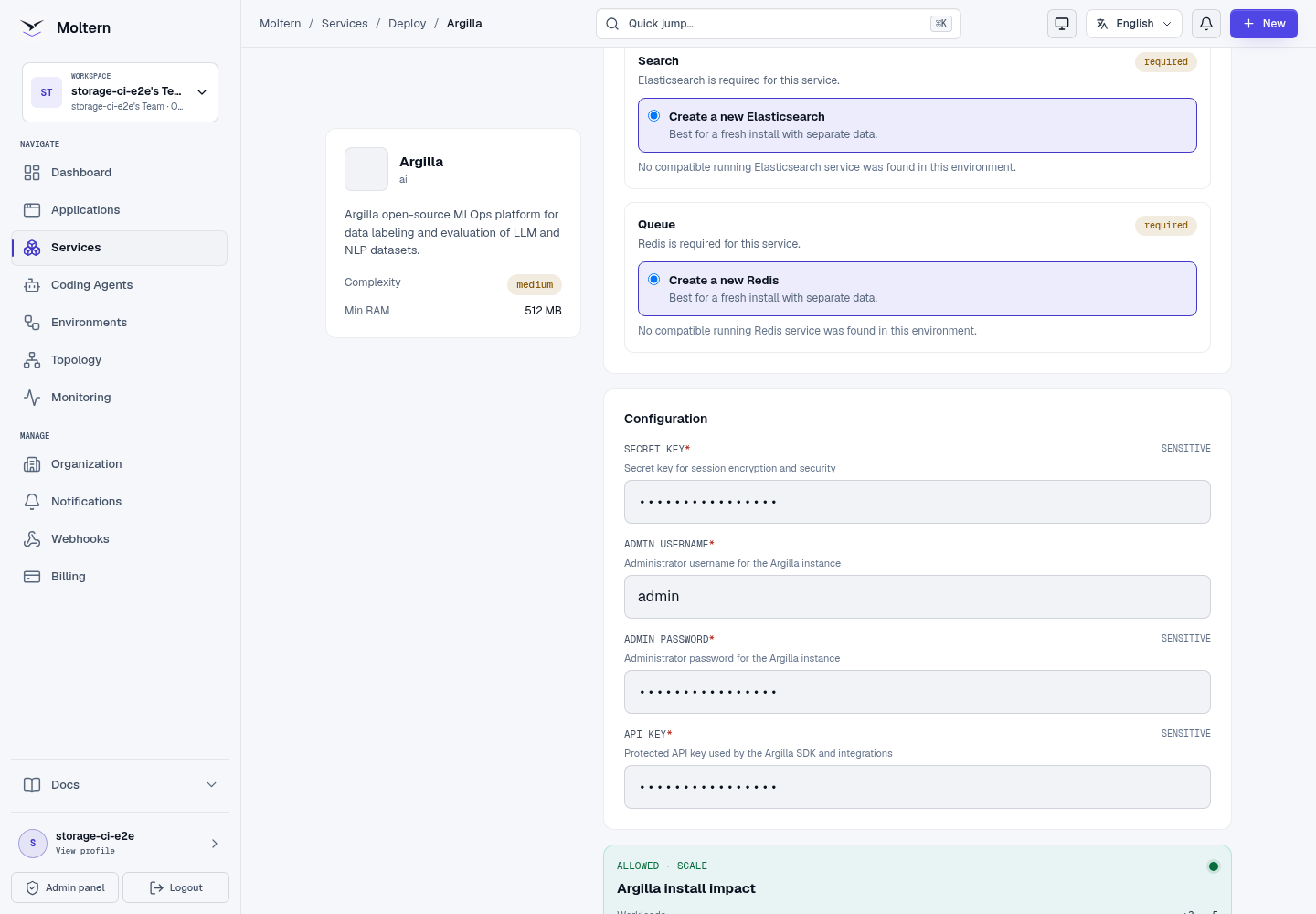
Moltern can create fresh required dependencies during the deployment. When a compatible service is already available in the selected environment, review the connection choice before confirming the deployment.
Sign In
- Open the Argilla service in Moltern.
- Select Open service.
- Enter the administrator username and password configured during deployment.
- Confirm that the Home or Datasets workspace loads.

An authorised workspace member can use Moltern's protected connection-details flow when an original managed credential must be recovered. Credentials are not shown in deployment logs or public documentation.
Create A Dataset
An Argilla dataset defines the information reviewers see and the responses they can submit.
- Open Datasets.
- Create a dataset in the required workspace.
- Add one or more fields, such as a text field containing the source content.
- Add questions or labels that match the review task.
- Save the dataset settings.
- Import a small controlled record before loading a large dataset.
The production E2E creates a text field, adds a review question and imports one record containing a controlled validation sentence. This proves that the dataset schema and write path work; it does not only check that the home page loads.
Review Records
- Open the dataset.
- Select a record from the record list.
- Read the source fields and complete the configured questions.
- Submit the response or mark the record for later review.
- Use the status filters to distinguish pending, completed and disputed work.
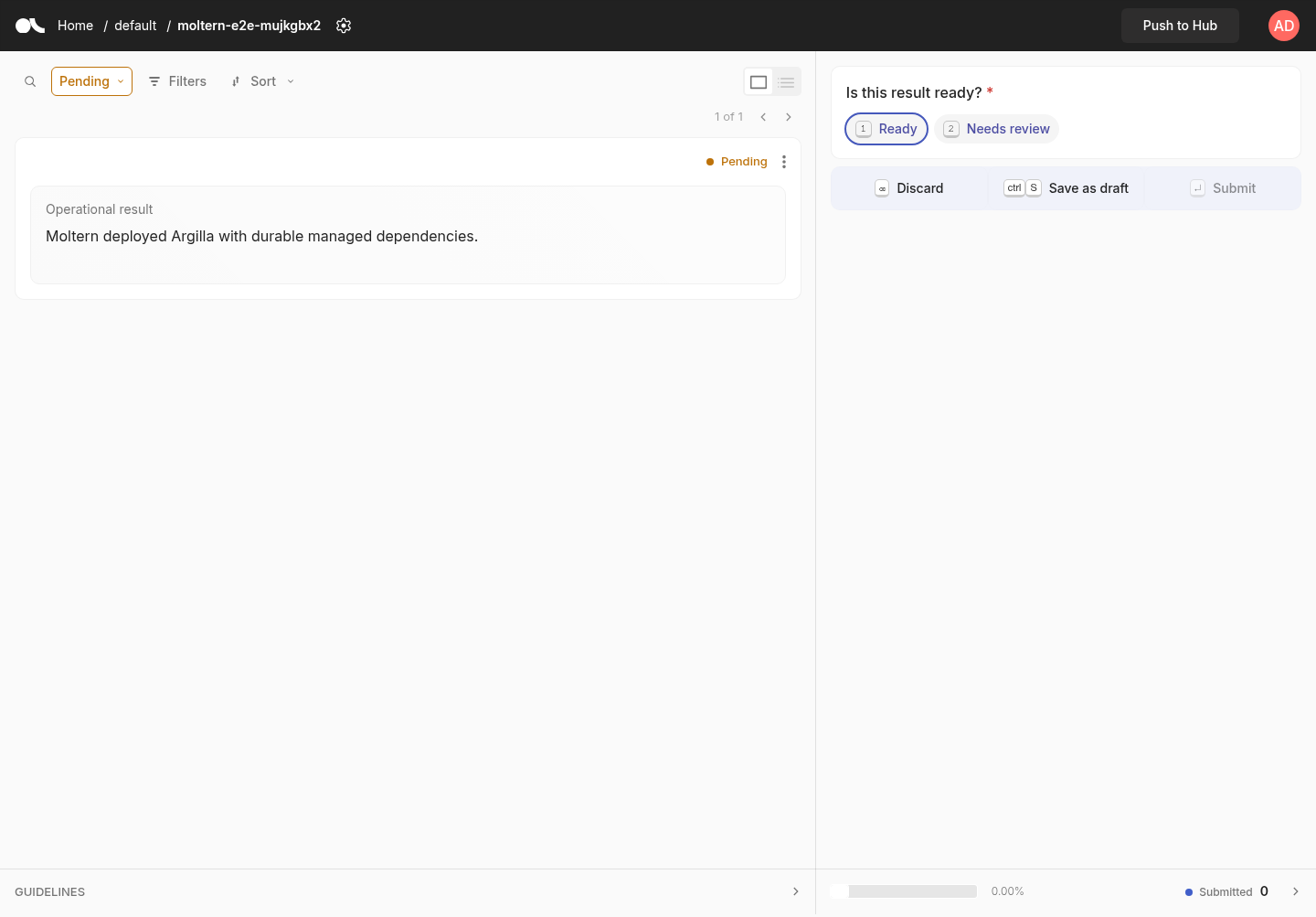
Keep question names and response options stable after annotation begins. Schema changes can affect downstream exports, quality rules and SDK code.
Use The Python SDK
Argilla's Python SDK supports repeatable dataset creation, record import and response export. Create a dedicated API key for automation and grant it only to the workload that needs it.
A typical workflow is:
- configure the Argilla URL and protected API key;
- create or retrieve a workspace;
- define dataset fields and questions;
- upload records in controlled batches;
- retrieve responses and validate the export.
Do not place the API key in a Git repository, browser bundle, notebook output or screenshot. Use protected application configuration and rotate the key when the integration no longer needs access.
The current Moltern E2E uses the supported SDK/API path to create the dataset, field, question and record, then confirms that the real annotation interface can render the stored record.
Storage And Persistence
Moltern assigns persistent storage to Argilla and its managed data dependency inside the selected workspace. Each workload sees only its assigned data path, not the complete team filespace.
The deployment does not request a separate cloud disk. Storage use is measured against the relevant workload paths.
Production validation performed a full Stop service and Start service cycle. Moltern replaced the runtime, then the same owner authenticated and the original dataset, schema and imported record remained available.
Stop/Start validates runtime replacement and workspace persistence. It is not an independent backup restore. Export important datasets and follow your organisation's recovery policy.
Capacity And Metering
The validated Argilla baseline is:
| Resource | Validated value |
|---|---|
| Instances | 1 |
| CPU request | 100 mCPU |
| Memory request | 512 MiB |
| Dedicated volume | 0 GiB |
Workspace storage grows with records, responses and search indexes. Moltern reports the assigned paths under Billing → Storage by workload.
Increase CPU or memory from Capacity when large imports, searches or concurrent review sessions become slow. Measure the result before keeping a larger PAYG allocation.
Operate Argilla
Use the Moltern service page for:
- Overview to open Argilla and review service health;
- Live Logs to diagnose startup, indexing and request failures;
- Capacity to adjust CPU and memory;
- Access to review approved workload connections;
- Settings to review protected service configuration;
- Stop service and Start service to replace the runtime without deleting dataset data.
Initial deployment can take several minutes while the required data services initialize. Do not submit duplicate deployments while the existing deployment is still progressing.
Delete Argilla
- Export datasets and responses that must be retained.
- Open the Argilla service in Moltern.
- Select Delete Service.
- Select Delete stored data only when the Argilla dataset and dependency data may be removed.
- Complete the protected account confirmation.
- Confirm that the service, generated address and workload allocation are gone.
Deleting stored data removes the Argilla deployment and its managed dependency data. It must not remove sibling services or the workspace filespace itself.
Frequently Asked Questions
Does Argilla include a language model?
No. Argilla manages datasets and review workflows. Connect an approved model or application separately when your workflow needs generation or inference.
Does my dataset survive a service restart?
Supported dataset state is retained in Argilla's managed data services and assigned files. A normal Stop/Start replaces the runtime without selecting Delete stored data.
What happens when I delete stored data?
Moltern removes the service's assigned data and managed dependencies. Export records that must be retained before confirming this destructive option.
Troubleshooting
| Symptom | What to check |
|---|---|
| The service remains in Deploying | Open Live Logs and check whether the managed search service is still initializing. Wait for the active deployment instead of creating a duplicate. |
| The sign-in page rejects the owner | Use the exact administrator username and password entered during deployment. Check keyboard layout and password-manager autofill. |
| Dataset records do not appear | Confirm the imported record properties match the dataset field names and that the import targeted the intended workspace and dataset. |
| SDK requests return an authentication error | Confirm the SDK uses the Argilla API key rather than the browser password, and verify that the key belongs to the intended deployment. |
| Search or filters stay unavailable | Review the Argilla and dependency logs for indexing errors, then retry a small controlled dataset. |
| Import or review performance is slow | Review CPU and memory use, then increase capacity gradually and retest the same workload. |
| Data is missing after a restart | Stop changes, verify that the original service was restarted rather than deleted with stored data, and contact support before creating replacement data. |
Validated Scope
The current production validation covers:
- deployment through the Moltern UI;
- automatic creation of required dependencies;
- protected owner authentication;
- real dataset, field and question creation;
- import and rendering of a real record;
- dataset persistence after Stop/Start runtime replacement;
- point-in-time replica, CPU, memory and dedicated-volume accounting;
- protected service and data cleanup with allocation removal.
Large imports, multiple reviewer roles, external application attachment, sustained load, multi-replica availability, independent backup restore and elapsed-time invoice reconciliation remain outside this validation.