Langfuse
Langfuse is an LLM engineering platform for traces, prompts, evaluations, datasets and usage analysis. Moltern deploys the web and worker runtime, creates the required data services, initializes a protected owner account and gives the deployment one HTTPS address.
Before You Start
You need:
- a Moltern workspace and environment;
- permission to create services;
- an administrator name, email address and strong password;
- a name for the first Langfuse organization;
- approximately
850 mCPUand4 GiBof available baseline memory across the complete managed stack; - workspace storage for traces, analytics data and uploaded objects.
Langfuse is intended for application telemetry. Do not send passwords, API tokens or unnecessary personal data as trace inputs, outputs or metadata.
Deploy Langfuse
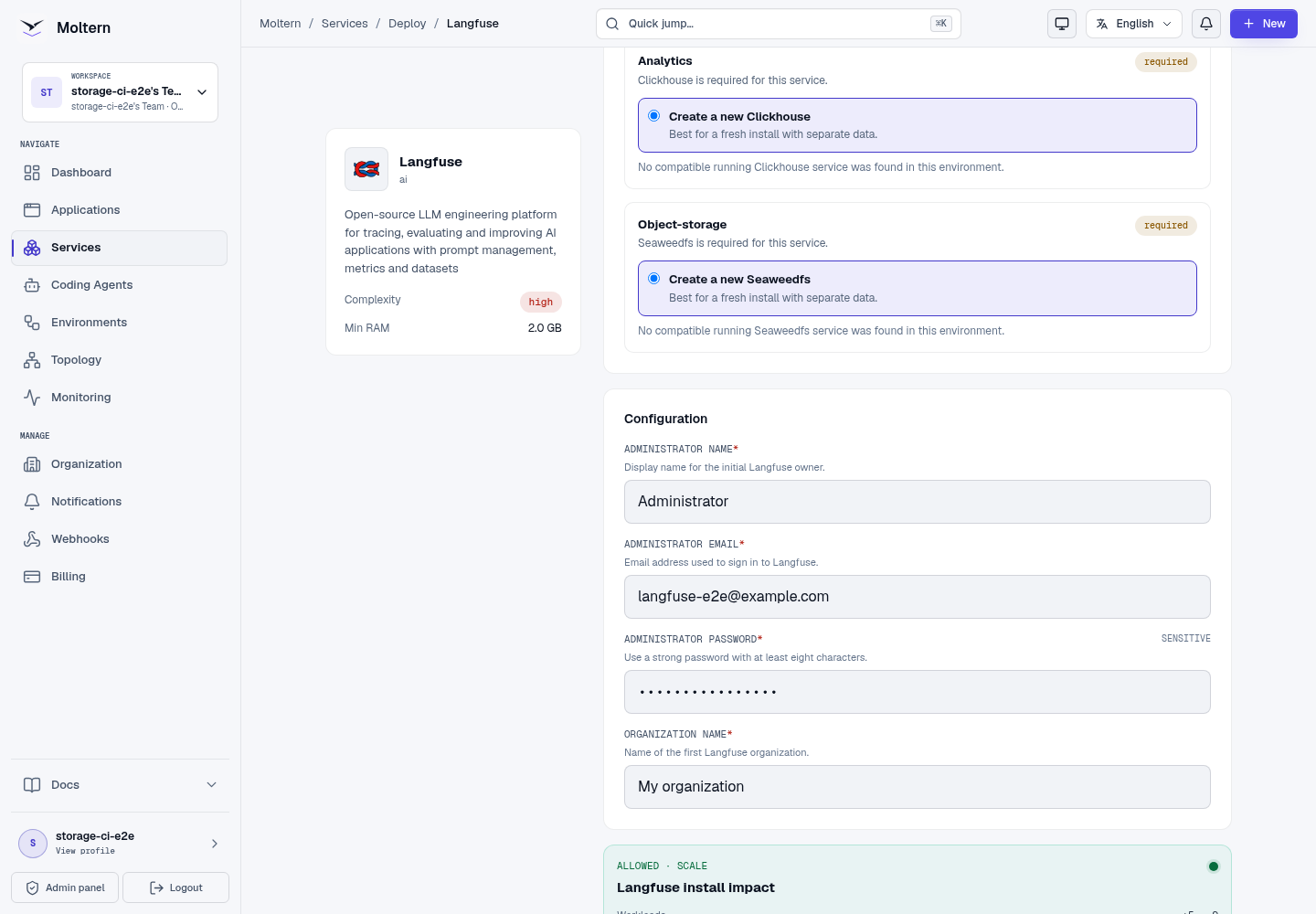
- Open Services and select Langfuse.
- Enter a unique service name and choose its project and environment.
- Enter the initial administrator and organization details.
- Select Preview deploy.
- Review the required database, cache, analytics and object-storage services.
- Choose an existing compatible service when isolation and lifecycle rules allow it, or keep Create a new service for a managed stack.
- Confirm the capacity and storage impact.
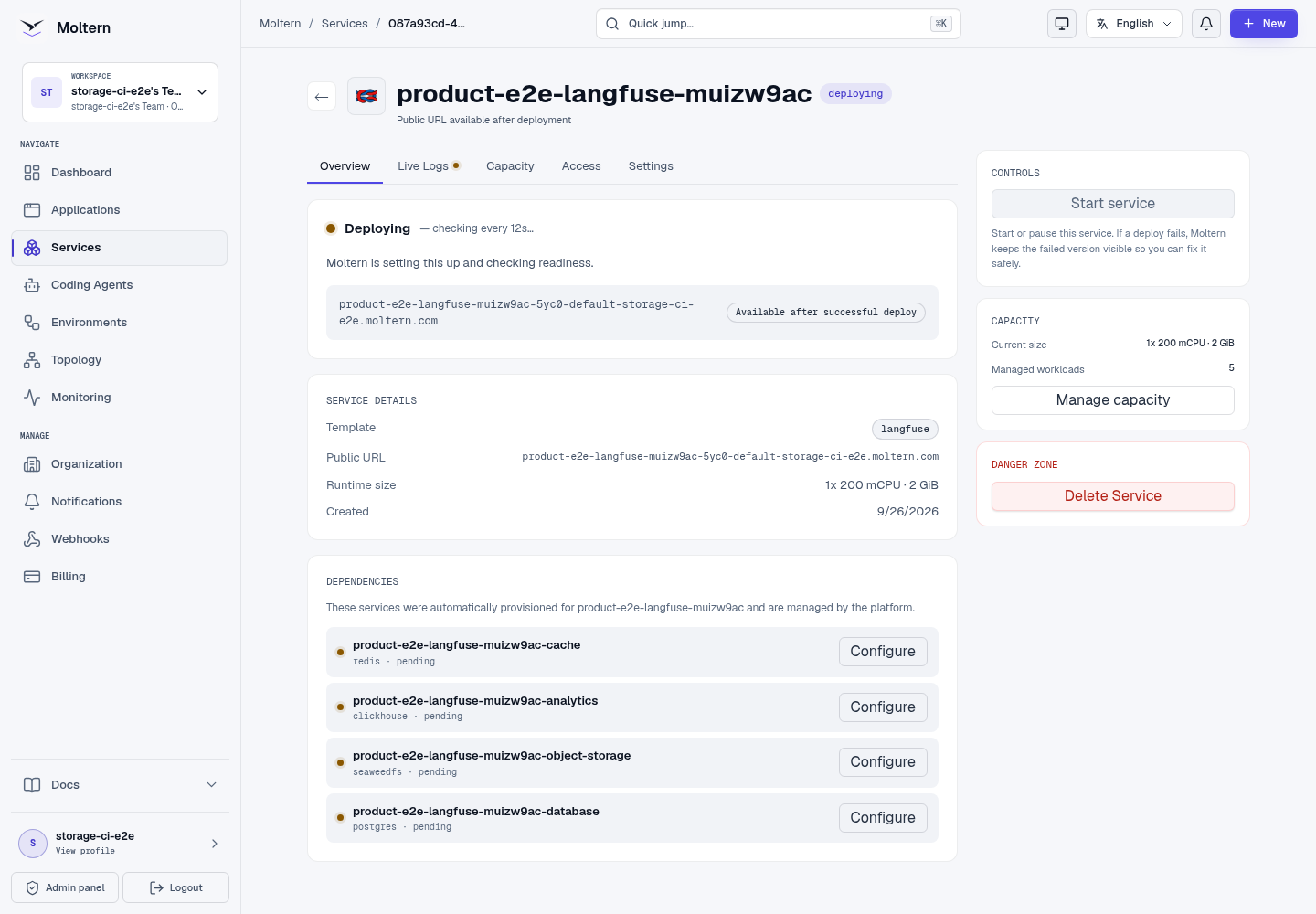
- Select Confirm deploy and wait for Running.
The first start applies database and analytics migrations. It can take several minutes on a fresh environment. Do not submit another install while deployment progress is still advancing.
Sign In And Create A Project
- Open the Langfuse URL from the service overview.
- Sign in with the administrator email and password entered during deployment.
- Create a project when the initialized organization has no project yet.
- Give the project a name that identifies the application or environment it observes.
Public self-registration is disabled in the Moltern profile. Add other Langfuse users deliberately from the product after the owner has signed in.
Create Project API Keys
- In Langfuse, open Settings -> API Keys for the project.
- Select Create new API keys.
- Add a note that identifies the application or integration.
- Store the secret key immediately in the calling application's protected configuration. Langfuse only displays the secret at creation time.
- Keep production, staging and development projects or keys separate.
The public key identifies the project. The secret key authenticates ingestion and must never be committed to Git, included in a screenshot or exposed to a browser client.
Send A Trace
Langfuse accepts OpenTelemetry traces at:
https://YOUR_LANGFUSE_HOST/api/public/otel/v1/traces
Configure the official Langfuse SDK or an OpenTelemetry exporter with the project public and secret keys. After the first request:
- Open Tracing.
- Select the new trace.
- Confirm the trace name, environment, observations and timing are correct.
- Check that sensitive values were removed before ingestion.
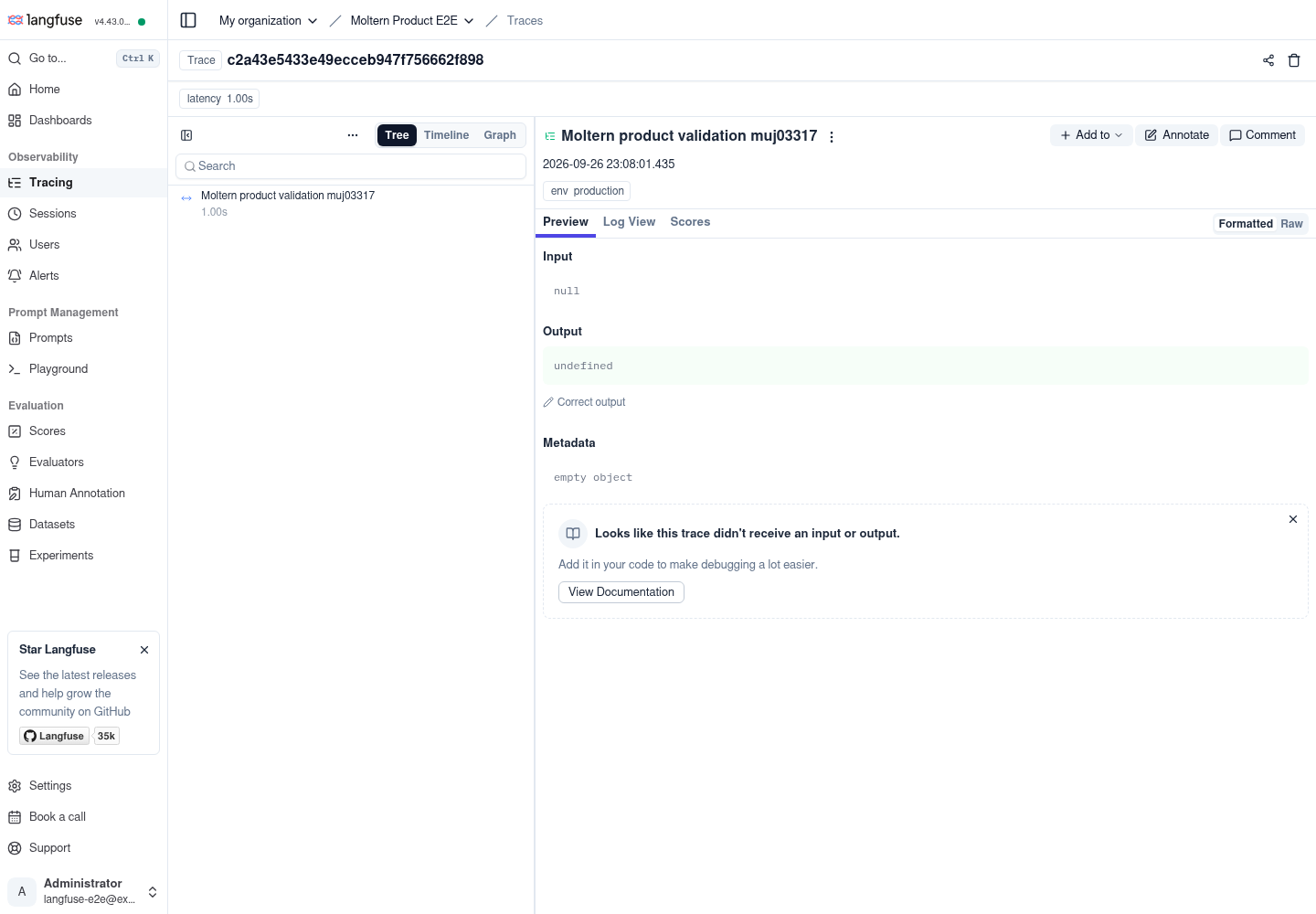
A healthy Langfuse page does not prove ingestion works. Validate an exact, uniquely named trace through the API and the tracing interface.
Data Services And Persistence
The Langfuse runtime is replaceable. Durable state belongs to its supporting services:
| Service | Purpose |
|---|---|
| PostgreSQL | Organizations, users, projects, prompts and configuration |
| ClickHouse | High-volume traces, observations, scores and analytics |
| Object storage | Event payloads, exports and uploaded objects |
| Redis | Queues and short-lived coordination data |
When Moltern creates these dependencies, they are managed with the parent Langfuse service. Their data is stored in assigned workspace paths rather than one cloud disk per dependency.
Moltern Stop/Start replaces the Langfuse runtime without deleting dependency data. Production validation confirmed that administrator access, the project, project keys, the original trace and a new post-restart trace remained usable.
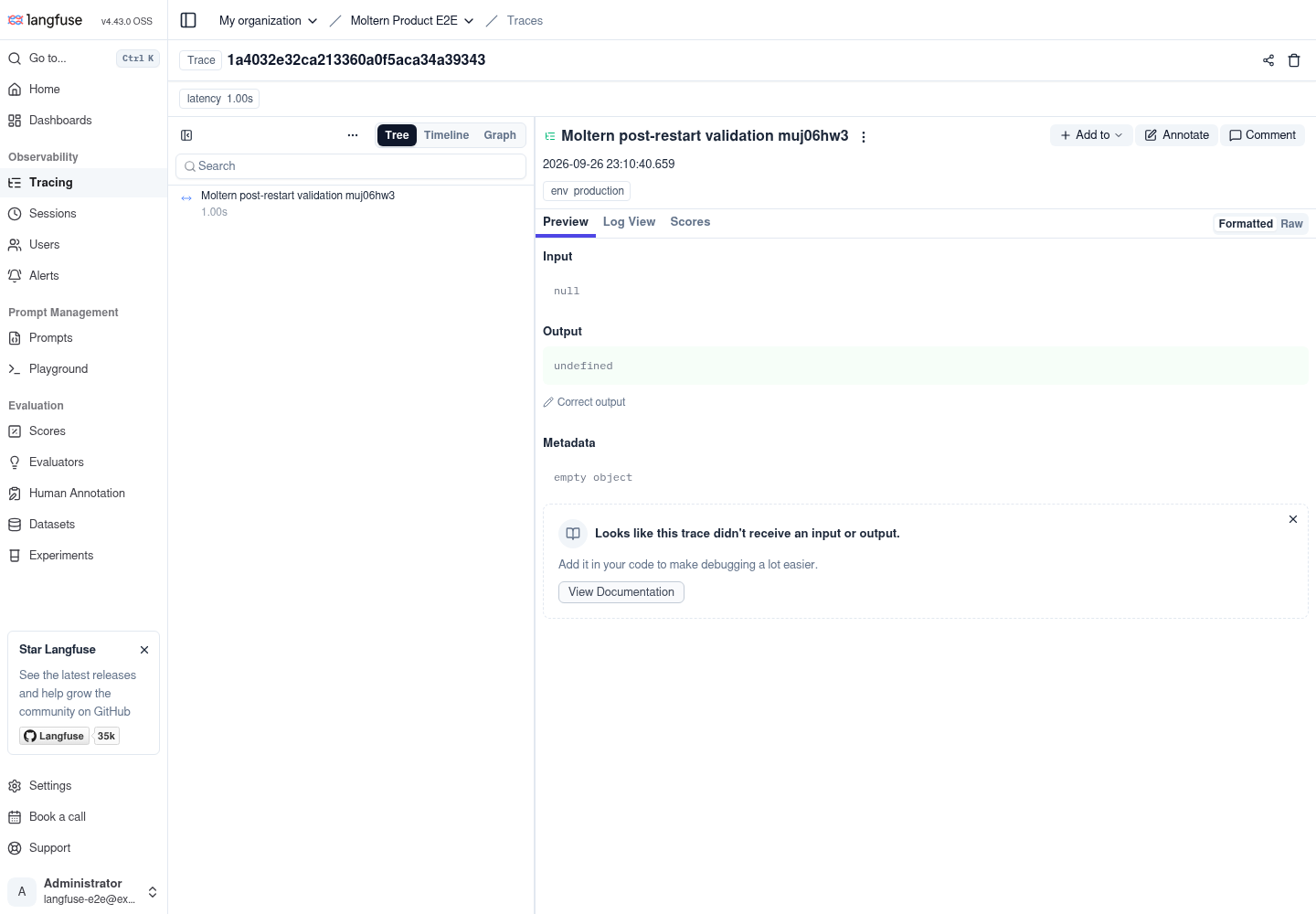
Runtime replacement is not an independent backup restore. Export or replicate irreplaceable observability data according to your organization's recovery policy.
Capacity And Metering
The validated starting requests are:
| Workload | CPU request | Memory request | Instances |
|---|---|---|---|
| Langfuse web and worker | 200 mCPU | 2 GiB | 1 service |
| PostgreSQL | 100 mCPU | 256 MiB | 1 |
| Redis | 50 mCPU | 128 MiB | 1 |
| ClickHouse | 250 mCPU | 1 GiB | 1 |
| Object storage | 250 mCPU | 512 MiB | 1 |
Use Billing to review measured storage by workload. Trace volume, retention, large payloads and analytics queries determine real consumption. Increase capacity only after reviewing live behavior and usage; the default profile is a single-service baseline, not a high-availability certification.
Connect Applications And Agents
Applications and coding agents can send telemetry to Langfuse without receiving access to unrelated workspace services:
- Create project API keys in Langfuse.
- Store them as protected configuration on the calling application or agent.
- Use the Langfuse HTTPS endpoint for ingestion.
- Send one controlled trace and verify it in the intended project.
- Rotate the key when access should be revoked.
Keep ingestion keys scoped by project and environment. Do not reuse the owner password as an application credential.
Operate Langfuse
Use the Moltern service page for:
- Overview to open Langfuse and review dependency state;
- Live Logs to diagnose migrations, ingestion or queue failures;
- Capacity to adjust tested CPU and memory values;
- Access to review approved private workload relationships;
- Settings to inspect protected connection details;
- Stop service and Start service to replace the runtime without deleting stored data.
If ingestion is delayed, check both the web and worker logs and confirm every managed dependency is Running before changing the application SDK.
Delete Langfuse
- Export data that must be retained.
- Revoke or remove Langfuse keys from connected applications and agents.
- Open the parent Langfuse service and select Delete Service.
- Select Delete stored data only when all managed observability data may be removed.
- Complete the protected account confirmation.
- Confirm the parent, auto-created dependencies and former public address are gone.
Do not try to delete an auto-created dependency directly. Moltern removes it with the parent and leaves sibling workload data untouched.
Troubleshooting
| Symptom | What to check |
|---|---|
| Deployment remains on dependencies | Open deployment progress and confirm PostgreSQL, Redis, ClickHouse and object storage each reach Running. |
| First start takes several minutes | Review Live Logs for active migrations. Retry only after a definite failure. |
| Sign-in fails | Use the administrator email and password entered at deploy time, not a Moltern account or API key. |
SDK receives 401 | Check that Basic authentication uses the project public key and secret key from the same project. Rotate the pair if uncertain. |
| Trace request succeeds but no trace appears | Use a unique trace name, confirm the OTLP endpoint, inspect worker logs and query the observations API by trace ID. |
| Traces are delayed | Verify Redis and the worker are healthy, then inspect queue and ClickHouse errors. |
| Analytics fails while sign-in works | Check the ClickHouse dependency and migration logs. PostgreSQL health alone is not sufficient. |
| Object upload or export fails | Check the managed object-storage dependency and available workspace storage. |
| Service cannot start | Review workspace capacity and the deployment guidance before retrying. |
Frequently Asked Questions
Does Langfuse provide an LLM?
No. Langfuse observes and evaluates calls made to model providers. Use Ollama or another provider for inference.
Can multiple applications use one project?
Yes, but separate projects or keys usually make ownership, environment boundaries, rotation and usage analysis clearer.
Are traces preserved when the runtime restarts?
Yes, when the managed dependencies and their stored data remain available. This workflow was validated with both an existing trace and a new post-restart trace.
Is the default profile highly available?
No. The current validation covers a single Langfuse service with managed dependencies, runtime replacement and persistent data. Multi-replica behavior, regional failover and independent backup restoration require separate testing.
Validated Scope
The production customer E2E validated deployment through the Moltern UI, protected owner sign-in, organization and project setup, project-key creation, exact OpenTelemetry trace ingestion, API lookup, browser rendering, Stop/Start, post-restart ingestion, point-in-time metering and protected cleanup. Sustained load, long retention, high availability, external identity providers and backup restoration were not part of this run.