Deploy SearXNG
SearXNG is a metasearch engine that combines results from multiple search providers without creating a SearXNG user profile. Moltern deploys a pinned SearXNG release with a live HTTPS URL, constrained outbound search access and service lifecycle controls.
SearXNG does not create advertising profiles, but a search still sends requests to the enabled upstream providers. Do not treat a public SearXNG URL as an authenticated gateway for confidential queries.
What Moltern deploys
| Component | Purpose | Access |
|---|---|---|
| SearXNG | Web search interface and metasearch request coordinator | Public HTTPS URL |
| Search-provider access | Outbound web requests to public search engines | Public web only; private workspace addresses remain unavailable |
| Moltern service controls | Capacity, status, live logs, stop, start and deletion | Workspace members with the required role |
SearXNG is stateless in the current catalog. It does not request a dedicated volume or an assigned workspace-storage path. Preferences saved only in a browser cookie remain with that browser, not with the service runtime.
Deploy SearXNG
- Open Services and choose SearXNG.
- Give the service a recognizable name.
- Select the environment where the search URL should run.
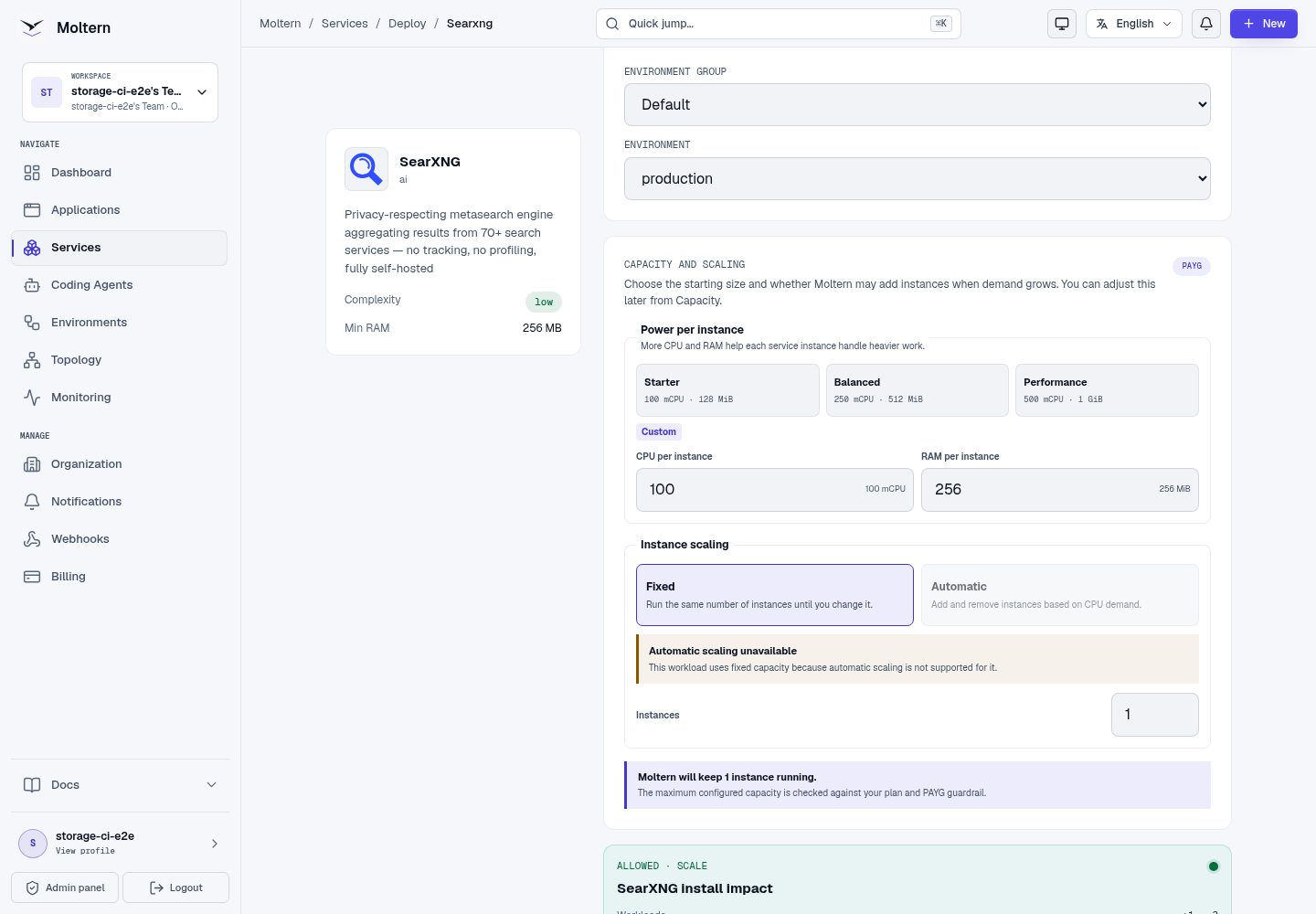
- Choose the starting CPU and memory capacity.
- Select Preview deploy, review the impact and confirm the deployment.
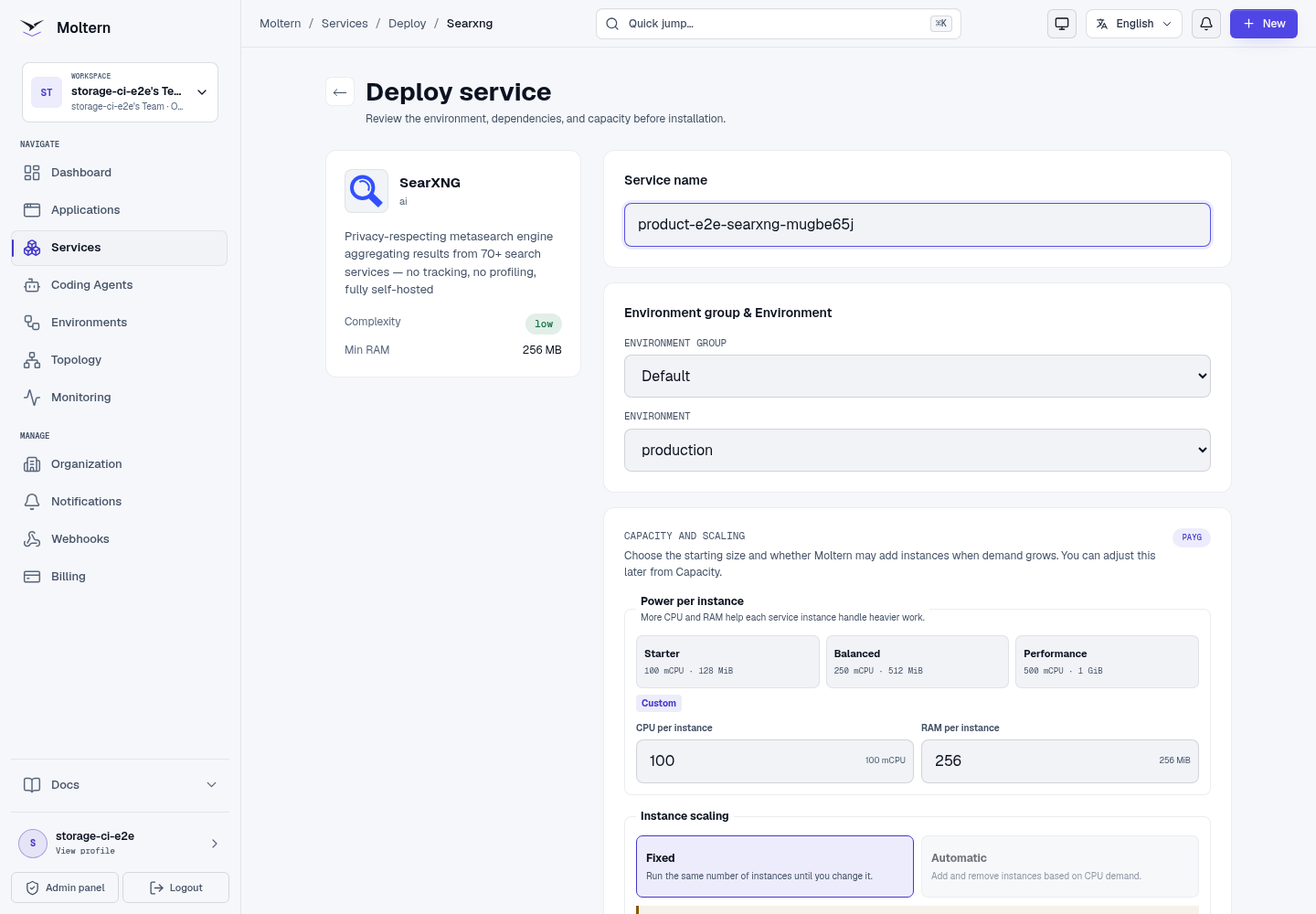
The install preview should show one workload, one instance and no dedicated volume. Automatic scaling is not certified for this catalog service, so use a fixed instance count and adjust its capacity when measured demand requires it.
Wait until Moltern reports Running, then open the generated URL.
Run a search
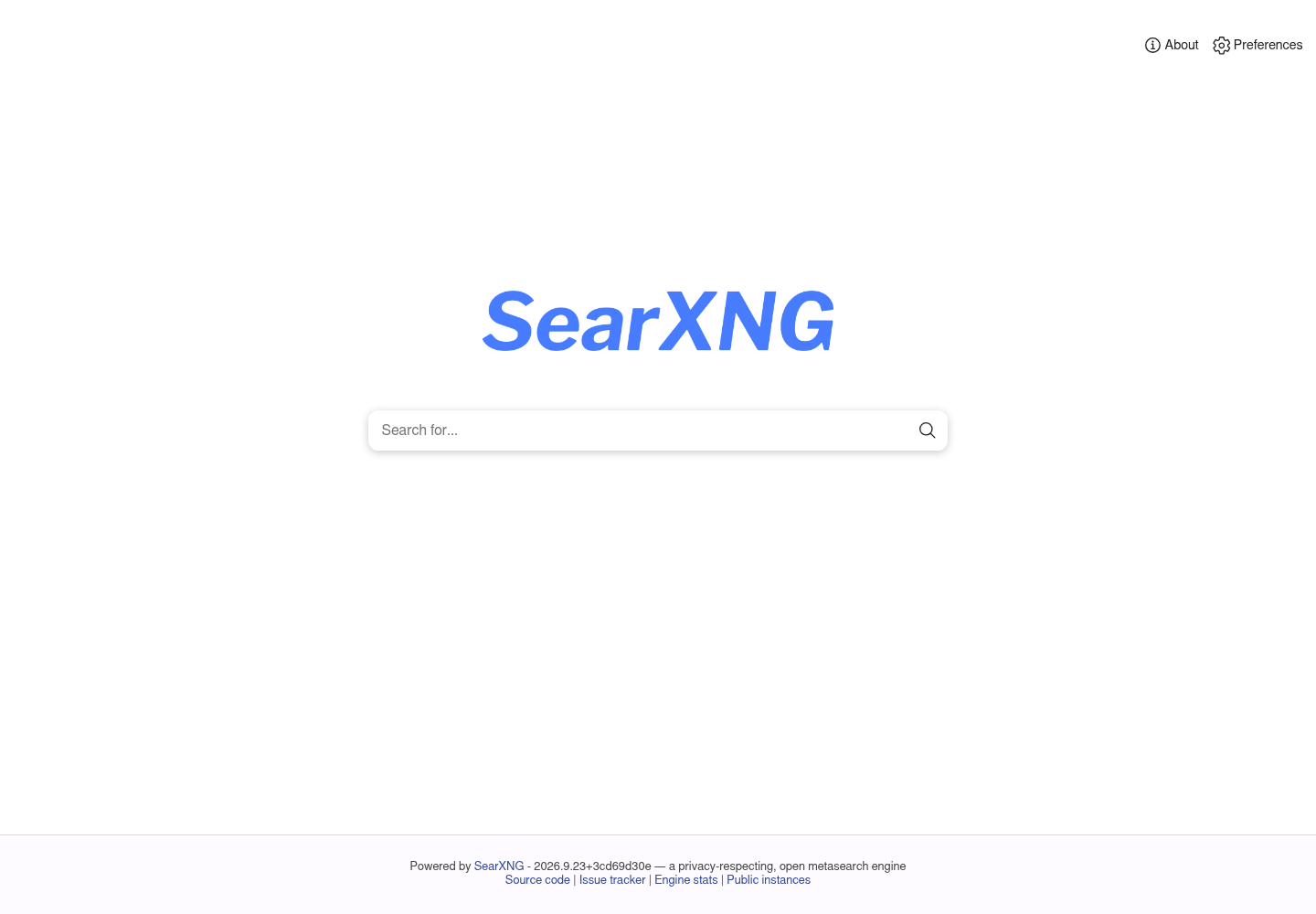
The first page contains the search field and links to SearXNG preferences and instance information.
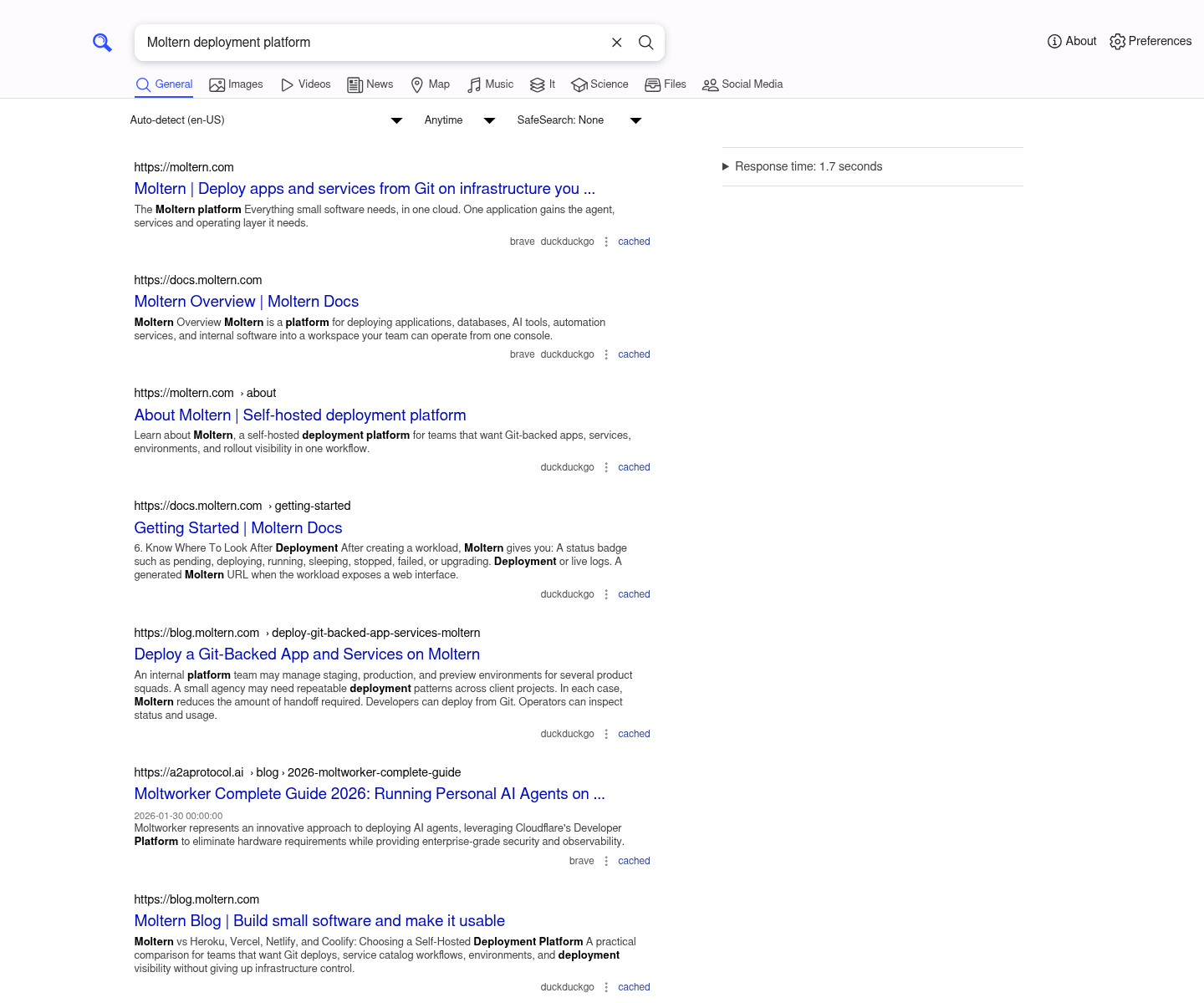
Enter a query and submit it. A working deployment should show result cards and the providers that contributed each result. A page that loads but always says No results is not healthy enough for production use; inspect the service logs because the upstream providers may be unreachable.
Use Preferences to choose engines, language, result categories, safe-search behavior and appearance. Those settings are browser-specific unless you manage a custom SearXNG configuration outside the current catalog defaults.
Network behavior
SearXNG needs outbound HTTP and HTTPS access because it queries public search providers. Moltern permits that public web traffic while keeping private team and platform addresses outside the service's search path.
This boundary supports normal metasearch. It does not guarantee that every provider will answer every query: upstream rate limits, bot protection and provider outages can still reduce a result set.
Stop and start
Use Stop service when the instance should not consume runtime capacity, and Start service to return it to service. The generated URL becomes available again after the status returns to Running.
The production test stopped the runtime, started a replacement and repeated the same search. The replacement returned 54 visible result cards, matching the pre-stop product check.

Because the service is stateless, stopping it does not preserve server-side custom configuration or files. Browser-cookie preferences are unaffected.
Capacity and metering
The certified baseline used one instance with 100 mCPU and 256 MiB of memory.
Moltern's workload-usage view reported those values and 0 GiB of reserved
storage. Increase capacity if concurrent searches become slow or the runtime
restarts because of memory pressure.
Point-in-time allocation and cleanup accounting passed. Long-duration load, invoice proration and multi-replica availability were not part of this service test.
Delete SearXNG
Choose Delete Service, review the protected confirmation and remove the service. Moltern removes the runtime, generated route, service record and active CPU, memory and replica allocation. There is no SearXNG data volume to retain.
Troubleshooting
| Symptom | What to check |
|---|---|
| The URL returns a temporary unavailable page | Wait for Running, then retry. Review Live Logs if startup does not complete. |
| The page loads but shows no results | Check Live Logs for provider timeouts. Verify that the deployment uses the current catalog release with public search access. |
| Only some providers return results | Review SearXNG engine status and preferences. Providers can rate-limit or block automated queries independently. |
| A search is slow | Compare several queries, inspect provider response time and increase service capacity if the runtime is constrained. |
| Preferences disappeared | Confirm that the same browser profile and cookies are in use; the current service has no server-side persistence. |
| The URL still appears after deletion | Refresh the Services page. If the service remains visible after cleanup finishes, contact support with the service name. |
Validation record
Jenkins production E2E build 165 deployed the service through the Moltern UI, returned 54 results for a controlled query, verified the 100 mCPU/256 MiB allocation, completed stop/start recovery, repeated the query and removed the service plus its active allocation. The screenshots above were captured during that run and contain no credentials.
The validation did not cover sustained load, provider-specific credentials,
custom settings.yml, high availability or private-network search targets.