LiteLLM
LiteLLM is an LLM gateway with an OpenAI-compatible API. Use it to place one endpoint in front of multiple model providers, issue virtual keys and apply budgets or rate limits without giving every application a provider credential.
Moltern deploys the gateway, creates its required PostgreSQL service, provides a live HTTPS address and keeps the gateway's configuration across runtime replacement.
Before You Start
You need:
- a Moltern workspace and environment;
- permission to create services;
- at least
300 mCPUand approximately768 MiBof available memory for the gateway and its initial database baseline; - a strong master key beginning with
sk-; - credentials for each model provider you intend to configure.
The master key is the root gateway credential. It signs in to the Admin UI and can perform management API operations. Store it in your organisation's password manager and issue virtual keys to applications instead of sharing it.
Deploy LiteLLM
- Open Services and select LiteLLM.
- Enter a unique service name.
- Select the project and environment that should own the gateway.
- Keep the validated starting capacity or choose a larger fixed size.
- Enter a master key beginning with
sk-. - Select Preview deploy.
- Review the required Database dependency.
- Choose a compatible PostgreSQL service already in the environment, or let Moltern create a new one.
- Confirm that the preview shows the gateway and database workloads.
- Select Confirm deploy and wait for Running.
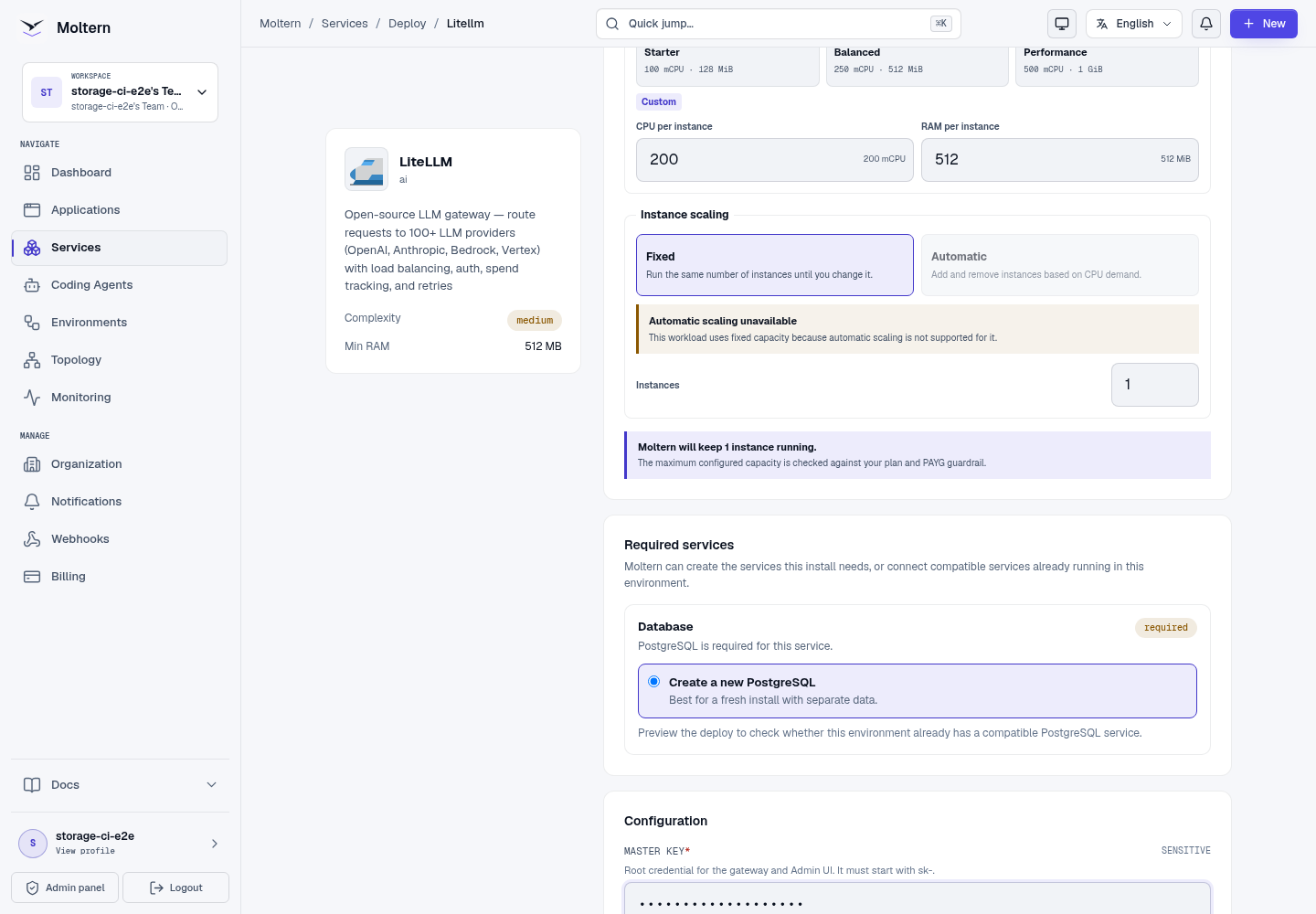
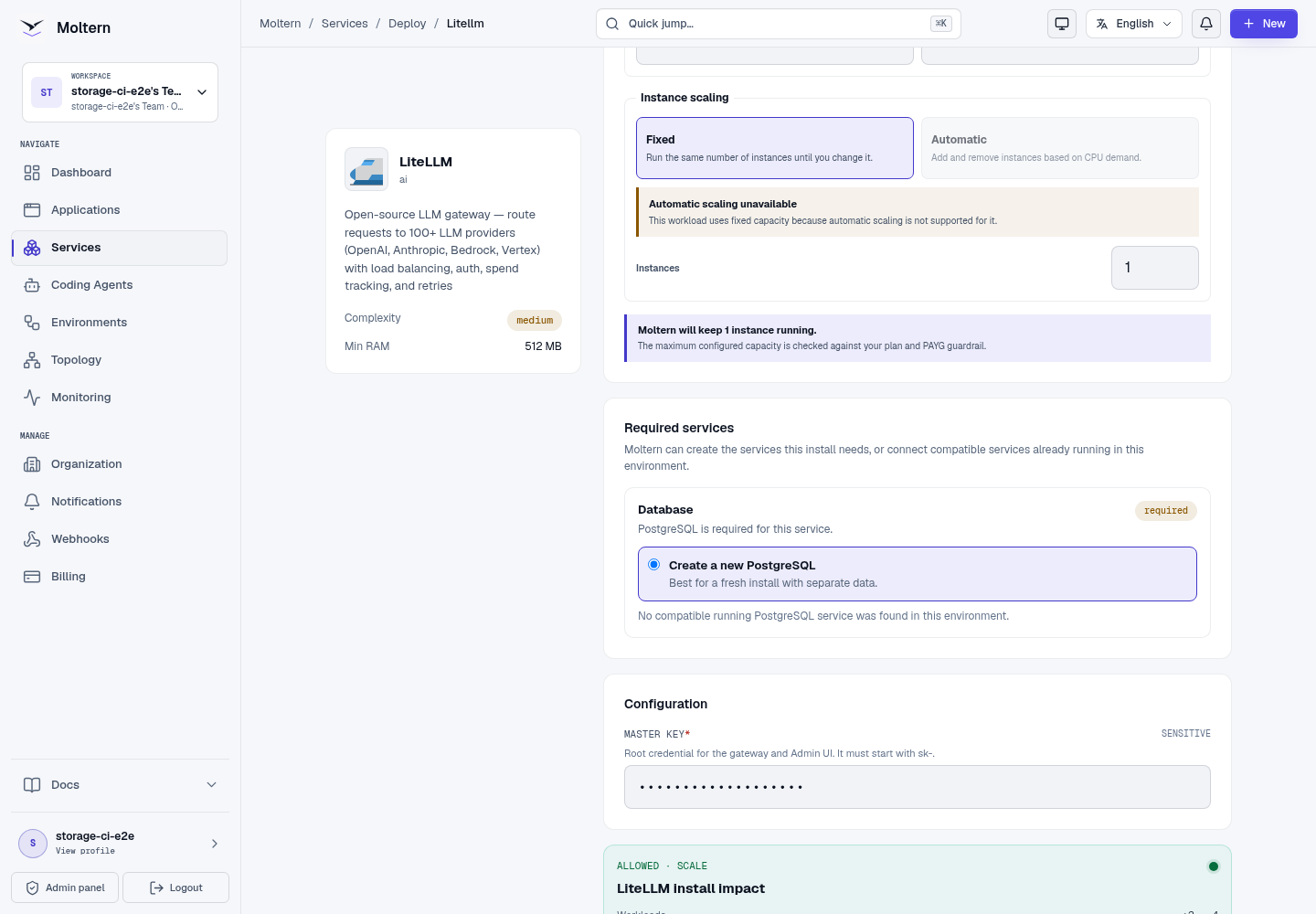
The generated PostgreSQL service is managed with LiteLLM. Delete the parent service when you want Moltern to remove the complete managed stack.
Open The Gateway
The main public address opens LiteLLM's API reference. Open /ui on the same
address for the Admin UI.
Sign in with:
- Username:
admin - Password: the master key configured during deployment
Do not use the master key in browser applications, shared scripts or customer workloads. Create a virtual key for each workload or trust boundary.
Add A Model Provider
LiteLLM starts without a provider model. In the Admin UI:
- Open Models + Endpoints.
- Select Add Model.
- Choose the provider and model identifier.
- Add the provider credential and required endpoint settings.
- Give the deployment a stable model name that clients can request.
- Save the model and confirm that it appears in the model list.
Provider credentials entered in LiteLLM are application-level secrets. Limit access to the Admin UI and rotate a credential immediately if it is exposed.
Create A Virtual Key
- Open Virtual Keys.
- Select Create New Key.
- Enter a descriptive alias for the application or team.
- Restrict the key to the required models when appropriate.
- Add budget, request-rate or token-rate limits where needed.
- Create the key and store the full value immediately. LiteLLM masks it after creation.
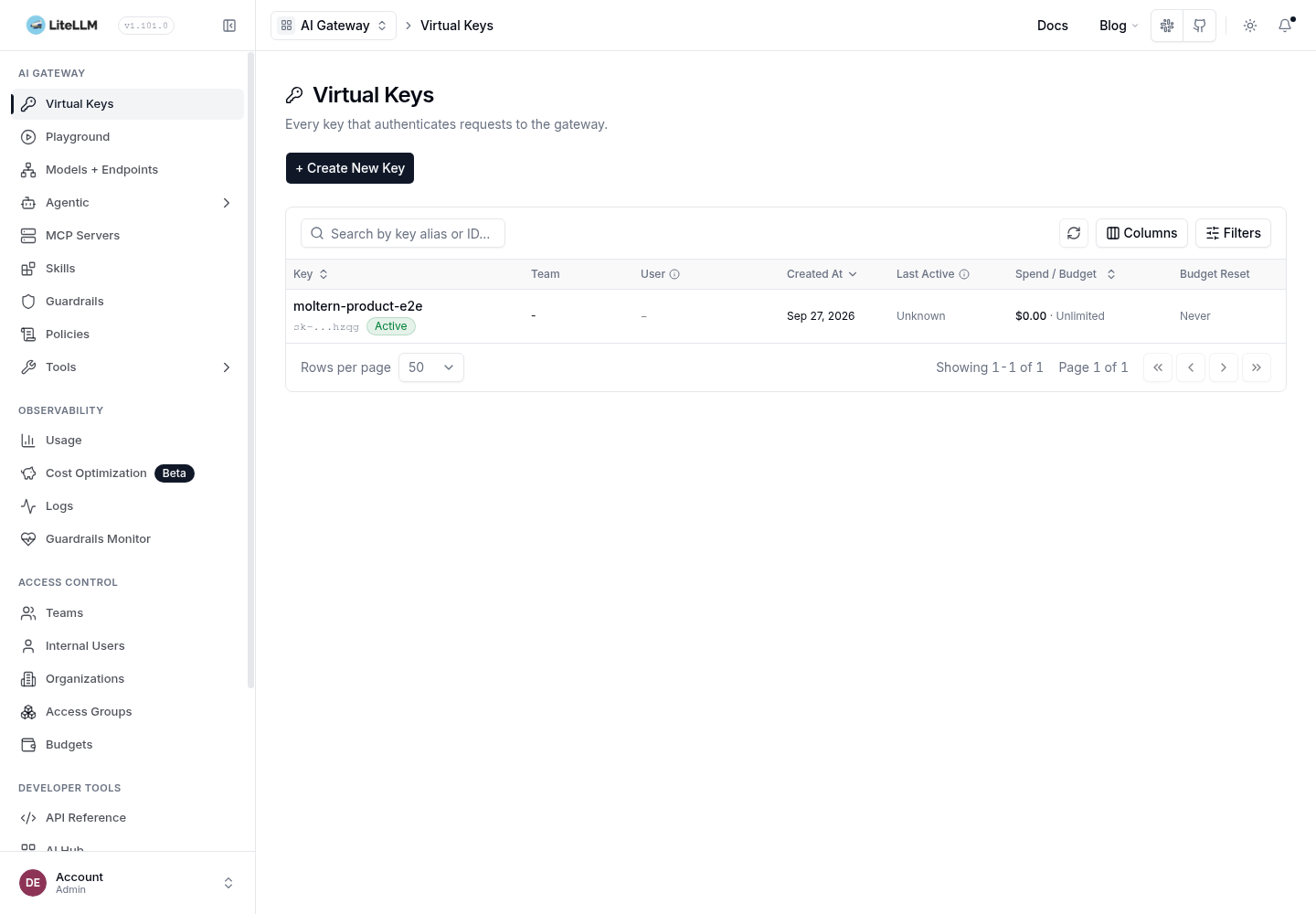
Prefer one key per application. Separate keys make rotation, revocation, usage review and incident response clearer.
Connect An Application
Use the generated LiteLLM URL as the OpenAI-compatible base URL and the virtual key as a bearer token. The model value must match a model name configured in LiteLLM.
curl --fail --silent --show-error \
  --request POST \
  --url "https://your-gateway.example/v1/chat/completions" \
  --header "Authorization: Bearer $LITELLM_VIRTUAL_KEY" \
  --header 'Content-Type: application/json' \
  --data '{
    "model": "your-model-name",
    "messages": [{"role": "user", "content": "Reply with OK"}]
  }'
Applications should receive the virtual key through protected configuration, not source control. Confirm the key can access only the models and management routes it needs.
Storage And Persistence
LiteLLM itself does not request a dedicated storage volume. Its models, virtual keys, teams, budgets and gateway records are stored in the connected PostgreSQL service.
During production validation, Moltern stopped the gateway, created a replacement
runtime and opened the Admin UI again. The named virtual key remained visible
and continued to authenticate against /v1/models after replacement.
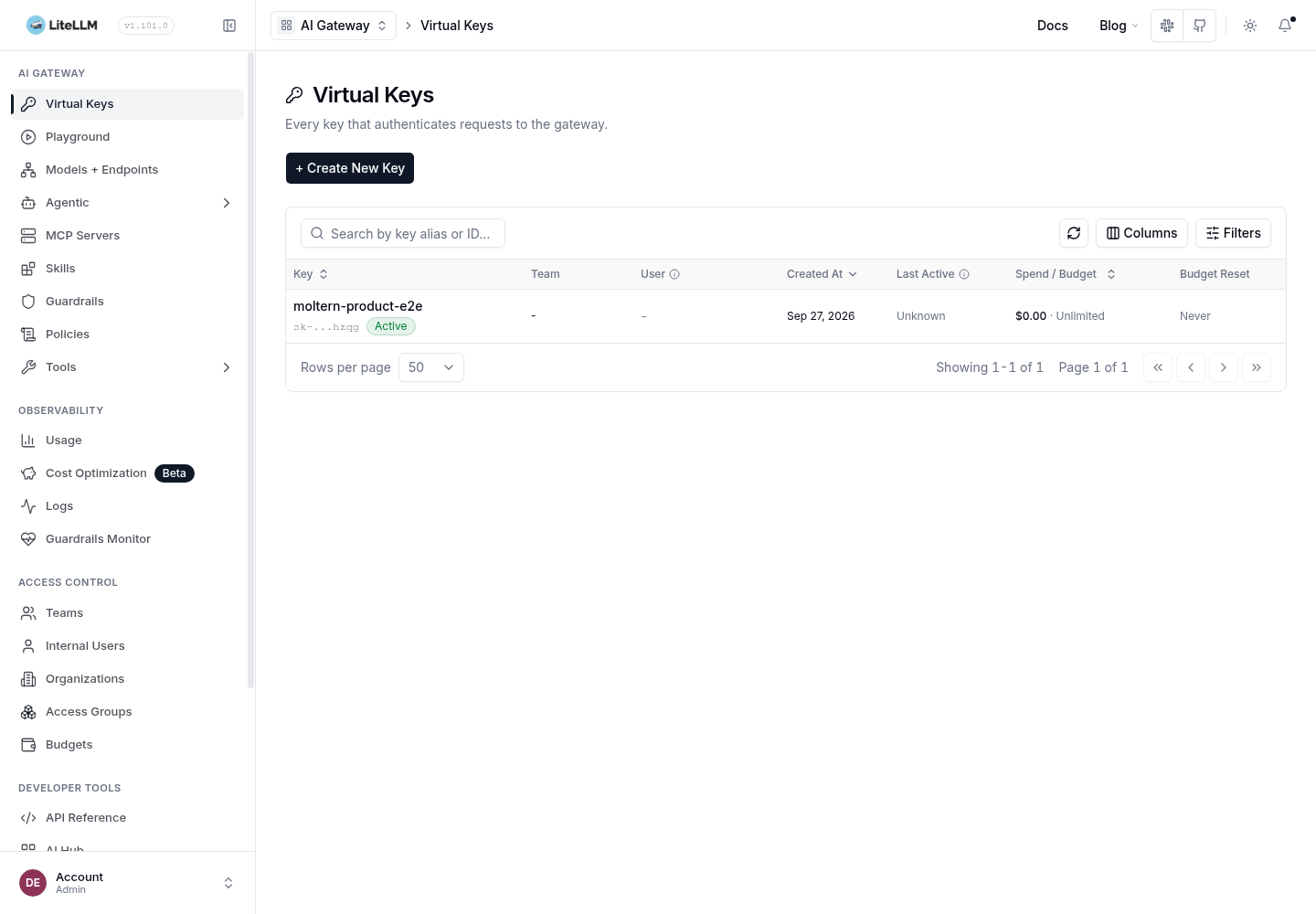
Runtime replacement is not an independent backup restore. Follow your organisation's database backup and recovery policy for configuration that cannot be recreated.
Capacity And Metering
The validated gateway baseline is:
| Workload | CPU request | Memory request | Instances |
|---|---|---|---|
| LiteLLM | 200 mCPU | 512 MiB | 1 |
The production usage API reported one LiteLLM instance at exactly 200 mCPU
and 512 MiB. The gateway has no assigned data path, so its storage value is
zero. PostgreSQL capacity and storage are metered under the database workload.
Increase memory or CPU after measuring concurrent requests, provider latency, logging and policy overhead. A single successful request is not a load test.
Operate LiteLLM
Use the Moltern service page for:
- Overview to open the API reference and inspect deployment state;
- Live Logs to diagnose migrations, provider errors and rejected requests;
- Capacity to adjust the gateway's CPU and memory;
- Settings to review service configuration and protected credentials;
- Stop service and Start service to replace the gateway runtime without deleting its PostgreSQL state.
Use LiteLLM's Admin UI for providers, models, virtual keys, teams, budgets and gateway-level usage. Test a key after changing its model or route permissions.
Delete LiteLLM
- Export any configuration or usage data your organisation must retain.
- Revoke or remove client references to the gateway's virtual keys.
- Open the LiteLLM service and select Delete Service.
- Select Delete stored data only when the managed database may also be removed.
- Complete the protected account confirmation.
- Confirm the gateway, managed dependency and public address are gone.
Protected deletion was validated to remove the parent service, its managed PostgreSQL dependency and the retained accounting allocation.
Troubleshooting
| Symptom | What to check |
|---|---|
| Deployment waits at required services | Confirm the PostgreSQL dependency reaches Running before retrying. Do not submit duplicate installs. |
| Admin UI rejects the password | Use admin as the username and the configured master key as the password. The key must begin with sk-. |
/v1/models returns an empty list | Add and save at least one model deployment in Models + Endpoints. |
A virtual key receives 401 | Confirm the full key was stored when created, is active and is sent as Authorization: Bearer <key>. |
| A key cannot access a model | Review the key, team and model restrictions in the Admin UI. |
| Provider requests fail | Review Live Logs, then verify the provider credential, model identifier and endpoint configuration. |
| Admin data disappears after restart | Check the PostgreSQL dependency and migration logs before creating replacement keys. |
| Requests are slow or queue | Measure provider latency and concurrency, then adjust capacity and key limits deliberately. |
Frequently Asked Questions
Does LiteLLM include a language model?
No. It routes requests to model providers that you configure.
Should applications use the master key?
No. The master key is an administrative credential. Create scoped virtual keys for applications, agents and teams.
Can I reuse an existing PostgreSQL service?
Yes, when it is compatible and available in the same environment. Review the deployment preview before confirming the connection.
Will Stop service delete keys and models?
No. Stop removes the active gateway runtime. The connected PostgreSQL service retains LiteLLM's control data.
Validated Scope
The current production E2E covers UI deployment, managed PostgreSQL creation,
protected administrator login, named virtual-key generation, authenticated
/v1/models access, key visibility after runtime replacement, point-in-time
CPU/memory/replica metering and protected parent/dependency cleanup.
The test intentionally started with no provider models, so it returned an empty model list and did not certify provider inference, spend accuracy, budget enforcement, rate limits, teams, high availability, concurrent load, database backup restoration or final invoice reconciliation.