PrivateGPT
PrivateGPT provides an API and browser workbench for private AI applications and document-assisted conversations. Moltern deploys the protected workbench, persists its assigned data and lets it connect to a private Ollama service in the same environment.
Private deployment does not remove the need for access controls, retention rules and careful model selection. Treat imported documents and generated answers according to their business sensitivity.
The current PrivateGPT workbench identifies itself as Not for Production. Use this catalog profile for controlled evaluation and internal experiments, then complete your own security, recovery, load and release review before placing business-critical data or workflows on it.
Before You Start
You need:
- a Moltern workspace and environment;
- permission to create services and private connections;
- an API username and strong password;
- at least
200 mCPUand1 GiBof available runtime capacity; - workspace storage for collections, indexes and imported documents;
- a private Ollama service with a downloaded compatible model.
Store the PrivateGPT credential in your organisation's password manager. It is used by both the API and browser workbench and is separate from your Moltern identity.
Deploy PrivateGPT
- Open Services and select PrivateGPT.
- Enter a unique service name.
- Select the project and environment.
- Review the initial CPU and memory values.
- Enter the API username and password.
- Select Preview deploy.
- Review the workload and storage impact.
- Select Confirm deploy and wait for Running.
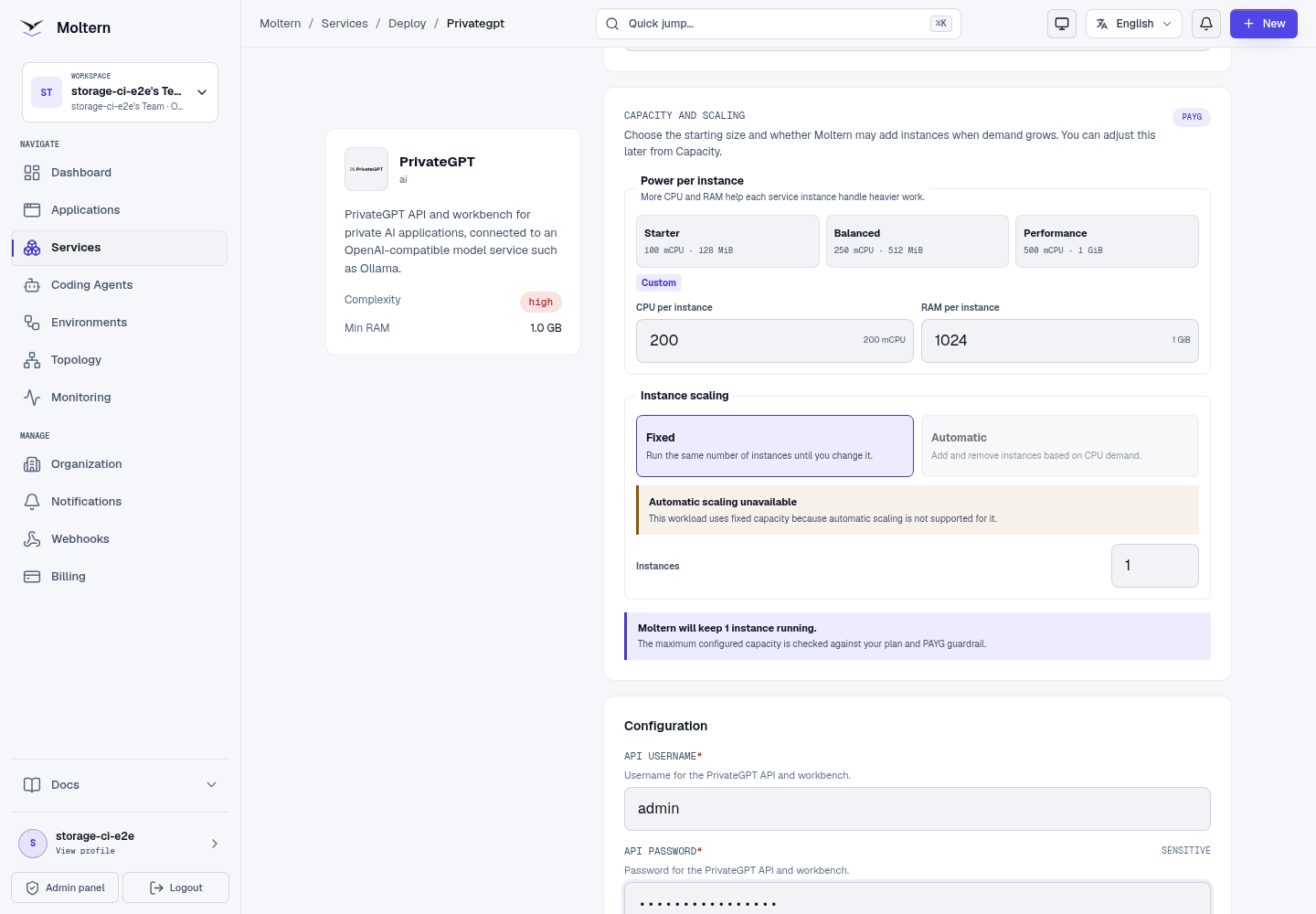
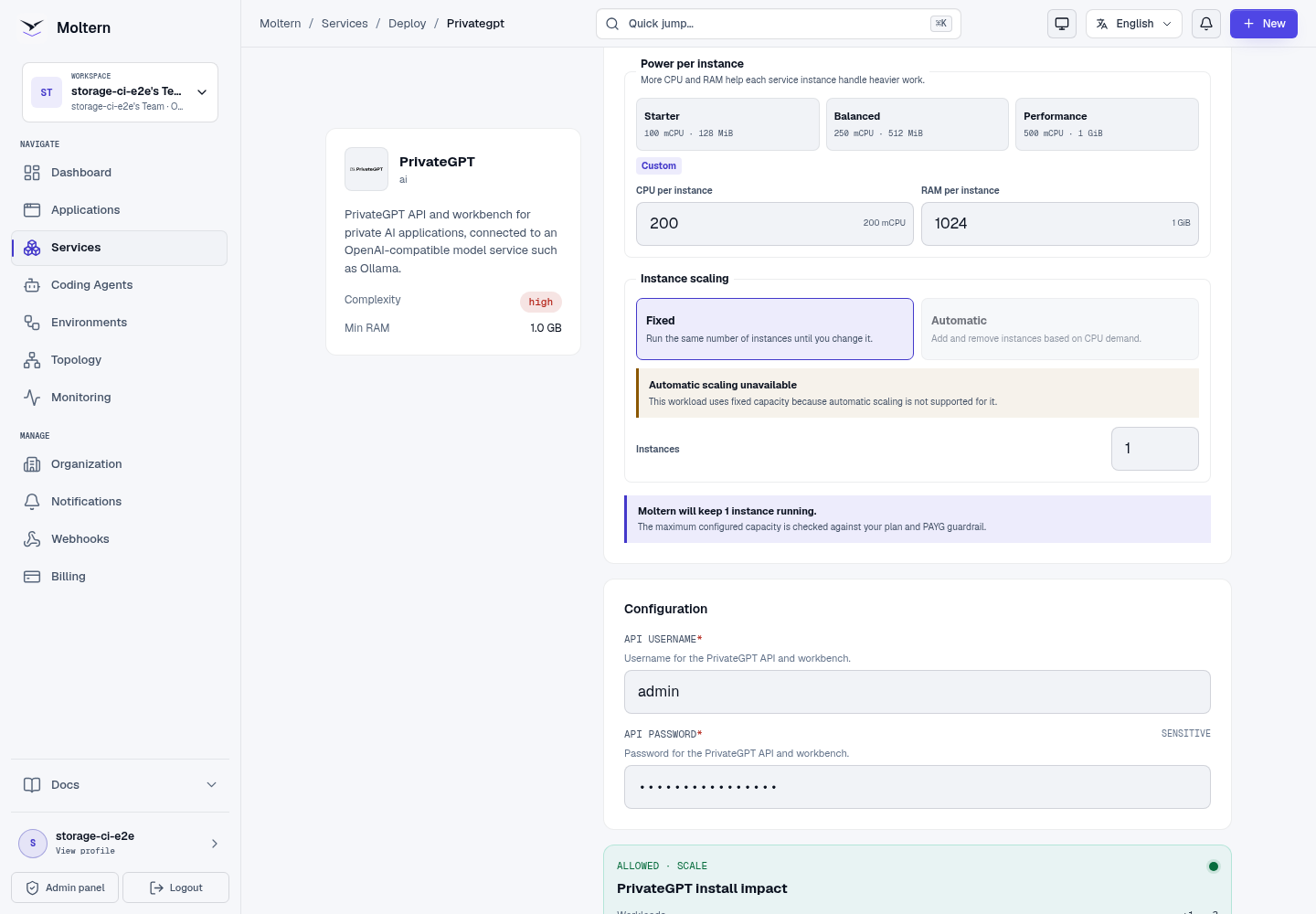
This profile has no managed model dependency. Deploy Ollama separately, pull a compatible model and then grant PrivateGPT an explicit private connection.
Connect Private Ollama
Deploy Ollama in the same environment and pull a model before creating the connection.
- Open PrivateGPT in Moltern.
- Open Access or Private service connections.
- Select Connect service.
- Choose the Ollama service.
- Confirm the connection.
- Wait for PrivateGPT to return to Running.
The connection grants only this PrivateGPT workload access to the selected Ollama service. It does not publish Ollama or grant access to other workloads.
Configure The Workbench
- Select Open service from the PrivateGPT page.
- Confirm the generated address redirects from
/to the/uiworkbench. - Enter the PrivateGPT service address in the onboarding form.
- Expand authentication and enter the API username and password.
- Choose a collection name.
- Select Check connection.
- Finish onboarding after the workbench confirms API access.
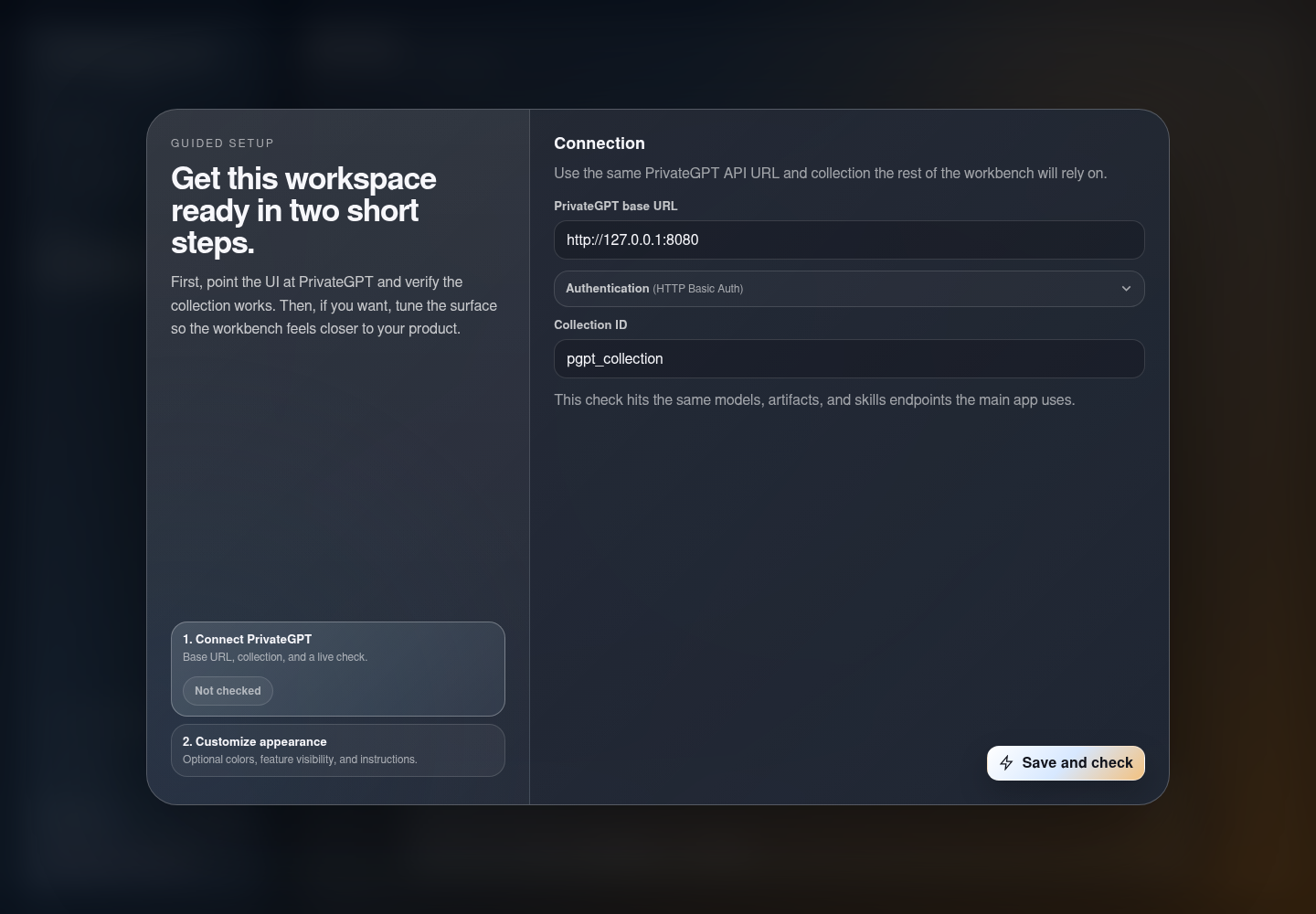
The service address alone does not authorize API access. Keep the credential protected and rotate it if it is exposed.
Verify Private Inference
- Confirm the model list contains a model from the attached Ollama service.
- Start a new workbench conversation.
- Send a small controlled prompt.
- Confirm a visible assistant response appears.
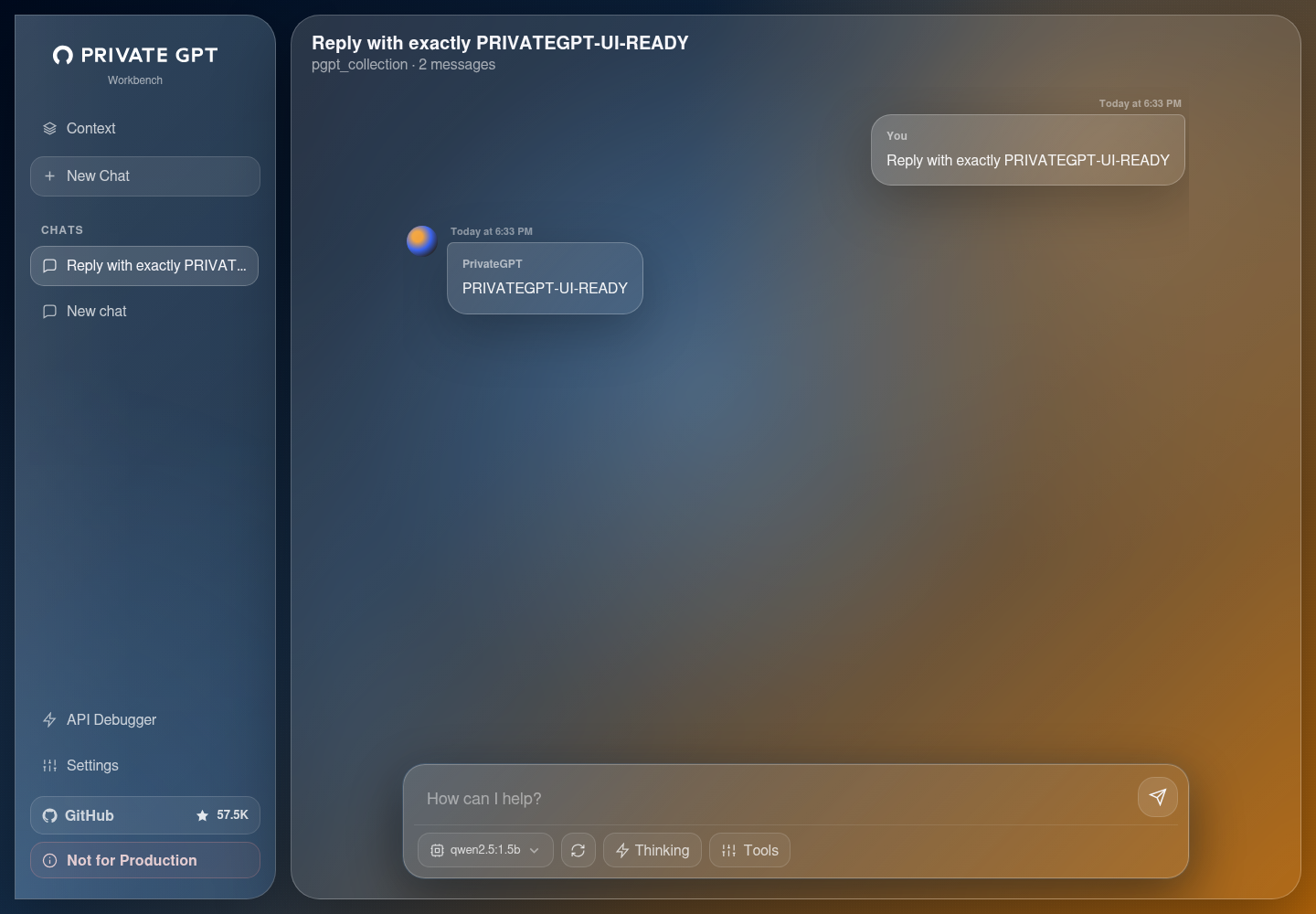
Model discovery is not a complete test. A real prompt must return a visible response. The first prompt can be slower while Ollama loads model weights.
Work With Documents
Before importing business data:
- create a collection for one defined purpose;
- start with a small representative document;
- confirm the parsed content and retrieval result;
- verify answers include enough evidence for the intended workflow;
- define retention and deletion ownership;
- validate export or recovery procedures.
Do not assume a fluent answer is correct. Evaluate retrieval quality with a controlled question whose answer is present in the source. Review how the selected PrivateGPT release handles chunking, embeddings and citations before using it for decisions.
The current production E2E certifies the protected workbench and attached-model inference. Document ingestion, citation quality and restore are not yet part of that release gate.
API Access
Use the same protected credential for an approved application or agent that needs the PrivateGPT API. Grant the workload an explicit connection and avoid placing credentials in source code, frontend bundles or prompts.
For each integration:
- use the private service address available to the authorised workload;
- test model discovery before sending messages;
- set request timeouts appropriate for local inference;
- handle non-success responses without logging secrets or source documents;
- remove the connection when the integration is retired.
Data And Persistence
PrivateGPT stores its local workbench state, collections and supported document artifacts in its assigned workspace path. The runtime sees only that service path, not the complete team filespace.
Moltern does not request a separate cloud disk for this profile. Storage usage is measured under the PrivateGPT workload.
Production validation performs Stop service and Start service, repeats workbench authentication and requires a second visible response from the attached model.
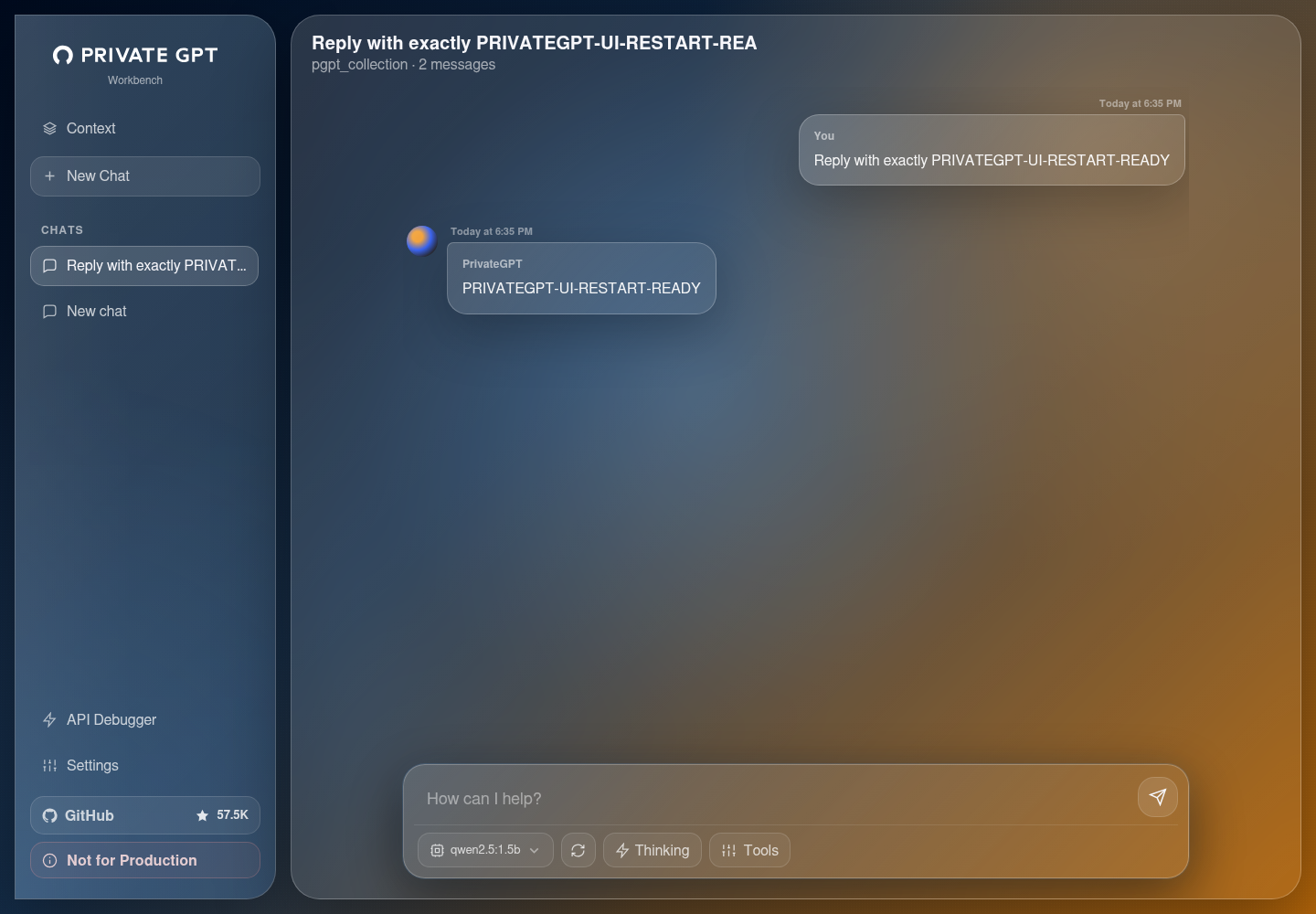
Stop/Start is a runtime replacement test, not an independent backup restore.
Capacity And Metering
The validated baseline is:
| Resource | Validated value |
|---|---|
| Instances | 1 |
| CPU request | 200 mCPU |
| Memory request | 1,024 MiB |
| Dedicated volume | 0 GiB |
PrivateGPT storage and Ollama model storage are measured separately. Review both workloads when estimating complete cost.
Increase PrivateGPT capacity for document parsing, indexing or API pressure. Increase Ollama capacity for model loading and inference pressure.
Operate PrivateGPT
Use the Moltern service page for:
- Overview to open the workbench and review health;
- Live Logs to diagnose API, indexing and provider failures;
- Capacity to adjust CPU and memory;
- Access to add or revoke private service connections;
- Settings to review protected configuration;
- Stop service and Start service to replace the runtime without deleting workspace data.
Delete PrivateGPT
- Export documents, indexes or evidence that must be retained.
- Remove approved application and agent connections.
- Open the PrivateGPT service in Moltern.
- Select Delete Service.
- Select Delete stored data only when the service path may be removed.
- Complete protected confirmation.
- Confirm the service, address, assigned path and active allocation are gone.
Deleting PrivateGPT does not delete a separately created Ollama service.
Frequently Asked Questions
Does PrivateGPT include an AI model?
No. Attach a private Ollama service containing a compatible model before using the workbench for inference.
Is a document private just because PrivateGPT is self-hosted?
Not automatically. Limit workspace membership, service attachments and credentials, and define retention and deletion rules for imported content.
Does Stop/Start prove document recovery?
No. It proves supported state survives runtime replacement. Test a separate export and restore process before relying on PrivateGPT for critical records.
Troubleshooting
| Symptom | What to check |
|---|---|
| Workbench connection check fails | Confirm the service address, API username and password. Verify the service is Running before retrying. |
| No models appear | Confirm Ollama is Running, contains a model and is connected in the same environment. Wait for rollout completion. |
| A model is visible but chat fails | Test the model directly in Ollama and review PrivateGPT and Ollama logs. Confirm it fits available memory. |
| First response is slow | Allow for cold model loading and compare a second prompt. Try a smaller model when necessary. |
| A document cannot be indexed | Check file support, parsing errors, workspace storage and embedding configuration for the installed release. |
| Retrieval answers ignore the source | Verify ingestion completed, inspect the collection and test a controlled question with an explicit source answer. |
| Data is missing after deletion | Delete stored data is destructive. Restore only from an independently tested export or backup. |
Validated Scope
The production customer E2E covers UI deployment, protected API/workbench access, private Ollama attachment, model discovery, direct completion, browser workbench onboarding, a visible assistant response, runtime replacement, post-restart inference, point-in-time metering and protected cleanup.
Document ingestion, retrieval quality, large collections, concurrent load, GPU behavior, high availability, independent restore and elapsed invoice reconciliation remain outside this validation.