LibreTranslate
LibreTranslate is an open-source machine translation service with a browser interface and a REST API. Use it when an application, automation or coding agent needs translation without sending text to a third-party translation API.
Moltern deploys the service, downloads a curated language-model set, publishes an HTTPS address, keeps the models in the workspace storage allocation and restores them when the runtime is replaced.
Before You Start
You need:
- a Moltern workspace and environment;
- permission to create services;
- at least
200 mCPUand1 GiBof available runtime capacity; - approximately
1.5 GiBof workspace storage for the initial model set; - an application-side plan for request limits and access control.
The current catalog profile loads Arabic, Chinese, English, French, German, Portuguese and Spanish. It installs 14 directional models so each configured language can translate through English where a direct pair is unavailable.
LibreTranslate does not require an account for its default web interface or API. Anyone who can reach the generated URL can submit translation requests. Do not use the public address for confidential text unless your organisation has added an appropriate access layer and reviewed the network path.
Deploy LibreTranslate
- Open Services in Moltern.
- Search for LibreTranslate and select it.
- Enter a unique service name.
- Choose the environment that should own the translator.
- Keep the validated starting size or choose a larger fixed size for heavier concurrent use.
- Select Preview deploy.
- Confirm that the preview shows one workload and no dedicated storage volume.
- Select Confirm deploy and wait for Running.
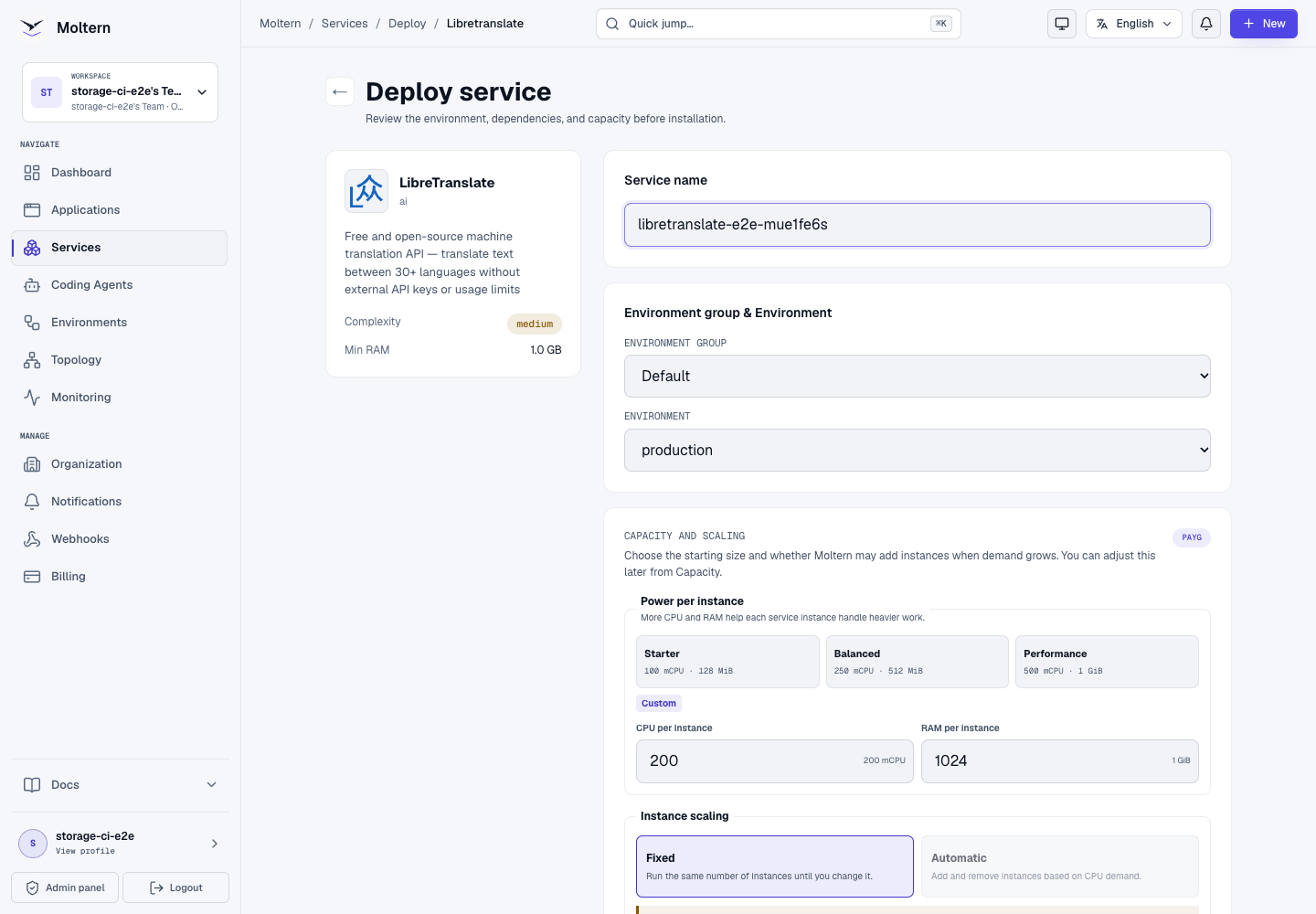
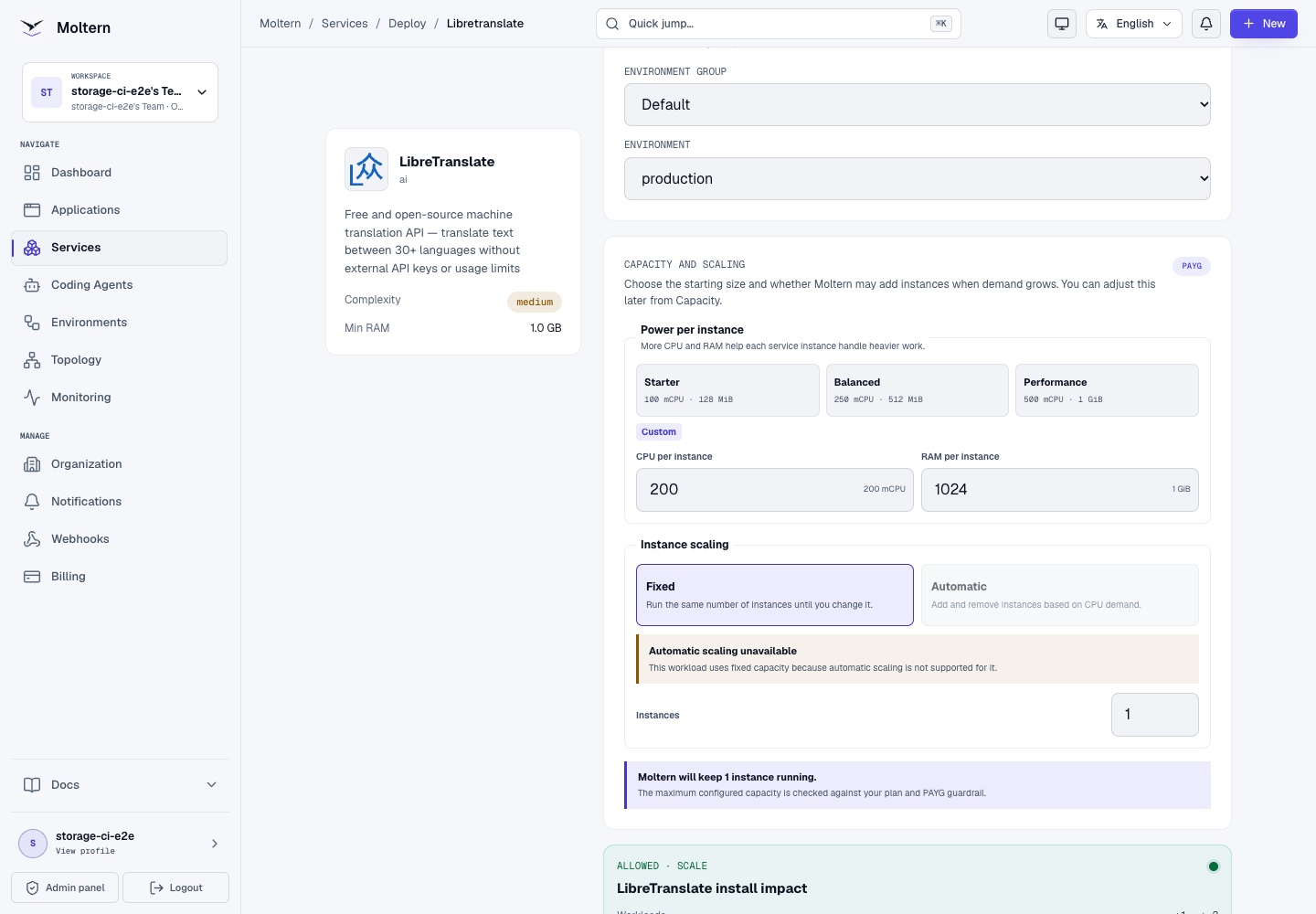
The first deployment downloads the configured translation models. This is a real initialization step and can take several minutes. Keep one installation active instead of submitting duplicate deployments. Live Logs shows model download and application startup progress.
When initialization finishes, the service Overview displays the generated URL, runtime size and current status.
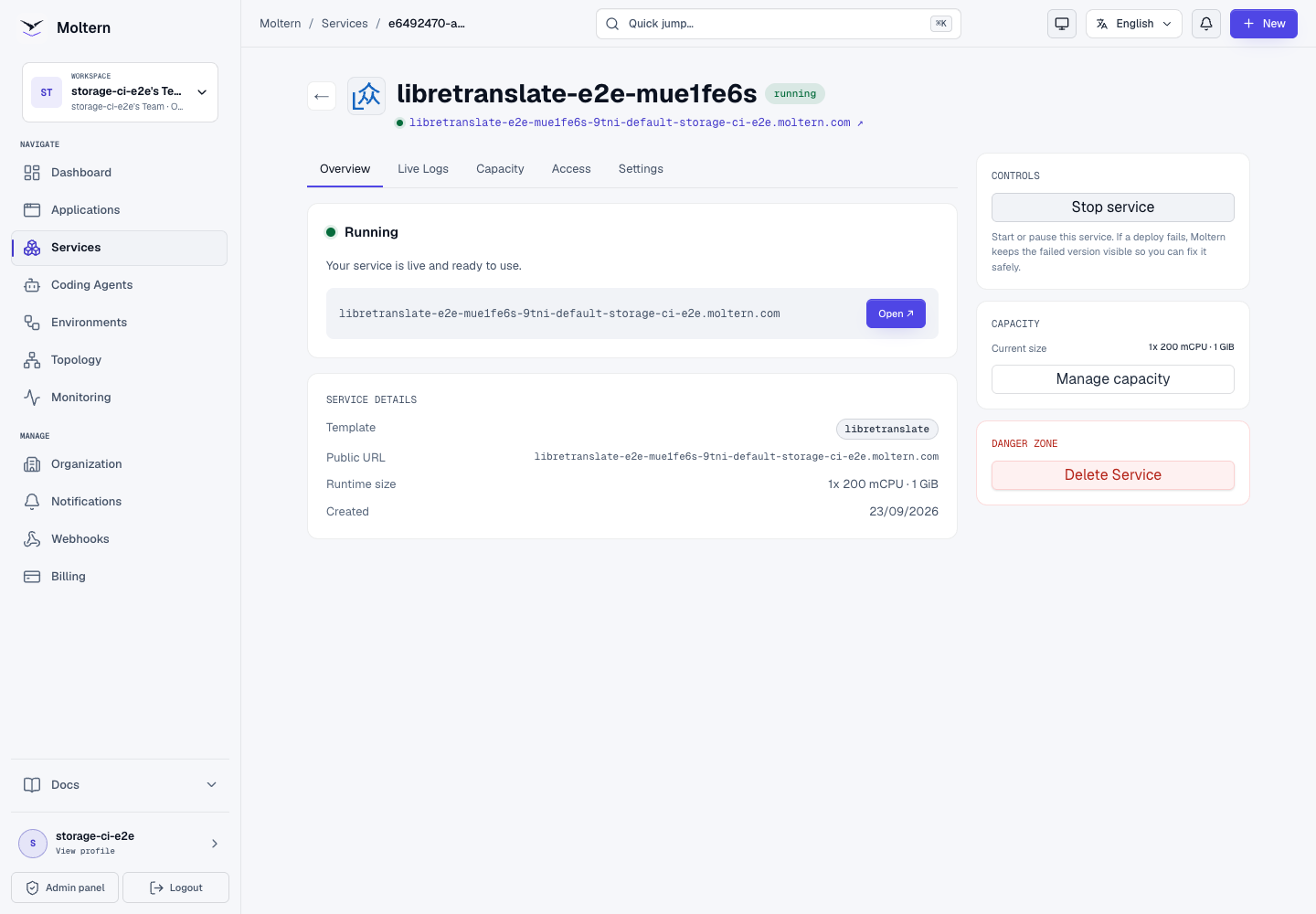
Translate Text In The Browser
- Open the service URL from the Overview.
- Choose the source language or keep Auto Detect.
- Choose the target language.
- Enter the text to translate.
- Wait for the translated text, then use Copy text when needed.
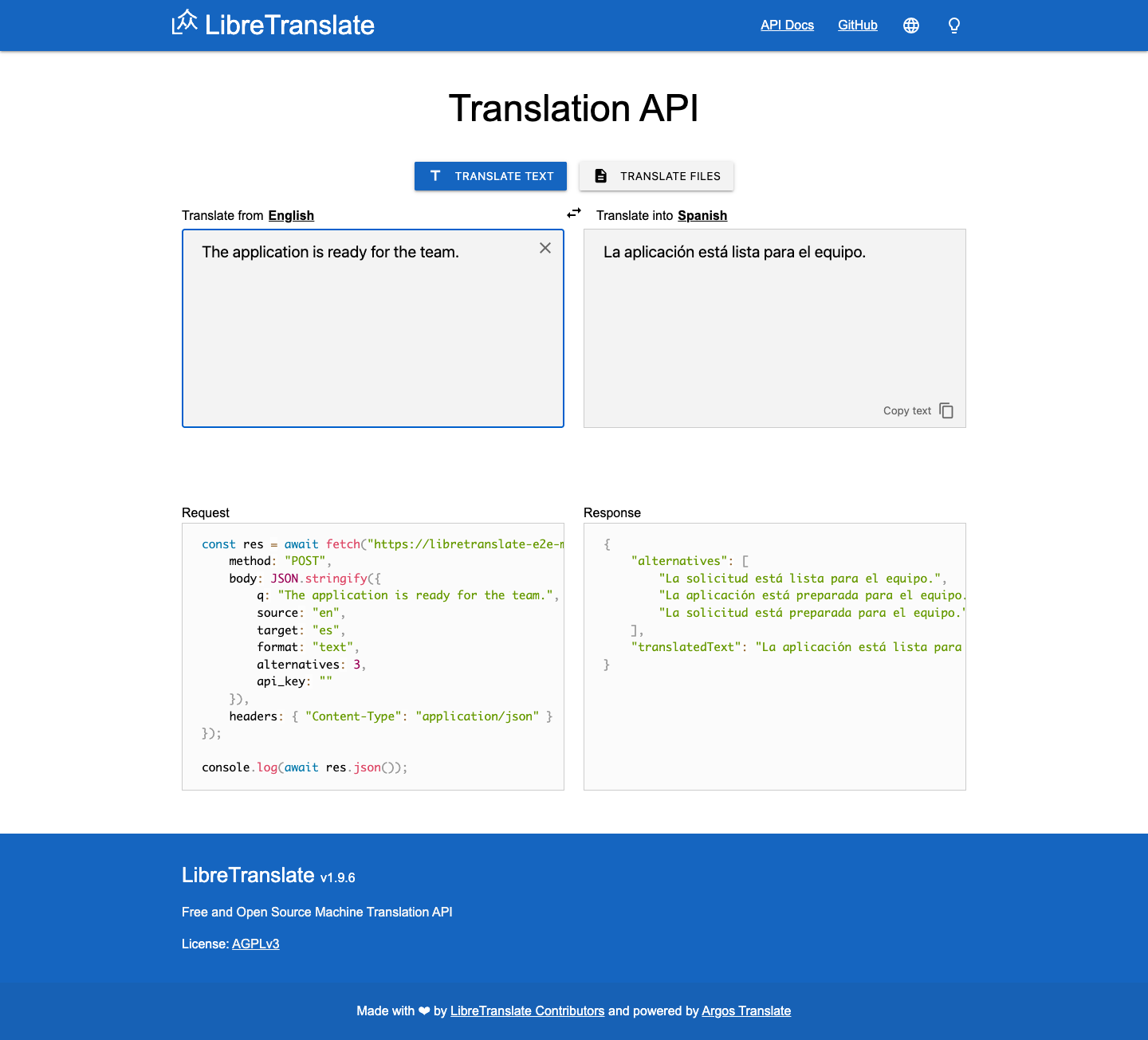
The browser uses the same REST API available to applications. A working page is not sufficient production validation: submit a controlled sentence and verify that the returned text is in the requested language.
Use The REST API
List the languages currently loaded by your deployment:
curl --fail --silent --show-error \
  "https://your-libretranslate-host.example.com/languages"
Translate text from English to Spanish:
curl --fail --silent --show-error \
  --request POST \
  --header 'Content-Type: application/json' \
  --data '{
    "q": "The application is ready for the team.",
    "source": "en",
    "target": "es",
    "format": "text"
  }' \
  "https://your-libretranslate-host.example.com/translate"
The response contains a translatedText field:
{
  "translatedText": "La aplicación está lista para el equipo."
}
Treat non-2xx responses, missing translatedText values and unchanged output
as application errors. Set client timeouts because translation latency depends
on text length, language path and available CPU.
Connect Applications And Agents
Use the generated HTTPS URL as the LibreTranslate base URL. An application can
call /languages, /translate and the other endpoints documented by the
service's API Docs link.
When a Moltern application or coding agent needs private workload access, grant only the specific LibreTranslate connection from that workload's Access settings. Removing the attachment should also remove the injected connection context. The current LibreTranslate E2E validates the public REST endpoint; a full coding-agent grant/revoke test is still pending.
Do not place sensitive text, credentials or customer records in prompts merely to test connectivity. Use controlled fixture text first.
Storage And Model Persistence
Moltern stores the downloaded language models in the service's assigned path inside the workspace storage allocation. The runtime receives only that path, not a mount of the workspace storage root. A separate negative sibling-path probe is still required before cross-workload storage isolation is certified.
The deployment does not create a service-specific cloud disk. The validated runtime mounted one assigned service path and the workspace retained its single shared storage claim.
During production validation, Stop service removed the runtime and Start
service created a replacement pod. The model directory remained exactly
1,585,616,386 bytes and its model-index checksum was unchanged. Startup reused
the stored models instead of downloading them again, and a French translation
succeeded after the replacement.
A successful runtime replacement is not a backup test. Keep an independent recovery plan when custom models or other irreplaceable data are added.
Capacity And Metering
The validated starting reservation is:
| CPU | Memory | Instances | Initial measured model storage |
|---|---|---|---|
| 200 mCPU | 1 GiB | 1 | 1,585,616,386 bytes |
The production usage API matched the direct model-directory measurement at the same collection point. Storage can increase when additional language models are installed. CPU and response time increase with concurrent requests and longer text.
LibreTranslate currently uses one fixed instance in the catalog. Review Billing before adding models or increasing capacity. Elapsed-time invoice and proration reconciliation remain part of the wider metering validation and are not certified by this single storage sample.
Operate LibreTranslate In Moltern
Use the service page for:
- Overview to open the translator and review its current state;
- Live Logs to follow model downloads and investigate failed requests;
- Capacity to change the fixed CPU and memory reservation;
- Access to manage approved workload connections;
- Settings to manage supported service variables;
- Stop service and Start service to replace the runtime without deleting downloaded models.
After any runtime or model change, test both /languages and a real translation.
An HTTP 200 from the homepage alone does not prove that the translation models
loaded correctly.
Delete LibreTranslate
- Export any custom configuration or model artifacts that must be retained.
- Open the LibreTranslate service in Moltern.
- Select Delete Service.
- Select Delete stored data only when the downloaded model path may be removed.
- Complete the protected account confirmation.
Deleting stored data removes only this service's assigned path. It must not remove the workspace storage claim or data assigned to another application, service or coding agent.
Troubleshooting
| Symptom | What to check |
|---|---|
| The first deployment remains in progress | Open Live Logs and look for language-model download progress. Do not start a duplicate install. |
| The page opens but translation fails | Call /languages, confirm the requested source and target are loaded, then inspect Live Logs for model or memory errors. |
| A language is missing | The catalog loads a curated set. Adding languages increases download time, memory and storage and should be tested before production use. |
| Startup repeatedly downloads models | Confirm that the service is using its assigned workspace path and that Delete stored data was not selected. |
| Requests are slow | Reduce request size or concurrency, then review CPU and memory in Capacity. Measure before increasing the reservation. |
| Unexpected clients use the API | Stop the service if necessary, review access logs, and put an approved authentication or network access layer in front of the public endpoint. |
| The browser works but an application does not | Verify the exact HTTPS base URL, request payload, timeout and client-side CORS behavior. Test the same payload with curl. |
Frequently Asked Questions
Does LibreTranslate send text to an external translation provider?
No. Translation runs with the models loaded by this deployment. The first boot does require outbound access to download those models.
Why does the first deployment take longer than a restart?
The first boot downloads and prepares the configured models. Later runtime replacements reuse the persisted model cache.
Is an API key required?
Not by the current default Moltern catalog profile. The generated endpoint is therefore not suitable for unrestricted exposure without additional access and abuse controls.
Can I install every LibreTranslate language?
The upstream project supports more combinations than the curated Moltern profile. Each added model consumes storage and memory and extends cold-start time, so validate the exact set your workload needs.
Will Stop service delete the downloaded models?
No. Stop removes the active runtime. Delete stored data is the destructive operation for the assigned service path.
Validated Scope
The current Moltern E2E covers deployment through the production UI, impact preview, exact image pinning, public web UI, real English-to-Spanish and English-to-French translations, language discovery, model download egress, non-root runtime controls, absence of a service-account token, shared-filespace model persistence, pod replacement, exact point-in-time storage metering and protected deletion.
It does not certify built-in API authentication, application or coding-agent attachment, sibling-path denial, custom language installation, interrupted downloads, independent backup restoration, horizontal scaling, load testing or elapsed-time invoice reconciliation.